How to change hardware mode into software mode?Nice to know, thanks. I think this can be important find. Anyway using frameskip on game like tekken, where timing is important part of gameplay, is not best idea. But for now, there is no better option.

You are using an out of date browser. It may not display this or other websites correctly.
You should upgrade or use an alternative browser.
You should upgrade or use an alternative browser.
PS4 [Research]PS2 emulator configuration on PS4
- Thread starter kozarovv
- Start date

kozarovv
Developer
There is no software mode like in GSDX. What you are trying to do?How to change hardware mode into software mode?
I want to run UrbanReign in Software modeThere is no software mode like in GSDX. What you are trying to do?
kozarovv
Developer
What is the current issue in UR? Graphical issues?I want to run UrbanReign in Software mode
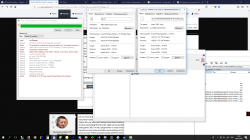
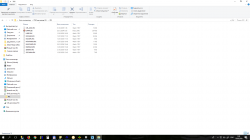
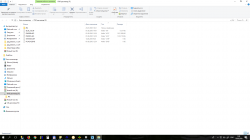
I think so. And look. When i convert the game UrbanReign, The Space of the game in PKG is less than original ISO file.What is the current issue in UR? Graphical issues?
what do you think about this?
Attachments
Last edited:

I think so. And look. When i convert the game UrbanReign, The Space of the game in PKG is less than original ISO file.
what do you think about this?
There is nothing wrong with the size. As far as i remember this game had dummy file inside, since i ripped my copy to 1.5GB uncompressed iso just like yours. Its same with Haunting Ground, Chaos Legion and other games. So when you create your fpkg you actually compress that dummy and since its empty file by nature it didnt takes space at all compressed. Please note that if game didnt have dummy files, if you click on "Enable Compression" while making fpkg its also normal to gain some space since you compress game but it will not be that big (especially if game contains mostly movies like Swords of Etheria ~ 3GB+ movies as far as i remember).
Thevapinggaymer
Member
I also want to run Shadow hearts in software mode to fix the low frames out of battle. And then try and figure out how to fix the problem where the character models just disappear in battle.I want to run UrbanReign in Software mode
kozarovv
Developer
There is no software mode in ps2 emu for ps4. And even if it was, for sure it won't fix low framerate.I also want to run Shadow hearts in software mode to fix the low frames out of battle.
AluCarD75rus
Forum Noob
Hello guys! Anybody try to play Call of Duty 3? I have error after loading first mission(
Thevapinggaymer
Member
I figured as much. Do you have any idea what could fix the low frame rate or even the disappearing characters in battle?There is no software mode in ps2 emu for ps4. And even if it was, for sure it won't fix low framerate.

kozarovv
Developer
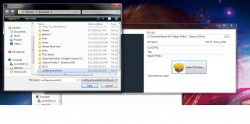
Can help me config for valkyrie profile 2? thanks
Attachments
kozarovv
Developer
Try to add this:Do you have any idea what could fix the low frame rate or even the disappearing characters in battle?
--gs-adaptive-frameskip=1
--vu0-no-clamping=0
--vu1-no-clamping=0
--cop2-no-clamping=0
--vu0-clamp-results=1
--vu1-clamp-results=1
--cop2-clamp-results=1
First command is speedhack, rest can fix characters in battle.
Thevapinggaymer
Member
Try to add this:
--gs-adaptive-frameskip=1
--vu0-no-clamping=0
--vu1-no-clamping=0
--cop2-no-clamping=0
--vu0-clamp-results=1
--vu1-clamp-results=1
--cop2-clamp-results=1
First command is speedhack, rest can fix characters in battle.
thanks i tried that but the game doesn't load up. I think it might be because of the frameskip, but i'm not sure.
zolwikwkurwik
Member
Unreal Trounament.
Every time I make it myself it doesn't boot at all. But I downloaded fpkg with UT from known site and it worked for some odd reason, but with no multitap support. I tried to dump it on my ps4 to add "--mtap1=always" line in config, but for some odd reason the dumped folder contain additional files in folder with param.sfo file preventing pkg to be made (error). I tried without those files but the game still hangs, like my own pkg did.
Every time I make it myself it doesn't boot at all. But I downloaded fpkg with UT from known site and it worked for some odd reason, but with no multitap support. I tried to dump it on my ps4 to add "--mtap1=always" line in config, but for some odd reason the dumped folder contain additional files in folder with param.sfo file preventing pkg to be made (error). I tried without those files but the game still hangs, like my own pkg did.
AluCarD75rus
Forum Noob
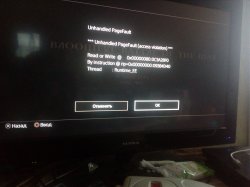

Redkin
Forum Noob
Hello, hope someone can help me, theres is a good standart configuration for the games that are already playable like rogue galaxy and rayman revolution, to have stable fps? something like upscale and uprender to none? or i dont know what it does but the: gs optimice-30 fps? Stable config to the games to run smooth, thankyou in advance!
Similar threads
-
-
-
PS4 How to play multiplayer (3-4 players) using PSX-FPKG?
- Started by PSXP_Kira
- Replies: 2
-
 PS3 [PS2] Gundam Warriors 2 FPU rounding fix
- Started by Low_Plankton_3329
- Replies: 0