PS4 [Research]PS2 emulator configuration on PS4

I forgot to mention, with the config file designed for the Ps2 Classic on Ps3 I was able to do a full play through of the vanilla version of the game. so that is also how I know the ladder glitch wont happen from experience (but perhaps a helpful clue could be found in that config file).Thank you for your renewed interest and assistance on this issue =).
 
Thank you, i should have access to PS3 this weekend. I will try to find out that issue exist there. If yes, this will be easy fix, if no then i'm gonna need tester with ps4.

Did you have any luck finding a ps4 tester to volunteer? I would be happy to run test on my ps4, I'd just need instructions from you on how I can assist & I need to inject the ps2 save I sent you earlier into the Ps2Classics emu. Sorry for posting my response here, I can't seem to PM you/write on your profile.
 
Sorry i no longer own PS3 nor PS4, so there not gonna be fix from me.


I completely understand, sorry about that; however, could you please confirm if a command has been found to set the EE rounding mode to nearest or negative? Setting "eeRoundMode=0" in PCSX2 is how the ladder glitch is fixed, I figured if we could find a parallel command for the Ps4's Ps2 Classics Emulator, then that should produce the desired result.

Thank you again for your assistance earlier, and I apologize if I have annoyed you.
 
Setting "eeRoundMode=0" in PCSX2 is how the ladder glitch is fixed, I figured if we could find a parallel command for the Ps4's Ps2 Classics Emulator, then that should produce the desired result.
Fix will be something like --fpu-accurate-range=0x100008,0x600000
But testing will annoying. 100008 and 600000 is memory range that will be calculated precisely. You need to clamp that value until game will be fast as usual, and glitch will be fixed. There is no simple setting like on pcsx2 sadly.

You can try to mess with fpu clamping, but i don't think that will help.
 
Fix will be something like --fpu-accurate-range=0x100008,0x600000
But testing will annoying. 100008 and 600000 is memory range that will be calculated precisely. You need to clamp that value until game will be fast as usual, and glitch will be fixed. There is no simple setting like on pcsx2 sadly.

You can try to mess with fpu clamping, but i don't think that will help.

I don't mind running test myself, I just need to figure out how to inject the save I sent you so it can be loaded on ps4; I would also need to know what exactly I would be looking for whilst testing in order to pinpoint the precise memory range (if I am understanding you correctly)?

Edit: Never mind I think I understand better; while the wide memory range would naturally encompass the particular portion that effects the ladder, it would consequently make the game run very slowly; the only way to get both the ladder glitch fixed whilst remaining at a playable speed would be to narrow down the memory range as much as possible. I hope I understood all of this correctly.


Thanks again for your input, I should be able to get quite a bit done on my own now. I will report my results in the next week or two,
 
Last edited:
Edit: Never mind I think I understand better; while the wide memory range would naturally encompass the particular portion that effects the ladder, it would consequently make the game run very slowly; the only way to get both the ladder glitch fixed whilst remaining at a playable speed would be to narrow down the memory range as much as possible. I hope I understood all of this correctly.
Yes. Exactly.
 
Yes. Exactly.
Excellent news! As you probably imagined, your advice worked perfectly! --fpu-accurate-range=0x100008,0x600000 definitely works, but regrettably, the game is painfully slow (As you mentioned it would be), however, it's really bad in this case because the next closest save is blocked until you finish a tedious puzzle (on the floor the ladder takes you down); What normally would have taken 10-15 minutes tops has been like 2-3 hours, it's that rough.

The fact we got passed the infamous ladder glitch is huge, I just need to narrow down the relevant ranges as much as possible so the game runs at a more tolerable speed for the duration of the puzzle (and then patch back to normal settings). Thank you so much again, for your help =).

Oh, one last thing, when attempting to narrow the ranges, is there a particular pattern I should follow to help in the process?

For example, if I were to guess, I am imagining I would start by Splitting the command "--fpu-accurate-range=0x100008,0x600000" into two parts

IE: (--fpu-accurate-range=0x100008,0x300000 & --fpu-accurate-range=0x300001,0x600000) and then continue working down from whichever fragment fixes the ladder glitch until you reach a tolerable speed or simply cannot narrow it down any further. I will try something like that in the mean time, but if you or anyone else has a better method, please let me know.
 
Last edited:
IE: (--fpu-accurate-range=0x100008,0x300000 & --fpu-accurate-range=0x300001,0x600000) and then continue working down from whichever fragment fixes the ladder glitch until you reach a tolerable speed or simply cannot narrow it down any further. I will try something like that in the mean time, but if you or anyone else has a better method, please let me know.
There is no better method. Maybe if game have debug symbols, then you can try to search by name for related function. Halving range is what i usually do. In some rare situations you can find out that both values that you got after split range are not working. This is usually good info, because it mean that correct offset is somewhere in the middle.

Like (--fpu-accurate-range=0x100008,0x300000 & --fpu-accurate-range=0x300001,0x600000), both not working. Then offset will be probably somewhere at --fpu-accurate-range=0x2FF000,0x300FFF. Is rare, but i faced that few times, so is worth to mention.
 
There is no better method. Maybe if game have debug symbols, then you can try to search by name for related function. Halving range is what i usually do. In some rare situations you can find out that both values that you got after split range are not working. This is usually good info, because it mean that correct offset is somewhere in the middle.

Like (--fpu-accurate-range=0x100008,0x300000 & --fpu-accurate-range=0x300001,0x600000), both not working. Then offset will be probably somewhere at --fpu-accurate-range=0x2FF000,0x300FFF. Is rare, but i faced that few times, so is worth to mention.

I succeed narrowing it down as much as possible, the solution is --fpu-accurate-range=0x137757,0x138011

I am pleased to report that aside from running around, everything else works flawlessly at full speeds (including battles). It sucks that the the area which the ladder leads to is a small yet frustrating puzzle (what would normally take 20 minutes was more like an hour at the reduced speeds), but the random battles at full speed certainly helps to break up the monotony of it at least =). I also went ahead and confirmed that once you reach the save point for B12 (shortly after finishing the puzzle) you can safely disable --fpu-accurate-range=0x137757,0x138011 and the game will run properly, including when you are finished with everything on B12 and try climbing back up the ladder to B11, which weirdly still won't let you descend (but thankfully there is no reason to ever return so it is all good).

Here is my config for you or anyone else with editing privileges to add to the compatibility list. I am sure there is a much better setup than the commands I have, so by all means if you or anyone else wants to build upon it before making it the official config for this game, please feel free to do so =).

#--path-memcards="/app0/memory_cards"
--path-emulog="/tmp/recordings"
--config-local-lua=""
--config-opt=""
--load-tooling-lua=0
#--path-patches="/app0/patches"
#--path-trophydata="/app0/trophy_data"
#--path-featuredata="/app0/patches"
#--path-toolingscript="/app0/patches"
--ps2-title-id=SLUS-20911
--max-disc-num=1
--trophy-support=0
#---------------------------------------------
#--ee-pc-coherency=0
#--ee-inst-marking=0
#--ee-kernel-hle=1
#---------------------------------------------
#--cop2-opt-flags=1
#--cop2-opt-vf00=1
#---------------------------------------------
--gs-uprender=none
--gs-upscale=point
--gs-use-deferred-l2h=0
#--gs-kernel-cl-up="up2x2skipinterp"
#--gs-optimize-30fps=1
#--gs-force-bilinear=0
#--------------------------------------------
#--vu-hack-triace=0
#--vu-opt-sf-check=0
#--------------------------------------------
--ps2-lang=system
--host-audio=1
--rom="PS20220WD20050620.crack"
--verbose-cdvd-reads=0
--host-osd=0
--host-display-mode=full
#--fpu-accurate-range=0x137757,0x138011


Once again @kozarovv I cannot thank you enough for pointing me in the right direction towards this solution; Playing SMT Nocturne Hard Type Hack on the Ps4 may very well be the definitive way to play it now (because PCSX2 is the only other way and that comes with it's own issues, not all of which can be fixed), just to emphasize the significance of this fix being discovered.
 
Nice work! My only suggestion that i forgot mention earlier is to use 0,4,8, or C at end of address. Because mips instructions are 32 bits long, they always start at 0xYYYYYX where X is 0,4,8, or C. In way you did it is possible that instructions at 0x137758 - 0x138010 are ignored. So i suggest to edit it to --fpu-accurate-range=0x137754,0x138014 to make it more clean.

About config you posted, --fpu-accurate-range seems to be commented there. I think that's just mistake. :)
One more thing i want to mention, fix like that is region dependent. So if you used US release, offsets for JPN release will be different.
 
Nice work! My only suggestion that i forgot mention earlier is to use 0,4,8, or C at end of address. Because mips instructions are 32 bits long, they always start at 0xYYYYYX where X is 0,4,8, or C. In way you did it is possible that instructions at 0x137758 - 0x138010 are ignored. So i suggest to edit it to --fpu-accurate-range=0x137754,0x138014 to make it more clean.

About config you posted, --fpu-accurate-range seems to be commented there. I think that's just mistake. :)
One more thing i want to mention, fix like that is region dependent. So if you used US release, offsets for JPN release will be different.

Thank you for letting me know about rounding the ends to 0,4,8 or C, I will be sure to add that change within the command in the config; As far as my putting a # before the command, I did that on purpose (because it is pointless to keep enabled anywhere else but for the ladder glitch, which oddly only happens at this specific part of the game, even on PCSX2).

Speaking of which, although you do not have a Ps4 anymore, based on your knowledge of the system & the scene, what are your thoughts on the possibility of changing the config settings whilst in game? It would be amazing to have that capability someday, would make testing games absurdly easy without having to patch after every attempt, fixes could just be made/discovered on the fly. Do you think that functionality could ever be made possible knowing what you know about the system or would this be beyond our grasp at this time?

I would love to contribute more & in bigger ways to scenes like that, but I don't have the motivation to do anything programming related (or much else in general) unless there will be a practical use in the foreseeable future (IE:I taught myself basic hex editing because I corrupted a save file for a multi discs psx game once, so I had to modify the values for 50+ cheat codes to precisely recreate my actual setup on someone else's save). Working on something basic like HTML, while a good starting place for a programming newbie, does not interest me nor would I be able to do much else with t besides use it as a stepping stone; Homebrew development would be far more relevant & satisfying to work with and might just be what I would need to motivate me, but perhaps I can't take it on until I have a solid understanding of the easier languages.

Anyways, thank you again for your time and assistance :adoration:.
 
Thank you for letting me know about rounding the ends to 0,4,8 or C, I will be sure to add that change within the command in the config; As far as my putting a # before the command, I did that on purpose (because it is pointless to keep enabled anywhere else but for the ladder glitch, which oddly only happens at this specific part of the game, even on PCSX2).
No really need to turn off commands like that. Only bad thing that can happen with improved accuracy is slow down. Since you narrowed responsible offset to very small range, should be fine to keep that command turned on thru full game. That's what emulator developers do on PS3, and PS4.


Speaking of which, although you do not have a Ps4 anymore, based on your knowledge of the system & the scene, what are your thoughts on the possibility of changing the config settings whilst in game? It would be amazing to have that capability someday, would make testing games absurdly easy without having to patch after every attempt, fixes could just be made/discovered on the fly. Do you think that functionality could ever be made possible knowing what you know about the system or would this be beyond our grasp at this time?
I don't think that something like that will be ever possible, maybe for some small set of commands that read every some number of cycles. But for commands that are set permanently at start is not even possible.

I would love to contribute more & in bigger ways to scenes like that, but I don't have the motivation to do anything programming related (or much else in general) unless there will be a practical use in the foreseeable future (IE:I taught myself basic hex editing because I corrupted a save file for a multi discs psx game once, so I had to modify the values for 50+ cheat codes to precisely recreate my actual setup on someone else's save). Working on something basic like HTML, while a good starting place for a programming newbie, does not interest me nor would I be able to do much else with t besides use it as a stepping stone; Homebrew development would be far more relevant & satisfying to work with and might just be what I would need to motivate me, but perhaps I can't take it on until I have a solid understanding of the easier languages.

Anyways, thank you again for your time and assistance :adoration:.

Learning comes much better when something is interesting for you ;)
 
TLOA crash in menu is fixed (thanks to recent PCSX2 fix for TLOA NTSC, which i used to found the fix for the PAL version on PCSX2), those patches also work on ps4. Anyway the game has still some problems:
1) Lag
2) Audio is out of sync
@kozarovv
How can i fix this?

 
Last edited:
Has anyone had any luck with Lord Of The Rings The Third Age on the ps4? Currently using the jax emu and the game runs pretty good but there is faint black vertical bars across the screen while in game (but it doesn't make it unplayable) and when the "eye of Sauron" appears before a big battle the frame rate drops while the fight screen loads. I checked on the ps2 on ps4 compatibility page for configs but nothing posted there? ((my next step is trying the kof98 emu but i highly doubt i will get better performance though))


Just curious if anyone would know how to possible fix?....it is a pretty fun game OHHHH and I have it with codebreaker injected too :)


Edit:

Disregard...there is posts on this - my appoligies
 
Last edited:
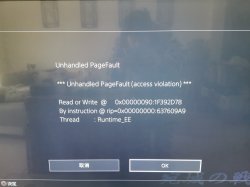
你好,有人知道如何解决这个问题吗?

IMG_20200202_152118.jpg

SLPM651.70
 
Just a thought (there is no actual research on my part regarding this):
Since all the recent talk about backporting some games that share assets that has been decrypted on < 5.05, has anyone looked into if these newer PS2 classics releases could get the same treatment?
 
Last edited:
Just a thought (there is no actual research on my part regarding this):
Since all the recent talk about backporting some games that share assets that has been decrypted on < 5.05, has anyone looked into if these newer PS2 classics releases could get the same treatment?

That way can give us:

- New config files
- Iso that is unmodified, so no real research value

That way cannot give us:

- New emu file
- New recompiler

As those will be still encrypted. So eventual profit will be new configs, that can give some hints for researchers.
 

Similar threads

Back
Top