PS4 [Research]PS2 emulator configuration on PS4

Well, that function is different in JPN release. This can not work. But try.

Code:
apiRequest(2.0)

local gpr = require( "ee-gpr-alias" )
local eeObj = getEEObject()

-- Fix bug 10414 - large stretched polygons block view of player characters

local FixPointTable = function()
       
        local s6 = eeObj.GetGpr(gpr.s6)                    -- obj in question
        local p5Tbl = eeObj.ReadMem32(s6+0x10)            -- ptr to object's data
        local numPts = eeObj.ReadMem32(p5Tbl+0x110)        -- num points in list
        local pTbl = 0x1D47840                            -- bg_point_buff (we need to scan this)
        for i = 1, numPts do
            local stat = eeObj.ReadMem32(pTbl + 0xc)    -- check 4th word, should be 0
            if (stat ~= 0) then                            -- if not, we need to fix   
                if (i > 1) then                            -- if this is any but the first entry
                    stat = eeObj.ReadMem64(pTbl-0x10)    -- fix by replacing the x, y with
                    eeObj.WriteMem64(pTbl, stat)        -- the previous entry's x and y.
                    stat = 0x0000000080000000            -- replace the z with 0x80000000
                    eeObj.WriteMem64(pTbl+8, stat)        -- replace the 4th word with 0
                else
                    stat = eeObj.ReadMem32(pTbl + 0x1c)    -- if this is the first entry
                    if (stat == 0) then                    -- make sure the second entry is kosher
                        stat = eeObj.ReadMem64(pTbl+0x10)
                        eeObj.WriteMem64(pTbl, stat)    -- if it is, use the x, y from that entry.
                        stat = 0x0000000080000000        -- replace the z with 0x80000000
                        eeObj.WriteMem64(pTbl+8, stat)    -- replace the 4th word with 0          
                    else
                        eeObj.WriteMem64(pTbl, 0)                        -- if the 2nd entry is not kosher
                        eeObj.WriteMem64(pTbl+8, 0x0000000080000000)    -- write 0, 0, 0x80000000, 0
                    end
                end
            else                                        -- check if Z value is between 0 and 0x8000
                stat = eeObj.ReadMem32(pTbl + 8)        -- if so, overwrite Z with 0x80000000
                if (stat <= 0x8000) then
                    eeObj.WriteMem32(pTbl+8, 0x80000000)
                end
            end
            pTbl = pTbl + 0x10
        end  
end

eeObj.AddHook(0x4F4094, 0x8e150180, FixPointTable)

Okay, give you feedback after the test
 
Well, that function is different in JPN release. This can not work. But try.

Code:
apiRequest(2.0)

local gpr = require( "ee-gpr-alias" )
local eeObj = getEEObject()

-- Fix bug 10414 - large stretched polygons block view of player characters

local FixPointTable = function()
       
        local s6 = eeObj.GetGpr(gpr.s6)                    -- obj in question
        local p5Tbl = eeObj.ReadMem32(s6+0x10)            -- ptr to object's data
        local numPts = eeObj.ReadMem32(p5Tbl+0x110)        -- num points in list
        local pTbl = 0x1D47840                            -- bg_point_buff (we need to scan this)
        for i = 1, numPts do
            local stat = eeObj.ReadMem32(pTbl + 0xc)    -- check 4th word, should be 0
            if (stat ~= 0) then                            -- if not, we need to fix   
                if (i > 1) then                            -- if this is any but the first entry
                    stat = eeObj.ReadMem64(pTbl-0x10)    -- fix by replacing the x, y with
                    eeObj.WriteMem64(pTbl, stat)        -- the previous entry's x and y.
                    stat = 0x0000000080000000            -- replace the z with 0x80000000
                    eeObj.WriteMem64(pTbl+8, stat)        -- replace the 4th word with 0
                else
                    stat = eeObj.ReadMem32(pTbl + 0x1c)    -- if this is the first entry
                    if (stat == 0) then                    -- make sure the second entry is kosher
                        stat = eeObj.ReadMem64(pTbl+0x10)
                        eeObj.WriteMem64(pTbl, stat)    -- if it is, use the x, y from that entry.
                        stat = 0x0000000080000000        -- replace the z with 0x80000000
                        eeObj.WriteMem64(pTbl+8, stat)    -- replace the 4th word with 0          
                    else
                        eeObj.WriteMem64(pTbl, 0)                        -- if the 2nd entry is not kosher
                        eeObj.WriteMem64(pTbl+8, 0x0000000080000000)    -- write 0, 0, 0x80000000, 0
                    end
                end
            else                                        -- check if Z value is between 0 and 0x8000
                stat = eeObj.ReadMem32(pTbl + 8)        -- if so, overwrite Z with 0x80000000
                if (stat <= 0x8000) then
                    eeObj.WriteMem32(pTbl+8, 0x80000000)
                end
            end
            pTbl = pTbl + 0x10
        end  
end

eeObj.AddHook(0x4F4094, 0x8e150180, FixPointTable)

After two hours of in-depth testing, you have fixed the graphics issues of this game. Thank you very much. Does this mean that other King of Fighters games will also be fixed?
 
SLPS_259.83 attempt. Sadly SLPS_254.07 use different code. So no fix for it.

Code:
apiRequest(2.0)

local gpr = require( "ee-gpr-alias" )
local eeObj = getEEObject()

-- Fix bug 10414 - large stretched polygons block view of player characters

local FixPointTable = function()
      
        local s6 = eeObj.GetGpr(gpr.s6)                    -- obj in question
        local p5Tbl = eeObj.ReadMem32(s6+0x10)            -- ptr to object's data
        local numPts = eeObj.ReadMem32(p5Tbl+0x110)        -- num points in list
        local pTbl = 0x1E3C4D0                            -- bg_point_buff (we need to scan this)
        for i = 1, numPts do
            local stat = eeObj.ReadMem32(pTbl + 0xc)    -- check 4th word, should be 0
            if (stat ~= 0) then                            -- if not, we need to fix   
                if (i > 1) then                            -- if this is any but the first entry
                    stat = eeObj.ReadMem64(pTbl-0x10)    -- fix by replacing the x, y with
                    eeObj.WriteMem64(pTbl, stat)        -- the previous entry's x and y.
                    stat = 0x0000000080000000            -- replace the z with 0x80000000
                    eeObj.WriteMem64(pTbl+8, stat)        -- replace the 4th word with 0
                else
                    stat = eeObj.ReadMem32(pTbl + 0x1c)    -- if this is the first entry
                    if (stat == 0) then                    -- make sure the second entry is kosher
                        stat = eeObj.ReadMem64(pTbl+0x10)
                        eeObj.WriteMem64(pTbl, stat)    -- if it is, use the x, y from that entry.
                        stat = 0x0000000080000000        -- replace the z with 0x80000000
                        eeObj.WriteMem64(pTbl+8, stat)    -- replace the 4th word with 0         
                    else
                        eeObj.WriteMem64(pTbl, 0)                        -- if the 2nd entry is not kosher
                        eeObj.WriteMem64(pTbl+8, 0x0000000080000000)    -- write 0, 0, 0x80000000, 0
                    end
                end
            else                                        -- check if Z value is between 0 and 0x8000
                stat = eeObj.ReadMem32(pTbl + 8)        -- if so, overwrite Z with 0x80000000
                if (stat <= 0x8000) then
                    eeObj.WriteMem32(pTbl+8, 0x80000000)
                end
            end
            pTbl = pTbl + 0x10
        end 
end

eeObj.AddHook(0x41E934, 0x8e150180, FixPointTable)
 
SLPS_256.60

Code:
apiRequest(2.0)

local gpr = require( "ee-gpr-alias" )
local eeObj = getEEObject()

-- Fix large stretched polygons block view of player characters, based on official patch

local FixPointTable = function()
     
        local s6 = eeObj.GetGpr(gpr.s6)                  
        local p5Tbl = eeObj.ReadMem32(s6+0x10)          
        local numPts = eeObj.ReadMem32(p5Tbl+0x110)      
        local pTbl = 0x1D21E50                          
        for i = 1, numPts do
            local stat = eeObj.ReadMem32(pTbl + 0xc)  
            if (stat ~= 0) then                                    
                if (i > 1) then                          
                    stat = eeObj.ReadMem64(pTbl-0x10)  
                    eeObj.WriteMem64(pTbl, stat)      
                    stat = 0x0000000080000000          
                    eeObj.WriteMem64(pTbl+8, stat)      
                else
                    stat = eeObj.ReadMem32(pTbl + 0x1c)  
                    if (stat == 0) then                  
                        stat = eeObj.ReadMem64(pTbl+0x10)
                        eeObj.WriteMem64(pTbl, stat)  
                        stat = 0x0000000080000000      
                        eeObj.WriteMem64(pTbl+8, stat)            
                    else
                        eeObj.WriteMem64(pTbl, 0)                      
                        eeObj.WriteMem64(pTbl+8, 0x0000000080000000)  
                    end
                end
            else                                      
                stat = eeObj.ReadMem32(pTbl + 8)      
                if (stat <= 0x8000) then
                    eeObj.WriteMem32(pTbl+8, 0x80000000)
                end
            end
            pTbl = pTbl + 0x10
        end
end

eeObj.AddHook(0x309FA4, 0x008e150180, FixPointTable)

SLPS_255.25 - KOF Neowave.

Code:
apiRequest(2.0)
local gpr = require( "ee-gpr-alias" )
local eeObj = getEEObject()
-- Fix large stretched polygons block view of player characters, based on official patch
local FixPointTable = function()
    
        local s6 = eeObj.GetGpr(gpr.s6)                  
        local p5Tbl = eeObj.ReadMem32(s6+0x10)          
        local numPts = eeObj.ReadMem32(p5Tbl+0x110)      
        local pTbl = 0x1D2B200                          
        for i = 1, numPts do
            local stat = eeObj.ReadMem32(pTbl + 0xc)  
            if (stat ~= 0) then                                    
                if (i > 1) then                          
                    stat = eeObj.ReadMem64(pTbl-0x10)  
                    eeObj.WriteMem64(pTbl, stat)      
                    stat = 0x0000000080000000          
                    eeObj.WriteMem64(pTbl+8, stat)      
                else
                    stat = eeObj.ReadMem32(pTbl + 0x1c)  
                    if (stat == 0) then                  
                        stat = eeObj.ReadMem64(pTbl+0x10)
                        eeObj.WriteMem64(pTbl, stat)  
                        stat = 0x0000000080000000      
                        eeObj.WriteMem64(pTbl+8, stat)            
                    else
                        eeObj.WriteMem64(pTbl, 0)                      
                        eeObj.WriteMem64(pTbl+8, 0x0000000080000000)  
                    end
                end
            else                                      
                stat = eeObj.ReadMem32(pTbl + 8)      
                if (stat <= 0x8000) then
                    eeObj.WriteMem32(pTbl+8, 0x80000000)
                end
            end
            pTbl = pTbl + 0x10
        end
end
eeObj.AddHook(0x3D9DC4, 0x008e150180, FixPointTable)
 
Last edited:
SLPS_259.83 attempt. Sadly SLPS_254.07 use different code. So no fix for it.

Code:
apiRequest(2.0)

local gpr = require( "ee-gpr-alias" )
local eeObj = getEEObject()

-- Fix bug 10414 - large stretched polygons block view of player characters

local FixPointTable = function()
    
        local s6 = eeObj.GetGpr(gpr.s6)                    -- obj in question
        local p5Tbl = eeObj.ReadMem32(s6+0x10)            -- ptr to object's data
        local numPts = eeObj.ReadMem32(p5Tbl+0x110)        -- num points in list
        local pTbl = 0x1E3C4D0                            -- bg_point_buff (we need to scan this)
        for i = 1, numPts do
            local stat = eeObj.ReadMem32(pTbl + 0xc)    -- check 4th word, should be 0
            if (stat ~= 0) then                            -- if not, we need to fix 
                if (i > 1) then                            -- if this is any but the first entry
                    stat = eeObj.ReadMem64(pTbl-0x10)    -- fix by replacing the x, y with
                    eeObj.WriteMem64(pTbl, stat)        -- the previous entry's x and y.
                    stat = 0x0000000080000000            -- replace the z with 0x80000000
                    eeObj.WriteMem64(pTbl+8, stat)        -- replace the 4th word with 0
                else
                    stat = eeObj.ReadMem32(pTbl + 0x1c)    -- if this is the first entry
                    if (stat == 0) then                    -- make sure the second entry is kosher
                        stat = eeObj.ReadMem64(pTbl+0x10)
                        eeObj.WriteMem64(pTbl, stat)    -- if it is, use the x, y from that entry.
                        stat = 0x0000000080000000        -- replace the z with 0x80000000
                        eeObj.WriteMem64(pTbl+8, stat)    -- replace the 4th word with 0       
                    else
                        eeObj.WriteMem64(pTbl, 0)                        -- if the 2nd entry is not kosher
                        eeObj.WriteMem64(pTbl+8, 0x0000000080000000)    -- write 0, 0, 0x80000000, 0
                    end
                end
            else                                        -- check if Z value is between 0 and 0x8000
                stat = eeObj.ReadMem32(pTbl + 8)        -- if so, overwrite Z with 0x80000000
                if (stat <= 0x8000) then
                    eeObj.WriteMem32(pTbl+8, 0x80000000)
                end
            end
            pTbl = pTbl + 0x10
        end
end

eeObj.AddHook(0x41E934, 0x8e150180, FixPointTable)

All graphics issues have been fixed
--gs-use-clut-merge = 1
--gs-kernel-cl = "clutmerge"
--gs-kernel-cl-up = "clutmerge2x2"
Can fix HP slot flicker
--force-frame-blend=1
--gs-use-deferred-l2h=0
Can repair the background graphic flower screen
 
Last edited:
SLPS_256.60

Code:
apiRequest(2.0)

local gpr = require( "ee-gpr-alias" )
local eeObj = getEEObject()

-- Fix large stretched polygons block view of player characters, based on official patch

local FixPointTable = function()
    
        local s6 = eeObj.GetGpr(gpr.s6)                 
        local p5Tbl = eeObj.ReadMem32(s6+0x10)         
        local numPts = eeObj.ReadMem32(p5Tbl+0x110)     
        local pTbl = 0x1D21E50                         
        for i = 1, numPts do
            local stat = eeObj.ReadMem32(pTbl + 0xc) 
            if (stat ~= 0) then                                   
                if (i > 1) then                         
                    stat = eeObj.ReadMem64(pTbl-0x10) 
                    eeObj.WriteMem64(pTbl, stat)     
                    stat = 0x0000000080000000         
                    eeObj.WriteMem64(pTbl+8, stat)     
                else
                    stat = eeObj.ReadMem32(pTbl + 0x1c) 
                    if (stat == 0) then                 
                        stat = eeObj.ReadMem64(pTbl+0x10)
                        eeObj.WriteMem64(pTbl, stat) 
                        stat = 0x0000000080000000     
                        eeObj.WriteMem64(pTbl+8, stat)           
                    else
                        eeObj.WriteMem64(pTbl, 0)                     
                        eeObj.WriteMem64(pTbl+8, 0x0000000080000000) 
                    end
                end
            else                                     
                stat = eeObj.ReadMem32(pTbl + 8)     
                if (stat <= 0x8000) then
                    eeObj.WriteMem32(pTbl+8, 0x80000000)
                end
            end
            pTbl = pTbl + 0x10
        end
end

eeObj.AddHook(0x309FA4, 0x008e150180, FixPointTable)

SLPS_255.25 - that one is 50/50.

Code:
apiRequest(2.0)
local gpr = require( "ee-gpr-alias" )
local eeObj = getEEObject()
-- Fix large stretched polygons block view of player characters, based on official patch
local FixPointTable = function()
   
        local s6 = eeObj.GetGpr(gpr.s6)                 
        local p5Tbl = eeObj.ReadMem32(s6+0x10)         
        local numPts = eeObj.ReadMem32(p5Tbl+0x110)     
        local pTbl = 0x1D2B200                         
        for i = 1, numPts do
            local stat = eeObj.ReadMem32(pTbl + 0xc) 
            if (stat ~= 0) then                                   
                if (i > 1) then                         
                    stat = eeObj.ReadMem64(pTbl-0x10) 
                    eeObj.WriteMem64(pTbl, stat)     
                    stat = 0x0000000080000000         
                    eeObj.WriteMem64(pTbl+8, stat)     
                else
                    stat = eeObj.ReadMem32(pTbl + 0x1c) 
                    if (stat == 0) then                 
                        stat = eeObj.ReadMem64(pTbl+0x10)
                        eeObj.WriteMem64(pTbl, stat) 
                        stat = 0x0000000080000000     
                        eeObj.WriteMem64(pTbl+8, stat)           
                    else
                        eeObj.WriteMem64(pTbl, 0)                     
                        eeObj.WriteMem64(pTbl+8, 0x0000000080000000) 
                    end
                end
            else                                     
                stat = eeObj.ReadMem32(pTbl + 8)     
                if (stat <= 0x8000) then
                    eeObj.WriteMem32(pTbl+8, 0x80000000)
                end
            end
            pTbl = pTbl + 0x10
        end
end
eeObj.AddHook(0x3D9DC4, 0x008e150180, FixPointTable)

SLPS_255.25 graphics problem fix
SLPS_256.60 may be different due to graphics problems, the configuration does not work, there are no graphics problems in the game, only after the start menu and START button

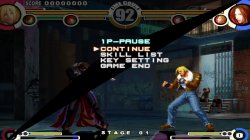
拳皇XI_20200421222605.jpg
 
SLPS_255.25 graphics problem fix
SLPS_256.60 may be different due to graphics problems, the configuration does not work, there are no graphics problems in the game, only after the start menu and START button

View attachment 25472
Like you can see, even with the same engine, and potentially same issue, with exactly the same function. There is still a lot of lottery that fix gonna work, or not. Anyway. We have now 2 new games fixed, 1 official fixed by custom config and additionally one region ported. Not bad ratio with almost no effort ;)
Thanks for testing, and HP fix :)

Edit: Can be worth to try that any other SNK Playmore games have similar issues, game engine can be the same. But that is task for longer time :D

Garou: Mark of the Wolves
NeoGeo Battle Coliseum
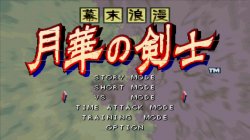
Bakumatsu Rouman: Gekka no Kenshi 1-2
Samurai Spirits: Tenkaichi Kenkakuden
SNK Slot Panic Kyuuji
World Heroes Anthology
 
Last edited:
Like you can see, even with the same engine, and potentially same issue, with exactly the same function. There is still a lot of lottery that fix gonna work, or not. Anyway. We have now 2 new games fixed, 1 official fixed by custom config and additionally one region ported. Not bad ratio with almost no effort ;)
Thanks for testing, and HP fix :)

Edit: Can be worth to try that any other SNK Playmore games have similar issues, game engine can be the same. But that is task for longer time :D

Garou: Mark of the Wolves
NeoGeo Battle Coliseum
Bakumatsu Rouman: Gekka no Kenshi 1-2
Samurai Spirits: Tenkaichi Kenkakuden
SNK Slot Panic Kyuuji
World Heroes Anthology

Garou: Mark of the Wolves(No graphics problems, the game is perfect)
NeoGeo Battle Coliseum(No graphics problems, the game is perfect)
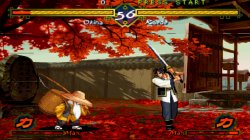
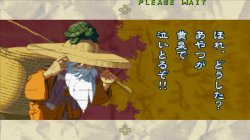
Bakumatsu Rouman: Gekka no Kenshi 1-2(There are minor graphics issues)
月华剑士1+2合集_20200422131930.jpg 月华剑士1+2合集_20200422132004.jpg 月华剑士1+2合集_20200422132204.jpg

Samurai Spirits: Tenkaichi Kenkakuden(There is a collection that contains this game, only the phenomenon of stuttering in combat, no graphics problems, and the configuration on the wiki)
 
I started reversing Tony Hawk engine, and found few noticeable issues on VU. First thing, game use evil branches. So branch inside branch delay slot on VU.

Code:
[32c8] (000002ff) NOP
[32c8] (520a07fd) IBNE vi10, vi00 [32b8]

[32d0 - delay slot] (000002ff) NOP
[32d0 - delay slot] (42020027) BAL vi02 [3410]

Second, game land many times on D bit, that should halt execution only on debug machines, is not clear how ps4 emu handle it yet.

Code:
microVU1: D-bit set! PC = b70
microVU1: D-bit set! PC = bb0
microVU1: D-bit set! PC = b70
microVU1: D-bit set! PC = bb0
microVU1: D-bit set! PC = b70
microVU1: D-bit set! PC = bb0
microVU1: D-bit set! PC = b70
microVU1: D-bit set! PC = bb0

Finally bad rounding, but that shouldn't be issue when booting game. So let's leave it for now.

So here is test config for Tony Hawk games (part 4 or higher):

First attempt:

Edit: Here is full attempt (with fixed rounding too) for SLES_547.14

Cli

Code:
--vu-evil-branches=1
--vu-d-bit=0
Lua
Code:
eeInsnReplace(0x3cc5b0, 0x53400000, 0xd3400000)
 
Last edited:
I started reversing Tony Hawk engine, and found few noticeable issues on VU. First thing, game use evil branches. So branch inside branch delay slot on VU.

Code:
[32c8] (000002ff) NOP
[32c8] (520a07fd) IBNE vi10, vi00 [32b8]

[32d0 - delay slot] (000002ff) NOP
[32d0 - delay slot] (42020027) BAL vi02 [3410]

Second, game land many times on D bit, that should halt execution only on debug machines, is not clear how ps4 emu handle it yet.

Code:
microVU1: D-bit set! PC = b70
microVU1: D-bit set! PC = bb0
microVU1: D-bit set! PC = b70
microVU1: D-bit set! PC = bb0
microVU1: D-bit set! PC = b70
microVU1: D-bit set! PC = bb0
microVU1: D-bit set! PC = b70
microVU1: D-bit set! PC = bb0

Finally bad rounding, but that shouldn't be issue when booting game. So let's leave it for now.

So here is test config for Tony Hawk games (part 4 or higher):

First attempt:

Edit: Here is full attempt (with fixed rounding too) for SLES_547.14

Cli

Code:
--vu-evil-branches=1
--vu-d-bit=0
Lua
Code:
eeInsnReplace(0x3cc5b0, 0x53400000, 0xd3400000)

Without this configuration, the game freezes on the reading progress screen.
滑雪橇_20200425204834.jpg 滑雪橇_20200425204814.jpg

It seems that the configuration has no effect

I created two PKGs, one with no configuration and one with the above configuration, all with the same problem.
 
Last edited:
Does music play on loading screen?

Edit: Can you try that change anything? Same game id as above

lua
Code:
eeInsnReplace(0x1C4F58, 0x10600004, 0x00000000)
 
Last edited:
God of War SLPM_670.10

CLI

Code:
--vu0-opt-flags=1
--vu1-opt-flags=1
--cop2-opt-flags=1
--vu0-const-prop=0
--vu1-const-prop=0
--vu1-jr-cache-policy=newprog
--vu1-jalr-cache-policy=newprog
--vu0-jr-cache-policy=newprog
--vu0-jalr-cache-policy=newprog
--vu1-mpg-cycles=800
LUA
Code:
apiRequest(2.2) --make sure we are running latest emu

local emuObj = getEmuObject()
emuObj.SetGsTitleFix( "forceSimpleFetch", "reserved", { texMode=1 } )

-- Wide Screen at boot, 640x448p at boot, speedhack by removing some effects
emuMediaPatch(0x1e1, 12 + 0x368, { 0x27bdfee0 }, { 0x03e00008 })
emuMediaPatch(0x1e1, 12 + 0x36c, { 0x7fb300d0 }, { 0x00000000 })
emuMediaPatch(0x28c, 12 + 0x218, { 0x8c86df80 }, { 0x24060001 })
emuMediaPatch(0x387, 12 + 0x644, { 0x3c013faa }, { 0x3c013fe3 })
emuMediaPatch(0x387, 12 + 0x648, { 0x3421aaab }, { 0x34218e39 })
emuMediaPatch(0x28c, 12 + 0x21c, { 0x8ca7df84 }, { 0x24070001 })
emuMediaPatch(0x357, 12 + 0x2ac, { 0xac60df84 }, { 0xac65df84 })
emuMediaPatch(0x356, 12 + 0x328, { 0x27bdff20 }, { 0x03e00008 })
emuMediaPatch(0x356, 12 + 0x32c, { 0x3c02002a }, { 0x00000000 })
eeInsnReplace(0x29D394, 0x00000001, 0x00000000)
emuMediaPatch(0x1e8, 12 + 0x500, { 0x27bdff40 }, { 0x03e00008 })
emuMediaPatch(0x1e8, 12 + 0x504, { 0x00052900 }, { 0x00000000 })
emuMediaPatch(0x1dc, 12 + 0x7a0, { 0x27bdff50 }, { 0x03e00008 })
emuMediaPatch(0x1dc, 12 + 0x7a4, { 0x3c02002a }, { 0x00000000 })
 
God of War SLPM_670.10

CLI

Code:
--vu0-opt-flags=1
--vu1-opt-flags=1
--cop2-opt-flags=1
--vu0-const-prop=0
--vu1-const-prop=0
--vu1-jr-cache-policy=newprog
--vu1-jalr-cache-policy=newprog
--vu0-jr-cache-policy=newprog
--vu0-jalr-cache-policy=newprog
--vu1-mpg-cycles=800
LUA
Code:
apiRequest(2.2) --make sure we are running latest emu

local emuObj = getEmuObject()
emuObj.SetGsTitleFix( "forceSimpleFetch", "reserved", { texMode=1 } )

-- Wide Screen at boot, 640x448p at boot, speedhack by removing some effects
emuMediaPatch(0x1e1, 12 + 0x368, { 0x27bdfee0 }, { 0x03e00008 })
emuMediaPatch(0x1e1, 12 + 0x36c, { 0x7fb300d0 }, { 0x00000000 })
emuMediaPatch(0x28c, 12 + 0x218, { 0x8c86df80 }, { 0x24060001 })
emuMediaPatch(0x387, 12 + 0x644, { 0x3c013faa }, { 0x3c013fe3 })
emuMediaPatch(0x387, 12 + 0x648, { 0x3421aaab }, { 0x34218e39 })
emuMediaPatch(0x28c, 12 + 0x21c, { 0x8ca7df84 }, { 0x24070001 })
emuMediaPatch(0x357, 12 + 0x2ac, { 0xac60df84 }, { 0xac65df84 })
emuMediaPatch(0x356, 12 + 0x328, { 0x27bdff20 }, { 0x03e00008 })
emuMediaPatch(0x356, 12 + 0x32c, { 0x3c02002a }, { 0x00000000 })
eeInsnReplace(0x29D394, 0x00000001, 0x00000000)
emuMediaPatch(0x1e8, 12 + 0x500, { 0x27bdff40 }, { 0x03e00008 })
emuMediaPatch(0x1e8, 12 + 0x504, { 0x00052900 }, { 0x00000000 })
emuMediaPatch(0x1dc, 12 + 0x7a0, { 0x27bdff50 }, { 0x03e00008 })
emuMediaPatch(0x1dc, 12 + 0x7a4, { 0x3c02002a }, { 0x00000000 })

The test passed and the audio problem was still a flaw.
 
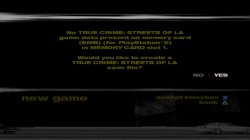
I need tester with SLUS_205.50 True Crime LA. I see config on wiki, but it include patch to iso. I want to try do that in lua.

Code:
apiRequest(0.1)

eeInsnReplace(0x480640, 0x00000000, 0x10000000)

Test is fast. It will hang on title screen, or goes ingame if config work.
Edit: if that's not gonna work, then i want to try emuMediaPatch
Edit2: This one gonna work for sure, but is harder to port, will be nice if first one work..

Code:
apiRequest(0.1)

emuMediaPatch(0x157668, 12 + 0x640, { 0x00000000 }, { 0x10000000 })
 
Last edited:
I need tester with SLUS_205.50 True Crime LA. I see config on wiki, but it include patch to iso. I want to try do that in lua.

Code:
apiRequest(0.1)

eeInsnReplace(0x480640, 0x00000000, 0x10000000)

Test is fast. It will hang on title screen, or goes ingame if config work.
Edit: if that's not gonna work, then i want to try emuMediaPatch
Edit2: This one gonna work for sure, but is harder to port, will be nice if first one work..

Code:
apiRequest(0.1)

emuMediaPatch(0x157668, 12 + 0x640, { 0x00000000 }, { 0x10000000 })
No effect, still frozen in the position of this picture
真实犯罪纽约街道_20200426203039.jpg
 

Similar threads

Back
Top