PS4 [Research]PS2 emulator configuration on PS4

Possibly command is removed from emu you tested, or setting is not 0,1 but something else. I can't find it in JAK emu, so probably removed, and enabled by default then..
I verified again, neither 0 nor 1 will start, maybe as you said, maybe emu is enabled by default or deleted
 
@kozarovv

these commands in PCSX2 are in ps2emu Ps4 too

IN PCSX2:

Screenshot (12)_LI.jpg


IN Ps2emu Ps4 (Jak V2):

Screenshot (13).png


--detect-idle-vif
--detect-idle-ee
--detect-idle-iop
--detect-idle-intc
--detect-idle-chcr

Could these commands lead to something?


Also another thing the command "--vu-opt-sf-check" is in BULLY V2 emu, i don't know if this commands exists in other emulators.
 
I believe that wait loop detection is enabled at default. It is enabled at default even in PS3.

--detect-idle-vif
--detect-idle-ee
--detect-idle-iop
--detect-idle-intc
--detect-idle-chcr
I think those are profiler/debug options. Something that can show them where they can get some shortcut using other commands.
 
How do you config 16:9 aspect ratio in the config-emu-ps4.txt file? I can patch the iso but I don't know the config,thank you
 
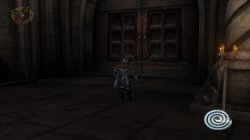
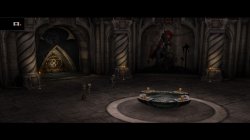
I've noticed an issue with Soul Reaver 2. There are still glitches on the character even with patches enabled.

I've tried the SLUS and SLES variations. The patches used are:

apiRequest(0.1) -- request version 0.1 API. Calling apiRequest() is mandatory.

-- Turn off mipmapping in game engine. Completely fix flickering, and bad texturing. Don't require "gs-kernel-cl=mipmap"
-- SLES_501.96 only!

eeInsnReplace(0x2A1F80, 0x00000001, 0x00000000)


and

--gs-use-mipmap=1
--gs-kernal-cl=mipmap
--gs-kernel-cl-up="mipmap2x2"


I tried both, one and the other separately. Any ideas?

*edit* tested emus: rogue v1 and 2, jak and star ocean.

 

Attachments

  • Legacy of Kain™ Soul Reaver 2®_20200512153206.jpg
    Legacy of Kain™ Soul Reaver 2®_20200512153206.jpg
    417.7 KB · Views: 102
  • Legacy of Kain™ Soul Reaver 2®_20200512151440.jpg
    Legacy of Kain™ Soul Reaver 2®_20200512151440.jpg
    511.9 KB · Views: 141
I've noticed an issue with Soul Reaver 2. There are still glitches on the character even with patches enabled.

I've tried the SLUS and SLES variations. The patches used are:

apiRequest(0.1) -- request version 0.1 API. Calling apiRequest() is mandatory.

-- Turn off mipmapping in game engine. Completely fix flickering, and bad texturing. Don't require "gs-kernel-cl=mipmap"
-- SLES_501.96 only!

eeInsnReplace(0x2A1F80, 0x00000001, 0x00000000)


and

--gs-use-mipmap=1
--gs-kernal-cl=mipmap
--gs-kernel-cl-up="mipmap2x2"


I tried both, one and the other separately. Any ideas?

*edit* tested emus: rogue v1 and 2, jak and star ocean.
This patch is SLES_501.96 only so test on US will fail for sure.

I feel like i know what gonna be issue. This stupid emulator just can't patch this correctly by eeInsnReplace.. To be honest i have no power to port every single patch that not hit code directly to emuMediaPatch. This is so stupid limitation that i think they made it on purpose. Creating emp or hooking registers seems to be their way to go, for no reason usually. Btw. this worked even on ps3 that in theory have the same limit..
All i can suggest is to use ps2patchengine to patch iso..

patch=1,EE,002A1F80,word,00000000
 
I think i resolved "injection" commands usage, is really surprising stuff. I will post more info today. This is actually interesting. But only few games will be able to use it. Like GTA VCS/LCS, Max Payne 2.
 
This is probably not fix for speed in VCS. Btw. I noticed that LCS/VCS have worse performance with MTVU on pcsx2, so maybe that is our issue here.
About injection commands i don't have proper way to test them, so i leave it as is for now. Because to know they work i need someone with setup old 2018 mira kernel logger, and with HEN 1.8 to see that command is really doing what i think is doing.

--vu1-injection=1
--ee-injection-title=1
--ps2-title-id=XXXX-YYYYY (here is important to use correct ID for game you test)
With this test is very important to use correct ID's. For game that is example SLUS_123.45 you need to set --ps2-title-id=SLUS-12345
When you use cli, you need to name it the same way XXXX-YYYYY_cli.conf
All Ids need to match your disc to make this work.

You can test if you want, but it is blind guessing without logs.
 

Similar threads

Back
Top