PS4 [Research]PS2 emulator configuration on PS4

Can someone make same on pal version?

LUA
Code:
--Haunting Ground [SLES-52877] (E)
--Patches/Codes Hacked By Maori-Jigglypuff [Savas Guercebe]

apiRequest(1.0)
local eeObj = getEEObject()
local emuObj = getEmuObject()

local patcher = function()

--Thanks to Maori-Jigglypuff for reversing this game, it looks like another new game

-- Maximum Graphics Booster Control Unit
-- [Disable vivid Light Intensity and max out Game Sharpness]
eeObj.WriteMem32(0x002392d0,0x27bdffC0)
eeObj.WriteMem32(0x002392d4,0x3c050047)
eeObj.WriteMem32(0x002392d8,0xFFBF0010)
eeObj.WriteMem32(0x002392dc,0x2403ffff)
eeObj.WriteMem32(0x002392e0,0x7FB00000)
eeObj.WriteMem32(0x002392e4,0x24A5E8C0)
eeObj.WriteMem32(0x002392e8,0xAFA30024)
eeObj.WriteMem32(0x002392ec,0xAFA50020)
eeObj.WriteMem32(0x002392f0,0x3C04017F)
eeObj.WriteMem32(0x002392f4,0x24907670)
eeObj.WriteMem32(0x002392f8,0x8E050014)
eeObj.WriteMem32(0x002392fc,0x8E070018)
eeObj.WriteMem32(0x00239300,0x27A40020)
eeObj.WriteMem32(0x00239304,0x3C0EFFFF)
eeObj.WriteMem32(0x00239308,0x35CFFFFF)
eeObj.WriteMem32(0x0023930c,0x10AF0008)
eeObj.WriteMem32(0x00239310,0x24020001)
eeObj.WriteMem32(0x00239314,0x2C430001)
eeObj.WriteMem32(0x00239318,0x3C188024)
eeObj.WriteMem32(0x0023931c,0x37182424)
eeObj.WriteMem32(0x00239320,0x0303280B)
eeObj.WriteMem32(0x00239324,0x3C19C024)
eeObj.WriteMem32(0x00239328,0x37392424)
eeObj.WriteMem32(0x0023932c,0x0323280A)
eeObj.WriteMem32(0x00239330,0x0C08EE0C)
eeObj.WriteMem32(0x00239334,0x24060001)
eeObj.WriteMem32(0x00239338,0x00000000)
eeObj.WriteMem32(0x0023933c,0x00000000)
eeObj.WriteMem32(0x00239340,0x00000000)
eeObj.WriteMem32(0x00239344,0x00000000)
eeObj.WriteMem32(0x00239348,0x00000000)
eeObj.WriteMem32(0x0023934c,0x00000000)
eeObj.WriteMem32(0x00239350,0x00000000)
eeObj.WriteMem32(0x00239354,0x00000000)
eeObj.WriteMem32(0x00239358,0xDFBF0010)
eeObj.WriteMem32(0x0023935c,0x7BB00000)
eeObj.WriteMem32(0x00239360,0x03e00008)
eeObj.WriteMem32(0x00239364,0x27BD0040)

-- Disable Blur-Effect
eeObj.WriteMem32(0x0019f080,0x100000A8)
eeObj.WriteMem32(0x0019f324,0x24043f80)
eeObj.WriteMem32(0x0019f328,0x00042c00)
eeObj.WriteMem32(0x0019f32c,0x34a60000)
eeObj.WriteMem32(0x0019f330,0x44860000)
eeObj.WriteMem32(0x0019f334,0x46000064)
eeObj.WriteMem32(0x0019f338,0x44070800)
eeObj.WriteMem32(0x0019f33c,0x00e01821)
eeObj.WriteMem32(0x0019f340,0x03E00008)
eeObj.WriteMem32(0x0019f344,0x0003100B)

-- Disable briefly emerging Blur-Effects and the
-- constant Blur-Effects on some foreground Objects
eeObj.WriteMem32(0x002935f0,0x3c043f80)
eeObj.WriteMem32(0x002935f8,0x44840000)
eeObj.WriteMem32(0x002935fc,0x46000064)
eeObj.WriteMem32(0x00293600,0x44020800)
eeObj.WriteMem32(0x00293608,0x0002880b)

-- All Characters real Light enhanced
-- and all kind of extra Light disabled
eeObj.WriteMem32(0x001dcd94,0x3c024240)
eeObj.WriteMem32(0x001dcd98,0x44820000)
eeObj.WriteMem32(0x001dcd9c,0x3c033f80)
eeObj.WriteMem32(0x001dcda0,0x34630000)
eeObj.WriteMem32(0x001dcda4,0xe7c00030)
eeObj.WriteMem32(0x001dcda8,0xe7c00034)
eeObj.WriteMem32(0x001dcdac,0xe7c00038)
eeObj.WriteMem32(0x001dcdb0,0xafc3003c)
eeObj.WriteMem32(0x001dc6ac,0x00000000)
eeObj.WriteMem32(0x001dc6b0,0x00000000)
eeObj.WriteMem32(0x001dc6b4,0x00000000)
eeObj.WriteMem32(0x001dc6b8,0x3C024240)
eeObj.WriteMem32(0x001dc6bc,0x34420000)
eeObj.WriteMem32(0x001dc6c0,0x44820000)
eeObj.WriteMem32(0x001dc6c4,0xE6200030)
eeObj.WriteMem32(0x001dc6c8,0xE6200034)
eeObj.WriteMem32(0x001dc6cc,0xE6200038)
eeObj.WriteMem32(0x001dc6d0,0x00000000)
eeObj.WriteMem32(0x001dc6d4,0x00000000)
eeObj.WriteMem32(0x001dc6d8,0x00000000)
eeObj.WriteMem32(0x001dc7f0,0x00000000)
eeObj.WriteMem32(0x001dc7f4,0x00000000)
eeObj.WriteMem32(0x001dc7f8,0x3C030000)
eeObj.WriteMem32(0x001dc7fc,0x34630000)
eeObj.WriteMem32(0x001dc800,0x44830000)
eeObj.WriteMem32(0x001dc804,0xE6600000)
eeObj.WriteMem32(0x001dc808,0xE6600010)
eeObj.WriteMem32(0x001dc80c,0xE6600020)
eeObj.WriteMem32(0x001dc810,0xe6400000)
eeObj.WriteMem32(0x001dc814,0xe6400004)
eeObj.WriteMem32(0x001dc818,0xe6400008)
eeObj.WriteMem32(0x001dc81c,0x00000000)
eeObj.WriteMem32(0x001dc820,0x00000000)
eeObj.WriteMem32(0x001dc828,0x00000000)
eeObj.WriteMem32(0x001dcb1c,0x3c024240)
eeObj.WriteMem32(0x001dcb20,0x44820000)
eeObj.WriteMem32(0x001dcb24,0xe7c00030)
eeObj.WriteMem32(0x001dcb28,0xe7c00034)
eeObj.WriteMem32(0x001dcb2c,0xe7c00038)
eeObj.WriteMem32(0x001dca48,0xAE000000)
eeObj.WriteMem32(0x001dca60,0xAE000004)
eeObj.WriteMem32(0x001dca78,0xAE000008)
eeObj.WriteMem32(0x001DC990,0xAC400000)
eeObj.WriteMem32(0x001DC994,0xAC400004)
eeObj.WriteMem32(0x001DC998,0xAC400008)

-- Fiona never gets into Panic
eeObj.WriteMem32(0x00384888,0x3C043F80)
eeObj.WriteMem32(0x0038488c,0x34850000)
eeObj.WriteMem32(0x00384890,0x44850000)
eeObj.WriteMem32(0x00384894,0x46000064)
eeObj.WriteMem32(0x00384898,0x44030800)
eeObj.WriteMem32(0x0038489c,0x0060100A)

-- No Lantern Light and no vivid Windows
eeObj.WriteMem32(0x0023D024,0x24020000)

-- No foggy black Door Shadows and
-- no Shadow of Fiona's Body on the Ground
eeObj.WriteMem32(0x001db8e8,0x24030000)
eeObj.WriteMem32(0x001db8ec,0x2C620001)
eeObj.WriteMem32(0x001db8f0,0x0002180B)
eeObj.WriteMem32(0x001db8f4,0x14600017)

-- Triangles Brightness on the four Screen Corners Fix
eeObj.WriteMem32(0x001EEFB8,0x24020000)

-- No black Borders
eeObj.WriteMem32(0x0035e628,0x24030001)

-- LANGUAGE-, Select your language.- and Language-Selector
-- Letters correct Brightness Adjustment
eeObj.WriteMem32(0x003426D0,0x24020060)
eeObj.WriteMem32(0x00342700,0x24020060)
eeObj.WriteMem32(0x00342748,0x24020060)

-- Haunting Ground Letter at "Press Start Button"-Screen
-- Brightness and Color (Intensifier/Modifier) Adjust
eeObj.WriteMem32(0x00340a68,0x3C034300)
eeObj.WriteMem32(0x00340ac0,0x3c030044)
eeObj.WriteMem32(0x00340ac8,0x34634444)

-- Snake Image at "Press Start Button"-Screen Brightness Adjust
eeObj.WriteMem32(0x00340d10,0x3C034284)

-- Capcom Co. , LTD. 2005 ALL RIGHTS RESERVED. and
-- "Press Start Button" Letters correct Brightness Adjust
eeObj.WriteMem32(0x0038B42c,0x3C034280)

-- Art Gallery correct Brightness Adjust
eeObj.WriteMem32(0x0034a708,0x34038050)
eeObj.WriteMem32(0x0034a718,0x34675050)

-- Remove translucent black Borders in Art Gallery
--eeObj.WriteMem32(0x00349f7c,0x24030000)

-- Entire Game-System RGB highly enhanced
-- [Side Effect: Fiona and Hewie not visible on Capcom Logo]
eeObj.WriteMem32(0x0019db14,0x3C1880F8)
eeObj.WriteMem32(0x0019db34,0x3719F8F8)
eeObj.WriteMem32(0x0019db38,0xFC790098)

end

emuObj.AddVsyncHook(patcher)

This should work.
 
Last edited:
lua
Code:
--Haunting Ground [SLES-52877] (E)
--Patches/Codes Hacked By Maori-Jigglypuff [Savas Guercebe]

apiRequest(1.0)
local eeObj = getEEObject()
local emuObj = getEmuObject()

local patcher = function()

--Thanks to Maori-Jigglypuff for reversing this game, it looks like another new game

-- Maximum Graphics Booster Control Unit
-- [Disable vivid Light Intensity and max out Game Sharpness]
eeObj.WriteMem32(0x002392d0,0x27bdffC0)
eeObj.WriteMem32(0x002392d4,0x3c050047)
eeObj.WriteMem32(0x002392d8,0xFFBF0010)
eeObj.WriteMem32(0x002392dc,0x2403ffff)
eeObj.WriteMem32(0x002392e0,0x7FB00000)
eeObj.WriteMem32(0x002392e4,0x24A5E8C0)
eeObj.WriteMem32(0x002392e8,0xAFA30024)
eeObj.WriteMem32(0x002392ec,0xAFA50020)
eeObj.WriteMem32(0x002392f0,0x3C04017F)
eeObj.WriteMem32(0x002392f4,0x24907670)
eeObj.WriteMem32(0x002392f8,0x8E050014)
eeObj.WriteMem32(0x002392fc,0x8E070018)
eeObj.WriteMem32(0x00239300,0x27A40020)
eeObj.WriteMem32(0x00239304,0x3C0EFFFF)
eeObj.WriteMem32(0x00239308,0x35CFFFFF)
eeObj.WriteMem32(0x0023930c,0x10AF0008)
eeObj.WriteMem32(0x00239310,0x24020001)
eeObj.WriteMem32(0x00239314,0x2C430001)
eeObj.WriteMem32(0x00239318,0x3C188024)
eeObj.WriteMem32(0x0023931c,0x37182424)
eeObj.WriteMem32(0x00239320,0x0303280B)
eeObj.WriteMem32(0x00239324,0x3C19C024)
eeObj.WriteMem32(0x00239328,0x37392424)
eeObj.WriteMem32(0x0023932c,0x0323280A)
eeObj.WriteMem32(0x00239330,0x0C08EE0C)
eeObj.WriteMem32(0x00239334,0x24060001)
eeObj.WriteMem32(0x00239338,0x00000000)
eeObj.WriteMem32(0x0023933c,0x00000000)
eeObj.WriteMem32(0x00239340,0x00000000)
eeObj.WriteMem32(0x00239344,0x00000000)
eeObj.WriteMem32(0x00239348,0x00000000)
eeObj.WriteMem32(0x0023934c,0x00000000)
eeObj.WriteMem32(0x00239350,0x00000000)
eeObj.WriteMem32(0x00239354,0x00000000)
eeObj.WriteMem32(0x00239358,0xDFBF0010)
eeObj.WriteMem32(0x0023935c,0x7BB00000)
eeObj.WriteMem32(0x00239360,0x03e00008)
eeObj.WriteMem32(0x00239364,0x27BD0040)

-- Disable Blur-Effect
eeObj.WriteMem32(0x0019f080,0x100000A8)
eeObj.WriteMem32(0x0019f324,0x24043f80)
eeObj.WriteMem32(0x0019f328,0x00042c00)
eeObj.WriteMem32(0x0019f32c,0x34a60000)
eeObj.WriteMem32(0x0019f330,0x44860000)
eeObj.WriteMem32(0x0019f334,0x46000064)
eeObj.WriteMem32(0x0019f338,0x44070800)
eeObj.WriteMem32(0x0019f33c,0x00e01821)
eeObj.WriteMem32(0x0019f340,0x03E00008)
eeObj.WriteMem32(0x0019f344,0x0003100B)

-- Disable briefly emerging Blur-Effects and the
-- constant Blur-Effects on some foreground Objects
eeObj.WriteMem32(0x002935f0,0x3c043f80)
eeObj.WriteMem32(0x002935f8,0x44840000)
eeObj.WriteMem32(0x002935fc,0x46000064)
eeObj.WriteMem32(0x00293600,0x44020800)
eeObj.WriteMem32(0x00293608,0x0002880b)

-- All Characters real Light enhanced
-- and all kind of extra Light disabled
eeObj.WriteMem32(0x001dcd94,0x3c024240)
eeObj.WriteMem32(0x001dcd98,0x44820000)
eeObj.WriteMem32(0x001dcd9c,0x3c033f80)
eeObj.WriteMem32(0x001dcda0,0x34630000)
eeObj.WriteMem32(0x001dcda4,0xe7c00030)
eeObj.WriteMem32(0x001dcda8,0xe7c00034)
eeObj.WriteMem32(0x001dcdac,0xe7c00038)
eeObj.WriteMem32(0x001dcdb0,0xafc3003c)
eeObj.WriteMem32(0x001dc6ac,0x00000000)
eeObj.WriteMem32(0x001dc6b0,0x00000000)
eeObj.WriteMem32(0x001dc6b4,0x00000000)
eeObj.WriteMem32(0x001dc6b8,0x3C024240)
eeObj.WriteMem32(0x001dc6bc,0x34420000)
eeObj.WriteMem32(0x001dc6c0,0x44820000)
eeObj.WriteMem32(0x001dc6c4,0xE6200030)
eeObj.WriteMem32(0x001dc6c8,0xE6200034)
eeObj.WriteMem32(0x001dc6cc,0xE6200038)
eeObj.WriteMem32(0x001dc6d0,0x00000000)
eeObj.WriteMem32(0x001dc6d4,0x00000000)
eeObj.WriteMem32(0x001dc6d8,0x00000000)
eeObj.WriteMem32(0x001dc7f0,0x00000000)
eeObj.WriteMem32(0x001dc7f4,0x00000000)
eeObj.WriteMem32(0x001dc7f8,0x3C030000)
eeObj.WriteMem32(0x001dc7fc,0x34630000)
eeObj.WriteMem32(0x001dc800,0x44830000)
eeObj.WriteMem32(0x001dc804,0xE6600000)
eeObj.WriteMem32(0x001dc808,0xE6600010)
eeObj.WriteMem32(0x001dc80c,0xE6600020)
eeObj.WriteMem32(0x001dc810,0xe6400000)
eeObj.WriteMem32(0x001dc814,0xe6400004)
eeObj.WriteMem32(0x001dc818,0xe6400008)
eeObj.WriteMem32(0x001dc81c,0x00000000)
eeObj.WriteMem32(0x001dc820,0x00000000)
eeObj.WriteMem32(0x001dc828,0x00000000)
eeObj.WriteMem32(0x001dcb1c,0x3c024240)
eeObj.WriteMem32(0x001dcb20,0x44820000)
eeObj.WriteMem32(0x001dcb24,0xe7c00030)
eeObj.WriteMem32(0x001dcb28,0xe7c00034)
eeObj.WriteMem32(0x001dcb2c,0xe7c00038)
eeObj.WriteMem32(0x001dca48,0xAE000000)
eeObj.WriteMem32(0x001dca60,0xAE000004)
eeObj.WriteMem32(0x001dca78,0xAE000008)
eeObj.WriteMem32(0x001DC990,0xAC400000)
eeObj.WriteMem32(0x001DC994,0xAC400004)
eeObj.WriteMem32(0x001DC998,0xAC400008)

-- Fiona never gets into Panic
eeObj.WriteMem32(0x00384888,0x3C043F80)
eeObj.WriteMem32(0x0038488c,0x34850000)
eeObj.WriteMem32(0x00384890,0x44850000)
eeObj.WriteMem32(0x00384894,0x46000064)
eeObj.WriteMem32(0x00384898,0x44030800)
eeObj.WriteMem32(0x0038489c,0x0060100A)

-- No Lantern Light and no vivid Windows
eeObj.WriteMem32(0x0023D024,0x24020000)

-- No foggy black Door Shadows and
-- no Shadow of Fiona's Body on the Ground
eeObj.WriteMem32(0x001db8e8,0x24030000)
eeObj.WriteMem32(0x001db8ec,0x2C620001)
eeObj.WriteMem32(0x001db8f0,0x0002180B)
eeObj.WriteMem32(0x001db8f4,0x14600017)

-- Triangles Brightness on the four Screen Corners Fix
eeObj.WriteMem32(0x001EEFB8,0x24020000)

-- No black Borders
eeObj.WriteMem32(0x0035e628,0x24030001)

-- LANGUAGE-, Select your language.- and Language-Selector
-- Letters correct Brightness Adjustment
eeObj.WriteMem32(0x003426D0,0x24020060)
eeObj.WriteMem32(0x00342700,0x24020060)
eeObj.WriteMem32(0x00342748,0x24020060)

-- Haunting Ground Letter at "Press Start Button"-Screen
-- Brightness and Color (Intensifier/Modifier) Adjust
eeObj.WriteMem32(0x00340a68,0x3C034300)
eeObj.WriteMem32(0x00340ac0,0x3c030044)
eeObj.WriteMem32(0x00340ac8,0x34634444)

-- Snake Image at "Press Start Button"-Screen Brightness Adjust
eeObj.WriteMem32(0x00340d10,0x3C034284)

-- Capcom Co. , LTD. 2005 ALL RIGHTS RESERVED. and
-- "Press Start Button" Letters correct Brightness Adjust
eeObj.WriteMem32(0x0038B42c,0x3C034280)

-- Art Gallery correct Brightness Adjust
eeObj.WriteMem32(0x0034a708,0x34038050)
eeObj.WriteMem32(0x0034a718,0x34675050)

-- Remove translucent black Borders in Art Gallery
--eeObj.WriteMem32(0x00349f7c,0x24030000)

-- Entire Game-System RGB highly enhanced
-- [Side Effect: Fiona and Hewie not visible on Capcom Logo]
eeObj.WriteMem32(0x0019db14,0x3C1880F8)
eeObj.WriteMem32(0x0019db34,0x3719F8F8)
eeObj.WriteMem32(0x0019db38,0xFC790098)

end

emuObj.AddVsyncHook(patcher)

This should work.
Haha, maybe he released the European version patch and I didn't find it. This is better and saves me the time to transplant the patch:D
 
fix for Van Helsing NTSC

CLI
Code:
--gs-uprender=2x2
--gs-upscale=edgesmooth

--vu1-mpg-cycles=358
--vu0-mpg-cycles=358

--ee-cycle-scalar=2.8
--iop-cycle-scalar=2.8

--host-audio-latency=1.511

gameplay is perfect. minor flicker in pause menu and title screen.
 
Last edited:
lua
Code:
--Haunting Ground [SLES-52877] (E)
--Patches/Codes Hacked By Maori-Jigglypuff [Savas Guercebe]

apiRequest(1.0)
local eeObj = getEEObject()
local emuObj = getEmuObject()

local patcher = function()

--Thanks to Maori-Jigglypuff for reversing this game, it looks like another new game

-- Maximum Graphics Booster Control Unit
-- [Disable vivid Light Intensity and max out Game Sharpness]
eeObj.WriteMem32(0x002392d0,0x27bdffC0)
eeObj.WriteMem32(0x002392d4,0x3c050047)
eeObj.WriteMem32(0x002392d8,0xFFBF0010)
eeObj.WriteMem32(0x002392dc,0x2403ffff)
eeObj.WriteMem32(0x002392e0,0x7FB00000)
eeObj.WriteMem32(0x002392e4,0x24A5E8C0)
eeObj.WriteMem32(0x002392e8,0xAFA30024)
eeObj.WriteMem32(0x002392ec,0xAFA50020)
eeObj.WriteMem32(0x002392f0,0x3C04017F)
eeObj.WriteMem32(0x002392f4,0x24907670)
eeObj.WriteMem32(0x002392f8,0x8E050014)
eeObj.WriteMem32(0x002392fc,0x8E070018)
eeObj.WriteMem32(0x00239300,0x27A40020)
eeObj.WriteMem32(0x00239304,0x3C0EFFFF)
eeObj.WriteMem32(0x00239308,0x35CFFFFF)
eeObj.WriteMem32(0x0023930c,0x10AF0008)
eeObj.WriteMem32(0x00239310,0x24020001)
eeObj.WriteMem32(0x00239314,0x2C430001)
eeObj.WriteMem32(0x00239318,0x3C188024)
eeObj.WriteMem32(0x0023931c,0x37182424)
eeObj.WriteMem32(0x00239320,0x0303280B)
eeObj.WriteMem32(0x00239324,0x3C19C024)
eeObj.WriteMem32(0x00239328,0x37392424)
eeObj.WriteMem32(0x0023932c,0x0323280A)
eeObj.WriteMem32(0x00239330,0x0C08EE0C)
eeObj.WriteMem32(0x00239334,0x24060001)
eeObj.WriteMem32(0x00239338,0x00000000)
eeObj.WriteMem32(0x0023933c,0x00000000)
eeObj.WriteMem32(0x00239340,0x00000000)
eeObj.WriteMem32(0x00239344,0x00000000)
eeObj.WriteMem32(0x00239348,0x00000000)
eeObj.WriteMem32(0x0023934c,0x00000000)
eeObj.WriteMem32(0x00239350,0x00000000)
eeObj.WriteMem32(0x00239354,0x00000000)
eeObj.WriteMem32(0x00239358,0xDFBF0010)
eeObj.WriteMem32(0x0023935c,0x7BB00000)
eeObj.WriteMem32(0x00239360,0x03e00008)
eeObj.WriteMem32(0x00239364,0x27BD0040)

-- Disable Blur-Effect
eeObj.WriteMem32(0x0019f080,0x100000A8)
eeObj.WriteMem32(0x0019f324,0x24043f80)
eeObj.WriteMem32(0x0019f328,0x00042c00)
eeObj.WriteMem32(0x0019f32c,0x34a60000)
eeObj.WriteMem32(0x0019f330,0x44860000)
eeObj.WriteMem32(0x0019f334,0x46000064)
eeObj.WriteMem32(0x0019f338,0x44070800)
eeObj.WriteMem32(0x0019f33c,0x00e01821)
eeObj.WriteMem32(0x0019f340,0x03E00008)
eeObj.WriteMem32(0x0019f344,0x0003100B)

-- Disable briefly emerging Blur-Effects and the
-- constant Blur-Effects on some foreground Objects
eeObj.WriteMem32(0x002935f0,0x3c043f80)
eeObj.WriteMem32(0x002935f8,0x44840000)
eeObj.WriteMem32(0x002935fc,0x46000064)
eeObj.WriteMem32(0x00293600,0x44020800)
eeObj.WriteMem32(0x00293608,0x0002880b)

-- All Characters real Light enhanced
-- and all kind of extra Light disabled
eeObj.WriteMem32(0x001dcd94,0x3c024240)
eeObj.WriteMem32(0x001dcd98,0x44820000)
eeObj.WriteMem32(0x001dcd9c,0x3c033f80)
eeObj.WriteMem32(0x001dcda0,0x34630000)
eeObj.WriteMem32(0x001dcda4,0xe7c00030)
eeObj.WriteMem32(0x001dcda8,0xe7c00034)
eeObj.WriteMem32(0x001dcdac,0xe7c00038)
eeObj.WriteMem32(0x001dcdb0,0xafc3003c)
eeObj.WriteMem32(0x001dc6ac,0x00000000)
eeObj.WriteMem32(0x001dc6b0,0x00000000)
eeObj.WriteMem32(0x001dc6b4,0x00000000)
eeObj.WriteMem32(0x001dc6b8,0x3C024240)
eeObj.WriteMem32(0x001dc6bc,0x34420000)
eeObj.WriteMem32(0x001dc6c0,0x44820000)
eeObj.WriteMem32(0x001dc6c4,0xE6200030)
eeObj.WriteMem32(0x001dc6c8,0xE6200034)
eeObj.WriteMem32(0x001dc6cc,0xE6200038)
eeObj.WriteMem32(0x001dc6d0,0x00000000)
eeObj.WriteMem32(0x001dc6d4,0x00000000)
eeObj.WriteMem32(0x001dc6d8,0x00000000)
eeObj.WriteMem32(0x001dc7f0,0x00000000)
eeObj.WriteMem32(0x001dc7f4,0x00000000)
eeObj.WriteMem32(0x001dc7f8,0x3C030000)
eeObj.WriteMem32(0x001dc7fc,0x34630000)
eeObj.WriteMem32(0x001dc800,0x44830000)
eeObj.WriteMem32(0x001dc804,0xE6600000)
eeObj.WriteMem32(0x001dc808,0xE6600010)
eeObj.WriteMem32(0x001dc80c,0xE6600020)
eeObj.WriteMem32(0x001dc810,0xe6400000)
eeObj.WriteMem32(0x001dc814,0xe6400004)
eeObj.WriteMem32(0x001dc818,0xe6400008)
eeObj.WriteMem32(0x001dc81c,0x00000000)
eeObj.WriteMem32(0x001dc820,0x00000000)
eeObj.WriteMem32(0x001dc828,0x00000000)
eeObj.WriteMem32(0x001dcb1c,0x3c024240)
eeObj.WriteMem32(0x001dcb20,0x44820000)
eeObj.WriteMem32(0x001dcb24,0xe7c00030)
eeObj.WriteMem32(0x001dcb28,0xe7c00034)
eeObj.WriteMem32(0x001dcb2c,0xe7c00038)
eeObj.WriteMem32(0x001dca48,0xAE000000)
eeObj.WriteMem32(0x001dca60,0xAE000004)
eeObj.WriteMem32(0x001dca78,0xAE000008)
eeObj.WriteMem32(0x001DC990,0xAC400000)
eeObj.WriteMem32(0x001DC994,0xAC400004)
eeObj.WriteMem32(0x001DC998,0xAC400008)

-- Fiona never gets into Panic
eeObj.WriteMem32(0x00384888,0x3C043F80)
eeObj.WriteMem32(0x0038488c,0x34850000)
eeObj.WriteMem32(0x00384890,0x44850000)
eeObj.WriteMem32(0x00384894,0x46000064)
eeObj.WriteMem32(0x00384898,0x44030800)
eeObj.WriteMem32(0x0038489c,0x0060100A)

-- No Lantern Light and no vivid Windows
eeObj.WriteMem32(0x0023D024,0x24020000)

-- No foggy black Door Shadows and
-- no Shadow of Fiona's Body on the Ground
eeObj.WriteMem32(0x001db8e8,0x24030000)
eeObj.WriteMem32(0x001db8ec,0x2C620001)
eeObj.WriteMem32(0x001db8f0,0x0002180B)
eeObj.WriteMem32(0x001db8f4,0x14600017)

-- Triangles Brightness on the four Screen Corners Fix
eeObj.WriteMem32(0x001EEFB8,0x24020000)

-- No black Borders
eeObj.WriteMem32(0x0035e628,0x24030001)

-- LANGUAGE-, Select your language.- and Language-Selector
-- Letters correct Brightness Adjustment
eeObj.WriteMem32(0x003426D0,0x24020060)
eeObj.WriteMem32(0x00342700,0x24020060)
eeObj.WriteMem32(0x00342748,0x24020060)

-- Haunting Ground Letter at "Press Start Button"-Screen
-- Brightness and Color (Intensifier/Modifier) Adjust
eeObj.WriteMem32(0x00340a68,0x3C034300)
eeObj.WriteMem32(0x00340ac0,0x3c030044)
eeObj.WriteMem32(0x00340ac8,0x34634444)

-- Snake Image at "Press Start Button"-Screen Brightness Adjust
eeObj.WriteMem32(0x00340d10,0x3C034284)

-- Capcom Co. , LTD. 2005 ALL RIGHTS RESERVED. and
-- "Press Start Button" Letters correct Brightness Adjust
eeObj.WriteMem32(0x0038B42c,0x3C034280)

-- Art Gallery correct Brightness Adjust
eeObj.WriteMem32(0x0034a708,0x34038050)
eeObj.WriteMem32(0x0034a718,0x34675050)

-- Remove translucent black Borders in Art Gallery
--eeObj.WriteMem32(0x00349f7c,0x24030000)

-- Entire Game-System RGB highly enhanced
-- [Side Effect: Fiona and Hewie not visible on Capcom Logo]
eeObj.WriteMem32(0x0019db14,0x3C1880F8)
eeObj.WriteMem32(0x0019db34,0x3719F8F8)
eeObj.WriteMem32(0x0019db38,0xFC790098)

end

emuObj.AddVsyncHook(patcher)

This should work.

Thanks i try check later!
 
Fix for Crash Nitro Kart

cli
Code:
--vu1=jit-sync      #fixes black screen after ps2 logo

--vu0-di-bits=0    #eliminates micro-freezes during races
--vu1-di-bits=0    #eliminates micro-freezes during races

emu used=JakX v2

Should also work for other versions

Code:
--vu0-di-bits=0    #eliminates micro-freezes during races
--vu1-di-bits=0    #eliminates micro-freezes during races

Seems to have a positive effect on OutRun 2006. At least it's playable now with some minor slowdowns. Tested on RECVX
 
Improvement Fix for X-Men Legends NTSC

CLI
Code:
--gs-uprender=2x2
--gs-upscale=edgesmooth

--vu0-di-bits=0
--vu1-di-bits=0

--vu1=jit-sync

--vu1-mpg-cycles=2050
--vu0-mpg-cycles=2050

--ee-cycle-scalar=2.32
--iop-cycle-scalar=2.32


--vu0-opt-flags=1
--vu1-opt-flags=1
--cop2-opt-flags=1
--vu0-const-prop=0
--vu1-const-prop=0
--vu1-jr-cache-policy=newprog
--vu1-jalr-cache-policy=newprog
--vu0-jr-cache-policy=newprog
--vu0-jalr-cache-policy=newprog

--host-audio-latency=3.01

Further testing needed, but speed is much improved.

JakX v2 used

Edit - Updated fix here:
https://www.psx-place.com/threads/r...nfiguration-on-ps4.16131/page-200#post-355321
 
Last edited:
Improvement fix for Area 51(All regions)

CLI
Code:
--gs-uprender=2x2
--gs-upscale=EdgeSmooth

--ee-cycle-scalar=3.11
--iop-cycle-scalar=0.58

--vu1-mpg-cycles=1650
--vu0-mpg-cycles=1650

--host-audio-latency=2.7

--host-vsync=1

--vu0-opt-flags=1
--vu1-opt-flags=1
--cop2-opt-flags=1
--vu0-const-prop=0
--vu1-const-prop=0
--vu1-jr-cache-policy=newprog
--vu1-jalr-cache-policy=newprog
--vu0-jr-cache-policy=newprog
--vu0-jalr-cache-policy=newprog

fixes slowdown, stuttering gameplay and graphical glitches. Don't use widescreen pnach patch, causes the bottom of the screen to be pushed up. Does NOT happen on PCSX2

JakX v2 used
 
Last edited:
depends on game. Like most games here, case by case basis. This case was a combo of de-interlace, motion upscale. Nothing else I tried worked for this game. Until I used the builtin de-interlace, there were weird graphical glitches. Could also be emu....who knows?
 
I believe that --gs-kernel-cl-up="up2x2simple" can also fix the horizontal line that appears in Last Blade I & II, but compared with the -gs-upscale=motion command, I don't know which command works best? Because clarity is the first guarantee:D
 
Improvement fix for X-Men Legends II

cli
Code:
--gs-uprender=2x2
--gs-upscale=edgesmooth

--vu0-di-bits=0
--vu1-di-bits=0

--vu1=jit-sync

--vu1-mpg-cycles=2050
--vu0-mpg-cycles=2050

--ee-cycle-scalar=2.32
--iop-cycle-scalar=2.32

--host-audio-latency=3.01

--vu0-opt-flags=1
--vu1-opt-flags=1
--cop2-opt-flags=1
--vu0-const-prop=0
--vu1-const-prop=0
--vu1-jr-cache-policy=newprog
--vu1-jalr-cache-policy=newprog
--vu0-jr-cache-policy=newprog
--vu0-jalr-cache-policy=newprog

Speed and gameplay much improved


sidenote: emu accepts these with no option switch(1,0)

--no-gs

I got excited and thought this would enable software mode, but sadly no. I can't see effect in games tested.

--r30=jit

again, didn't see any changes in games tested
 
Last edited:
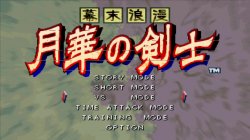
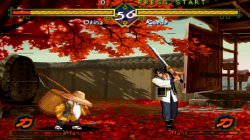
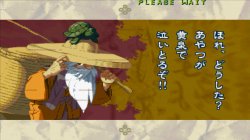
月华剑士1+2合集_20200422131930.jpg 月华剑士1+2合集_20200422132004.jpg 月华剑士1+2合集_20200422132204.jpg
--gs-kernel-cl-up="up2x2simple can remove lines on the image
 
does anyone know of any more games that suffer from micro-freeze/stutter during gameplay?
There are too many estimates! According to the games I have tested so far, Marvel Ultimate Alliance, Marvel Ultimate Alliance2, Prince of Persia: The Sands of Time (cutscenes stuck), the clamping mode can fix graphics errors. KUNOICHI (If there are more enemies, it will freeze). Ape Escape: Pumped & Primed. Crash: Mind Over Mutan.
 

Similar threads

Back
Top