PS4 [Research]PS2 emulator configuration on PS4

@nifengyuexia Nice work! Sugoroku is bugged in both PCSX2 and netemu, so probably same here with PS4. Here's a video:


You won't be able to test it until you get the board and the pieces for it in both Yin and Yang phase, or if you transfer a save file with it unlocked. Here's the fix for NTSC-U in TXT:
Code:
--fpu-accurate-addsub=0x104124
Okay, thanks @mrjaredbeta, actually I'm not particularly familiar with this game, I just saw it in the compatibility list that it has such a problem before working on the fix, it may take someone with more in-depth knowledge of this game to continue testing, because I don't know if I can play to the position you mentioned, sorry:(
 
Proper fix for Need for Speed Carbon Collectors Edition NTSC

All thanks go to @mrjaredbeta for fixing the overlay issue causing the game to not uprender, and run like crap.

cli
Code:
--gs-uprender=2x2
--gs-upscale=edgesmooth

--fpu-accurate-range=0x162800,0x162900

--framelimiter=1
--framelimit-fps=60
--framelimit-scalar=1

--vu1-mpg-cycles=980

--ee-cycle-scalar=1.33
--iop-cycle-scalar=1.43
lua
Code:
--emulator used=fahrenheit v2

apiRequest(1.3)

local eeObj = getEEObject()
local emuObj = getEmuObject()


local patcher = function()

eeObj.WriteMem32(0x263AB0, 0x00000000) --overlay/uprender/speed fix

end

emuObj.AddVsyncHook(patcher)

emuObj.SetDisplayAspectWide() -- 16:9

More testing needed. But gameplay is almost perfect.


Need for Speed Carbon Collectors Edition NTSC (PS4 Pro optimized)

CLI

Code:
--fpu-accurate-range=0x162800,0x162900
--vu1-mpg-cycles=500
LUA
Code:
-- Need for Speed - Carbon (SLUS-21493)
-- -> use KOF2000 emu // PS4 Pro optimized (boost mode enabled)
-- MD5: 4F325C12F0D07E5C138CD779E0EF2F94

local gpr = require("ee-gpr-alias")
apiRequest(1.0)

local eeObj = getEEObject()
local emuObj = getEmuObject()
local patcher = function()

eeObj.WriteMem32(0x00263ab0,0x00000000) --overlay/uprender/speed fix
-- force 480p/progressive
eeObj.WriteMem32(0x005408bc,0x3c050000)
eeObj.WriteMem32(0x005408c4,0x3c060050)
eeObj.WriteMem32(0x005408cc,0x3c070001)
end

emuObj.AddVsyncHook(patcher)
emuObj.SetDisplayAspectWide() -- 16:9
-- Graphic improvement: removes corrupted lines on screen with uprender on for PAL/NTSC-U/NTSC-J version
emuObj.SetGsTitleFix( "forceSimpleFetch", "reserved", { texMode=1 } ) --texMode=1

Performance should be better with this. At least on the PS4 Pro. Feel free to use it on the other models.
 
Tony Hawk Pro Skater 4 NTSC, attempt 2049...
I hope that will fix it, untested on ps4 as always. My main concern here is that emu will allow to write to 12001010, if yes patch should be ok. If there are graphic issues, we can adjust that patch.

TXT

Code:
--vif1-instant-xfer=0

Lua (SLUS_205.04 v2.01 ONLY)
Code:
apiRequest(1.0)

local eeObj = getEEObject()
local emuObj = getEmuObject()

local patcher = function()
eeObj.WriteMem32(0x000fffc0,0x0c055944)
eeObj.WriteMem32(0x000fffc4,0x24186000)
eeObj.WriteMem32(0x000fffc8,0x3c191200)
eeObj.WriteMem32(0x000fffcc,0x37391010)
eeObj.WriteMem32(0x000fffd0,0x2718ffff)
eeObj.WriteMem32(0x000fffd4,0x1418fffe)
eeObj.WriteMem32(0x000fffdc,0x08055940)
eeObj.WriteMem32(0x000fffe0,0xaf200000)
eeObj.WriteMem32(0x001564f8,0x0803fff0)
eeObj.WriteMem32(0x002CDDA0,0xd3400000)
end

emuObj.AddVsyncHook(patcher)

Edit: If that patch don't make it past loading, then this is not mtvu issue. Because that patch workaround mtvu even on pcsx2 0.9.7.
 
Last edited:
Tony Hawk Pro Skater 4 NTSC, attempt 2049...
I hope that will fix it, untested on ps4 as always. My main concern here is that emu will allow to write to 12001010, if yes patch should be ok. If there are graphic issues, we can adjust that patch.

TXT

Code:
--vu1=jit-sync
--vif1-instant-xfer=0

Lua (SLUS_205.04 v2.01 ONLY)
Code:
apiRequest(1.0)

local eeObj = getEEObject()
local emuObj = getEmuObject()

local patcher = function()
eeObj.WriteMem32(0x000fffc0,0x0c055944)
eeObj.WriteMem32(0x000fffc4,0x24186000)
eeObj.WriteMem32(0x000fffc8,0x3c191200)
eeObj.WriteMem32(0x000fffcc,0x37391010)
eeObj.WriteMem32(0x000fffd0,0x2718ffff)
eeObj.WriteMem32(0x000fffd4,0x1418fffe)
eeObj.WriteMem32(0x000fffdc,0x08055940)
eeObj.WriteMem32(0x000fffe0,0xaf200000)
eeObj.WriteMem32(0x001564f8,0x0803fff0)
eeObj.WriteMem32(0x002CDDA0,0xd3400000)
end

emuObj.AddVsyncHook(patcher)

Edit: If that patch don't make it past loading, then this is not mtvu issue. Because that patch workaround mtvu even on pcsx2 0.9.7.

Yessss...working. This is amazing @kozarovv. System of a Down is happy too btw ;-)

Edit: Game freezes after 1-2 minutes (no crash). Could be a problem of Jak v2. I will replace that emu and see if that helps.

JakX v2, Kintica v2, RedFaction1 freezing too

Edit2: Some progess. No freeeze, when I delete or comment out #--vu1=jit-sync.
Does this make sense?

Edit3: Audio is little bit distorted when MTVU is enabled. But not too bad.
 
Last edited:
Cool :) So now my pm is open for other elf files using that engine. People can also try porting by themselfs. This should properly fix:
  • Disney's Extreme Skate Adventure - THPS Engine
  • GUN THPS Engine
  • MTX Mototrax THPS Engine
  • Whohe Tony Hawk series - (Loading hang THPS4+)
We just need to port offsets.
 
Edit: Game freezes after 1-2 minutes (no crash). Could be a problem of Jak v2. I will replace that emu and see if that helps.
Can be some unrelated issue, maybe need some cycle adjustment, or different VU1 mpg cycles. We will see i guess. :)

Edit2: Some progess. No freeeze, when I delete or comment out #--vu1=jit-sync.
Does this make sense?

Everything that work, make sense :)
 
Last edited:
Can be some unrelated issue, maybe need some cycle adjustment, or different VU1 mpg cycles. We will see i guess. :)


Everything that work, make sense :)
So played a little while. The game is perfectly fine now. Little audio distortion, but when you like the kind of music in the Tony Hawk's series you probably won't even notice it. So thanks again @kozarovv.
 
I have to take break from this for while guys. Real world problems. Hopefully I will be able to get back as soon as I am on stable ground again.
I hope to see you around here soon. And thanks for all the hard work, when it comes to fixing those really nasty PS2 games on that "unplayable" list...;-)
It's not the easiest task and quite a time consuming process, especially on the PS4 with it's 60+ emus (still counting).

So I hope everything works out for you.
 
So played a little while. The game is perfectly fine now. Little audio distortion, but when you like the kind of music in the Tony Hawk's series you probably won't even notice it. So thanks again @kozarovv.
Nice, i edited config to remove jit sync then.
I have to take break from this for while guys. Real world problems. Hopefully I will be able to get back as soon as I am on stable ground again.
Understandable, take your time.
---------------------------
Possible fixes (untested on ps4)

THUG2 (SLUS_209.65)

Txt

Code:
--vif1-instant-xfer=0
Lua
Code:
apiRequest(1.0)
local eeObj = getEEObject()
local emuObj = getEmuObject()
local patcher = function()
eeObj.WriteMem32(0x000fffc4,0x24186000)
eeObj.WriteMem32(0x000fffc8,0x3c191200)
eeObj.WriteMem32(0x000fffcc,0x37391010)
eeObj.WriteMem32(0x000fffd0,0x2718ffff)
eeObj.WriteMem32(0x000fffd4,0x1418fffe)
eeObj.WriteMem32(0x000fffdc,0x08065248)
eeObj.WriteMem32(0x000fffe0,0xaf200000)
eeObj.WriteMem32(0x00194918,0x0803fff0)
eeObj.WriteMem32(0x003f0fe8,0xd3400000)
end
emuObj.AddVsyncHook(patcher)

Gun (SLUS_211.39)

Txt
Code:
--vif1-instant-xfer=0
Lua
Code:
apiRequest(1.0)

local eeObj = getEEObject()
local emuObj = getEmuObject()

local patcher = function()
eeObj.WriteMem32(0x000fffc0,0x0c067f36)
eeObj.WriteMem32(0x000fffc4,0x24186000)
eeObj.WriteMem32(0x000fffc8,0x3c191200)
eeObj.WriteMem32(0x000fffcc,0x37391010)
eeObj.WriteMem32(0x000fffd0,0x2718ffff)
eeObj.WriteMem32(0x000fffd4,0x1418fffe)
eeObj.WriteMem32(0x000fffdc,0x08067ef1)
eeObj.WriteMem32(0x000fffe0,0xaf200000)
eeObj.WriteMem32(0x0019fbbc,0x0803fff0)
eeObj.WriteMem32(0x004738c0,0xd3400000)
end

emuObj.AddVsyncHook(patcher)


Both require testing, and maybe some adjustment, or vu1=jit-sync.

 
Nice, i edited config to remove jit sync then.

Understandable, take your time.
---------------------------
Possible fixes (untested on ps4)

THUG2 (SLUS_209.65)

Txt

Code:
--vif1-instant-xfer=0
Lua
Code:
apiRequest(1.0)
local eeObj = getEEObject()
local emuObj = getEmuObject()
local patcher = function()
eeObj.WriteMem32(0x000fffc4,0x24186000)
eeObj.WriteMem32(0x000fffc8,0x3c191200)
eeObj.WriteMem32(0x000fffcc,0x37391010)
eeObj.WriteMem32(0x000fffd0,0x2718ffff)
eeObj.WriteMem32(0x000fffd4,0x1418fffe)
eeObj.WriteMem32(0x000fffdc,0x08065248)
eeObj.WriteMem32(0x000fffe0,0xaf200000)
eeObj.WriteMem32(0x00194918,0x0803fff0)
eeObj.WriteMem32(0x003f0fe8,0xd3400000)
end
emuObj.AddVsyncHook(patcher)

Gun (SLUS_211.39)

Txt
Code:
--vif1-instant-xfer=0
Lua
Code:
apiRequest(1.0)

local eeObj = getEEObject()
local emuObj = getEmuObject()

local patcher = function()
eeObj.WriteMem32(0x000fffc0,0x0c067f36)
eeObj.WriteMem32(0x000fffc4,0x24186000)
eeObj.WriteMem32(0x000fffc8,0x3c191200)
eeObj.WriteMem32(0x000fffcc,0x37391010)
eeObj.WriteMem32(0x000fffd0,0x2718ffff)
eeObj.WriteMem32(0x000fffd4,0x1418fffe)
eeObj.WriteMem32(0x000fffdc,0x08067ef1)
eeObj.WriteMem32(0x000fffe0,0xaf200000)
eeObj.WriteMem32(0x0019fbbc,0x0803fff0)
eeObj.WriteMem32(0x004738c0,0xd3400000)
end

emuObj.AddVsyncHook(patcher)


Both require testing, and maybe some adjustment, or vu1=jit-sync.
Tested on jak v2emu, both games freeze
 
THUG2 keeps freezing before it reaches the loading screen. the progress bar of Gun freezes after it is read, while trying to add or remove the vu1=jit-sync command is also the same situation!

Damn, thps4 was little bit easier here, as loop it does was obvious. You can try mess with this value if you want
0x24186000
Range between 4000 and 7fff is what can potentially help. Otherwise it will probably stay broken for now. Still not bad we have thps4, and thug1 (with stayhye config) working. :)
 
Damn, thps4 was little bit easier here, as loop it does was obvious. You can try mess with this value if you want
0x24186000
Range between 4000 and 7fff is what can potentially help. Otherwise it will probably stay broken for now. Still not bad we have thps4, and thug1 (with stayhye config) working. :)
Okay, I'll try when I have free time! For commands to fix audio glitches, are there any other than the ones listed on the wiki?I want to try again to fix GOD OF WAR2
 
Baroque (SLUS_217.14)

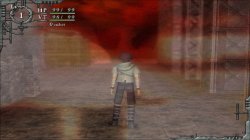
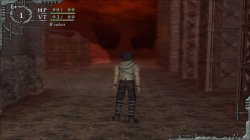
lua
Code:
apiRequest(1.0)

local eeObj = getEEObject()
local emuObj = getEmuObject()

local patcher = function()
--Disable world and character blur intensity to fix large red colored blurred graphics
eeObj.WriteMem32(0x0010E0E0,0x64030000)
end

emuObj.AddVsyncHook(patcher)

Baroque_20210314223253.jpg Baroque_20210314231131.jpg

Can be used with the previous @Stayhye release of the Maori patch and the game graphics should be perfect!
 
Damn, thps4 was little bit easier here, as loop it does was obvious. You can try mess with this value if you want
0x24186000
Range between 4000 and 7fff is what can potentially help. Otherwise it will probably stay broken for now. Still not bad we have thps4, and thug1 (with stayhye config) working. :)

thug1 (with stayhye config) work but freeze after 1-2 min after start
Video here
 

Similar threads

Back
Top