Vika23
Senior Member
well first of all u need know how to build games manualyHello, How can I use the codes?
Cli
Lua
Please I'm new to this

well first of all u need know how to build games manualyHello, How can I use the codes?
Cli
Lua
Please I'm new to this
well first of all u need know how to build games manualy
So if u know how build games, just put configs in right folders and build itThanks!!
Sure, what is the next step?
So if u know how build games, just put configs in right folders and build it
i see u use PS2-FPKG app but i tell about manual build and also PS2-FPKG app use jak v.2 emu, sometime u need use another emusWhat I am trying to say is that how should I create those Cli and Lua files for example.
What name should these files have and where to put them
https://imgur.com/KIEJ9Lc
In this program I can put a txt and lua configuration, what name should the files have, what should be in their content?
i see u use PS2-FPKG app but i tell about manual build and also PS2-FPKG app use jak v.2 emu, sometime u need use another emus

Then...
Could you provide the tools to create fpkg from ps2?
I don't understand anything, I can only manually create ps4 fpkgs

i will share rar with emusI have been observing this topic for quite some time now, but I still don't understand much and don't have an idea about some things. If it is not difficult for someone then I really ask you to say:
Where can I get all the ps2 emulators?
From the Stayhye's CLI configs, I was able to understand that the most useful commands are commands with "cycles" ( fortunately, I have no questions about the "clamps" and "framelimit" commands). I would like to understand how the values of these commands are set. On what principle? Also, in which cases do I need to use other commands and which ones?
I absolutely do not understand how to find 0x addresses for LUA configs and for "accurate-range" commands. I would like to learn about this"from scratch for idiots".
I would appreciate any information, even with an incomplete answer.
p.m me or if u have facebook or telegram we can talk there

Any chance you'd throw a link my way too?i will share rar with emus

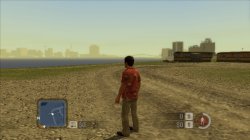
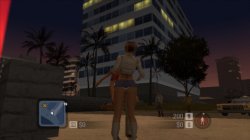
Such graphical errors should be related to clamping modes, I can't guarantee which one, you can enable them one by one to test and fix it.Or try --gs-adaptive-frameskip=1 commandBig video about Scarface on ps4! Still alot graphical glitches but now can play freeride mode and even some missons! Still will be freeze..
graphical errors its half of bad things with this game, hope someone know how fix crash of emus while gameplay or cutscenes..Such graphical errors should be related to clamping modes, I can't guarantee which one, you can enable them one by one to test and fix it.Or try --gs-adaptive-frameskip=1 command
Widescreen ,Blur removal and severe graphical glitches fix for Steambot Chronicles NTSC
lua
Code:-- Steambot Chronicles SLUS_213.44 -- Widescreen Hack & Blur Removal apiRequest(1.0) local eeObj = getEEObject() local emuObj = getEmuObject() local widescreen = function() emuObj.PadSetLightBar(0,6,8,199) emuObj.ThrottleNorm() --emuObj.ForceRefreshRate(60) emuObj.SetDisplayAspectWide() --emuObj.EnableImposeMenu(true) --Widescreen hack 16:9 eeObj.WriteMem32(0x001329c0,0x3c033f40) eeObj.WriteMem32(0x00132818,0x3c0643d6) --Extensive blur removal eeObj.WriteMem32(0x0010fdd8,0x00000000) eeObj.WriteMem32(0x0010fea4,0x00000000) end emuObj.AddVsyncHook(widescreen)
conf
Code:--fpu-no-clamping=0 --fpu-clamp-results=1 --vu0-no-clamping=0 --vu0-clamp-results=1 --vu1-no-clamping=0 --vu1-clamp-results=1 --cop2-no-clamping=0 --cop2-clamp-results=1 --vu0-opt-flags=1 --vu1-opt-flags=1 --cop2-opt-flags=1 --vu0-const-prop=0 --vu1-const-prop=0 --vu1-jr-cache-policy=newprog --vu1-jalr-cache-policy=newprog --vu0-jr-cache-policy=newprog --vu0-jalr-cache-policy=newprog

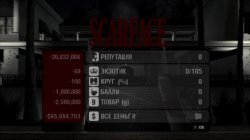
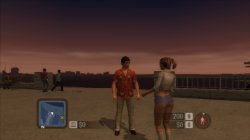
Today was test Scarface The World Is Yours game! That title work good on ps3 but as i hear on ps4 still unplable. Me and @Oxeres find way to boot it good and make playble, just use config from ps3 (lopnor way). @Oxeres report that he use Star Ocean emu and im try do same! It works pretty good, finish training mission, watch intro and start 1st mission but...soon appear big graphical glitchs and bugs and sadly random crashes while 1st misson. Most far game let me go its till final cutscene but crash again, so game not let me do save and keep me start game over and over from mansion...im attach lopnor config, maybe someone find good emu for that game and its not crash..