CMR3 PAL was tested using the KOF 2000 emu, so you could test it with that version instead. My patch does switch to the back buffer, so the vertical resolution is doubled. I do not know what that command is doing (I think it disables the field shift, so the resolution is halved), but my patch makes a very noticeable difference in the image quality.

You are using an out of date browser. It may not display this or other websites correctly.
You should upgrade or use an alternative browser.
You should upgrade or use an alternative browser.
PS4 [Research]PS2 emulator configuration on PS4
- Thread starter kozarovv
- Start date
Have you idea how to fix HUD? I don't see the health bar.WIP fix for Medal of Honor Rising Sun NTSC
CLI
LUACode:--gs-uprender=2x2 --gs-upscale=EdgeSmooth --gs-kernel-cl-up="up2x2tc" --gs-progressive=1 --lopnor-config=1 --vu1-di-bits=0 --vif-ignore-invalid-cmd=1
Code:-- Medal of Honor Rising Sun NTSC -- Widescreen Hack -- ported to PS4 -- emu used=jakx v2 apiRequest(2.2) local gpr = require("ee-gpr-alias") local cpr = require("ee-cpr0-alias") local hwaddr = require("ee-hwaddr") local emuObj = getEmuObject() local eeObj = getEEObject() local gsObj = getGsObject() local eeOverlay = eeObj.getOverlayObject() local iopObj = getIOPObject() local thresholdArea = 600 local ThrottleOn = 0 local lightDef = {255, 254, 251} local lightThr = {255, 0, 0} emuObj.PadSetLightBar(0, lightDef[1], lightDef[2], lightDef[3]) emuObj.SetDisplayAspectWide() gsObj.SetDeinterlaceShift(1) -------------------------------------------------------- local ApplyVifCycleSettings = function() eeObj.Vu1MpgCycles(100) eeObj.SetVifDataCycleScalar(1, 2.6) eeObj.SchedulerDelayEvent("vif1.dma", 0x6500) end ApplyVifCycleSettings() -------------------------------------------------------- local widescreen = function() --eeObj.WriteMem32(0x2015A15C,0x2C420001) --60fps eeObj.WriteMem32(0x003a3910,0x3f100000) eeObj.WriteMem32(0x001b9110,0x3c013f50) eeObj.WriteMem32(0x001b9114,0x44810800) eeObj.WriteMem32(0x001b9118,0x46016303) eeObj.WriteMem32(0x001b911c,0xc4810e30) eeObj.WriteMem32(0x001b9120,0x460c0832) eeObj.WriteMem32(0x001b9124,0x45010008) eeObj.WriteMem32(0x001b9128,0x00000000) eeObj.WriteMem32(0x001b912c,0x46016034) eeObj.WriteMem32(0x001b9130,0x45000004) eeObj.WriteMem32(0x001b9134,0xe48c0e38) eeObj.WriteMem32(0x001b9138,0x46006807) eeObj.WriteMem32(0x001b913c,0x03e00008) eeObj.WriteMem32(0x001b9140,0xe4800e3c) eeObj.WriteMem32(0x001b9144,0xe48d0e3c) eeObj.WriteMem32(0x001b9148,0x03e00008) eeObj.WriteMem32(0x001b914c,0x00000000) end --------------------------------------------------------- local CheckInputs = function() local pad_bits = emuObj.GetPad() local UP = pad_bits & 0x0010 local DOWN = pad_bits & 0x0040 local LEFT = pad_bits & 0x0080 local RIGHT = pad_bits & 0x0020 local Triangle = pad_bits & 0x1000 local Cross = pad_bits & 0x4000 local Square = pad_bits & 0x8000 local Circle = pad_bits & 0x2000 local L1 = pad_bits & 0x0400 local L2 = pad_bits & 0x0100 local L3 = pad_bits & 0x0002 local R1 = pad_bits & 0x0800 local R2 = pad_bits & 0x0200 local R3 = pad_bits & 0x0004 local Select = pad_bits & 0x0001 local Start = pad_bits & 0x0008 local Nothing = 1 local onBtn1 = L3 local onBtn2 = Start local onBtn3 = Nothing local offBtn1 = R3 local offBtn2 = Select local offBtn3 = Nothing widescreen() if (onBtn1 ~= 0) and (onBtn2 ~= 0) and (onBtn3 ~= 0) and (ThrottleOn == 0) then emuObj.ThrottleMax() emuObj.PadSetLightBar(0, lightThr[1], lightThr[2], lightThr[3]) ThrottleOn = 1 elseif (offBtn1 ~= 0) and (offBtn2 ~= 0) and (offBtn3 ~= 0) and (ThrottleOn == 1) then emuObj.ThrottleNorm() emuObj.PadSetLightBar(0, lightDef[1], lightDef[2], lightDef[3]) ThrottleOn = 0 end if (ThrottleOn == 3) then if (onBtn1 ~= 0) and (onBtn2 ~= 0) and (onBtn3 ~= 0) then emuObj.ThrottleMax() emuObj.PadSetLightBar(0, lightThr[1], lightThr[2], lightThr[3]) else emuObj.ThrottleNorm() emuObj.PadSetLightBar(0, lightDef[1], lightDef[2], lightDef[3]) end end end emuObj.AddVsyncHook(CheckInputs) ----------------------------------------------------------------------------------
emu used=jak xv2
Needs to be optimized. Widescreen works fine. Very much playable. Some stutter during intense scenes. "--vu1=jit-sync" caused severe slowdown in my test, but not needed to boot. Thank to @nifengyuexia for hint to change emu.
Don't mind extra crap in LUA. My jakx template taken from ps2 fpkg 0.6

Stayhye
Senior Member
Have you idea how to fix HUD? I don't see the health bar.
Try...
Code:
--gs-kernel-cl="mipmap"
--gs-kernel-cl-up="mipmap2x2"
--gs-use-mipmap=1
or
Code:
--gs-use-clut-merge=1
--gs-kernel-cl="clutmerge"
--gs-kernel-cl-up="clutmerge2x2"
in CLI
kof 2000 emu does not support "gsObj.SetDeinterlaceShift(0) or (1)" ...at least it crashes emu for me when I try the command
But there is no need to use that command with NTSC or PAL version with the patch, as there is no interlaced output.

nifengyuexia
Member
The back buffer will produce clearer image quality. In NTSC games, most games have a progressive scan mode, but PAL does not, so you need to find a clearer buffer area and buffer frame by yourself! There are many ways to eliminate jitter, but on PS4, many emulators come with their own jitter elimination (interactive)!
It is only valuable for the games that use field rendering. For frame rendered games there is no difference. Sometimes even the progressive scan is blurrier than the interlaced mode, because of the bilinear filter applied to expand the horizontal resolution from ~512 to ~640.
CMR3 does draw everything to the full resolution back buffer. The NTSC version has got a full resolution front buffer too, but the PAL version has got a half height front buffer.
CMR3 does draw everything to the full resolution back buffer. The NTSC version has got a full resolution front buffer too, but the PAL version has got a half height front buffer.
Stayhye
Senior Member
How does one go about finding these back buffer/interlace/FPS addresses? I would really like to learn how to find these addresses. You guys are like Neo in the matrix when it comes to finding those offsets.
As far as using random commands....I try a lot of commands randomly on different games to see the effect to get a better understanding of what the command is actually doing.
For example:
"eeObj.SchedulerDelayEvent("vif1.dma", 0x6500)" on most games seem to have no effect. But with The Suffering The Tie that Binds, this causes the weirdest graphical glitch I've seen. It renders a upside down walking shadow on the screen during load screens, gameplay, etc.
Also, being that these emus are compiled with some commands enabled, trying to figure out which commands are pre-loaded(baked in) to which emu, one can get a better understanding of why a game works with one and not the other(emu template).
Scarface will not boot with the jak emus and I am trying to figure out why the hard way. Hopefully I can find the command on another emu that causes Scarface not to boot, and turn it off in the jak emus. For testing of course, I have no idea if that would be the magic fix for graphical glitches.
As far as using random commands....I try a lot of commands randomly on different games to see the effect to get a better understanding of what the command is actually doing.
For example:
"eeObj.SchedulerDelayEvent("vif1.dma", 0x6500)" on most games seem to have no effect. But with The Suffering The Tie that Binds, this causes the weirdest graphical glitch I've seen. It renders a upside down walking shadow on the screen during load screens, gameplay, etc.
Also, being that these emus are compiled with some commands enabled, trying to figure out which commands are pre-loaded(baked in) to which emu, one can get a better understanding of why a game works with one and not the other(emu template).
Scarface will not boot with the jak emus and I am trying to figure out why the hard way. Hopefully I can find the command on another emu that causes Scarface not to boot, and turn it off in the jak emus. For testing of course, I have no idea if that would be the magic fix for graphical glitches.
Last edited:

Vika23
Senior Member
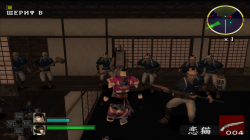
Was test it! Fix works, but as before (i test it on pcsx2, ps3 and ps4) same bug - after second stage start, game looks like in attached pic! Without widescreen game looks normal! So widscreen still broken that game sadly!Fix for 7 Blades PAL
CLI
LUACode:--gs-uprender=2x2 --gs-upscale=EdgeSmooth --gs-kernel-cl="h2lpool" --gs-kernel-cl-up="h2lpool2x2" --host-display-mode=16:9 --vu1-no-clamping=0 #fixes missing graphics --vu1-di-bits=0 #removes stutter in areas #emu used=jak v1
Code:-- 7 Blades [PAL] (SLES-50109) -- Widescreen hack by Arapapa -- ported to ps4 lua -- emu used=jak tpl v1 local gpr = require("ee-gpr-alias") apiRequest(1.0) local eeObj = getEEObject() local emuObj = getEmuObject() local patcher = function() eeObj.Vu1MpgCycles(600) -- fixes frozen fmvs --Gameplay 16:9 eeObj.WriteMem32(0x00396334,0x3C013FAB) --3C013F80 Zoom eeObj.WriteMem32(0x002EF7EC,0x3C013FAB) --3C013F80 Y-FOV --X-FOV (Needs Render fix) --eeObj.WriteMem32(0x002EF990,0x3C013F10) --3C013F40 end emuObj.AddVsyncHook(patcher)
emu used=jak v1
Works great!
Attachments
nifengyuexia
Member
Xenosaga Episode II - Jenseits von Gut und Bose [Disc 1](SLPS-25368)
Xenosaga Episode II - Jenseits von Gut und Bose [Disc 2](SLPS-25369)
LUA
Xenosaga Episode II - Jenseits von Gut und Bose [Disc 1](SLUS-20892)
Xenosaga Episode II - Jenseits von Gut und Bose [Disc 2](SLUS-21133)
LUA
![Xenosaga Episode II - Jenseits von Gut und Bose [Disc 1]_20211210001413.jpg](https://www.psx-place.com/data/attachments/33/33981-1b5e813af3f4237f9b92a5f08f9c90aa.jpg?hash=G16BOvP0I3 "Xenosaga Episode II - Jenseits von Gut und Bose [Disc 1]_20211210001413.jpg")
![Xenosaga Episode II - Jenseits von Gut und Bose [Disc 1]_20211210000129.jpg](https://www.psx-place.com/data/attachments/33/33982-056f3ef8637576db113736e9c08f173f.jpg?hash=BW8--GN1dt "Xenosaga Episode II - Jenseits von Gut und Bose [Disc 1]_20211210000129.jpg")
Thanks for the help of @mrjaredbeta
Xenosaga Episode II - Jenseits von Gut und Bose [Disc 2](SLPS-25369)
LUA
Code:
apiRequest(0.1)
--Disable character shadows to fix graphics errors
eeInsnReplace(0x1d80c8,0xae0500c4,0xae0000c4)
Xenosaga Episode II - Jenseits von Gut und Bose [Disc 1](SLUS-20892)
Xenosaga Episode II - Jenseits von Gut und Bose [Disc 2](SLUS-21133)
LUA
Code:
apiRequest(0.1)
--Disable character shadows to fix graphics errors
eeInsnReplace(0x1d82f0,0xae0500c4,0xae0000c4)
Thanks for the help of @mrjaredbeta
nifengyuexia
Member
Xenosaga Episode III - Also Sprach Zarathustra [Disc 1](SLUS-21389)
Xenosaga Episode III - Also Sprach Zarathustra [Disc 2](SLUS-21417)
TXT
LUA
Xenosaga Episode III - Also Sprach Zarathustra [Disc 1](SLPS-25640)
Xenosaga Episode III - Also Sprach Zarathustra [Disc 2](SLPS-25641)
TXT
LUA
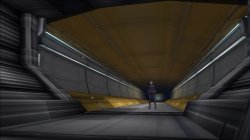
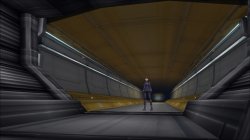
JAK v2 emu
Xenosaga Episode III - Also Sprach Zarathustra [Disc 2](SLUS-21417)
TXT
Code:
--max-disc-num=2
--switch-disc-reset=1
--gs-kernel-cl="h2lpool"       --Fix the stutter on the main interface
--gs-kernel-cl-up="h2lpool2x2"
LUA
Code:
apiRequest(1.0)
--Skip the black and white filter in the animation to fix the CG lag
eeInsnReplace(0x1e7fc8,0x1220003b,0x1000003b)

local eeObj = getEEObject()
local emuObj = getEmuObject()
local patcher = function()

--Disable character shadows to fix graphics errors
eeObj.WriteMem32(0x1e7600,0x0)            ---Fix the first CG lag problem
eeObj.WriteMem32(0x290a40,0x8600009c)
eeObj.WriteMem32(0x290a5c,0x8600009c)
end

emuObj.AddVsyncHook(patcher)
Xenosaga Episode III - Also Sprach Zarathustra [Disc 1](SLPS-25640)
Xenosaga Episode III - Also Sprach Zarathustra [Disc 2](SLPS-25641)
TXT
Code:
--max-disc-num=2
--switch-disc-reset=1
--gs-kernel-cl="h2lpool"       --Fix the stutter on the main interface
--gs-kernel-cl-up="h2lpool2x2"
LUA
Code:
apiRequest(1.0)
--Skip the black and white filter in the animation to fix the CG lag
eeInsnReplace(0x1e70d0,0x1220003b,0x1000003b)

local eeObj = getEEObject()
local emuObj = getEmuObject()
local patcher = function()

--Disable character shadows to fix graphics errors
eeObj.WriteMem32(0x24ede0,0x0)            ---Fix the first CG lag problem
eeObj.WriteMem32(0x28f2e0,0x8600009c)
eeObj.WriteMem32(0x28f2fc,0x8600009c)
end
emuObj.AddVsyncHook(patcher)
JAK v2 emu
Last edited:
It depends on the game. Mostly by setting the breakpoints on GS registers and looking for the values near the instructions writing to them. Since the back buffer output does not work properly on the PS3's ps2_netemu (probably because netemu does skip a lot of EE/VU cycles screwing the vsync functions in the field rendered games) I have stopped any work on them. But some no interlacing codes made by @asasega from PCSX2 forums do enable the back buffer output, assuming everything is rendered there (some games render various things on the downsampled front buffers because of perfromance reasons). These codes will improve the image quality on the PS4, because the resolution after uprendering will be something like 1280x896, instead of 1280x448 (assuming the front buffer size is equal to the 640x224 and back buffer 640x448).How does one go about finding these back buffer/interlace/FPS addresses? I would really like to learn how to find these addresses. You guys are like Neo in the matrix when it comes to finding those offsets.
Here is the description how I found the CMR3 PAL address (I forgot you need to switch the renderer to the software one):
Starting point for creating 480p patches? (pcsx2.net)

mrjaredbeta
Developer
For NTSC-U:Can someone try to debug it?
Code:
eeObj.WriteMem32(0x1e7600,0x0)Stayhye
Senior Member
Xenosaga Episode III - Also Sprach Zarathustra [Disc 1](SLUS-21389)
Xenosaga Episode III - Also Sprach Zarathustra [Disc 2](SLUS-21417)
TXT
Code:--max-disc-num=2 --switch-disc-reset=1 --gs-kernel-cl="h2lpool" --Fix the stutter on the main interface --gs-kernel-cl-up="h2lpool2x2"
LUA
Code:apiRequest(1.0) local eeObj = getEEObject() local emuObj = getEmuObject() local patcher = function() --Disable character shadows to fix graphics errors eeObj.WriteMem32(0x290a40,0x8602009c) end emuObj.AddVsyncHook(patcher)
Xenosaga Episode III - Also Sprach Zarathustra [Disc 1](SLPS-25640)
Xenosaga Episode III - Also Sprach Zarathustra [Disc 2](SLPS-25641)
TXT
Code:--max-disc-num=2 --switch-disc-reset=1 --gs-kernel-cl="h2lpool" --Fix the stutter on the main interface --gs-kernel-cl-up="h2lpool2x2"
LUA
Code:apiRequest(1.0) local eeObj = getEEObject() local emuObj = getEmuObject() local patcher = function() --Disable character shadows to fix graphics errors eeObj.WriteMem32(0x28f2e0,0x8602009c) end emuObj.AddVsyncHook(patcher)
View attachment 35433 View attachment 35434
The opening CG will still be stuck, especially the popping sound. I tried the command --vu1-mpg-cycles=2800 to fix it, but the real-time calculation screen will become very slow. Now I can't find other ways to fix it, so I cancel it temporarily, but it won't affect the game. Can someone try to debug it?
JAK v2 emus
SLUS version of code does nothing....
mrjaredbeta
Developer
It looks like a typo as it is patching the original instruction to the address instead of the new one. The correct patch should be:SLUS version of code does nothing....
Code:
eeObj.WriteMem32(0x290a40,0x8600009c)Stayhye
Senior Member
For NTSC-U:
Code:eeObj.WriteMem32(0x1e7600,0x0)
It looks like a typo as it is patching the original instruction to the address instead of the new one. The correct patch should be:
Code:eeObj.WriteMem32(0x290a40,0x8600009c)
Works Perfectly! Both of them. Thank you very much! Tested configs(CLI and LUA) with Star Ocean v2, Psychonauts v2 and Jakx V2 emus
Last edited:

Bortoloti
Member
Fix for True Crime: Streets of L.A. (SLUS-20550)
emu used=jak v2
First thing to do:
CLI
Code:
patch=1,EE,00480640,word,10000000
--Fix for title screen freeze
--Use ps2patchengine to patch the iso
Code:
--gs-use-mipmap=1
--gs-kernel-cl="mipmap"
--gs-kernel-cl-up="mipmap2x2"
--fpu-rsqrt-fast-estimate=1
--vu0-di-bits=0
--vu1-di-bits=0
--vu1-mpg-cycles=760
--vu0-mpg-cycles=760
--ee-cycle-scalar=1.41
--iop-cycle-scalar=1.8
--vu0-opt-flags=1
--vu1-opt-flags=1
--cop2-opt-flags=1
--vu0-const-prop=0
--vu1-const-prop=0
--vu1-jr-cache-policy=newprog
--vu1-jalr-cache-policy=newprog
--vu0-jr-cache-policy=newprog
--vu0-jalr-cache-policy=newprog
emu used=jak v2
Last edited:
Bortoloti
Member
Fix for Juiced (SLUS-20872)
emu used=jakX v2
-Some menus still had a slow sound, the gameplay is 100%
CLI
LUA
Code:
--gs-kernel-cl="h2lpool"
--gs-kernel-cl-up="h2lpool2x2"
--vu1-mpg-cycles=1880
--vu0-mpg-cycles=860
--ee-cycle-scalar=1.50
--iop-cycle-scalar=1.9
Code:
apiRequest(1.0)

-- Graphic improvement: removes corrupted lines on screen with uprender on for PAL/NTSC-U/NTSC-J version
emuObj.SetGsTitleFix( "forceSimpleFetch", "reserved", { texMode=1 } ) --texMode=1
emu used=jakX v2
-Some menus still had a slow sound, the gameplay is 100%
Last edited:
Bortoloti
Member
Fix for Need for Speed - ProStreet (SLUS-21658)
emu used=jakX v2
Works great!
CLI
LUA
Code:
--gs-kernel-cl="h2lpool"
--gs-kernel-cl-up="h2lpool2x2"
--vu1-mpg-cycles=385
--vu0-mpg-cycles=385
--ee-cycle-scalar=0.74
--iop-cycle-scalar=1.1
--host-audio-latency=1.91
Code:
local gpr = require("ee-gpr-alias")

apiRequest(1.0)

local eeObj = getEEObject()
local emuObj = getEmuObject()
local patcher = function()

--Speed correction
eeObj.WriteMem32(0x00167e2c,0x00000000)

--16:9
eeObj.WriteMem32(0x006828d4,0x3f400000)
eeObj.WriteMem32(0x006828ec,0x3f400000)
eeObj.WriteMem32(0x00685938,0x3f2aaaab)

end

emuObj.AddVsyncHook(patcher)

-- Graphic improvement: removes corrupted lines on screen with uprender on for PAL/NTSC-U/NTSC-J version
emuObj.SetGsTitleFix( "forceSimpleFetch", "reserved", { texMode=1 } ) --texMode=1
emu used=jakX v2
Works great!
Last edited:
Bortoloti
Member
Fix for Need for Speed - Undercover (SLUS-21801)
emu used=Psycho v2
-The initial fmv in the first run has graphical glitches, the rest is 100%
CLI
LUA
Code:
--gs-kernel-cl="h2lpool"
--gs-kernel-cl-up="h2lpool2x2"
--vu1-mpg-cycles=935
--vu0-mpg-cycles=935
--ee-cycle-scalar=2.49
--iop-cycle-scalar=1.9
--host-audio-latency=1.91
Code:
local gpr = require("ee-gpr-alias")

apiRequest(1.0)

local eeObj = getEEObject()
local emuObj = getEmuObject()
local patcher = function()

--Speed correction
eeObj.WriteMem32(0x00265820,0x10000004)
eeObj.WriteMem32(0x00266408,0x10000003)

end

emuObj.AddVsyncHook(patcher)

-- Graphic improvement: removes corrupted lines on screen with uprender on for PAL/NTSC-U/NTSC-J version
emuObj.SetGsTitleFix( "forceSimpleFetch", "reserved", { texMode=1 } ) --texMode=1
emu used=Psycho v2
-The initial fmv in the first run has graphical glitches, the rest is 100%
Last edited:
Similar threads
-
-
-
PS4 How to play multiplayer (3-4 players) using PSX-FPKG?
- Started by PSXP_Kira
- Replies: 2
-
 PS3 [PS2] Gundam Warriors 2 FPU rounding fix
- Started by Low_Plankton_3329
- Replies: 0