
You are using an out of date browser. It may not display this or other websites correctly.
You should upgrade or use an alternative browser.
You should upgrade or use an alternative browser.
PS4 [Research]PS2 emulator configuration on PS4
- Thread starter kozarovv
- Start date

mrjaredbeta
Developer

Stayhye
Senior Member
I don't have PAL, but Fix for NTSC
CLI
Code:
--gs-uprender=2x2
--gs-upscale=edgesmooth

--host-display-mode=16:9
--vu1=jit-sync

--gs-optimize-30fps=1
--gs-progressive=1
#emu used=jakx v2
Code:
--emu used=jakx v2

apiRequest(1.0)

local eeObj = getEEObject()
local emuObj = getEmuObject()

local patcher = function()
--boot fix by mrjaredbeta
eeObj.WriteMem64(0x00309CC0,0x0000000000000000)

emuObj.ThrottleMax()
end
emuObj.AddVsyncHook(patcher)
I believe all to fix the graphical glitches once the game boots is command "--vu1=jit-sync" ... Should work for PAL
Last edited:

Vika23
Senior Member
@Stayhye ok i will test laterI don't have PAL, but Fix for NTSC
CLI
LUA -- This is by @mrjaredbetaCode:--vu1=jit-sync --gs-optimize-30fps=1 --gs-progressive=1 #emu used=jakx v2
Code:--emu used=jakx v2 apiRequest(1.0) local eeObj = getEEObject() local emuObj = getEmuObject() local patcher = function() eeObj.WriteMem64(0x00309CC0,0x0000000000000000) end emuObj.AddVsyncHook(patcher)
I believe all to fix the graphical glitches once the game boots is command "--vu1=jit-sync" ... Should work for PAL
Vika23
Senior Member
@mrjaredbeta yes thanks you too for post cofigs for ps3! And by the way i test it already on ps3, it works perfect! I glad that ps3 configs will adapt for ps4 so clear!
Stayhye
Senior Member
WIP fix for Stolen NTSC test 2
CLI
LUA
No more audio stutter. I have no clue why mipmap settings would cause a speed up, but it did in this case. @mrjaredbeta could you look into disabling anything(bloom, shadows, etc) on this one? Also, this game seems to have the same type of uprender issue, similar to Need for Speed Carbon. Any help by anyone would be much appreciated.
CLI
Code:
--gs-uprender=2x2
--gs-upscale=edgesmooth
--gs-use-mipmap=1                     #helped with speed? it did
--gs-kernel-cl="mipmap"               #helped with speed? it did
--gs-kernel-cl-up="mipmap2x2"         #helped with speed? it did
--gs-ignore-rect-correction=1
--gs-dirty-page-policy=1
--vif-ignore-invalid-cmd=1            #helped with speed

--host-display-mode=16:9
--host-vsync=1

#emu used=kof98um
Code:
-- Stolen SLUS-21099
-- Widescreen hack
-- emu used=kof98um

local gpr = require("ee-gpr-alias")

apiRequest(2.0)

local eeObj = getEEObject()
local emuObj = getEmuObject()

local patcher = function()
--16:9
eeObj.WriteMem32(0x20ab44b0,0x3f400000)
--main fix for game speed
eeObj.Vu1MpgCycles(4560) -- speed up, but at expense of framerate
emuObj.ThrottleMax() -- loading screens speedup
end

emuObj.AddVsyncHook(patcher)

emuObj.SetGsTitleFix( "forceSimpleFetch", "reserved", { texMode=1  } ) -- totally fixes broken graphics
No more audio stutter. I have no clue why mipmap settings would cause a speed up, but it did in this case. @mrjaredbeta could you look into disabling anything(bloom, shadows, etc) on this one? Also, this game seems to have the same type of uprender issue, similar to Need for Speed Carbon. Any help by anyone would be much appreciated.
Last edited:
Vika23
Senior Member
I don't have PAL, but Fix for NTSC
CLI
LUA -- This is by @mrjaredbetaCode:--gs-uprender=2x2 --gs-upscale=edgesmooth --host-display-mode=16:9 --vu1=jit-sync --gs-optimize-30fps=1 --gs-progressive=1 #emu used=jakx v2
Code:--emu used=jakx v2 apiRequest(1.0) local eeObj = getEEObject() local emuObj = getEmuObject() local patcher = function() --boot fix by mrjaredbeta eeObj.WriteMem64(0x00309CC0,0x0000000000000000) emuObj.ThrottleMax() end emuObj.AddVsyncHook(patcher)
I believe all to fix the graphical glitches once the game boots is command "--vu1=jit-sync" ... Should work for PAL
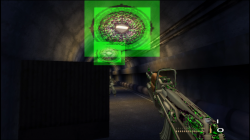
Was test NTSC Version! Its better but --vu1=jit-sync not fix all bugs sadly!
Attachments
Stayhye
Senior Member
Was test NTSC Version! Its better but --vu1=jit-sync not fix all bugs sadly!
Don't know why you are still having issues, I don't see anything like that in my test run

Bergolino Gamer
Member
Bergolino Gamer
Member
SCOOBY-DOO! - MYSTERY MAYHEM - (NTSC-U) SLUS-20701
--vu0-no-clamping=0
--vu1-no-clamping=0
emu gta3v1
--vu0-no-clamping=0
--vu1-no-clamping=0
emu gta3v1
Vika23
Senior Member
on video arcade mode ? Try story mode and u can see bugs in introDon't know why you are still having issues, I don't see anything like that in my test run
Stayhye
Senior Member
Weird, I did not use that command, yet I have no glitches
Vika23
Senior Member
Do you have text issue in DMC 1?
Stayhye
Senior Member
I see. Well, @Bergolino Gamer got the command to fix thaton video arcade mode ? Try story mode and u can see bugs in intro
Bergolino Gamer
Member
Soul Calibur 3 - SLUS_212.16
Alternative fix
--gs-kernel-cl-up="up2x2simple"
--vif1-instant-xfer=0
--vu1-mpg-cycles=1 #Fix crash 70%- Story mode and Chronicles of The sword
--vu0-mpg-cycles=1 #Fix crash 30% - Story mode and Chronicles of The sword
--ee-cycle-scalar=1.82
Note: I finished story mode 5 times... during testing.
1 - The last cutscene of the story mode... plays slowly.
2 - After finishing the story mode... glitches started to appear in the characters
(only in the menu... where you choose the characters).
3 --vu1-mpg-cycles values tested: 180, 170, 160, 150, 140, 130, 120, 110 ,100, 90, 80, 70, 60, 50, 40, 30, 20 and 10.
Finally got to Value --vu1-mpg-cycles=1 and --vu0-mpg-cycles=1
Test duration: 10 hours
Emu jakX v2
Alternative fix
--gs-kernel-cl-up="up2x2simple"
--vif1-instant-xfer=0
--vu1-mpg-cycles=1 #Fix crash 70%- Story mode and Chronicles of The sword
--vu0-mpg-cycles=1 #Fix crash 30% - Story mode and Chronicles of The sword
--ee-cycle-scalar=1.82
Note: I finished story mode 5 times... during testing.
1 - The last cutscene of the story mode... plays slowly.
2 - After finishing the story mode... glitches started to appear in the characters
(only in the menu... where you choose the characters).
3 --vu1-mpg-cycles values tested: 180, 170, 160, 150, 140, 130, 120, 110 ,100, 90, 80, 70, 60, 50, 40, 30, 20 and 10.
Finally got to Value --vu1-mpg-cycles=1 and --vu0-mpg-cycles=1
Test duration: 10 hours
Emu jakX v2
Last edited:
Stayhye
Senior Member
In my test only some stages crash the game. 100% other wise.Soul Calibur 3 - SLUS_212.16
Alternative fix
--gs-kernel-cl-up="up2x2simple"
--vif1-instant-xfer=0
--vu1-mpg-cycles=1 #Fix crash 70%- Story mode and Chronicles of The sword
--vu0-mpg-cycles=1 #Fix crash 30% - Story mode and Chronicles of The sword
--ee-cycle-scalar=1.82
Note: I finished story mode 5 times... during testing.
1 - The last cutscene of the story mode... plays slowly.
2 - After finishing the story mode... glitches started to appear in the characters
(only in the menu... where you choose the characters).
3 --vu1-mpg-cycles values tested: 180, 170, 160, 150, 140, 130, 120, 110 ,100, 90, 80, 70, 60, 50, 40, 30, 20 and 10.
Finally got to Value --vu1-mpg-cycles=1 and --vu0-mpg-cycles=1
Test duration: 10 hours
Emu jakX v2
Code:
--gs-uprender=2x2
--gs-upscale=edgesmooth
--gs-kernel-cl-up="up2x2tc"

--vif1-instant-xfer=0

--ee-cycle-scalar=1.5
--iop-cycle-scalar=2.1

--cdvd-sector-read-cycles=4000
Code:
-- Soul Calibur III (SLUS-21216)
-- ported to PS4 Lua

apiRequest(1.0)

local gpr       = require("ee-gpr-alias")
local emuObj      = getEmuObject()
local eeObj       = getEEObject()
local gsObj       = getGsObject()

emuObj.SetDisplayAspectWide()

local WS = function()

-- 16:9
eeObj.WriteMem32(0x0012a118,0x3c013f40)
eeObj.WriteMem32(0x0012a11c,0x34210000)
-- PS3 Config
eeObj.WriteMem32(0x0012eb3c,0x00000000)
eeObj.WriteMem32(0x0012e96c,0x00000000)
eeObj.WriteMem32(0x0012e9fc,0x10000015)
eeObj.WriteMem32(0x001637b4,0x14430003)
eeObj.WriteMem32(0x001fa4fc,0x10000016)

eeObj.Vu1MpgCycles(math.floor(206 * 1.0345))
emuObj.ThrottleMax()
end

emuObj.AddVsyncHook(WS)

-- Fix shadow
emuObj.SetGsTitleFix( "forceSimpleFetch", "reserved", { texMode=1  } )
I will try your VU1 and VU0 values to see if improved
Bergolino Gamer
Member
Stayhye
Senior Member
@Stayhye
Finished story mode?
with the values
--vu1-mpg-cycles=1 and --vu0-mpg-cycles=1
I finished story mode 5 times... during testing.
Old Toledo(stage) and a couple others insta-crash. can you play a practice match on the Old Toledo stage with your config?
*edit -- Just tested. Great work @Bergolino Gamer ! Totally fixed the crashing on those stages. Thanks for that!
Last edited:
Bergolino Gamer
Member
Similar threads
-
-
-
PS4 How to play multiplayer (3-4 players) using PSX-FPKG?
- Started by PSXP_Kira
- Replies: 2
-
 PS3 [PS2] Gundam Warriors 2 FPU rounding fix
- Started by Low_Plankton_3329
- Replies: 0