
Vika23
Senior Member
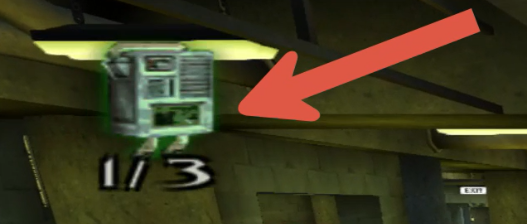
it second mission! open second lineI don't see that mission from the screenshot on any of the 4 campaigns.
Yes second mission of Karkov Tower!

it second mission! open second lineI don't see that mission from the screenshot on any of the 4 campaigns.

it second mission! open second line
Yes second mission of Karkov Tower!

--gs-uprender=2x2
--gs-upscale=edgesmooth
--host-display-mode=16:9
--force-pal-60hz=1--Big Idea's Veggie Tales LarryBoy and the Bad Apple (SLES54536)
-- ADK emu fix black screen
local gpr = require("ee-gpr-alias")
apiRequest(0.1)
local eeObj = getEEObject()
local emuObj = getEmuObject()
emuObj.SetGsTitleFix( "forceSimpleFetch", "reserved", {psm=0} )
emuObj.SetGsTitleFix( "fetchFromCurrBuff", "reserved", {psm=0} )--gs-uprender=2x2
--gs-upscale=Edgesmooth
--host-display-mode=16:9--Evolution Snowboarding SLUS-20546
--patch of Goatman13
--psychonauts v1 ... FIX GRAPHIC
apiRequest(0.1)
local emuObj = getEmuObject()
local eeObj = getEEObject()
local patcher = function()
--Fix issues caused by PSS video playback.
--Extend stack to avoid sending bad data to VIF1.
--Required due to lack of data cache emulation.
eeObj.WriteMem32(0x00122780,0x27BDFD00)
eeObj.WriteMem32(0x00122AE8,0x27BD0300)
--nointerlacing
eeObj.WriteMem32(0x20101d04,0x00000000) --64420008
emuObj.ThrottleMax()
end
emuObj.AddVsyncHook(patcher)--Evolution Snowboarding SLES-51392
--patch of Goatman13
--psychonauts v1 ... FIX GRAPHIC
apiRequest(0.1)
local emuObj = getEmuObject()
local eeObj = getEEObject()
local patcher = function()
--Fix issues caused by PSS video playback.
--Extend stack to avoid sending bad data to VIF1.
--Required due to lack of data cache emulation.
eeObj.WriteMem32(0x00122E60,0x27BDFD00)
eeObj.WriteMem32(0x001231C4,0x27BD0300)
emuObj.ThrottleMax()
end
emuObj.AddVsyncHook(patcher)--gs-uprender=2x2
--gs-upscale=EdgeSmooth
--host-display-mode=16:9
--gs-kernel-cl-up="up2x2skipinterp"
# fix shadow line mission 3
--ee-cycle-scalar=0.89
# 0.9 cause screen tearing in CG
--vu1-const-prop=0
# fix SPS - mission 1 - near the two stone towers
--vu1-mpg-cycles=850
--vu0-mpg-cycles=850
--iop-cycle-scalar=0.89
# speed
--vu1-di-bits=0
# fix microfreeze - mission 5--Star Wars - The Clone Wars - Republic Heroes NTSC
--Kozarov... Fix for game hud, subtitles, etc
--kof98 and REDFACTION - 9AE245ACD515A12BD74E8BC114895460
apiRequest(0.1)
local emuObj = getEmuObject()
local eeObj = getEEObject()
local patcher = function()
--Fixes graphics glitches.
--It's a problem which apply to all games made by Khrome studio.
--The EE seems to send invalid data to the GS and expect
--some kind of unknown behaviour to opperate.
--This can be fixed on the GS side but the software render is impossible to fix.
--So this patch correct the issue on the EE side.
eeObj.WriteMem32(0x00173328,0x3464fffd) --Fix for game hud, subtitles, etc
--Have All Cheats Unlocked
eeObj.WriteMem32(0x00824C40,0x0000007F)
--Max/Infinite Points
eeObj.WriteMem32(0x208240a4,0x05F5E0FF)
eeObj.WriteMem32(0x208240a8,0x05F5E0FF)
emuObj.ThrottleMax() --remove command in redfaction
end
emuObj.AddVsyncHook(patcher)Hi, did you ever get this fixed? I have the same exact problem. Tried 1.5.1 fake pkg tools and PS2-FPKG_v0.6, with Star ocean v2 emu files. Stuck on splash screen forever.Hi, i am tying to run mgs 3 with fixes above, i've made a pkg with star ocean v2 emu but it just wont start, it just sits idle on the splashscreen. I am using PS2-fpkg. PS4 firmware is 6.72.
I've also checked the package with ps4pkgtool and config-emu-ps4 inside is different from that i provided
can this be a problem?
here is config that i use
--gs-uprender=2x2
--gs-upscale=edgesmooth
--gs-kernel-cl-up="up2x2skipinterp"
--gs-optimize-30fps=1

--vu1-di-bits=0

--cdvd-sector-read-cycles=1000-- Tom Clancy's Ghost Recon® Advanced Warfighter™
--
-- Menu/In-game Sutter fix by Stayhye
-- ported to PS4 lua
-- emu used=kof98um
apiRequest(0.1)
local emuObj = getEmuObject()
local eeObj = getEEObject()
emuObj.PadSetLightBar(0, 245, 5, 10)
emuObj.SetDisplayAspectWide()
emuObj.SetDeinterlace(true)
--main menu/in game stutter fix
eeObj.AddHook(0x001141dc, 0x8e650008, function() -- lw a1, $0008(s3)
eeObj.AdvanceClock(5200)
end)
local WS = function()
--
emuObj.ThrottleMax()
end
emuObj.AddVsyncHook(WS)
----------------------------------------------------------
--[[
-- Set up the button pin
button_pin = 1 -- replace with the actual pin number
gpio.mode(button_pin, gpio.INPUT)
-- Set up the button press function
function press_button()
-- replace with the actual code to press the button
print("Button pressed")
end
-- Set up the loop
button_state = 0
while true do
-- Check if the button is pressed
if gpio.read(button_pin) == 1 then
if button_state == 0 then
press_button()
button_state = 1
end
else
button_state = 0
end
end
--]]* edit 2 - eeObj.WriteMem32(0x00154bd8,0) in LUA fixes the freeze.(but breaks some graphics)
--cdvd-sector-read-cycles=200
--host-display-mode=16:9
--vu0-di-bits=0
--vu1-di-bits=0--Blade 2 NTSC
--emu used=KOF 98
local gpr = require("ee-gpr-alias")
apiRequest(1.0)
local eeObj = getEEObject()
local emuObj = getEmuObject()
local CheckInputs = function()
local pad_bits = emuObj.GetPad()
local UP = pad_bits & 0x0010
local DOWN = pad_bits & 0x0040
local LEFT = pad_bits & 0x0080
local RIGHT = pad_bits & 0x0020
local Triangle = pad_bits & 0x1000
local Cross = pad_bits & 0x4000
local Square = pad_bits & 0x8000
local Circle = pad_bits & 0x2000
local L1 = pad_bits & 0x0400
local L2 = pad_bits & 0x0100
local L3 = pad_bits & 0x0002
local R1 = pad_bits & 0x0800
local R2 = pad_bits & 0x0200
local R3 = pad_bits & 0x0004
local Select = pad_bits & 0x0001
local Start = pad_bits & 0x0008
if (L1 ~= 0 and UP ~= 0) then
-- on
eeObj.WriteMem32(0x00154BD8,0x00000000)
end
if (L1 ~= 0 and DOWN ~= 0) then
-- off
eeObj.WriteMem32(0x00154BD8,0x1440FF8D)
end
end
emuObj.AddVsyncHook(CheckInputs)
local patcher = function()
--Widescreen
eeObj.WriteMem32(0x0018B6B8,0x3C033F40)
eeObj.WriteMem32(0x0017e7d4,0x3c033f40)
--Unlock Missions
eeObj.WriteMem32(0x0075BD6E,0x00000013)
--Unlock Weapons
eeObj.WriteMem32(0x0048C572,0x00000001)
end
emuObj.AddVsyncHook(patcher)--gs-progressive=1
--cdvd-sector-read-cycles=2000
--ps2-lang=system-- Ice Age 2 The Meltdown SLES-53984
-- emu used=Siren v2
local gpr = require("ee-gpr-alias")
apiRequest(0.1)
local eeObj = getEEObject()
local emuObj = getEmuObject()
local patcher = function()
-- Freeze FiX
eeObj.WriteMem32(0x002FF3F0,0x27BDFEE0)
eeObj.WriteMem32(0x002FF42C,0x27BD0120)
end
emuObj.AddVsyncHook(patcher)--gs-uprender=2x2
--gs-upscale=edgesmooth
--gs-kernel-cl-up="up2x2skipinterp"
--host-display-mode=16:9
--cdvd-sector-read-cycles=3000
--vu1-no-clamping=0
#emu used=swjsf v1
#https://www.youtube.com/watch?v=6czY-ioiq8Y--gs-uprender=2x2
--gs-upscale=EdgeSmooth
--host-display-mode=16:9
--vu1=jit-sync # fix black screen--Dokapon Kingdom SLUS_217.78
--Widescreen Hack
--jakv2
apiRequest(0.1)
local eeObj = getEEObject()
local emuObj = getEmuObject()
local patcher = function()
--Widescreen hack 16:9
eeObj.WriteMem32(0x0043b8a8,0x3c023f22)
--60 fps
eeObj.WriteMem32(0x2066DA60,0x00000000) -- optional
end
emuObj.AddVsyncHook(patcher)--gs-uprender=2x2
--gs-upscale=EdgeSmooth
--host-display-mode=16:9
--gs-ignore-rect-correction=1 #fix small white lines--Wild Arms - Alter Code - F (SLUS20937)
--Widescreen hack
--kof98um
apiRequest(0.1)
local emuObj = getEmuObject()
local eeObj = getEEObject()
local patcher = function()
--Widescreen hack 16:9
eeObj.WriteMem32(0x20118e68,0x3c023f40)
eeObj.WriteMem32(0x20118d9c,0x3c023f40)
eeObj.WriteMem32(0x20118f44,0x3c023f40)
eeObj.WriteMem32(0x20118f14,0x3c033f40)
eeObj.WriteMem32(0x20118f58,0x3c0243d9)
eeObj.WriteMem32(0x20118f28,0x3c034505)
eeObj.WriteMem32(0x201191a0,0x3c064455)
eeObj.WriteMem32(0x20118af0,0x3c024455)
emuObj.ThrottleMax()
end
emuObj.AddVsyncHook(patcher)
--gs-progressive=1
--cdvd-sector-read-cycles=2000-- NiGHTS Into Dreams (JPN)
-- emu used=ADK
apiRequest(1.0)
local gpr = require("ee-gpr-alias")
local eeObj = getEEObject()
local emuObj = getEmuObject()
local patcher = function()
emuObj.ThrottleMax()
end
emuObj.AddVsyncHook(patcher)i know this is going to sound very dumb but i have made like 10 SLUS_210.65 and SLES_527.25 V2 and still getting frame rate skipping, im not sure if im importing the lua file or the config_emu_ps4.txt into ps2 classics gui 1.0.0.28 or FPKG 0.6, but to let you know i am opening the iso of the game and injecting CB10 for cheats, if anyone wants to help me try and fix this issue im having will be very much appreciated, thanks in advanceThese are @kozarovv patches for Need for Speed Underground 2 NTSC for PCSX2 with @mrjaredbeta speed fix for PS4 . OMG! The game looks amazing! Use Jak v1 Unbelievable! It actually runs @60fps! No notable penalty.
LUA
Code:apiRequest(1.0) local eeObj = getEEObject() local emuObj = getEmuObject() local widescreen = function() eeObj.WriteMem32(0x001D77C8,0x100000B4) --speed fix eeObj.WriteMem32(0x001D7ED4,0x2C420001) --60FPS --Disable eAttachTargetMoveSprites eeObj.WriteMem32(0x001D3930,0x03e00008) eeObj.WriteMem32(0x001D3934,0x0) --Disable DepthIntoAlpha eeObj.WriteMem32(0x0056FFA4,0x0) --Disable DepthOfField eeObj.WriteMem32(0x00570268,0x0) --Disable Fog eeObj.WriteMem32(0x0057004C,0x0) --Disable Smear (require depthIntoAlpha to work anyway) eeObj.WriteMem32(0x00570098,0x0) --Rain modifier (hacked from RainInTheHeadlights) -- 3e000000 for full screen, 40000000 for light rain only eeObj.WriteMem32(0x00574158,0x40000000) --Better Car Brightness (orig. 437F) eeObj.WriteMem32(0x001C2704,0x3C01439F) --Lower World Lights Flare eeObj.WriteMem32(0x001C3EE0,0x3C013F40) --Lower Road/Traffic Yellow/Orange Lights Flare eeObj.WriteMem32(0x001C3260,0x3C013F50) --Aspect Ratio and Icons Fix: eeObj.WriteMem32(0x001CCAF4,0x0C0ED18B) eeObj.WriteMem32(0x003B462C,0x3C03004C) eeObj.WriteMem32(0x003B4630,0xE474D848) eeObj.WriteMem32(0x003B4634,0x03E00008) eeObj.WriteMem32(0x003B4638,0x2404001A) eeObj.WriteMem32(0x0056FB44,0x3F5B8D14) -- Corrected 4:3 aspect eeObj.WriteMem32(0x0056FB48,0x3F24A9CF) -- Corrected 16:9 aspect eeObj.WriteMem32(0x0056FBF4,0x3F154000) -- Corrected 4:3 rendering eeObj.WriteMem32(0x0056FBF8,0x3F470000) -- Corrected 16:9 rendering end emuObj.AddVsyncHook(widescreen) emuObj.SetDisplayAspectWide()
CLI
Code:--framelimiter=1 --framelimit-fps=60.0 --framelimit-scalar=1.1
All thanks go to @kozarovv and @mrjaredbeta

lua doesn't work with CB, i triedi know this is going to sound very dumb but i have made like 10 SLUS_210.65 and SLES_527.25 V2 and still getting frame rate skipping, im not sure if im importing the lua file or the config_emu_ps4.txt into ps2 classics gui 1.0.0.28 or FPKG 0.6, but to let you know i am opening the iso of the game and injecting CB10 for cheats, if anyone wants to help me try and fix this issue im having will be very much appreciated, thanks in advance
KrOnIcTrIpY420
also any gui that i have tried will not let me add both .config file and LUA file to the same game not sure y its not working?

How not doesn't Freekstyle require a lua file?lua doesn't work with CB, i tried

