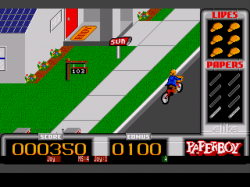
Got Hatari to load a game...this core has controls and a GUI very similar to P-UAE.
View attachment 11689
- BIOS info (from Libretro docs)
tos.img, but there are different versions needed for different systems...
For ST emulation - 1.00, 1.02, 1.04, 2.06 (US 1.02 recommended)
For STE emulation - 1.xx, 2.xx
For TT emulation - 3.xx
For Falcon emulation - 4.xx (4.04 recommended)
There is an open-source alternative (EmuTOS) that runs all 4 systems, but compatibility is hit-and-miss.
- Config info (from Libretro docs)
For multi-disk games, you'll need a config file.
Hatari does not create its config file automatically.
Create a plain text file, call it hatari.cfg and copy/paste this...
[Floppy]
bAutoInsertDiskB = TRUE
FastFloppy = TRUE
nWriteProtection = 0
szDiskAFileName = /dev_hdd0/ROMS/atari_st/Formula One Grand Prix.stx
szDiskBFileName = /dev_hdd0/ROMS/atari_st/Formula One Grand Prix (B).stx
szDiskImageDirectory = /dev_hdd0/ROMS/atari_st/
szDiskAZipPath =
szDiskBZipPath =
[ROM]
szCartridgeImageFileName =
szTosImageFileName = /dev_hdd0/game/SSNE10000/USRDIR/cores/system/tos.img
(Edit szDiskAFileName, szDiskBFileName, and szDiskImageDirectory to match your setup.)
Stick this config in the RetroArch system folder.
Load the game referenced in szDiskAFileName.
- Issues
- Can't swap disks via emulator's GUI - clicking Browse does nothing, and may freeze the PS3.
- Can't save/load sates from GUI (GUI -> Memory).
- Can't load or save configs.
- Runs at 50 FPS - not sure if this is PAL mode or not full-speed.



 .. I got away from testing some cores myself, started messing with some features.
