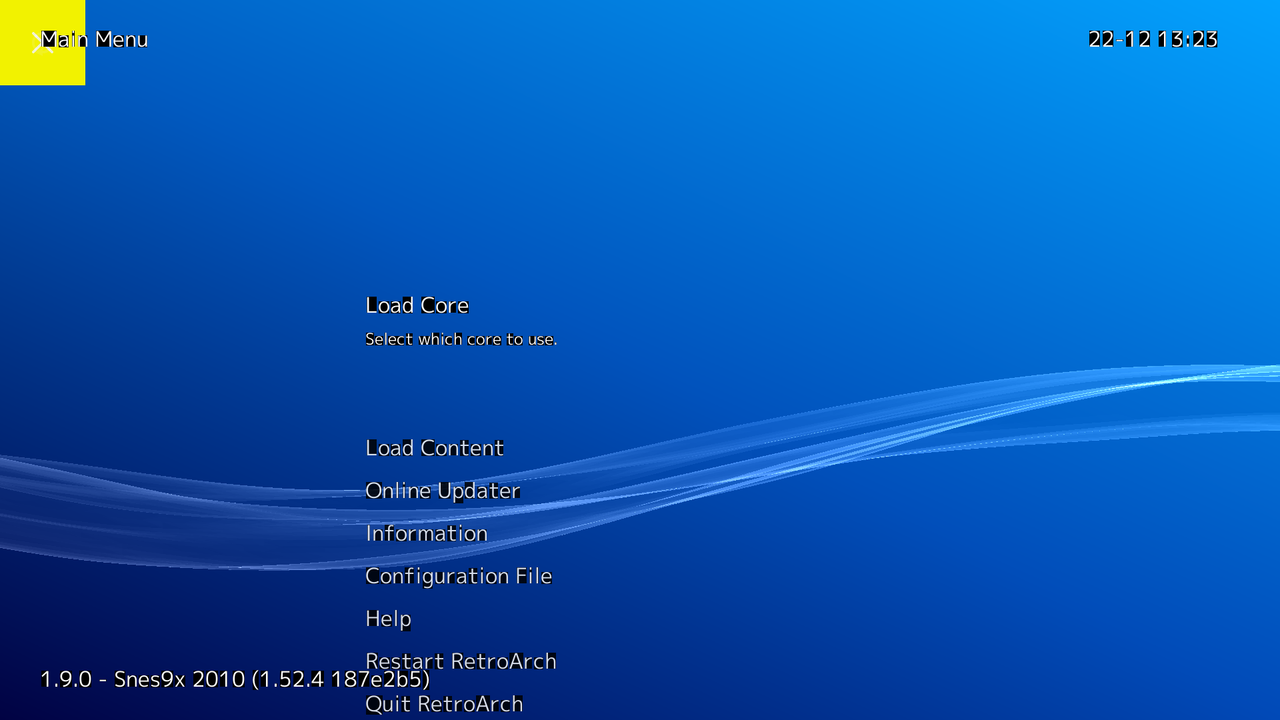
PS3 RetroArch Corner (cores for free)

I read all post https://www.psx-place.com/threads/retroarch-psl1ght-port-project.9636/
and it seems RSXGL is not a complete port to be used.....
Yes, when we tried I thought the lib was working and I was sure that I wasn't able to make it working, I had issue with the compilation too. I assumed it was working because kakaroto was able to use it with his homebrew 'elegantz' made with EFL : https://kakaroto.ca/2012/09/rsxgl-working-and-usable/
And he also said it was working perfectly, but it's not...

Finally I gave up on retroarch, and also on rsxgl, but later I discovered this : https://github.com/gzorin/RSXGL/blob/master/STATUS
"Most glGet*() functions haven't been implemented. Some specified behavior of glEnable()/glDisable() likely needs to be implemented as well."
If I saw it earlier I would be able to save hours of my life

Also, later I discovered of kakaroto EFL was using opengl v2.0. And above all, I think this message is good sum up of the situation : https://www.psx-place.com/threads/retroarch-psl1ght-port-project.9636/page-2#post-44637

So, it's working if you use opengl 2 ES with vertex buffer object and without using unimplemented function : glGet, like for example : 'eglGetProcAddress'.

As I said it need to be finished, to have an easy port of psl1ght. Because when it's done you'll juste have to add to retrarch the good tags like : -DHAVE_OPENGL, and it will be done ;)
 
A few months ago I attempted to port rsxgl to retroarch. I did manage to get the xmb menu running however that's pretty much the extent of it. Cores seem to crash upon loading due to rsxgl not supporting context restart. There might be a way around that by loading the core directly however I haven't had much success with it.

You can find my source here for it.
https://github.com/OsirizX/RetroArch/tree/ps3_rsxgl

It does utilize an older version of rsxgl as it seems there was a major code refactor by gzorin that somehow broke uniform locations.
The version that is compatible with this build is located here.
https://github.com/OsirizX/RSXGL/tree/r1

Please note that menu icons are not working and there are some graphical glitches while using the menu. The xmb ribbon is rendered quite nicely however.

Overall rsxgl is nice but I believe it should just be used as a reference for future development of ps3 GL support.

screenshot.png
 
A few months ago I attempted to port rsxgl to retroarch. I did manage to get the xmb menu running however that's pretty much the extent of it. Cores seem to crash upon loading due to rsxgl not supporting context restart. There might be a way around that by loading the core directly however I haven't had much success with it.

You can find my source here for it.
https://github.com/OsirizX/RetroArch/tree/ps3_rsxgl

It does utilize an older version of rsxgl as it seems there was a major code refactor by gzorin that somehow broke uniform locations.
The version that is compatible with this build is located here.
https://github.com/OsirizX/RSXGL/tree/r1

Please note that menu icons are not working and there are some graphical glitches while using the menu. The xmb ribbon is rendered quite nicely however.

Overall rsxgl is nice but I believe it should just be used as a reference for future development of ps3 GL support.

screenshot.png
Have you tired to call ELF externally passing to it the path of a rom as parameter?
Code:
sysProcessExitSpawn2( path, (const char**)argv, NULL, NULL, 0, 1001, SYS_PROCESS_SPAWN_STACK_SIZE_1M );
arg[0] will be the rom path
 
Have you tired to call ELF externally passing to it the path of a rom as parameter?
I've tried this with snes9x core and all I got was a black screen after rom had loaded. It could be that 2d support is limited as I see the same issue when trying to use the rgui menu.

Also some notes on other GL experiments I've tried doing include converting PSGL to sprx format. This was so that it could be used in psl1ght in the form of a driver. This however failed due to the libc requirement that PSGL needs from cell sdk.

The Retroarch project also tried bringing PSGL to their codebase which they renamed it as GCMGL for licensing reasons. This however was still dependent on cell sdk so it was abandoned.
You can still see it in their past branches.
https://github.com/libretro/RetroArch/tree/1.0.0.3-beta/ps3/gcmgl

It compiles and runs fine but it only supports 2d as the full PSGL implementation was never finished.
 
Last edited:
What do you think about this one ?
XaykzPE.png

The positions and sizes i used are intended to dont overlap the other XMB stuff, the alignment can be seen in this experiment
lTect0q.png

I made some other minor changes, added a shadow at bottom of the box, some outline around the text logos, replaced the "PS" logo by "PS3", and removed the alien because is going to appear in the ICON0.PNG

Download ---> https://workupload.com/start/g7ZLMjd3pZU
 
What do you think about this one ?
The positions and sizes i used are intended to dont overlap the other XMB stuff, the alignment can be seen in this experiment
I made some other minor changes, added a shadow at bottom of the box, some outline around the text logos, replaced the "PS" logo by "PS3", and removed the alien because is going to appear in the ICON0.PNG

Download ---> https://workupload.com/start/g7ZLMjd3pZU
Very, very cool.
Now we need only shaders rearranged by @Hyllian and Last RetroArch can be baked like a Christmas cake ^_^
 
Very, very cool.
Now we need only shaders rearranged by @Hyllian and Last RetroArch can be baked like a Christmas cake ^_^
You should release with this last pack https://anonymousfiles.io/E108RPiX/ I made some time ago and all presets worked on RA 1.0.0.2, so I think they should work on the latest version.

I won't have time to work on this in a month, unfortunately. (too much real life management to take care)
 
Last edited:
  • Like
Reactions: Zar
@JediKnight007 is very used to retroarch too (and i guess shaders), or well, any other that could help... is needed someone with experience in retroarch shaders to review all the shaders uploaded by crystal in the first post of this thread (and create the shader settings files if needed ?)
If there is some shader not working report back so it will be removed (or fixed)
 
You should release with this last pack https://anonymousfiles.io/E108RPiX/ I made some time ago and all presets worked on RA 1.0.0.2, so I think they should work on the latest version.

I won't have time to work on this in a month, unfortunately. (too much real life management to take care)
As far i understood the shaders collection uploaded by @Crystal in the first post of this thread is made by adding new shaders on top of your collection, i guess this is why he is insisting for you to review them
In theory... the new collection should be better, are the same shaders you was using + addons
 
As far i understood the shaders collection uploaded by @Crystal in the first post of this thread is made by adding new shaders on top of your collection, i guess this is why he is insisting for you to review them
In theory... the new collection should be better, are the same shaders you was using + addons
He got rid of all presets (*.cgp files) of my pack, so I think they're not the same.
 
@Crystal is the Menu Pipeline Shader issue still present on the PS3?

The issue is when in the Settings and your changing the options of the "Menu Pipeline Shader" the console will freeze when simply scrolling through the options and move on it.. As some of the options do not work on the PS3 and then some do. An annoying bug that seems to be a simple fix by excluding the values of the unsupported options causing the freeze.
 
@Crystal is the Menu Pipeline Shader issue still present on the PS3?

The issue is when in the Settings and your changing the options of the "Menu Pipeline Shader" the console will freeze when simply scrolling through the options and move on it.. As some of the options do not work on the PS3 and then some do. An annoying bug that seems to be a simple fix by excluding the values of the unsupported options causing the freeze.
Those are the kind of bugs we was talking about time ago, when we said that theoretically it should be easy to "fix" the annoyance for the user experience... because we can delete or disable some lines of code
You know... writing code requires skills... but disabling or deleting code is easy, it requires a basic understanding of what that lines of code does, but not even because there is always the option to try the classic "test and error"... just disable something related with the problematic function, compile it and "see what happens"... eventually you are going to find how to disable it

Anyway... it could be handy to do a list of all that buggy settings to disable all them as an initial approach until someone finds how to fix and restore them, because that way is posible to publish a "bugfree" PS3 retroarch version
 
When i reported the issue on github TwinAphex diid respond and said yea some of those options wont work on the PS3.. So i suggested to remove the options so we would not have to deal with a console freeze changing the options that do work and it was never addressed, but really all that has to be done is the removal of the problem values. Should be easy enough to remove..
 
@Crystal is the Menu Pipeline Shader issue still present on the PS3?

The issue is when in the Settings and your changing the options of the "Menu Pipeline Shader" the console will freeze when simply scrolling through the options and move on it.. As some of the options do not work on the PS3 and then some do. An annoying bug that seems to be a simple fix by excluding the values of the unsupported options causing the freeze.

I dont see any Pipeline Shader menu....
 
When i reported the issue on github TwinAphex diid respond and said yea some of those options wont work on the PS3.. So i suggested to remove the options so we would not have to deal with a console freeze changing the options that do work and it was never addressed, but really all that has to be done is the removal of the problem values. Should be easy enough to remove..
Yeah, but we need a very accurate list of that problems to report them to @Crystal im sure he is going to be able to disable/delete features in a matter of a couple of minutes each :D
You know, as an initial aproach, eventually he could find a fix for them, but thats a different goal in my oppinion
The priority would be to have an initial "bugfree" version and later we will see

I guess is not going to be posible for this initial release because we dont have the list of problems ready, but it should not take much time because i think there is going to be lot of people installing this retroarch version and is going to have a good feedback from the users reporting problems

*Btw, get ready to publish a new in frontapge for it :D
 
I dont see any Pipeline Shader menu....

Its buried in one of the UI settings or display settings.. I cant recall exactly.

There is a slim chance they fixed it but i doubt it been a very long standing issue.

edit:
It should be located in the location in the quite below: Bug was there is v1.8.0 (this was from my coverage of that release.)
Warning: Bugs seen in v1.8.0 (tested in CFW)
  • Freezing (Requires Reboot) Bug - User Interface>> Appearance>> an issue "Menu Shader Pipeline" Option. There is an option when landed will freeze the PS3 as the PS3 can not handle the option. The option needs to be axed out of the PS3 port.
 
Its buried in one of the UI settings or display settings.. I cant recall exactly.

There is a slim chance they fixed it but i doubt it been a very long standing issue.

edit:
It should be located in the location in the quite below: Bug was there is v1.8.0 (this was from my coverage of that release.)
There isn't any more.
 
Back
Top