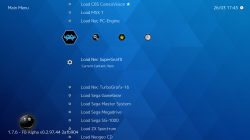
No need for it.
You can download all thumbnails, screenshots and covers for all systems here:
http://thumbnailpacks.libretro.com/
Then you have to setup a path for them on Retroarch (by config [retroarch.cfg] or using its UI/xmb).
The default one is
/dev_hdd0/game/SSNE10000/thumbnails
If I remember correctly if you have a Playlist named Super Nintendo, inside the thumbnails path you need to create a subfolder with the same name as well, "Super Nintendo" (/dev_hdd0/game/SSNE10000/thumbnails/Super Nintendo) and put the PNGs inside.
After that it should work.... but if it doesn't work it could be that the roms filenames that you have are mispelled or are different from the thumbnails names. Tip: If your games were renamed/organized by No-Intro.dat (cartridges) or Redump (CDs/ISOs) the chance of getting every thumbnail showing is higher because they are standards for Retroarch.
Sometimes some thumbnails can crash when you are browsing your playlist. To fix that, remove the specific troublesome thumbnail or recreate the thumbnail or get this one from another source.
Tool that can save your ass is
RetroArch Playlist Buddy (Playlist and thumbnail generation app):
https://forums.libretro.com/t/retroarch-playlist-buddy-playlist-and-thumbnail-generation-app/8417
https://gbatemp.net/threads/retroarch-wiiu-wip.447670/page-302