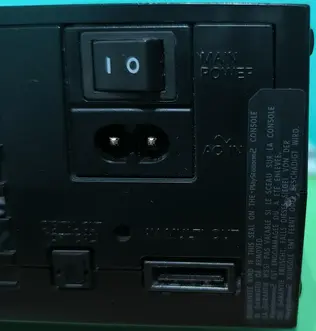
PS2 SCPH-10000 none of these exploits worked for me

Badrillex

Member
I've been trying to get FMCB or PS2BBL to work on my SCPH-10000. According to all the compatibility lists and online resources, the SCPH-10000 should support both, but neither of them are working for me.
I used a genuine MagicGate memory card, and both FMCB and PS2BBL worked perfectly on my SCPH-30003 R.
Here are the firmware details of my SCPH-10000:
  • Browser: 1.00
  • CD Player: 1.00
  • PlayStation Driver: 1.00
Any help or advice would be appreciated!
 
Did you try to install FMCB directly on SCPH-10000 or you used SCPH-30003 for that (multi-install)?
Did you try to install FHDB?
Free Harddisk Drive Boot (FHDB) is basically FMCB that gets installed onto the PlayStation 2 console's HDD unit. It does everything like FMCB does.
 
Did you try to install FMCB directly on SCPH-10000 or you used SCPH-30003 for that (multi-install)?
Did you try to install FHDB?
What do you mean by directly installing it into the system? As for FHDB, I would consider it if I had the interest to invest more money into one of those PCMCIA HDDs. But I figured I'd go with the easier route and try the memory card exploit first since it's the simplest and practically costs nothing.
 
Protokernel models need a specific setup/installation, hence he asks.
I'd really be thankful if someone tells me exactly what to do since there's little to no documentations on how to softmod the SCPH-10000 I thought it'd be easy but apparently it's not. I tried both versions of FMCB the 1.966 and 1.953 with a genuine first party MagicGate MC they both gave me black screen on start, PS2BBL exploit on the other hand just kicks me to the browser menu.
 
Let me start from the beginning.

Does your console have a warranty seal?
warranty.png

If not does your console have a modchip?
Some modchips are not compatible with 1.9X series and they give a black screen at boot.

EDIT 1: By the description of FMCB 1.9X release no additional modules for SCPH-10000 are needed:
The "Early Japanese"/PCMCIA units (SCPH-10000, SCPH-15000 and SCPH-18000) are fully supported.

EDIT 2: Additional info :
https://www.psx-place.com/threads/osdsys-does-not-load-on-scph-10000.35471/#post-312927.

FMCB 1.953 and other releases:
https://www.psx-place.com/threads/osdsys-does-not-load-on-scph-10000.35471/#post-312915.

EDIT 3: If you bought a memory card with FMCB or install FMCB on SCPH-30003 it may not work on SCPH-10000 even when multi-install installation has been selected.
You have to install FMCB directly on SCPH-10000 through swapmagic or any other way to launch a homebrew.
 
Last edited:
Let me start from the beginning.

Does your console have a warranty seal?
If not does your console have a modchip?
EDIT 3: If you bought a memory card with FMCB or install FMCB on SCPH-30003 it may not work on SCPH-10000 even when multi-install installation has been selected.
You have to install FMCB directly on SCPH-10000 through swapmagic or any other way to launch a homebrew.
I really appreciate the help!
No modchip installed just checked
I tried the:but cir:on start and :but r1:on start method but it gets me nowhere just black screen

 
While boot holding :but cir: has OSDSYS option assigned which might not work.
On the other hand :but r1: has LK_R1_E1 = mass:/BOOT/BOOT.ELF or LK_R1_E1 = mc?:/BOOT/BOOT.ELF...
So it should run wLaunchELF...

Hmm did you at least see FMCB logo at boot?
fmcb.png


Did you try FMCB 1.953:
https://www.mediafire.com/file/x33q61cx8vxdi9n/%5B161216%5DFMCB-1953-bin.7z.

Maybe you can try Recovery Mode:
Recovery mode allows you to boot a single ELF, in case your FMCB/FHDB installation was rendered unusable.
Place the ELF as mass:/RESCUE.ELF and FMCB/FHDB will boot it when you switch on the PlayStation 2.
If you are having difficulties with getting RESCUE.ELF to be booted, press and hold START+R1. FMCB/FHDB will make an infinite number of attempts to boot the file.

Rename this BOOT.ELF to RESCUE.ELF:
https://www.psx-place.com/resources/wlaunchelf.713/.
Put it on the root of your USB disk (try a few of them - at least 2).
 
Put it on the root of your USB disk (try a few of them - at least 2).
None of these worked no FMCB logo, nothing, it just goes straight to the normal browser. Ironically, the knock-off memory cards from AliExpress have worked better for me in the past than the genuine ones, so I might just get one with FMCB pre-loaded and give it a shot. I'm giving up, lol. I've literally tried everything, but I appreciate your help!
 
Don't give up!

Did you try different Installation options?
I mean:
Cross-modelInstalls FMCB for only the host PS2's region. FMCB will work on all models within the same region as the host PS2's.
Cross-regionInstalls FMCB for all possible PS2s, across all regions. This offers the highest possible level of model support.
MultiSame as cross-region, but does not actually install copies of the file. Other than the system patches for the early Japanese consoles, the main FMCB KELF is only installed once and then crosslinked across the various B*EXEC-SYSTEM directories. This would result in the smallest installation footprint, along with the highest possible level of support.

If not try to format your memory card in installer and choose Multi or Cross-region installation.
You can try to do this on SCPH-30003.

Also notice that FMCB 1.953 should work:
https://www.psx-place.com/threads/osdsys-does-not-load-on-scph-10000.35471/#post-312927.
 
I don't know much about ps2 hacking, but I did buy an mx2sio (is that the term?) for my ps2 before I sold it and the ps2. anyway, the video I saw claimed you needed an already built fbmc to build another. I have no idea if that's true or a lie, but I was able to build a fbmc from that card using the video. I think it was a 77001 console. that's a legit console, right? I'm basing this all on memory.
 
Don't give up!

Did you try different Installation options?
I mean:
Cross-modelInstalls FMCB for only the host PS2's region. FMCB will work on all models within the same region as the host PS2's.
Cross-regionInstalls FMCB for all possible PS2s, across all regions. This offers the highest possible level of model support.
MultiSame as cross-region, but does not actually install copies of the file. Other than the system patches for the early Japanese consoles, the main FMCB KELF is only installed once and then crosslinked across the various B*EXEC-SYSTEM directories. This would result in the smallest installation footprint, along with the highest possible level of support.
.
The Cross model seems to be the only one that successfully installs FMCB on the memory card; all other options give me a 'failed to bind MagicGate' error. By the way, I'm running these tests on my modchipped SCPH-30003 with a Magic III chip. I can desolder it if that will make a difference.
 
This does not sound good...
Maybe this memory card is not genuine after all.
You can open it:
https://www.youtube.com/shorts/QJHcDejrMLA.

If it has bulb than it is not genuine:
https://www.psx-place.com/threads/original-memory-card.36887/#post-328327.


Nah.
There is no need to do this.
I'm completely sure it's genuine—my brother bought it back in 2003, and it's illegal in my country to sell fakes without disclosing they're not authentic. I also visually inspected it to confirm. Last night, I tried again, and the installation was successful, but it only worked with FMCB 1.966. Unfortunately, that version didn't work on the SCPH-10000; it just gives a black screen on startup.
 
freemcboot 1.966 wont work on 10000 models. something broke back when sp193 was developing the program

PS2BBL should support them fully, since it works on both my 10k units (1.00 and 1.01 boot rom each)

To make sure your PS2BBL installation boots on 10k model, make sure the following files exist inside the BIEXEC-SYSTEM folder of the memory card

Code:
osd120.elf
osd110.elf
osdsys.elf
 
  • Browser: 1.00
  • CD Player: 1.00
  • PlayStation Driver: 1.00
  • Minokamo
I am using PS2BBL. Be sure you memcard is detected on PS2 Browser
 

Similar threads

Back
Top