We have seen developer @deank cooking up some nice brew lately, the latest creation of sLaunch has now evolved into a new plugin called sMAN, bringing the original vision of the developer to this single plugin containing webMAN & sLaunch, rather then having two separate plugins loaded at boot time (like the preview releases) deank uses a single plugin slot while making sLaunch an even faster sprx loaded dynamically. For simplicity, he concatenated into just one file called sman.sprx the various sprx parts of the app (rawseciso/netiso/slaunch/sman) as well as the html parts of the XMB "Sman Games" feature. If you like to use this alternative UI for loading games, then you should use the sMAN plugin going forward, if you like the traditional way (w/ My Games) then you can use the XMB feature or simply switch to the webMAN plugin as both version will still available for users.

sman.jpg

  • Now, let's move forward to the next step...

    Later today I'll release the "sMAN" - which is webMAN + sLaunch in one plugin. The reason - this is what webMAN was supposed to be - the way I wanted to be since day one:
    • Use only one plugin slot
    • Use about 128KB less vsh memory (about 384KB total vsh memory)
    • Support for /dev_usb000 to /dev_usb128
    • No need for boot delays for scanning usb drives
    • No need for XML generation, "refresh xml" or other complicated tasks
    • No need for the "My Games" entry in XMB (no need for custom category_game.xml)
    • Simplified setup page, eject/unmount/rescan/grouping options available within sMAN's front-end (sLaunch)
    • Support for over 1000 games
    • FTP/WEB/NTFS/NETISO support by the sMAN's back-end (webMAN)
    • Simple use in any cobra compatible CFW by adding sman.sprx to boot_plugins.txt without modifying other files
    • The front-end (menu) is not using resources when not active (opposed to slaunch.sprx)
    • Updated - it now supports switching groups/content-type (ALL/PS1/PS2/PS3/PSP/VIDEO) - press the [SQUARE] button.

    sMAN
    : http://deanbg.com/sman.sprx

    Dean

    p.s. The features in bold will be gradually introduced for easier transition for the users who decide to switch to sMAN.

    Edit: eventually deank decided to add the XMB "Webman Games" feature to sMan as many end users were asking for it.
    It brings back the old XML creation problem he originally wanted to get rid of however it works quite well.
    The only real glitch in sMan 1.11n (& in the latest wMM actually) is found with a limited number of ntfs hdd where the partition cannot be read using the libntfs_ext library port. Hopefully this bug should get fixed after investigation...

    The XMB Game list remains optional however, to be toggled in the sMan settings page.


  • Random Comments about sMAN from deank
    • The good thing about sMAN is that it doesn't require large amounts of memory no matter how many games you have. It can handle 2000, 3000, 5000 games even.
    • sMAN is working a bit faster than sLaunch (at least it looks that way).
    • If you decide to use sman.sprx - remove webftp_server.sprx and slaunch.sprx from your boot_plugins.txt. It is not possible to use them at the same time.
    • Yes, fan-control is still there, because it is "webMAN" in the background. For languages - there is nothing different to webMAN - you'll have to compile it yourself with proper gui.h.


  • Video (POC Version)
    ScreenShot (from preview version)
    --------------------------------------------------------------------
    slaunch_preview.jpg


Last edited by a moderator:

Would this work I wonder, For sorting, assume everything has a 1 or a dot or an underscore on the end of it.

That would maybe be an easy way to sort the ones that are close to alphabetical but end in a number.

that's not a bad idea. I think, as it stands now, games, even without a subtitle, will be sorted last after the games sorted by numeral. it's not as bad as say the 360 though. with the default.xex being used to name games, some game names make no sense. I think duke nukem forever is named buckeye, and another game is simply named game disc. lol...so it could be worse.
 
oh, btw, u can rename these games in the database. unlike the normal 360 dash, the hacked dash uses a metadata indexer like the ps3. I believe sman uses one as well when u scan for new content to aid in speed of loading. I think that option should exist on top of using the iso names and the param.sfo. do jailbreak games allow custom naming? I haven't used sman yet, so I don't know about that. I think all of my issues with the ps3 r either hdd related or webman mod related. I haven't updated to the latest version of webman mod though, so I may be experiencing a bug that's been fixed.
 
@deank could you add bluray remote 2.0 support. cant launch with l2/r2 button combo like dual shock
I have already looked into it a few weeks ago...

I added BD remote support both in sman to open slaunch & in slaunch.
However I did not post the build because the BD remote has different latency from the gamepads & that complicates matters during the polling process which was written for gamepads alone...
As a result, in sMan, pressing a BD Remote button does not always get detected with the current polling.

In slaunch, the normal pad implementation via sys/io is actually ignored because it fails so pad data is obtained via syscall instead.
That's why the PS button does not work when slaunch is displayed as PS button behaviour was not implemented in slaunch & the system standard implementation is flagged off...

Have been trying to tweak the polling code but despite much improvement in comparison with the original polling, it's still not perfect, sometimes the BD remote button still needs to be pressed 2 or 3 times before it gets detected...

If I get it to work the way it should, I will let you know & post a build for you to test..
 
Last edited:
anyone have issues with 1.11n?
when i try to scan the game the hdd light flash a couple of times then the ps3 system is hangs
 
anyone have issues with 1.11n?
when i try to scan the game the hdd light flash a couple of times then the ps3 system is hangs
We need more details..
What hdd are we talking about? Internal? External fat32/ntfs?
Do you have the same problem with the latest webMAN-MOD?
If it's an external drive formated with ntfs & it won't work with either sman or wMM, test with the Irisman 4.81 File manager if you can browse the ntfs partition ok.
If the test is successful then the issue you have with sMan is known to happens in rare cases with certain hdd setup. The problem seems to be caused by the libntfs driver port used in sman & wMM.

The strange thing however is that that this issue does not usually freeze the ps3 system, ntfs hdd access is just not possible, that's all..

I am confident it will get fixed in the future. If nobody else does, I will eventually investigate as one of my 4 hdds gives me this exact issue. deank could not look into this because he does not have a single ntfs hdd with this problem.
 
Last edited:
We need more details..
What hdd are we talking about? Internal? External fat32/ntfs?
Do you have the same problem with the latest webMAN-MOD?
If it's an external drive formated with ntfs & it won't work with either sman or wMM, test with the Irisman 4.81 File manager if you can browse the ntfs partition ok.
If the test is successful then the issue you have with sMan is known to happens in rare cases with certain hdd setup. The problem seems to be caused by the libntfs driver port used in sman & wMM.

The strange thing however is that that this issue does not usually freeze the ps3 system, ntfs hdd access is just not possible, that's all..

I am confident it will get fixed in the future. If nobody else does, I will eventually investigate as one of my 4 hdds gives me this exact issue. deank could not look into this because he does not have a single ntfs hdd with this problem.

thanks for the quick reply

im using wd element external hdd with ntfs format
i just convert the hdd from fat32 to ntfs using windows 10.
before this i only use multiman and it working find.
a couple of weeks ago i update the CFW to rebug 4.81.2 and enable webman-mod
on webman-mod i have some problem regarding not all game is display on the list. but on multiman it was working fine.
using webman-mod to refresh xml does not work at all. but using prepntfs 1.17 to refresh game is working fine.
on mm i cant browse on my external hdd. when i add usb.cfg the file manager show the hdd partition but cannot browse at all.
tonight i will try using irisman 4.81

when the system hangs i push the power button then the light become red then green...
need to try this again tonight.
 
thanks for the quick reply

im using wd element external hdd with ntfs format
i just convert the hdd from fat32 to ntfs using windows 10.
before this i only use multiman and it working find.
a couple of weeks ago i update the CFW to rebug 4.81.2 and enable webman-mod
on webman-mod i have some problem regarding not all game is display on the list. but on multiman it was working fine.
using webman-mod to refresh xml does not work at all. but using prepntfs 1.17 to refresh game is working fine.
on mm i cant browse on my external hdd. when i add usb.cfg the file manager show the hdd partition but cannot browse at all.
tonight i will try using irisman 4.81

when the system hangs i push the power button then the light become red then green...
need to try this again tonight.
Using multiman is not a good test for this, it uses a read-only generic PFS driver for ntfs file browsing that is glitchy at best.

Some WD elements hdd models can be problematic while others work fine, hard to tell. However if it works fine with prepntfs, the hdd itself is most likely not the culprit.

If wMM refresh XML & wMM ftp server access to the ntfs partition are not working but prepNTFS is working, then your hdd partition suffer from the issue I described above. No need to test Irisman as prepNTFS uses the same libntfs driver as Irisman File manager so I have the information I needed.

Until it gets fixed, you may
1. Tweak the partition settings like the cluster size & test again.
Note that using Windows 10 system tools to manage ntfs partitions may not be the best option here, you may want to use a 3rd party tool to avoid using the latest ntfs standard revisions.
2. Use another hdd.
 
Last edited:
Using multiman is not a good test for this, it uses a read-only generic PFS driver for ntfs file browsing that is glitchy at best.

Some WD elements hdd models can be problematic while others work fine, hard to tell. However if it works fine with prepntfs, the hdd itself is most likely not the culprit.

If wMM refresh XML & wMM ftp server access to the ntfs partition are not working but prepNTFS is working, then your hdd partition suffer from the issue I described above. No need to test Irisman as prepNTFS uses the same libntfs driver as Irisman File manager so I have the information I needed.

Until it gets fixed, you may
1. Tweak the partition settings like the cluster size & test again.
Note that using Windows 10 system tools to manage ntfs partitions may not be the best option here, you may want to use a 3rd party tool to avoid using the latest ntfs standard revisions.
2. Use another hdd.

ok. thanks
will try to reformat the hdd again.
 
I have already looked into it a few weeks ago...

I added BD remote support both in sman to open slaunch & in slaunch.
However I did not post the build because the BD remote has different latency from the gamepads & that complicates matters during the polling process which was written for gamepads alone...
As a result, in sMan, pressing a BD Remote button does not always get detected with the current polling.

In slaunch, the normal pad implementation via sys/io is actually ignored because it fails so pad data is obtained via syscall instead.
That's why the PS button does not work when slaunch is displayed as PS button behaviour was not implemented in slaunch & the system standard implementation is flagged off...

Have been trying to tweak the polling code but despite much improvement in comparison with the original polling, it's still not perfect, sometimes the BD remote button still needs to be pressed 2 or 3 times before it gets detected...

If I get it to work the way it should, I will let you know & post a build for you to test..
cool thanks. ive been using my ps3 for movian pretty much exclusively now, but i still test games/dlc now and then and have to switch to ds3 :/
 
cool thanks. ive been using my ps3 for movian pretty much exclusively now, but i still test games/dlc now and then and have to switch to ds3 :/
I have the same kind of problem. I use the RC whenever I don't play games & those brews that don't support the RC can be a real pita... Lol

I suppose having to press a button up to 3x is better than having no RC support at all but we can't ask deank to add code that is not 100% ok so I will have to get it to work properly first... If I can't make it progress by tweaking the pauses for vsync maybe I can get some improvement by separating fan control from pad/bd detection using an additional polling thread??
 
Last edited:
I have the same kind of problem. I use the RC whenever I don't play games & those brews that don't support the RC can be a real pita... Lol

I suppose having to press a button up to 3x is better than having no RC support at all but we can't ask deank to add code that is not 100% ok so I will have to get it to work properly first...
'lol. iirc deank mentioned he would add support for it a couple months back, but might have been for the older remote version maybe?
 
'lol. iirc deank mentioned he would add support for it a couple months back, but might have been for the older remote version maybe?

I don't think he ever followed up on that. In the 1.11 source, there is no support even for the old RC. Anyway the code for the old RC would be identical to the one for the new RC.
Also, iirc he spoke of adding support to open slaunch from sman with the blue button but I don't think he ever mentioned slaunch itself. There would be no point in launching slaunch without implementing support in it especially as once launched there is no way to get out of it with the RC as the PS button does not work anymore due to the fact that standard pad calls are ignored because they always error out when slaunch is running, a problem that might be common to all brews using the vsh_menu model iirc.

Months ago, I was thinking about a workaround using a custom sprx where pad & BD remote actions would be detected but possibly ignored by the system & the sprx would emulate the equivalent pad action... A virtual pad proxy of sorts...
Ultimately I am not sure how well this would work in regards to latency issues as usually most brews deal with latency by pausing the process/thread for a custom (hard coded) length of time greater than vsync. Using emulation, the values used in brews may not be valid anymore in which case the brew would not work properly, especially in cases where the polling thread is comprised of other features such as fan control etc....

Finally, to add RC support to sMan, deank would need to have a RC for testing..
In theory he could do it without the RC of course but in practice, given the issues I encountered I doubt that he can tweak his code blind & give it to others to test without wasting a lot of time...
 
Last edited:
Sure. No problem.
Don't forget to report your findings if you can. [emoji6]

i reformat the hdd using minitool the problem is fix now.
but i got another problem
the game from external hdd ( ntfs ) is showing 2 same game.
if i have 24 game it will show 48
i already delete the files on the tmp folder but still showing 2 same game
 
i reformat the hdd using minitool the problem is fix now.
but i got another problem
the game from external hdd ( ntfs ) is showing 2 same game.
if i have 24 game it will show 48
i already delete the files on the tmp folder but still showing 2 same game
Duplicates? And what is written under the game title of each duplicate? The same thing ie id|location: XXXXXXX | NTFS?

Try these steps & let us know how it goes.

In sMan settings, disable the startup scan.
Remove all the contents of /dev_hdd0/tmp/wmtmp.
Reboot.
Don't start multiman otherwise it will fill the wmtmp folder using its own integrated prepntfs.
Use sMan Refresh XML.
Reboot.

Check if you still have duplicates.
 
Last edited:
Duplicates? And what is written under the game title of each duplicate? The same thing ie id|location: XXXXXXX | NTFS?

Try these steps & let us know how it goes.

In sMan settings, disable the startup scan.
Remove all the contents of /dev_hdd0/tmp/wmtmp.
Reboot.
Don't start multiman otherwise it will fill the wmtmp folder using its own integrated prepntfs.
Use sMan Refresh XML.
Reboot.

Check if you still have duplicates.

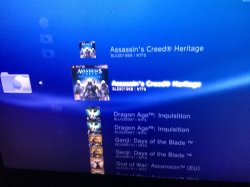
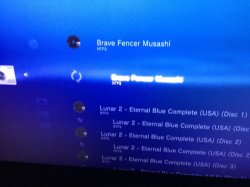
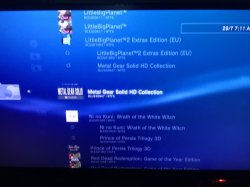
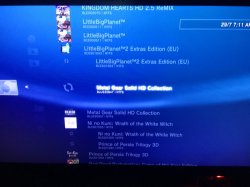
IMG_4932.JPG IMG_4933.JPG IMG_4934.JPG IMG_4935.JPG
remove all content?
including the res folder and sman.cnf?

so by using sman cant open other manager?
how about irisman?

it only affects with external hdd
game on internal hdd dont have that problem
 
View attachment 9487 View attachment 9488 View attachment 9489 View attachment 9490
remove all content?
including the res folder and sman.cnf?

so by using sman cant open other manager?
how about irisman?

it only affects with external hdd
game on internal hdd dont have that problem
You can remove it all, sman.sprx will replace them anyway. The necessary files are all concatenated in sman.sprx & get copied to the temp folder if they are not found on boot, the rest get produced by sMan.
Of course you will also reset your sMan settings...
The game list is sman.xml.

You can open other backup managers without problems, at this stage I am asking you to follow these steps not as a workaround but to narrow the problem...

Btw Multiman, webman, webMAN-MOD & sman all use /dev_hdd0/tmp/wmtmp, it's inherited from prepntfs.
 
Last edited:
You can remove it all, sman.sprx will replace them anyway. The necessary files are all concatenated in sman.sprx & get copied to the temp folder if they are not found on boot, the rest get produced by sMan.
Of course you will also reset your sMan settings...
The game list is sman.xml.

You can open other backup managers without problems, at this stage I am asking you to follow these steps not as a workaround but to narrow the problem...

Btw Multiman, webman, webMAN-MOD & sman all use /dev_hdd0/tmp/wmtmp, it's inherited from prepntfs.

Deleting wmtmp fix the problem.

But i think i found a bug
After sman scan for games then open irisman after the application show exit to xmb
Go to sman setup then refresh. This will duplicate all game that was on external hdd.
Anyone can confirm this?
 
Deleting wmtmp fix the problem.

But i think i found a bug
After sman scan for games then open irisman after the application show exit to xmb
Go to sman setup then refresh. This will duplicate all game that was on external hdd.
Anyone can confirm this?
I only had a few minutes to spare but I reproduced the issue. For now, without some research, I cannot yet explain why this is happening, I would need to check the xml file, investigate the source further maybe even live debug the bloody thing...

Luckily, refreshing the xml manually in sMan after using Irisman is something that should seldom happen. If one really needs to do it, for instance after copying games via the Irisman file manager, one should reboot then refresh xml unless the startup scan is enabled in which case it will be done automatically.

If you have problems getting rid if your duplicates, deleting /dev_hdd0/tmp/wmtmp/sman.xml should fix it.

Whatever the problem might be, I am confident it will be fixed in a next update.
I find it surprising in a way that nobody including myself found/reported this issue before... Unless I missed it..
 

Featured content

Trending content

Back
Top