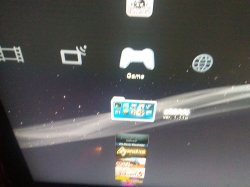
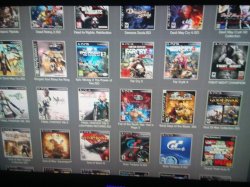
We have seen developer @deank cooking up some nice brew lately, the latest creation of sLaunch has now evolved into a new plugin called sMAN, bringing the original vision of the developer to this single plugin containing webMAN & sLaunch, rather then having two separate plugins loaded at boot time (like the preview releases) deank uses a single plugin slot while making sLaunch an even faster sprx loaded dynamically. For simplicity, he concatenated into just one file called sman.sprx the various sprx parts of the app (rawseciso/netiso/slaunch/sman) as well as the html parts of the XMB "Sman Games" feature. If you like to use this alternative UI for loading games, then you should use the sMAN plugin going forward, if you like the traditional way (w/ My Games) then you can use the XMB feature or simply switch to the webMAN plugin as both version will still available for users.

sman.jpg

  • Now, let's move forward to the next step...

    Later today I'll release the "sMAN" - which is webMAN + sLaunch in one plugin. The reason - this is what webMAN was supposed to be - the way I wanted to be since day one:
    • Use only one plugin slot
    • Use about 128KB less vsh memory (about 384KB total vsh memory)
    • Support for /dev_usb000 to /dev_usb128
    • No need for boot delays for scanning usb drives
    • No need for XML generation, "refresh xml" or other complicated tasks
    • No need for the "My Games" entry in XMB (no need for custom category_game.xml)
    • Simplified setup page, eject/unmount/rescan/grouping options available within sMAN's front-end (sLaunch)
    • Support for over 1000 games
    • FTP/WEB/NTFS/NETISO support by the sMAN's back-end (webMAN)
    • Simple use in any cobra compatible CFW by adding sman.sprx to boot_plugins.txt without modifying other files
    • The front-end (menu) is not using resources when not active (opposed to slaunch.sprx)
    • Updated - it now supports switching groups/content-type (ALL/PS1/PS2/PS3/PSP/VIDEO) - press the [SQUARE] button.

    sMAN
    : http://deanbg.com/sman.sprx

    Dean

    p.s. The features in bold will be gradually introduced for easier transition for the users who decide to switch to sMAN.

    Edit: eventually deank decided to add the XMB "Webman Games" feature to sMan as many end users were asking for it.
    It brings back the old XML creation problem he originally wanted to get rid of however it works quite well.
    The only real glitch in sMan 1.11n (& in the latest wMM actually) is found with a limited number of ntfs hdd where the partition cannot be read using the libntfs_ext library port. Hopefully this bug should get fixed after investigation...

    The XMB Game list remains optional however, to be toggled in the sMan settings page.


  • Random Comments about sMAN from deank
    • The good thing about sMAN is that it doesn't require large amounts of memory no matter how many games you have. It can handle 2000, 3000, 5000 games even.
    • sMAN is working a bit faster than sLaunch (at least it looks that way).
    • If you decide to use sman.sprx - remove webftp_server.sprx and slaunch.sprx from your boot_plugins.txt. It is not possible to use them at the same time.
    • Yes, fan-control is still there, because it is "webMAN" in the background. For languages - there is nothing different to webMAN - you'll have to compile it yourself with proper gui.h.


  • Video (POC Version)
    ScreenShot (from preview version)
    --------------------------------------------------------------------
    slaunch_preview.jpg


Last edited by a moderator:
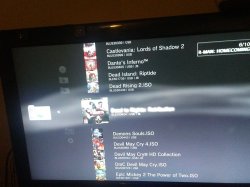
Also on the xmb either way shows .ISO. (sorry for double post)

I use an external hdd for these games but it's FAT32 not NTFS, maybe that's why?
 

Attachments

  • 20170610_215331.jpg
    20170610_215331.jpg
    1.4 MB · Views: 290
@justin_credible
We are not looking at the same screen... But here is the game list via web page on my console, below...

55dda1ada77ef16e06b073be18ca1149.jpg


Have you checked the setup page?
There is a checkbox :
"Use filenames for game titles"
If it's checked, your problem is not a problem, only a configuration mistake on your part!
643ac42f16a9cd51e6b8f8ef167ea414.jpg
 
Last edited:
@justin_credible
Have you checked the setup page?
There is a checkbox :
"Use filenames for game titles"
If it's checked, your problem is not a problem, only a configuration mistake on your part!
643ac42f16a9cd51e6b8f8ef167ea414.jpg

That option should only just use the iso name, not the .ISO extension itself, rather than the names included in the .sfo file.

Bugs out for me on split fat32 based games (.iso.0 shows as .iso rather than not showing an extension at all), but internal / ntfs / unsplit fat32 games show fine without showing the .iso extension using that option.
 
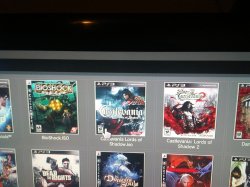
Just tried changing Castlevania Lords of Shadows it shows as Castlevania Lords of Shadows.iso now. *shrug*

and no use filenames for game titles is NOT checked in setup.
 

Attachments

  • 20170610_220418.jpg
    20170610_220418.jpg
    1.4 MB · Views: 253
I don't have use filenames checked. It hasn't been this whole time because it shows all the titleids and it looks terrible. That is not the issue.
 

Attachments

  • 20170610_220739.jpg
    20170610_220739.jpg
    594.4 KB · Views: 226
Cannot see anything in your screenshot...
Have you tried deleting the xml then rebooting?
Your issue is most likely local as you are the only one who seems to experience it...
 
Looks like the same issue I have to be honest, I'd bet they are all actually split ISOs on a fat32 drive and if you look at the folder where those games are stored via the files tab they will actually be .iso.0, .iso.1 etc. not even actually .iso files.
 
I'm sorry you're right they are all split I wasn't thinking any game over 4 gb on a FAT32 hdd will split so I guess as of now it can't be fixed unless deank does an update. Thanks for the help.
 
I'm sorry you're right they are all split I wasn't thinking any game over 4 gb on a FAT32 hdd will split so I guess as of now it can't be fixed unless deank does an update. Thanks for the help.

It's kinda my fault anyway, I requested the option to use file names rather than the sfo for naming games and I'm guessing something got broken to do with the split files due to the extra file extension on them during that change. :P
 
As a general rule, when an unsolvable problem occurs, I often start from scratch:
1. Delete the contents of /dev_hdd0/wmtmp/res
2. Delete the contents (except the res folder) of the /dev_hdd0/tmp/wmtmp folder
3. Reboot
4. Configure the setup page, make sure startup scan is NOT disabled & "Use filenames for game titles" is unchecked.
5. Reboot

I don't use fat32 or split isos so I cannot test those for you. However you may want to unplug any fat32 hdd you can may use, test with only your internal hdd & full iso files, to be sure...
 
I have a question myself. as some of u know, I lost many of my games due to hdd failure. I think my internal hdd is failing now, but I plan to address that. would u all recommend I do ntfs iso rips or stick with fat32 jb rips or does it matter? r there any advantages to ntfs aside from placing entire games on the drive. also, how does this affect gamedata tool? I couldn't figure out how to use gamedata tool with webman mod. can u with sman? and, by that, I mean storing psn games on an external hdd in the gamei folder along with any dlc I might have. I'd rather use the internal hdd as little as possible for the very reason of hdd failure. I've started backing up each drive to prevent that from happening again after it happened with my 360 hdd (lost half my games or all xbox 360 and xbox original games; I only have xbla, indie, and dlc which I've since backed up). can psn games in the gamei folder be played from an ntfs drive? thanks.
 
I have a question myself. as some of u know, I lost many of my games due to hdd failure. I think my internal hdd is failing now, but I plan to address that. would u all recommend I do ntfs iso rips or stick with fat32 jb rips or does it matter? r there any advantages to ntfs aside from placing entire games on the drive. also, how does this affect gamedata tool? I couldn't figure out how to use gamedata tool with webman mod. can u with sman? and, by that, I mean storing psn games on an external hdd in the gamei folder along with any dlc I might have. I'd rather use the internal hdd as little as possible for the very reason of hdd failure. I've started backing up each drive to prevent that from happening again after it happened with my 360 hdd (lost half my games or all xbox 360 and xbox original games; I only have xbla, indie, and dlc which I've since backed up). can psn games in the gamei folder be played from an ntfs drive? thanks.
I recommend Ntfs & Full iso rips.
JB folder format for modded games only.
External gamedata will require you to use a fat32 drive to host the GAMEI folder but the game rip does not have to be on the same fat32 drive.
TBH external game data is a pita in practice & I don't really recommend it..
 
I have a question myself. as some of u know, I lost many of my games due to hdd failure. I think my internal hdd is failing now, but I plan to address that. would u all recommend I do ntfs iso rips or stick with fat32 jb rips or does it matter? r there any advantages to ntfs aside from placing entire games on the drive. also, how does this affect gamedata tool? I couldn't figure out how to use gamedata tool with webman mod. can u with sman? and, by that, I mean storing psn games on an external hdd in the gamei folder along with any dlc I might have. I'd rather use the internal hdd as little as possible for the very reason of hdd failure. I've started backing up each drive to prevent that from happening again after it happened with my 360 hdd (lost half my games or all xbox 360 and xbox original games; I only have xbla, indie, and dlc which I've since backed up). can psn games in the gamei folder be played from an ntfs drive? thanks.

I'd stick with a fat32 drive and split isos to be honest due to the extra compatability with all homebrew (retroarch etc. can't play roms from ntfs, only fat32 or internal).

My NTFS drive is semi-broken with the new ntfs driver again after copying files onto it with irisman and the PC died so I can't try to chase down the issue at the moment.

Wishing I had of just stuck with fat32 personally. lol

It's a tough call to be honest. Depends on your usage.
 
what do u mean by the game doesn't have to be on fat32 (ur last statement)? how do u initialize it or do I need to use the standalone game data app? I've been using that along with ext game data tool for dlc which u can check off in mm, so does sman have that ability? iirc, ext game data tool was like a jb game that u placed on each hdd. it's been so long since I've gamed on the ps3 that I don't remember much about it though. I've been using webman mod, to inject flash files, but I've never opened a game with it. it's been since the multiman days. lol
 
I mean that you could keep your iso anywhere like /dev_hdd0/PS3ISO for instance, it's not required to be hosted as split iso on the same drive as the GAMEI folder.
Sman does not have the external gamedata feature afaik. Few people bother with external game data anymore...
But as the feature is only a Cobra mappath call to redirect /dev_hdd0/game to /dev_usb00x/GAMEI, it could be done by any 3rd party tool.
In fact, I think I will add it to the extended xai_plugin...
 
yes, iirc, it was syscall 35 for psn redirection while syscall 36 is the apphome redirection. I've got so many games on an external hdd that can't be used 'til I get the game data thing sorted.
 
yes, iirc, it was syscall 35 for psn redirection while syscall 36 is the apphome redirection. I've got so many games on an external hdd that can't be used 'til I get the game data thing sorted.
Basically to get external Gamedata running, if the GAMEI folder already exists on your FAT32 device, let's assume that the device is mounted on /dev_usb000, all that's required is this call to Cobra
Code:
sys_map_path("/dev_hdd0/game", "/dev_usb000/GAMEI");
 

Featured content

Trending content

Back
Top