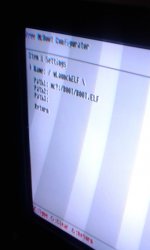
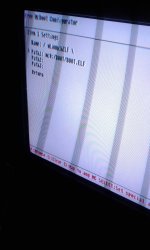
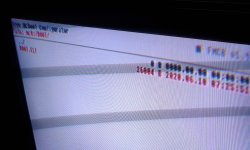
Some ps2 slim problems

Status
Not open for further replies.

Adam777

Member
Hello friends!!
So basically,this thread was originally posted in psxscene but for some weird reasons the domain stopped working,those who got to see my thread can skip this part, if you see this the first time, no problem!
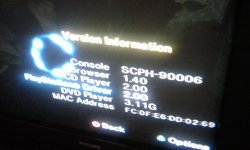
So, i have a ps2 slim model scph 90006,my brother obtained this ps2 by buying or literally saving this ps2 from his college partner,it still works to this day,the disk reader used to work (but for stupid reasons stopped working hehe)the fmcb works but does not straightly boots to fmcb(I do not know if I explained well).
I already mananged to load the open ps2 loader and try some usb games and it runs fine! But the cinematics come out a little slow, late but I already discovered that later.Gameplay is fine,games like socom runs a little bit slow but still playable.
So that's it! Sorry if i have misspellings or bad grammar,english is not my main language but if I have a misspelling just let me know!
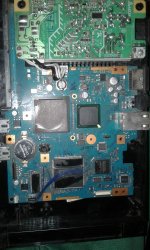
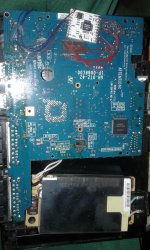
(I may show some pictures of my ps2,if i know how)
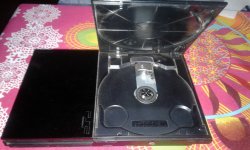
 

Attachments

  • 20200708_190113.jpg
    20200708_190113.jpg
    1.3 MB · Views: 294
  • 20200708_190449.jpg
    20200708_190449.jpg
    1.2 MB · Views: 293
  • 20200708_190824.jpg
    20200708_190824.jpg
    1.8 MB · Views: 294
  • 20200708_190535.jpg
    20200708_190535.jpg
    1.8 MB · Views: 298
You're running it via USB, that's why some games experiencing very slow gameplay. You should use other way around like SMB LAN method for that.
 
You're running it via USB, that's why some games experiencing very slow gameplay. You should use other way around like SMB LAN method for that.
I had already realized that, 6 months ago,I was thinking of using a 120gb hard drive from an old laptop to try to see what happens
 
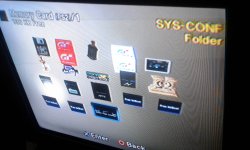
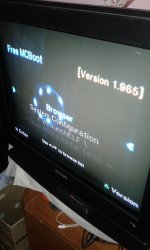
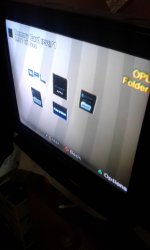
Update:I installed the updated version of fmcb in my memory card thru usb,while i was installing the first thing to see it sayed that fmcb is not compatible with this version so i decided to do the instalation process in another ps2 (just in case,so it's safe so to say)and after updating fmcb i tried in my ps2 to see if at least maked a change but still,not running.So i run ulaunchelf to at least run opl and it worked! Of course i I had no games available at the moment, so I just set it up.I prepared it for when I have games available.
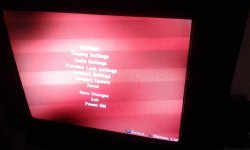
That's all what a have to say! I may leave some pics for show(Sorry if the images look bad, I'm using an old television)
 

Attachments

  • 20200708_210956.jpg
    20200708_210956.jpg
    1.3 MB · Views: 105
  • 20200708_211017.jpg
    20200708_211017.jpg
    1.4 MB · Views: 113
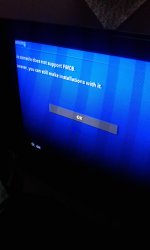
I installed the updated version of fmcb in my memory card thru usb,while i was installing the first thing to see it sayed that fmcb is not compatible with this version...

Ca you make a photo with this warning?
Did you tried Normal or Multi-Instalation?

...so i decided to do the instalation process in another ps2 (just in case,so it's safe so to say)and after updating fmcb i tried in my ps2 to see if at least maked a change but still,not running.

What do you mean by "still no running"?
During installation did you choose to update "FREEMCB.CNF"?


EDIT: Additionally if you wany you can try OPL 1535:
https://www.psx-place.com/threads/open-ps2-loader-v0-9-3.13415/page-50#post-250513.
 
Last edited:
Can you make a photo with this warning?
Did you tried Normal or Multi-Instalation?


What do you mean by "still no running"?
During installation did you choose to update "FREEMCB.CNF"?


EDIT: Additionally if you wany you can try OPL 1535:
https://www.psx-place.com/threads/open-ps2-loader-v0-9-3.13415/page-50#post-250513.
Yes,i tried multi instalation,and this error appeared in my ps2 and no,I did the installation on my brother's ps2 because I deleted the fmcb files(don't know if it was something dumb)and when I mean that still no running i mean that it does not boot after instalation.
Here's a pic
 

Attachments

  • 20200709_163020.jpg
    20200709_163020.jpg
    368.4 KB · Views: 106
Last edited:
Wait a second... You cannot install FMCB... You have special way to launch OPL.
idea.gif

Your console have a modchip...
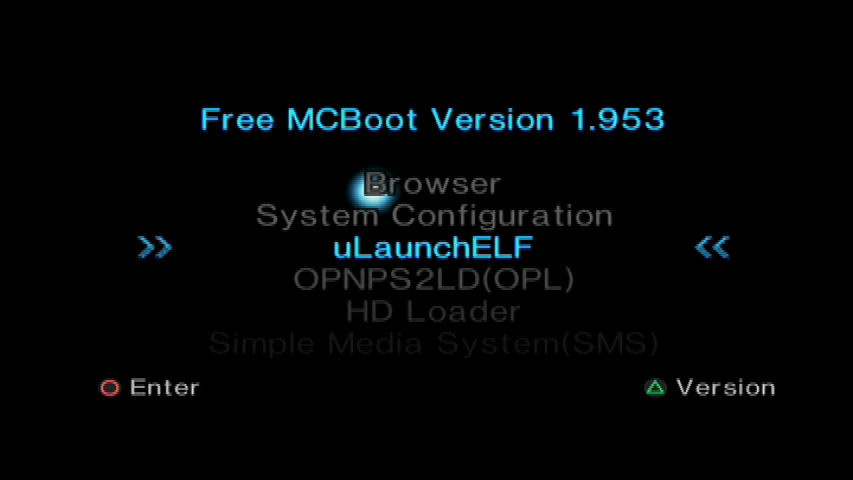
  • Did you previously have additional options in Browser:
    Bitfunx-8MB-Freies-McBoot-FMCB-Speicher-Karte-f-r-PS2-FMCB-Speicher-Karte-v-1-953.jpg


  • Or your browser looks like that:
    hqdefault.jpg


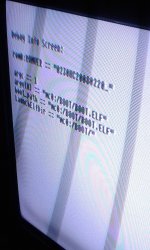
  • Can you start LaunchELF.
    XOzrsgR.jpg

    FileBrowser -> MISC -> Debug Info -> rom0:ROMVER == "0230...."
 
Last edited:
Wait a second... You cannot install FMCB... You have special way to launch OPL.
idea.gif

Your console have a modchip...
  • Did you previously have additional options in Browser:
    Bitfunx-8MB-Freies-McBoot-FMCB-Speicher-Karte-f-r-PS2-FMCB-Speicher-Karte-v-1-953.jpg


  • Or your browser looks like that:
    hqdefault.jpg


  • Can you start LaunchELF.
    XOzrsgR.jpg

    FileBrowser -> MISC -> Debug Info -> rom0:ROMVER == "0230...."
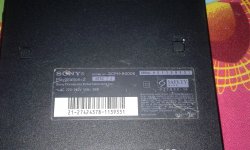
No,it does not have in browser any additional options,just the standard options(browser,system configurations and it has a matrix chip ver 1.93)here some pics of the insides of my ps2 and the ulaunch elf info.
I boot ulaunchelf by pressing r1 while the ps2 it's starting up.
 

Attachments

  • 1594332057511-1788670685.jpg
    1594332057511-1788670685.jpg
    837.7 KB · Views: 99
  • 15943323643781338746188.jpg
    15943323643781338746188.jpg
    724.3 KB · Views: 98
  • 1594332487214-1150301875.jpg
    1594332487214-1150301875.jpg
    680.7 KB · Views: 96
Last edited:
Thank you for photos.
You have a SCPH-90006 with ROMVER 2.30.
So it means that FMCB will not automatically boot on that console.

You will need "HWC's OSDSYS Launcher" for that:
https://www.psx-place.com/threads/hwcs-osdsys-launcher.30258/.

During installation of a FMCB you have warning:
"Your console do not support FMCB.
However, you can still make installation with it".
Do you have any additional options to proceed?

If you do not have any relevant content on that memory card you can format it.

Here is FMCB noobie package for modchips:
http://www.mediafire.com/file/3ige7ttrx6rameh/FMCB-FHDB_1965_%5B081218%5DNP_V1_modchip.7z.

Can you do these steps:
  1. Launch FMCB installer
  2. Press :but r1: or :but l1: (I don't remember) two times
  3. Format MC - If you do not have any relevant content on that MC
  4. Install FMCB - Accept installation for unsupported console
  5. Exit from FMCB Installer
  6. Install "HWC's OSDSYS Launcher"
  7. Press :but r1: during boot
  8. You should have FMCB menu
 
Thank you for photos.
You have a SCPH-90006 with ROMVER 2.30.
So it means that FMCB will not automatically boot on that console.

You will need "HWC's OSDSYS Launcher" for that:
https://www.psx-place.com/threads/hwcs-osdsys-launcher.30258/.

During installation of a FMCB you have warning:
"Your console do not support FMCB.
However, you can still make installation with it".
Do you have any additional options to proceed?

If you do not have any relevant content on that memory card you can format it.

Here is noobie package for modchips:
http://www.mediafire.com/file/3ige7ttrx6rameh/FMCB-FHDB_1965_%5B081218%5DNP_V1_modchip.7z.

Can you do these steps:
  1. Launch FMCB installer
  2. Press :but r1: two times
  3. Format MC
  4. Install FMCB - Accept installation for unsupported console
  5. Exit from FMCB Installer
  6. Install "HWC's OSDSYS Launcher"
  7. Press :but r1: during boot
  8. You should have FMCB menu
I will give it a try,im going to download the program for modchip and the instalation of fmcb,will do that right now.
I will post a update when im done so pls stay active a little
 
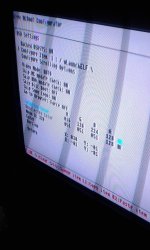
Update:i installed the fmcb for modchips,there was not a option for unsupported console in the instalation process(installed normal version btw)and when it finished installing i resetted the ps2,just in case i maintained r1 pressed and the fmcb logo appeared!!! There's a problem tho,if i launch ulaunchelf the ps2 resets automatically in fmcb menu.
I tested the fmcb configurator and it works, but i couldn't install hwc osdsys launcher.
When i don't left pressed r1 it boots to normal browser(browser,system configuration,etc)
Here are some pics!(I would like to upload a video showing how this ps2 boots but a error pops up)
 

Attachments

  • 15943379755461338746188.jpg
    15943379755461338746188.jpg
    384.8 KB · Views: 54
  • 15943381420851906611329.jpg
    15943381420851906611329.jpg
    291.8 KB · Views: 48
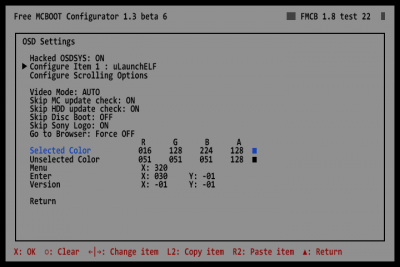
Can you enter FMCB Configurator -> Configure OSDSYS options
Look for Configure Item 1 : wLaunchELF
fmcb-osd-settings.png

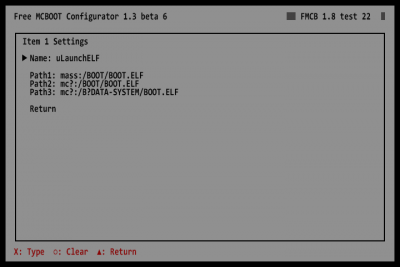
Enter this option.
Take a photo.
fmcb-item-1-settings.png


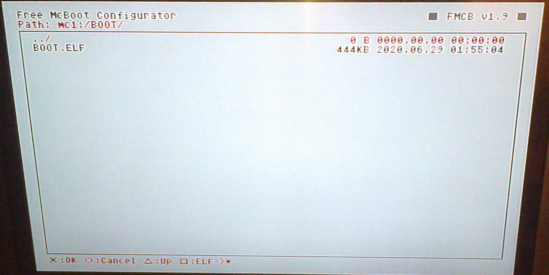
Can you also take a photo of a mc:?/BOOT folder.
FMCB Configurator -> Configure OSDSYS options ->
Configure Item 1 : wLaunchELF -> Path1 -> mc:?/BOOT.

10072020729.png
 
Last edited:
Can you enter FMCB Configurator -> Configure OSDSYS options
Look for Configure Item 1 : wLaunchELF
fmcb-osd-settings.png

Enter this option.
Take a photo.
fmcb-item-1-settings.png


Can you also take a photo of a mc:?/BOOT folder.
FMCB Configurator -> Configure OSDSYS options ->
Configure Item 1 : wLaunchELF -> Path1 -> mc:?/BOOT.
 

Attachments

  • 1594339556707-1788670685.jpg
    1594339556707-1788670685.jpg
    727.8 KB · Views: 25
  • 15943395873111338746188.jpg
    15943395873111338746188.jpg
    208.5 KB · Views: 25
I updated my post, I need these pictures:
FMCB Configurator -> Configure OSDSYS options
Look for Configure Item 1 : wLaunchELF:
fmcb-item-1-settings.png


FMCB Configurator -> Configure OSDSYS options ->
Configure Item 1 : wLaunchELF -> Path1 -> mc:?/BOOT:
10072020729.png
 
I updated my post, I need these pictures:
FMCB Configurator -> Configure OSDSYS options
Look for Configure Item 1 : wLaunchELF:
fmcb-item-1-settings.png


FMCB Configurator -> Configure OSDSYS options ->
Configure Item 1 : wLaunchELF -> Path1 -> mc:?/BOOT:
10072020729.png
I kinda not understand but,here some pics
 

Attachments

  • 1594339818955-1150301875.jpg
    1594339818955-1150301875.jpg
    602.8 KB · Views: 21
If you are in
Configure Item 1 : / wLaunchELF \
Look for Path1
Press "X".
Look for mc?:/BOOT.
10072020729.png

Take a photo.
 
Status
Not open for further replies.

Similar threads

Back
Top