
You are using an out of date browser. It may not display this or other websites correctly.
You should upgrade or use an alternative browser.
You should upgrade or use an alternative browser.
Some ps2 slim problems
- Thread starter Adam777
- Start date
-
- Tags
- #ps2 #slim
- Status
- Not open for further replies.

Adam777
Member
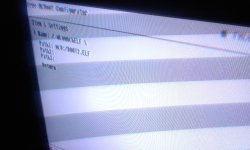
I only have a kingston cruzer blade(16gb)available at the moment,it can be useful?Size of this file is 26 004 B
Size of regular wLe (BOOT.ELF) is 444 KB
This mean that you Install "HWC's OSDSYS Launcher" properly.
Do you have any thumb drive?
If yes give me a few minutes.

jolek
Senior Member
1. Download BOOT2.7z.
2. Unpack it.
3. Copy into root of your flash drive.
4. Insert flash drive into PS2
5. Enter FMCB Configurator
6. Enter / wLaunchELF \
7. In Path -> look for -> mass:/BOOT2.ELF -> press or
or  to select it
8. Save changes
9. Exit Configurator
10. In FMCB menu select / wLaunchELF \
11. Enter mass:/
12. Look for BOOT2.ELF
13. Press -> or to copy this file into clipboard
14. Enter "mc0:/BOOT" -> -> Pastie -> or
15. Enter FMCB Configurator
16. Select the path for wLaunchELF -> mc0:/BOOT2.ELF
17. Save settings
18. Exit from Configurator
18. Eject your thumb drive
19. Select / wLaunchELF \ from FMCB menu
2. Unpack it.
3. Copy into root of your flash drive.
4. Insert flash drive into PS2
5. Enter FMCB Configurator
6. Enter / wLaunchELF \
7. In Path -> look for -> mass:/BOOT2.ELF -> press
or to select it8. Save changes
9. Exit Configurator
10. In FMCB menu select / wLaunchELF \
11. Enter mass:/
12. Look for BOOT2.ELF
13. Press
-> or to copy this file into clipboard14. Enter "mc0:/BOOT" ->
-> Pastie -> or 15. Enter FMCB Configurator
16. Select the path for wLaunchELF -> mc0:/BOOT2.ELF
17. Save settings
18. Exit from Configurator
18. Eject your thumb drive
19. Select / wLaunchELF \ from FMCB menu
Attachments
Last edited:
Adam777
Member
No longer ulaunchelf crashes! But what now?1. Download BOOT2.7z.
2. Unpack it.
3. Copy into root of your flash drive.
4. Insert flash drive into PS2
5. Enter FMCB Configurator
6. Enter / wLaunchELF \
7. In Path -> look for -> mass:/BOOT2.ELF -> press
8. Save changes
9. Exit Configurator
10. In FMCB menu select / wLaunchELF \
11. Enter mass:/
12. Look for BOOT2.ELF
13. Press
14. Enter "mc0:/BOOT" ->
15. Enter FMCB Configurator
16. Select the path for wLaunchELF -> mc0:/BOOT2.ELF
17. Save settings
18. Exit from Configurator
18. Eject your thumb drive
19. Select / wLaunchELF \ from FMCB menu
If somehow[/QUOTE\]No longer ulaunchelf crashes! But what now?
Attachments
Adam777
Member
It's done! What do i do now?Now you have BOOT2.ELF on your memory card.
1. In FMCB configurator ->
Select the path for wLaunchELF -> mc0:/BOOT2.ELF (as you did in the photo)
2. Save settings
3. Exit from Configurator
4. Eject your thumb drive
5. Select / wLaunchELF \ from FMCB menu
jolek
Senior Member
It's done! What now?
When you hold
at boot you will launch FMCB.When you will select / wLaunchELF \ from FMCB menu, wLaunchELF will boot.
What more did you want?
Adam777
Member
It works then! Now i willWhen you hold
When you will select / wLaunchELF \ from FMCB menu, wLaunchELF will boot.
What more did you want?
Thanks for the help! Now this ps2 slim will have a second live
Reason for editing: We don't support piracy
jolek
Senior Member
Read this:
https://www.psx-place.com/threads/site-forum-rules-guidelines.79/.
Especially 1st point.
Thread closed.
https://www.psx-place.com/threads/site-forum-rules-guidelines.79/.
Especially 1st point.
Thread closed.
- Status
- Not open for further replies.
