Sonic Mania (wasm)

Charles_n_town

Senior Member
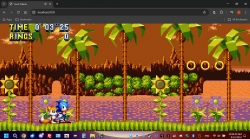
I compiled sonic mania for web assembly over a year ago. the game worked, but it would crash going to the main menu or rather it would do nothing but a black screen. I figured out what was wrong tonight. the main menu doesn't work on web assembly, kinda like how it doesn't on the dreamcast version, but you can get into the dev menu with esc/Y on the dreamcast controller. there, you can select a stage. it does have music and sound effects, unlike the dreamcast version currently. the esc button doesn't work in xampp with apache for some reason, so I ran it in python. it worked fine then.
 

Attachments

  • image.png
    image.png
    223 KB · Views: 143
  • image.png
    image.png
    206.1 KB · Views: 129
I just compiled sonic 1 for web assembly. it has no sound though, kinda like sm64. I think there's a button press to enable it, but you need to create a two second delay to the javascript file in order to press the hotkey before the game boots as it boots instantly. I was able to build another fork of mania for web assembly, but there's a weird java exception issue with python. no such issue with xampp. my original wasm (the one above) doesn't have this issue, but I was using a different fork. the developer's version on github does the same thing with the java exception. anyway, it's pretty neat.

upload_2024-9-22_14-54-32.png
 
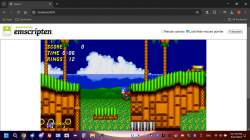
I got sonic 2 working. it was pretty much the same process as sonic 1, but you had to build it with that game's data.rsdk. anyway, I figured out the sound issue, why it works with sonic mania. it's because it has a "start" button. modern browsers seem to disable sound for videos and whatnot on webpages now, unless there's some interaction by the user. the same works with wasm. I was able to get sound with sm64, but it sounds like shit. it sounds like Mario is underwater, similar to the sound issues of sm64 on dreamcast. I couldn't get sonic 1 and 2 to work in the same way. how I got it to work was to force sound through the localhost in chrome, as I'm using python to launch an http server. it mentions the lack of sound issue on the github repo page. it said to mess with the canvas checkbox to get sound working, but that didn't work for me. I'm using chrome, but edge also has the same problem. I would have to add a start button somehow to the games, but their index.htmls are radically different than sonic mania's, because sonic mania requires you to select the data.rsdk, through a file manager, while the data.rsdk files are baked into sonic 1 and 2 as well as sm64.
 

Attachments

  • image.png
    image.png
    207.9 KB · Views: 42
I figured out how to make the web assembly version non plus. it's pretty much the same way you toggle it with uwp or the windows/series x version. here it is if anyone's interested. the main menu is broken on web assembly, so you have to select stages through the dev menu (esc). I think the key to press is either L or K after scrolling to the stage. it does have sound effects and music, and the music isn't distorted like with Mario 64. you should have audio set to always or yes in your browser, but considering this has a selection option to start game, it shouldn't matter. with file manager, upload your data.rsdk, then refresh the page.

https://1fichier.com/?hcbd5r75wb5ur6k4e4r8
 

Similar threads

Back
Top