


jolek
Senior Member
Stratagus port for PS Vita
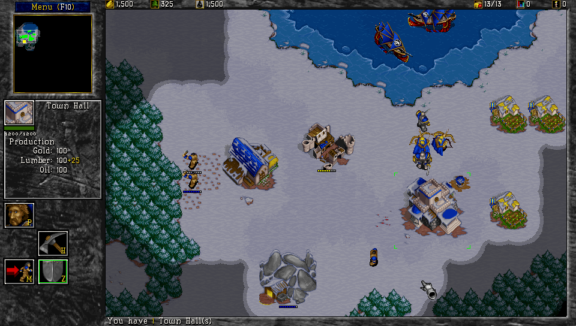
Wargus is a Warcraft 2 Mod that allows you to play Warcraft 2 with the Stratagus engine.
The game looks and sounds almost exactly like Warcraft 2.
The gameplay is very close to Warcraft 2's gameplay, with slight enhancements towards Starcraft and other more modern RTS games.
-
Wargus/War1gus requires extracted Warcraft 1/2 data in order to play the game.
So basically you'll have to install Wargus/War1gus on your PC, extract game data from original discs or GoG version and once you have a working PC version, you'll have to copy extracted game data to your Vita.
Steps:
- Install stratagus.vpk.
Extract content of stratagus_data.zip into ux0:data/.
- Download Wargus/War1gus and install it to your PC (Only use the versions linked below, since version mismatch may cause problems):
https://github.com/Wargus/wargus/releases/tag/v3.1.2
https://github.com/Wargus/war1gus/releases/tag/v3.1.2
- On the first launch you will be asked for a copy of the original Warcraft 1/2.
Select the path to the game or GoG installer and wait until installer extracts/ecodes the data.
- Once the data is extracted and you have a working PC installation of Wargus/War1gus, it's time to copy the game data to Vita.
If you're were using portable version of Wargus/War1gus, then the extracted data should be in the installation folder. Otherwise the game data should be located at Documents\Stratagus\data.Wargus or Documents\Stratagus\data.War1gus (for Windows versions).
Copy campaigns, graphics, maps, music, sounds and videos from Wargus/War1gus data folders and paste them into ux0:data/Wargus/ for Wargus or into ux0:data/War1gus/ for War1gus.
Copy scripts/wc2-config.lua for Wargus or scripts/wc1-config.lua for War1gus and paste the file into ux0:data/Wargus/scripts / ux0:data/War1gus/scripts/.
- Start the game
- Install stratagus.vpk.
-
Controls:
- Left analog stick - Cursor movement
- Right analog stick - Map scrolling
-
 - Left mouse button
 -
 - Right mouse button
 -
 - Attack
 -
 - Stop
 -
 ,
,  ,
,  ,
,  - 1/2/3/4 button
 -
 - Ctrl
 -
 - Shift (also used for cursor movement speedup)
 -
 - F10
- F10 -
 - Esc
- Esc
Use + D-Pad to create teams (1-4) and D-Pad to select them (same as Ctrl + 1-4 on keyboard).
You can change cursor movement speed by editing ux0:data/Wargus/wc2/preferences.lua / ux0:data/War1gus/wc1/preferences.lua and changing ControllerSpeed option (you may need to change some game options first for this file to appear). -
Multiplayer is not supported on PS Vita.
Game startup/loading times are around 1-2 minutes for Wargus.
Auto-cast with mages can cause pretty big slowdowns in War1gus (probably in Wargus too). No performance problems with auto healing and clerics tho.
You can turn on bilinear filtering by editing ux0:data/Wargus/wc2/preferences.lua / ux0:data/War1gus/wc1/preferences.lua and changing BilinearFilter option to true. -
Screenshots:
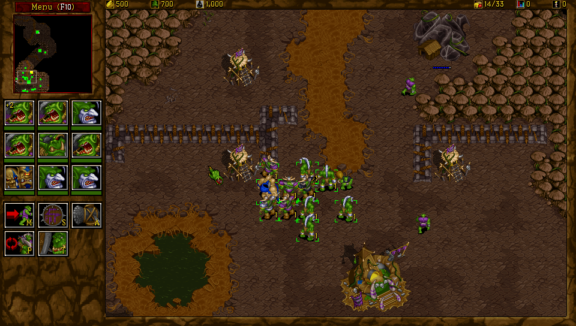
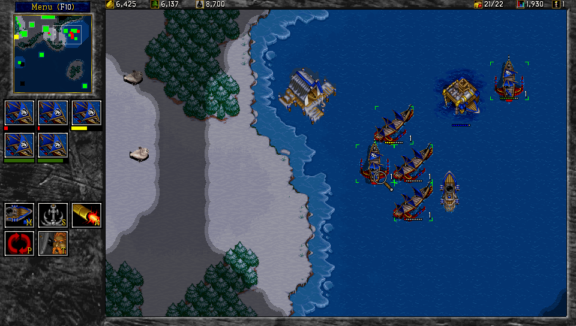
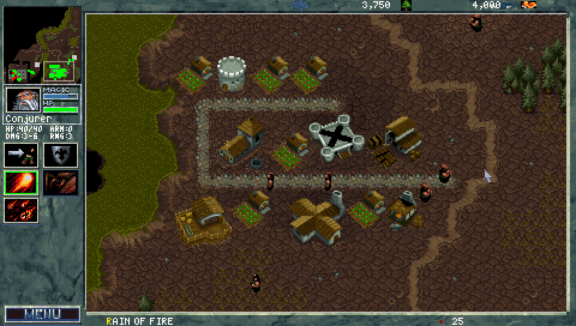
Source:
https://github.com/Northfear/stratagus-vita.
Last edited:
