
Stuck Loading PS2 ISO

thelivingtedd

Forum Noob
Hello there, Ive got my PS3 4.86 HFW installed with HEN support
I've recently compiled a list of PS2 ISO on my flash drive
I've also got Webman and Irisman installed and PS2 Placeholder
Not even familiar how any of them should work.
I've read tutorials
Seems after inititiating HEN and Going through Webman, there are folders which include PS3/PS2/PSclassic/PSP/and Bluray
All saying that my there are none in my folder.
I have my ISO in my root
However online it says i need them in my dev_hdd0 folder..... where do i access that?
Should i install anything else?
Also read PS2 Classics Manager will boot them?
However are those installed through ps3.brewology?

If i could get any insight as to the layout of my HDD that'd be great. What else needs to be installed etcerta.
Thankyou

My access of the computer is limited, I have been doing everything from a public library.
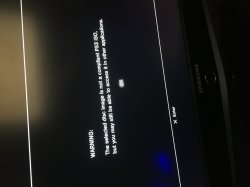
 
I now think my iso format is wrong
 

Attachments

  • 5E880E1E-7135-4F28-8D66-A3149BE204F8.jpeg
    5E880E1E-7135-4F28-8D66-A3149BE204F8.jpeg
    191.3 KB · Views: 131
Hello there, Ive got my PS3 4.86 HFW installed with HEN support
I've recently compiled a list of PS2 ISO on my flash drive
I've also got Webman and Irisman installed and PS2 Placeholder
Not even familiar how any of them should work.
I've read tutorials
Seems after inititiating HEN and Going through Webman, there are folders which include PS3/PS2/PSclassic/PSP/and Bluray
All saying that my there are none in my folder.
I have my ISO in my root
However online it says i need them in my dev_hdd0 folder..... where do i access that?
Should i install anything else?
Also read PS2 Classics Manager will boot them?
However are those installed through ps3.brewology?

If i could get any insight as to the layout of my HDD that'd be great. What else needs to be installed etcerta.
Thankyou

My access of the computer is limited, I have been doing everything from a public library.
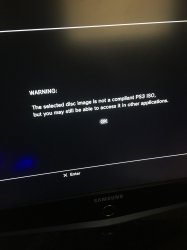
hen can not use iso for ps2. also cant use usb for ps2 (it will be copied to hdd if webman or whatever launches it).

you need to use ps2classics gui to convert to pkg or iso.bin.enc format. pkg will install and have its own icon. iso.bin.enc will be copied to dev_hdd/PS2ISO and launched by webman. you may need config file for some games. here is a compatability list cause not all ps2 games play on newer models.
 
I'm getting: Error: There was an unexpected error (PS2clasic core), check log

which trying to encrypt .hack//infection , a compatible game

If anyone knows a website where I can install rebug toolbox pkg directly to my console, let me know.

i think that's all I need to do
 
Last edited by a moderator:
I'm getting: Error: There was an unexpected error (PS2clasic core), check log

which trying to encrypt .hack//infection , a compatible game

If anyone knows a website where I can install rebug toolbox pkg directly to my console, let me know.

i think that's all I need to do
Try encrypting it on ps3 using Apollo Saves Tool.
 
Try encrypting it on ps3 using Apollo Saves Tool.

to convert with Apollo:
  • copy your .ISO to /dev_hdd0/PS2ISO/
  • open Apollo, select the "User backup" menu
  • select the "Encrypt PS2 classic ISO from HDD"
  • click on your file from the list of ISOs
  • (wait until the encryption finishes)
after encryption, you can use webman Mod to "scan your games", and the PS2 classic image will show up in the PS2 menu.

(you can also encrypt images from USB, but it's limited to fat32 and 4Gb ISOs)
 
I'm getting: Error: There was an unexpected error (PS2clasic core), check log

which trying to encrypt .hack//infection , a compatible game

If anyone knows a website where I can install rebug toolbox pkg directly to my console, let me know.

i think that's all I need to do

Here is a link for Rebug Toolbox
https://store.brewology.com/ahomebrew.php?brewid=308

FYI multiMAN and Apollo Save Tool can convert PS2 games to BIN.ENC directly on the PS3
 

Similar threads

Back
Top