

blckbear_
Developer
@fkd released an Android app that does this easily and without taking hundreds MB from your phones storage and it works flawlessly. Here's the link to his resource page: PS3 Proxy Server for Android
Introduction
We'll be using a Linux Terminal emulator in order to run the PS3 Proxy code.
Keep in mind that these emulators install a linux distro, so this could take up more than 500MB of your phone's memory.
Credits
Thanks to @mondul for his Proxy server code, which can be found here: https://github.com/mondul/PS3-Proxy
Also huge thanks to @fkd for helping.
Thanks to @KaoLHoO-DeCK for the tutorial video for Android 4.4.
How to
Click the spoiler that corresponds to your Android Version:
Hope everyone finds this useful, if there's anything wrong in the tutorial or want to make a suggestion to improve the tutorial just tell me
Introduction
We'll be using a Linux Terminal emulator in order to run the PS3 Proxy code.
Keep in mind that these emulators install a linux distro, so this could take up more than 500MB of your phone's memory.
Credits
Thanks to @mondul for his Proxy server code, which can be found here: https://github.com/mondul/PS3-Proxy
Also huge thanks to @fkd for helping.
Thanks to @KaoLHoO-DeCK for the tutorial video for Android 4.4.
How to
Click the spoiler that corresponds to your Android Version:
1- Install Termux and Termux API from the PlayStore.
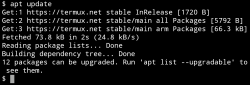
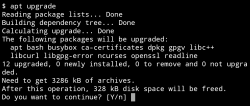
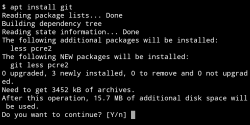
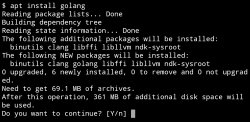
2- Run the following lines (without quotation marks and say yes (y) to everything you get asked):
"apt update"
"apt upgrade"
"apt install git"
"apt install golang"
3- Type "go version" to check if golang got instaled correctly

4- Now we'll download the server code:
"go get github.com/mondul/PS3-Proxy" to import the server's source code and some other stuff

5- Now we'll copy the binary to our home directory so that we have quicker access to it:
"cp go/bin/PS3-Proxy $HOME/PS3-Proxy"
I f no errors popped up we can check if the binary got copied by using "ls", we should see a PS3-Proxy file.

6- Now we run the binary:
"./PS3-Proxy" after this we should see the IP address and the port of the server, and when the PS3 tries to contact the update list we get notified that the server blocked the connection right on the terminal.
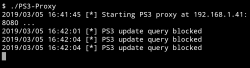
After this we should be able to just start the server any time we want by just typing the command in the 6th step.
2- Run the following lines (without quotation marks and say yes (y) to everything you get asked):
"apt update"
"apt upgrade"
"apt install git"
"apt install golang"
3- Type "go version" to check if golang got instaled correctly
4- Now we'll download the server code:
"go get github.com/mondul/PS3-Proxy" to import the server's source code and some other stuff
5- Now we'll copy the binary to our home directory so that we have quicker access to it:
"cp go/bin/PS3-Proxy $HOME/PS3-Proxy"
I f no errors popped up we can check if the binary got copied by using "ls", we should see a PS3-Proxy file.
6- Now we run the binary:
"./PS3-Proxy" after this we should see the IP address and the port of the server, and when the PS3 tries to contact the update list we get notified that the server blocked the connection right on the terminal.
After this we should be able to just start the server any time we want by just typing the command in the 6th step.
1- Install GNURoot Debian from the PlayStore.
2- Run the following lines (without quotation marks and say yes (y) to everything you get asked):
"su"
"cd"

"apt update"
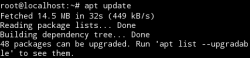
"apt upgrade"
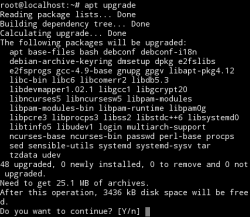
"apt install git"
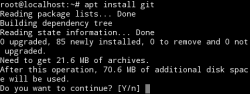
"apt install golang"
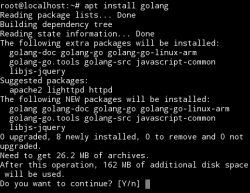
3- Type "go version" to check if golang got instaled correctly

4- Now we'll need to set up the path that golang uses:
"mkdir go"
"export GOPATH=/root/go/"

5- Now we'll download the server code:
"go get github.com/mondul/PS3-Proxy" to import the server's source code and some other stuff

6- Now we'll copy the binary to our root directory so that we have quicker access to it:
"cp /root/go/bin/PS3-Proxy /root/PS3-Proxy"
I f no errors popped up we can check if the binary got copied by using "ls", we should see a PS3-Proxy file.

7- Now we run the binary:
"./PS3-Proxy" after this we should see the IP address and the port of the server, and when the PS3 tries to contact the update list we get notified that the server blocked the connection right on the terminal.

After this we should be able to just start the server any time we want by just typing the following commands:
"su"
"cd"
"./PS3-Proxy"

Video (in Portuguese, but it's easy to follow anyways):
2- Run the following lines (without quotation marks and say yes (y) to everything you get asked):
"su"
"cd"
"apt update"
"apt upgrade"
"apt install git"
"apt install golang"
3- Type "go version" to check if golang got instaled correctly
4- Now we'll need to set up the path that golang uses:
"mkdir go"
"export GOPATH=/root/go/"
5- Now we'll download the server code:
"go get github.com/mondul/PS3-Proxy" to import the server's source code and some other stuff
6- Now we'll copy the binary to our root directory so that we have quicker access to it:
"cp /root/go/bin/PS3-Proxy /root/PS3-Proxy"
I f no errors popped up we can check if the binary got copied by using "ls", we should see a PS3-Proxy file.
7- Now we run the binary:
"./PS3-Proxy" after this we should see the IP address and the port of the server, and when the PS3 tries to contact the update list we get notified that the server blocked the connection right on the terminal.
After this we should be able to just start the server any time we want by just typing the following commands:
"su"
"cd"
"./PS3-Proxy"
Video (in Portuguese, but it's easy to follow anyways):
Hope everyone finds this useful, if there's anything wrong in the tutorial or want to make a suggestion to improve the tutorial just tell me
Last edited:


