iesus gamer
Member
Very good my question if there is any way to undo Red Ribbon Linux or what step must be done to leave the PS3 again without anything thanks and regards.


The only way to remove it is to completely reformat the hard drive and ps3 system itself.Very good my question if there is any way to undo Red Ribbon Linux or what step must be done to leave the PS3 again without anything thanks and regards.

Read steps 12 and 13 in the first post on this thread. You need the script file also.I am currently trying to install Red Ribbon linux. I tried the Automatic partitioning and does this. There is no way to do the Use Current Partitioning. Please help.
i recommend run "live" from usb memory stick or install to usb hdd. To install to ps3 hdd you have to get a cfw pup that allows it and then format ps3 hdd to create the partition. It not much faster than usb so its not really worth all the hastle.I am currently trying to install Red Ribbon linux. I tried the Automatic partitioning and does this. There is no way to do the Use Current Partitioning. Please help.
I will try it tomorrow. I am currently frustrated. I did everything to get to this point in 4 hours loli recommend run "live" from usb memory stick or install to usb hdd. To install to ps3 hdd you have to get a cfw pup that allows it and then format ps3 hdd to create the partition. It not much faster than usb so its not really worth all the hastle.
Create_hdd_region.sh is the script yes. There are different pups with different sizes. The one I used was 4.70 rebug but dont have it anymore. Im not sure where to get any now as i am only using usb now.where can i get that install to ps3 cfw? is it the Create_hdd_region.sh?
Did you install the patched update i provided? That's the only way to get it to install as it partitions the drive for OtherOS++.I am currently trying to install Red Ribbon linux. I tried the Automatic partitioning and does this. There is no way to do the Use Current Partitioning. Please help.
You could try and use GParted or something to make sure the entire drive is wiped.Good I have formatted the HDD and the console, I talo OFW 4.86 then install CFW from rebug 4.86 and everything is fine but when it comes to entering safe mode it does not enter this mode it enters the Linux installation I do not know because what I do is take out the HDD and format from the PC and do the installation again and now if it enters safe mode once everything is installed I don't know why by formatting the HDD from the console the Linux partition remains but from the PC it doesn't. I hope what happens will help what I say. Thanks and great regards.
unfortunatly it is old and obsolete...there is work on a new linux here...there is an iso but i have not tested.How tf do I even use this? I can't install programs, so I'm stuck with the completely useless iceweasel browser, which crashes (the browser, not the ps3) when I try to load a site that isn't just text. I can barely load this site on it. I just switched to my phone to post this.


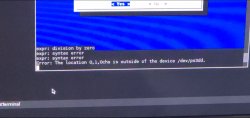
I found out the problem. It was saying that there was no free sectors and in the script file it minuses 8 from the free sectors. I changed this to + 30000000 but now it gives a different error message /dev/ps3stormgr: Permission denied.Help. Everything went fine until I ran the create_hdd_region.sh I noticed something that looked like an error message so I tried to run it again but the file was no longer there I continued with everything else and it went fine until I tried installing red ribbon on the hdd. It asked me to select the partrition I wanted to install it to I chose sda1 since that was the only one available. It gave me an error message saying that it was mounted so setup cannot continue.
i highly recommend installing to usb drive (memory stick or hard drive).I found out the problem. It was saying that there was no free sectors and in the script file it minuses 8 from the free sectors. I changed this to + 30000000 but now it gives a different error message /dev/ps3stormgr: Permission denied.
I did all of that but the problem with why I cant just install it on usb is because my ps3 only has two ports so I cant use mouse and keyboard at the same time if the usb is therei highly recommend installing to usb drive (memory stick or hard drive).
to get it on internal hard drive, you must install a special made cfw pup, then format the ps3, install petitboot, run that script, then install linux.
for usb, just install petitboot and then install linux to usb (or use 'live' distro).
yeah, i had to use a usb hub.I did all of that but the problem with why I cant just install it on usb is because my ps3 only has two ports so I cant use mouse and keyboard at the same time if the usb is there
Well im gonna get one tomorrow then probablyyeah, i had to use a usb hub.