PS2 [Tutorial] The Great PS2 AIO Guide

I performed FDVDB and it did not work. I am giving feedback as instructed.
I have a 3.11U DVD Drive. I have a slim PS2. I was using a maxell DVD-RW.
Relevant images attached.
e: I noticed earlier in the thread discussions over write speed, setting, etc. I will attempt them now. Will edit results.
https://imgur.com/53GqqKN https://imgur.com/n2TGaiM
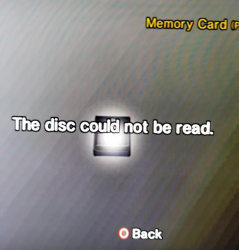
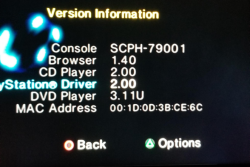
n2TGaiM.png 53GqqKN.png
 
Last edited by a moderator:
I performed FDVDB and it did not work. I am giving feedback as instructed.
I have a 3.11U DVD Drive. I have a slim PS2. I was using a maxell DVD-RW.
Relevant images attached.
e: I noticed earlier in the thread discussions over write speed, setting, etc. I will attempt them now. Will edit results.
53GqqKN
n2TGaiM
I can't edit the post now so I'm replying. Oh well.
I enabled OPC Before Write and changed the write speed from 1x to automatic, and that seemed to do the trick. Though, it's a bit weird since I had swapped my DVD-RW for a CD to do the other exploit and I had used the FDVDB method with a CD and it seems to be working fine. The CD is completely blank and unbranded. I wonder if this means FDVDB could work on any disc given it's formatted correctly or something?
In any case, despite the "3.11U" version being unmentioned, y'all can consider it to work.
and now that it's working, the guide ends, lmao. Oh well.
That's all. Have a good day.
 
Last edited:
I enabled OPC Before Write and changed the write speed from 1x to automatic, and that seemed to do the trick. Though, it's a bit weird since I had swapped my DVD-RW for a CD to do the other exploit and I had used the FDVDB method with a CD and it seems to be working fine. The CD is completely blank and unbranded. I wonder if this means FDVDB could work on any disc given it's formatted correctly or something?
In any case, despite the "3.11U" version being unmentioned, y'all can consider it to work.

I am not sure if I understand you...
Are you saying that you wrote FreeDVDBoot onto a CD and it worked?

From what I remember:
All you need is:
  • A compatible console (all PS2 Slim / Sony Bravia TV units are supported),
  • A DVD (not a CD), preferably a DVD-R as other types such as DVD+RW put more strain on the PS2 laser,
  • A computer with a built-in disc burner / external USB disc burner,
https://github.com/CTurt/FreeDVDBoot/blob/master/README.md.
 
  • Like
Reactions: TnA
I am not sure if I understand you?
You are saying that you wrote a FreeDVDBoot onto a CD and it worked?

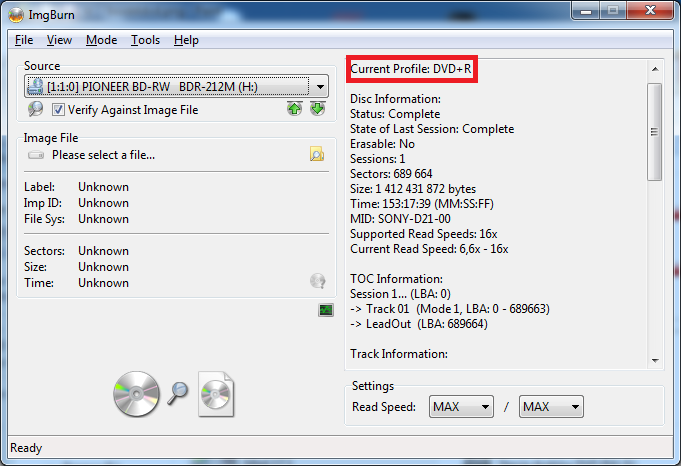
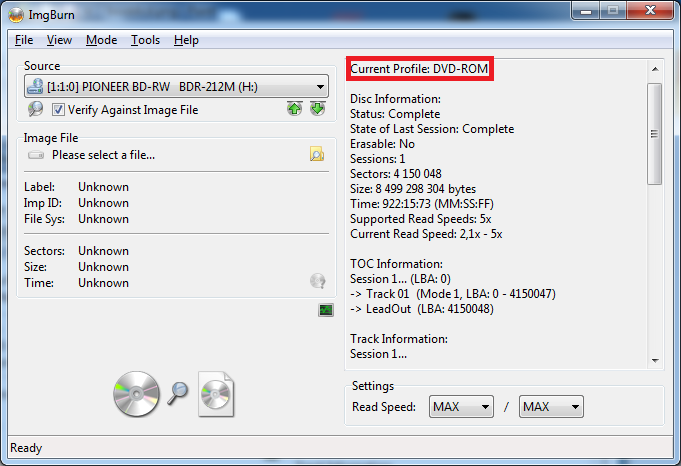
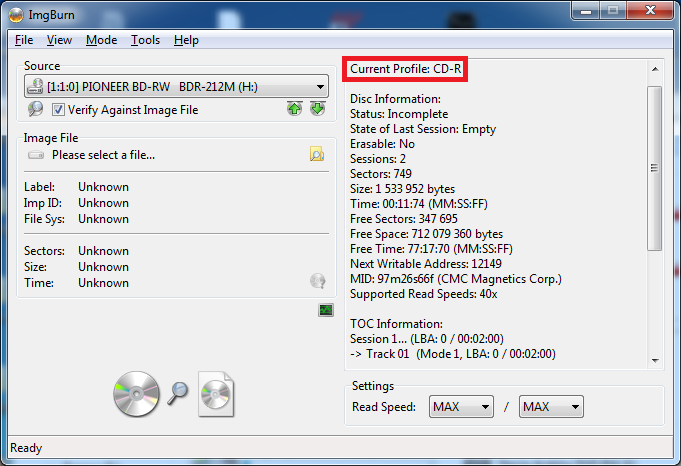
I believe so, though I suppose it could be a DVD for all I know. Relevant series of photos of the discs in question. I can't say I know enough about discs to pick out details that would tell me what kind of disc it is.
The PS2 recognized it as a CD for a split second before recognizing it as a DVD. That and it lookin CD-like made me believe that it was a CD.
Whether it's a CD or DVD, I find it pretty funny how I got it to work by virtue of not paying attention and using a disc I didn't mean to.
 
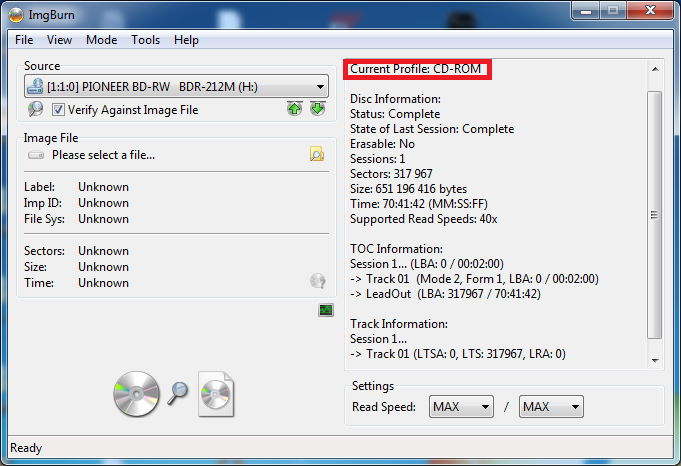
To be 100% sure, check this disc with IMGBurn
I checked and it's indeed a DVD-R. Now that it's daytime and I have better lighting conditions, I noticed that the blank disc had its branding in the center plastic. It's a memorex DVD-R Lightscribe 16x, so I assume that's why it was weird with the software at first. Some of the other blank discs in the same pile are CDs and DVD-RWs. I have no clue how I ended up with this pile of discs, so I don't know why they're all different. Bizarre.
Anyways, that solves that, false alarm I suppose. I thank this forum for the work they've accomplished and the guides they've made.
Good day.
 
Hello all. Followed AIO guide and FHDB process on my CPH-30003 EU model. Used the full image with everything preloaded. I get the FreeMcBoot splash screen followed by a blank screen, which after a couple of minutes will return to the browser. Very very rarely I get a random program launch from the blank screen (no idea if my random joypad presses are doing anything?) - so far I have had PopsLoader and I have had something that allows me to view media, but i cannot get uLaunchElf to start that i want to use to run the FreeMcBoot install for my memory card. I

I thought the FHDB would work - does anyone have any thoughts or suggestions on how i can get FHDB to work

Thanks Harry
 
Yes, exactly this one.
My thought was that if I burn games with freedvdboot they can be run on a console that does not support freedvdboot.
I tried launch them via ESR on fat console and everyting is fine.
Thanks!
 
  • Like
Reactions: TnA
Its ridiculously long and although I've put most of this into practise as I've been writing it, I can't guarantee its complete and works. Please report back to me any mistakes or errors.

Thanks all. Enjoy :D

EDIT: A little tid-bit of info, the scene has halted me with this guide on numerous occasions. Bringing out new exploits and homebrew and even new hardware (ie. SD2MC adaptor, coming soon).
But FreeDVDBoot was the final straw. I had to get it finished and released before someone else decided to release something new into the Ps2 scene and I'd have to hold off again, lol

I love this guide! However I am having some trouble. I am going the FHDB path and have flashed the hdd once, booted up my PS2 and wLaunchElf was nowhere to be seen. I then wiped the hdd tried again and same issue. I see other sources talking about making partitions within the hdd? I'm not sure. I am new to all of this so please excuse my idiocy.
 
WHAT did you "flash"??
Do you mean you wrote some image to the internal HDD? Was it the wLE-mini-image?
 
Hi all, very new here so apologies for the newbie questions, for the FreeHDBoot and internal HDD option, can I set up the HDD first with all the partitions, FreeHDBoot, backed-up games and homebrew apps before loading it onto the PS2? Just checking as the AIO guide has Part 4 which suggests you prepare your chosen storage media after running FreeHDBoot but I suppose I could just load everything onto the HDD in one go? Saves having to remove, plug to the PC, unplug and re-attach the HDD?

Thanks.
 
Very neat. For me it's jus USB FMCB package, SWAPMAGIC directory, SWAPMAGIC.ELF within

Boot Swapmagic v3.8 disc, then wLE runs so can go install FMCB, I think the great RandQalan taught me this
 
(...) can I set up the HDD first with all the partitions, FreeHDBoot, backed-up games and homebrew apps before loading it onto the PS2?

Yes, You can but there is no any toolkit to do that. So everything You must do by hands, putting and renaming files in proper places via PFS Fuse. Plus by hex editor editing __mbr partition to put there FHDB loader. It is doable but definitely not a newbie job. ;)

Saves having to remove
For what reason? If You will not format HDD, You will not need anything removing. And if You already have games which saves on HDD like FF XI, You cannot even format drive or else You will loose them permanently as PSBBN and all authenticate servers are down.
 

Similar threads

Back
Top