PS2 [Tutorial] The Great PS2 AIO Guide

Hi I'm new to freemcboot and created a psx-place account just to ask this but is it possible to make a fmcb memory card for a friend using just my chipped fat ps2 without fmcb (not sure which modchip was used) and if it is how would I do this. Sorry if it's obvious but I don't think it was in the guide. Thanks
 
Hi I'm new to freemcboot and created a psx-place account just to ask this but is it possible to make a fmcb memory card for a friend using just my chipped fat ps2 without fmcb (not sure which modchip was used) and if it is how would I do this. Sorry if it's obvious but I don't think it was in the guide. Thanks

Are you able to boot into uLE/wLE?
If so,
Follow Part 2 - FMCB
 
Are you able to boot into uLE/wLE?
If so,
Follow Part 2 - FMCB
Thanks for replying so quickly. Sorry, I'm a total noob and have no idea what wLaunchELF/uLaunchELF is and how to boot into it, but theoretically I should be able to do most things seeing as it's a fat ps2 with a modchip. How would I go about getting wLaunchELF/uLaunchELF and booting into it?
 
Thanks for replying so quickly. Sorry, I'm a total noob and have no idea what wLaunchELF/uLaunchELF is and how to boot into it, but theoretically I should be able to do most things seeing as it's a fat ps2 with a modchip. How would I go about getting wLaunchELF/uLaunchELF and booting into it?

Ahhhh OK. So uLaunchELF/wLaunchELF is a file browser/homebrew launcher. You can launch the FMCB Installer from there.

I don't own, nor have I read about modchipped ps2, so I can't help further I'm afraid. I don't know how to launch ELF files on those systems.
 
Having trouble with the FDVDB method.

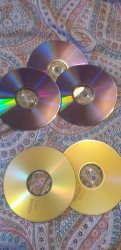
PS2 slim, SCPH-77001. DVD Ver is 3.11U. Using the hybrid ISO on a Verbatim DVD-R, used ImgBurn to write the disk at 2X write speed. Also tried the 3.11 only ISO image at 1X write speed. PS2 is unable to read the disk.

It's been a little bit since I've used my PS2, but I've verified that I can still boot retail games with it so I'm pretty sure the drive isn't broken. Is my model incompatible and I'm SOL or am I doing something wrong?
 
Having trouble with the FDVDB method.

PS2 slim, SCPH-77001. DVD Ver is 3.11U. Using the hybrid ISO on a Verbatim DVD-R, used ImgBurn to write the disk at 2X write speed. Also tried the 3.11 only ISO image at 1X write speed. PS2 is unable to read the disk.

It's been a little bit since I've used my PS2, but I've verified that I can still boot retail games with it so I'm pretty sure the drive isn't broken. Is my model incompatible and I'm SOL or am I doing something wrong?

All slims have been confirmed to work...
My logic behind the "low and slow" burning method is pretty ancient. And have been adviced that burning at half the discs recommended speed (eg, if dvd is 16x, use 8x speed)

I too am getting this result (Disk Read Error) but I am testing this on a 39xxx, which has lower DVD Player than 3.11. I am also using different discs (maxell)

This is all relatively new (exploit dropped only a couple of days ago) so hold tight while the finer details are ironed out
 
All slims have been confirmed to work...
My logic behind the "low and slow" burning method is pretty ancient. And have been adviced that burning at half the discs recommended speed (eg, if dvd is 16x, use 8x speed)

I too am getting this result (Disk Read Error) but I am testing this on a 39xxx, which has lower DVD Player than 3.11. I am also using different discs (maxell)

This is all relatively new (exploit dropped only a couple of days ago) so hold tight while the finer details are ironed out

Tried 16x/AWS before reading your post, no dice. I'll give 8x a shot and let you know what happens. Could the DVD burner be an issue? I'm using an ASUS DRW-24F1ST.

Edit: Tried 8x. Still got the "The disc could not be read" error. I guess I've wait a little bit before trying again as all the kinks are worked out. Thanks for responding!
 
Last edited:
In my experience being able to read retail discs doesn't ensure the drive is good. I've had a lot of drives go out that could still read pressed discs but couldn't read backups. Backups are generally harder on the laser and so first the backups stop working and then eventually you also can't read pressed discs either. Might not be your case, but you probably shouldn't count out the PS2 drive either. You can try burning something else to DVD and see if the drive will read it, or try adjusting the pot that feeds voltage to the laser.
 
Last edited:
In my experience being able to read retail discs doesn't ensure the drive is good. I've had a lot of drives go out that could still read pressed discs but couldn't read backups. Backups are generally harder on the laser and so first the backups stop working and then eventually you also can't read pressed discs either. Might not be your case, but you probably shouldn't count out the PS2 drive either. You can try burning something else to DVD and see if the drive will read it, or try adjusting the pot that feeds voltage to the laser.
What would be the best course of action for my case? Should I clean/replace the laser somehow, and if so, could you link me to a guide to do it?
Alternatively I could pick up a fat PS2 model... What models have good lasers?
 
I would say before anything I would probably in this order
1. Try another burned disc of something else, possibly with different blanks since that's the least trouble. I have seen spindles that were like 80% bad discs in the past. Not of verbatim, but it's a thing I've had happen.
2. Ideally, if you have access to one, try another burner.
3. Cleaning the laser is probably never a bad idea if you're confident in doing the work and won't cause damage.
4. I would probably try adjusting the pot if everything before this fails.
5. Replacing would be one of the last things I would try since that costs money and time if it isn't the problem that's just lost time and money, but is definitely an option if everything else fails.
A tear down/pot adjustment guide is here,
can't say how good it is since I only gave it a fast forwarding quick check. I'm sure someone else can chime in with a better guide. When I did my fat I just did it myself without a guide so I'm no expert on good guides. Good luck!

 
Turn OPC in IMGBurn's write-settings on!

Same results for me.... Tried 3.11, 3.10 and 3.04 and all returned a "Disk Read Error".
Although my Ps2 is a 390xx with DVD 2.13E, I'd have assumed something wouldve happened rather than a bad disk error
 
20200630_174820.jpg

2 out of 5 blanks left....
I think I'll wait for someone else to confirm DVD v2.13

EDIT: Tried burning with DVD Decrypter.... 1 out of 5 blanks left :(
 
Last edited:
I would say before anything I would probably in this order
1. Try another burned disc of something else, possibly with different blanks since that's the least trouble. I have seen spindles that were like 80% bad discs in the past. Not of verbatim, but it's a thing I've had happen.
2. Ideally, if you have access to one, try another burner.
3. Cleaning the laser is probably never a bad idea if you're confident in doing the work and won't cause damage.
4. I would probably try adjusting the pot if everything before this fails.
5. Replacing would be one of the last things I would try since that costs money and time if it isn't the problem that's just lost time and money, but is definitely an option if everything else fails.
A tear down/pot adjustment guide is here,
can't say how good it is since I only gave it a fast forwarding quick check. I'm sure someone else can chime in with a better guide. When I did my fat I just did it myself without a guide so I'm no expert on good guides. Good luck!

I have a DVD I burned that my PS2 slim recognizes and boots into the DVD menu perfectly fine. I made the DVD a couple years back with the same verbatim disks and Windows DVD maker. Playing the movie, accessing scenes and viewing extras work just as well as they would on a regular DVD player. The drive shoooould be fine I guess, but it makes sounds sometimes when loading/unloading disks. Also, I don't have any other blank DVD-Rs that are different brands, unfortunately.

I'll try another burner with OPC turned on, then if all else fails see if I can clean the laser or something. Thanks for the advice.
 
Another drive with 4x write speed and OPC turned on worked!
Just booted the disc and navigated to the FMCBInstaller.elf file. Pressed O to open it. Currently sitting at a black screen though...

Edit: Reformatting USB to FAT32 and replacing the files with the FMCB v1.966 files. Will update this post when that finishes.

Edit: Apparently the disc can no longer be read. :I
 
Last edited:
New 4x disk no longer being recognized and my burned DVD from earlier is no longer being recognized. Still recognizing PS2 discs just fine though. This damn thing has a mind of it's own.
 
Last edited:
@Fin9ersMcGee Trying different burning app doesn't have sense. Just like burning again and again discs. It is like fly trying going through glass window. :D

Probably problem lie in discs quality and/or in burning quality which is strictly tied to burner quality. PS2 and GC are very very touchy in this manner. And another sad thing is, today discs and ODDW quality are low.

OPC never helped me. This in theory is in case when drive doesn't have burn strategy for this media.

Could You make at least one test of fully burned (4,3GiB/4,7GB) disc? How errors and jitter level looks like? This nice diagram will should tell us a lot about Your pair (disc+oddw). ;)
 
Welp. My PS2 just bit the dust.

When adjusting the pot, I ended up finding the problem of why my model wasn't always reading discs: The metal bit with the plastic grooves on the end wasn't seated right against the screw spindle, causing it it grind along the spindle and not move the laser back and forth to read the disc. I tried to unscrew it and bend it back down, but I was never able to get it back in the groove of the screw spindle thing. I think the constant grinding wore the plastic nub at the end of the metal piece down too far. I could probably still fix it, but I'd need a new screw spindle thing that has clearer grooves (the screw itself had black bits in it that I couldn't get out) and a new metal/plastic piece. I don't know where I'd get those so it'd probably just be easier to get a new PS2 (or just buy a dang FMCB card and load everything off USBs).

I guess I'm going to pick up a fat PS2 if I can find one for a good price. These slims are absurdly brittle and I'd rather load games off an HDD/Disc. What models should I look out for and what should I check when buying a new unit? Thanks for all the help thus far.

Edit: Saw a local SCPH-30001 for $30. Going to get it.
 
Last edited:
That's a shame. Sounds like you did some new things with the PS2 and maybe learned some new things about PS2s though. So that's definitely an upside! Any new project, success or not success is time well spent.
If you buy the SCPH-30001 and FMCB it you can then use that to make an FMCB card for your slim for homebrew and stuff. So there's still some life in it. The only problem is does FDVDB support
SCPH-30001? I haven't followed the progress in the last day or 2.
Sorry about the PS2 laser being done, I assume you can buy a complete assembly and replace it if you were so inclined. It's a bummer, hopefully you've had some fun during the process even if the end result isn't the most desirable.
 
@Fin9ersMcGee Trying different burning app doesn't have sense. Just like burning again and again discs. It is like fly trying going through glass window. :D

Probably problem lie in discs quality and/or in burning quality which is strictly tied to burner quality. PS2 and GC are very very touchy in this manner. And another sad thing is, today discs and ODDW quality are low.

OPC never helped me. This in theory is in case when drive doesn't have burn strategy for this media.

Could You make at least one test of fully burned (4,3GiB/4,7GB) disc? How errors and jitter level looks like? This nice diagram will should tell us a lot about Your pair (disc+oddw). ;)

Don't have another dvd burner nor different brand discs....
Annoyingly, I tossed an old laptop out not so long ago, and that had the dvd burner that I used for making burns back in the day for the 'swap disk trick' using 007: Agent Under Fire, among other burns.
I guess new discs over new burner will be the cheaper option, so I'll order a pack of verbatims soon
 

Similar threads

Back
Top