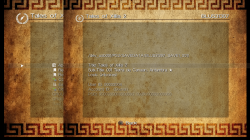
PS3 [Update] Apollo Save Tool v1.8.4 released

Update v1.8.4 Released
. Original Introduction: PS3 development has been seeing an upkick lately and developer @bucanero has been one of the developers playing a part. The developer has recently updated Artemis with new support and also released PKGi (PS3) but now the developer shares a great utility that involves PS3 Game Saves called Apollo, built utilizing the Artemis GUI this homebrew capable of running on CFW and PS3HEN will allow you to Patch & Resign your Game Saves / Download Game Saves / Unlock Game Saves all from the convenience of your PS3 console and not PC tools are required. Below you can see the release thread from the developer himself: So i'll let @bucanero take it from here with another great release:
-STLcardsWS

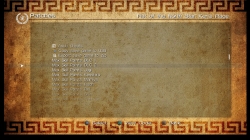
screenshot_main.png

It's summer and you're bored; what do you do with that amount of free time? You create "Apollo", a new homebrew app for the PS3! :D

  • you might wonder... why is it called Apollo?
    Apollo was the twin brother of Artemis, goddess of the hunt. Since this project was born using the Artemis-GUI codebase, I decided to respect that heritage by calling it Apollo.

    So, without further ado, let's present Apollo:

    Apollo Save Tool is an application to manage save-game files on the PlayStation 3.
    The apollo-ps3 homebrew app allows to download, unlock, patch and resign save-game files directly on your PS3.


    Features:
    • Easy to use: no crypto-key configuration or advanced setup needed.
    • Standalone: no computer required, everything happens on the PS3.
    • Save files listing: quick access to all the save files on USB and the internal PS3 HDD (+ file details)
    • Save SFO unlocking: allows the user to remove the copy-lock flag, enabling transfer of Copying Prohibited save files.
    • Save files patching: supports Bruteforce Save Data and Game Genie cheat patches to enhance your save-games.
    • Save PFD resigning: allows the user to resign save files made by other users and consoles.
    • Save downloading: access to an Online Database of save-game files to download straight to your PlayStation.
    • Automatic settings: auto-detection of PSID and Account-ID settings.


  • v1.8.4

    Added
    • Hex Editor for save-data files
    • Improved internal Web Server (Online DB support)
    • Custom offline Account-ID activation (On-screen Keyboard)
    • User-defined Online DB URL (Settings)
    Fixed

    • Fix Final Fantasy XIII save-game decryption bug
    Misc

    • Updated Apollo patch engine v0.4.1
      • Skip search if the pattern was not found
      • Improve code types 9, B, D
      • Fixed Final Fantasy XIII encryption bug on PS3
      • Add value subtraction support (BSD)
    • Custom checksum: Dai-3-Ji Super Robot Taisen Z

    .v1.8.0

    Added
    • Import Trophies from USB
    • Improve Trophy bulk export
    • Download Online DB saves to HDD
    • Extract archive tool (.zip, .7z, .rar)
    • Network Tools
      • URL downloader tool (download http/https/ftp/ftps links)
      • Simple local Web Server (full access to console drives)
    • New save-game sorting options (Settings)
      • by Name, by Title ID
    • Show PS3 IP address when running Apollo's Web Server
    • Improve USB support (scan USB0 to USB6)
    • On-screen Keyboard (for text input)
    Fixed

    • Fix screen aspect ratio (Tiny3D viewport issue)
    • Fix list refresh bug with .PSV saves
    • Fix .VM2 to .VMC export bug
    • Fix bug when saving settings
    Misc

    • Download application data updates from apollo-patches repository
    • Use .savepatch extension for save-game patches
    • Updated Apollo patch engine v0.3.0
      • BSD scripting changes
      • New custom hash: mgspw_checksum
      • Fix sha1_xor64 custom hashing
      • Fix little-endian support for decrypters/hashes (PS4/Vita)

    .v1.7.0
    • Added local Web Server (download saves as .Zip)
    • Save-game selection (press SELECT to tag items)
      • Copy/Resign selected saves (Bulk Management)
    • Improved listings (items count)
    • New custom checksum support
      • LEGO Marvel Avengers
      • LEGO Star Wars: The Force Awakens

    .v1.6.5

    Added

    • New save-game cheats
      • Final Fantasy XIII
      • Ratchet & Clank Future: A Crack in Time
      • Resident Evil 4 HD
      • Resident Evil 6
      • Resident Evil Revelations 2
      • Ryu ga Gotoku Kiwami
      • Tales of Zestiria
    Fixed

    • Fixed Online DB URL
    Misc

    • Use Apollo-lib (shared with Apollo PS4)

    .v1.6.4

    Added
    • Added setting to redetect user/console IDs
    • Added custom decryption support
      • Dynasty Warriors 8: Xtreme Legends
    • Added custom checksum support
      • LEGO Pirates of the Caribbean: The Video Game
      • LEGO Star Wars III: The Clone Wars
      • Tales of Zestiria
    • New save-game cheats
      • Atelier Rorona Plus
      • Atelier Shallie
      • Battle of Tiles EX
      • Call of Duty: World at War
      • Class of Heroes 2G
      • Death Spank
      • Deathmatch Village
      • DuckTales Remastered
      • Everybody's Golf
      • Iron Man 2
      • J-STARS Victory VS+
      • Kick Beat
      • Monster High - New Ghoul in School
      • Mortal Kombat Arcade Kollection
      • Narco Terror
      • Sacred Citadel
      • Shrek Forever After
      • Silent Hill: Downpour
      • Super Motherload
      • Tales of Zestiria
      • The Awakened Fate Ultimatum
      • The Expendables 2
      • Vandal Hearts: Flames of Judgment
      • Wizardry The Labyrinth Of Lost Souls
    Fixed
    • Fixed freeze issue when DB rebuild was scheduled
    • Fixed comments in .ps3savepatch files

    .v1.6.3

    Added
    • Added offline PS3 account activation
      • Creates a fake account ID
      • Generates an offline activation file act.dat
    • View raw .ps3savepatch patch files
    • Added BSD mid, endian_swap commands support
    • Added fnv1, checksum32, wadd_le, sha1_xor64 hash methods
    • Added custom decryption support
      • Metal Gear Solid 2
      • Metal Gear Solid 3
      • Metal Gear Solid Peace Walker
    • Added custom checksum support
      • Alien: Isolation
      • Digimon All-Star Rumble
      • Dragon Ball Z: Ultimate Tenkaichi
      • DuckTales: Remastered
      • LEGO Batman 2: DC Super Heroes
      • LEGO Harry Potter: Years 1-4
      • LEGO Harry Potter: Years 5-7
      • LEGO Lord Of The Rings
      • LEGO The Hobbit
      • Samurai Warriors 4
      • Sengoku Musou 4
      • Tears to Tiara 2
    • New save-game cheats
      • Dragon Ball Z: Xenoverse
      • Odin Sphere Leifthrasir
      • One Piece Pirate Warriors 3
      • Sengoku Basara 4 Sumeragi
      • Transformers: Devastation

    .v1.6.0

    Added

    • Display save-games and trophy-set icons
    • Added Database rebuild dialog (trophies)
    • Added PS2 Classics CONFIG encryption support
    • Improved USB scanning for Saves and User Backup tools
    Fixed
    • Fixed .ps3savepatch file parsing

    .v1.5.8

    Added

    • Added Trophy edit support
      • Unlock trophies
      • Lock trophies (if not synced)
    • Added bulk trophy export to .Zip
    • Added custom checksum support
      • Kingdom Hearts Chain of Memories
    • Improved file copy to USB
    Fixed
    • Fixed account_id update (special case)

    .v1.5.5

    Added
    • Added BSD qwadd, right, left commands support
    • Added adler16, sdbm, dwadd_le hash methods
    • Added dev_usb006 scan for USB saves
    • Added custom decryption support
      • Final Fantasy XIII
      • Final Fantasy XIII-2
      • Lightning Returns: Final Fantasy XIII
      • Resident Evil 0 (Zero) (Blowfish)
      • Resident Evil HD Remaster (Blowfish)
      • Resident Evil Revelations 2 (Blowfish)
      • Need for Speed: Undercover
      • Call of Duty: Black Ops (3-DES CBC)
      • Call of Duty: Black Ops II (3-DES CBC)
      • Silent Hill 3 HD
    • New save-game cheats
      • Persona 5
      • Resident Evil: Revelations 2
      • Yakuza 0
      • 99 Vidas
      • Lost Dimension
      • RAGE
      • The Last of Us
      • BlazBlue
      • BlazBlue: Chronophantasma EXTEND
      • BlazBlue: Central Fiction
      • Resident Evil 0 (Zero)
      • Resident Evil 4 HD
      • Resident Evil 5
      • Resident Evil 6
      • The Elder Scrolls V: Skyrim
      • The Legend of Heroes: Sen no Kiseki
      • Devil May Cry 3 HD
      • Guilty Gear Xrd - Rev. 2 -
      • Dynasty Warriors 8: Empires
      • Saint Seiya Soldiers' Soul
      • Star Ocean 5: Integrity and Faithlessness
      • Kamen Rider Battride War Sousei/Genesis
      • Rainbow Skies
    • Added custom checksum support
      • Dead Space 2
      • Dead Space 3
      • Final Fantasy X HD
      • Final Fantasy X-2 HD
      • Final Fantasy XIII
      • Final Fantasy XIII-2
      • Lightning Returns: Final Fantasy XIII
      • Kingdom Hearts 2.5 HD
      • Kingdom Hearts Birth by Sleep
      • Prototype
      • Prototype 2
    • Added simple icons for trophies
    • Improved custom CRC32 method
    Fixed
    • Fixed bulk resign and bulk copy
    • Fixed Fake owner account (ffffffffffffffff)

    .v1.5.0

    Added
    • Added Trophy Set management
      • List trophies
      • Resign trophy sets
      • Backup trophies to Zip
    • Added custom encryption support (DmC, GTA5, Diablo 3, NFS Rivals)
      • Algorithms: Blowfish, AES, DES
    • Added "Import decrypted save file" option
    • Added PS2/PS1 .PSV saves to the Online Database
    • Improved user messages
    • Added BSD global variable support
    • Added BSD search next command support
    • Added GameGenie code type 88 relative search
    Fixed
    • Fixed .RAP uppercase issue

    .v1.4.6

    Added
    • Added BSD crc64_ecma and crc64_iso hash commands
    • Added custom CRC-64 hash support
    • Added deflate support to BSD decompression command
    Fixed
    • Fixed save-game patches
      • Darksiders
      • Call of Juarez Bound in Blood
      • Fuse

    .v1.4.5

    Added
    • Added Change Account ID option (Remove ID, Fake Owner/Rebug)
    • Added background to PS3 system Dialogs
    • Added Enable Debug Log setting
    • Game Genie Type 6 code support
    • New cheats
      • Guilty Gear Xrd -SIGN-
      • Guilty Gear Xrd Rev 2
      • BlazBlue: Centralfiction
    • Updated secure_file_id database with new Title IDs and keys
    • Updated Online Database with new save-games
    Fixed
    • Fixed Online Database save-game download bug

    .v1.4.2

    Added
    • Export PS1 .PSV saves to .mcs
    • Export PS2 .PSV saves to .psu
    • Import raw PS2 memcards to .VM2 (ECC / non-ECC)
    • Export PS2 .VM2 memcards to raw image
    • Added APOLLO-99PS1.PSV dummy save (to refresh XMB virtual memcards)

    .v1.4.0

    Added
    • PS2 Classics: export/decrypt .VME memcards to .VM2
    • PS2 Classics: import/encrypt .VM2 memcards to .VME
    • PS2 Classics: export/decrypt BIN.ENC images to .ISO
    • PS2 Classics: import/encrypt .ISO images to BIN.ENC
    • Added .PSV resigning (PS1/PS2)
    • Added PS1 .mcs/.psx save conversion to .PSV
    • Added PS2 .max/.cbs/.xps/.psu save conversion to .PSV
    • Added APOLLO-99PS2.PSV dummy save (to refresh XMB virtual memcards)

    .v1.2.5

    Added
    • Updated games.conf database with new IDs and keys
    • Add Copy savegame to HDD option
    • Add Zip savegame to HDD option
    • Add bulk save-game copy to HDD support
    • Add owners.xml support (select owners from the Settings menu)

    .v1.2.0

    Added

    • Add save-game region change support
    • Add custom decryption for Naughty Dog savegames (TLoU, Uncharted 2, Uncharted 3)
    • Add bulk save-game resign support
    • Add View Save details option
    • Add Export licenses to HDD (/dev_hdd0/exdata/)
    • Add proper detection of unprotected games
    • Add analog stick control support
    Fixed
    • Removed unsupported cheat code files
    • Fix BSD cheat code applying process
    • No cheat codes selected by default

    .v1.1.2

    Added
    • Export single .rif license to .rap file (User Backup menu)
    • Import single .rap file to user's .rif license (User Backup menu)
    • Bulk import .rap files to user's content .rif licenses (User Backup menu)

    .v1.1.0

    Added
    • Export the user's content licenses to .RAP files (User Backup menu)

    .v1.0.9

    Added
    • Support for compressed save-game file patching
    • Added insert, delete, compress, and decompress BSD patch commands
    • Improved save list browsing
    • Improved BSD patch code parsing
    • Reduced package installer size

    .v1.0.2

    Added
    • Re-added resign/cheat options to HDD/USB
    • Added decrypt file option
    • Updated UI with custom font
    Fixed
    • Fixed game listing issue (when name has a \n)
    • Fixed custom CRC calculation bug (BSD patches)

    .v1.0.0

    Added
    • Bruteforce Save Data cheat patch support
    • Changed save-game encryption/decryption method
    • Splash screen logo

    .v0.9.0

    Added
    • Game Genie cheat patch support
    • Updated UI
    • Added Remove Console ID patch
    • Added Licenses backup to .Zip (/dev_hdd0/home/000000XX/exdata/)
    • Added bulk save-game copy to USB
    • Added Trophies backup to USB
    • Added owner.txt support to override auto-detected settings
    • Improved auto-update check/download
    Fixed
    • Solved issue when copying save-games from HDD to USB
    • Solved freeze bug when using Clear local cache
    • UI: Fixed improper titles and messages

    .v0.6.5

    Added
    • Export save-game to .Zip file
    • Copy save-game to USB
    • New Settings option to clear local cache
    • New Settings option to update application data
    Fixed
    • Fixed patch when removing Account ID
    • Use internal PS3 fonts to fix issues with extended characters

    .v0.5.1

    Hot fix release.

    Fixed

    • Fix unzip issue when unpacking online save files

    .
    v0.5.0


    First public release.
    Added
    • Save file listing (+ details)
    • Save file SFO unlocking (remove lock flag)
    • Save file PFD resigning
    • Save file download from Online Database
    • Automatic detection of PSID/Account-ID settings

  • Using the application is simple and straight-forward:
    • Move UP/DOWN to select the save-game file you want to patch, and press :but x: . The patch screen will show the available fixes for the file. Select the patches and click Apply.
    • To see the item's details, press :but tri: . It will open the context menu on the screen. Press :but cir: to return to the list.
    • To reload the list, press :but square: .
    • Press left (L1/L2) or right trigger buttons (R1/R2) to move pages up or down.


  • No special setup is needed. Just download the latest apollo-ps3.pkg package and install it on your PlayStation 3. On first run, the application will detect and setup the required user settings.


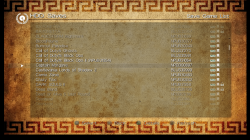
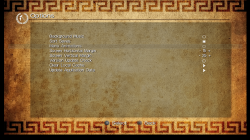
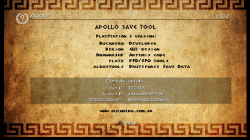
  • screenshot_main.png screenshot_patches.png screenshot_savelist.png screenshot_settings.png screenshot_about.png screenshot_details.png


  • Credits


See the full project's README for more information: https://bucanero.github.io/apollo-ps3/
feel free to share you comments and ideas! :cool2:


Download link: https://github.com/bucanero/apollo-ps3/releases/latest
As usual, full source code is available on GitHub :)


Note: A PS4 version has been released as well, see details > here <
A PSP version is also available, see details > here <
 
Last edited by a moderator:
Apollo Save tool v1.5.8 is out, now you can edit and unlock trophies too :)
https://github.com/bucanero/apollo-ps3/releases/tag/v1.5.8

The trophy-editing is based on the PS3TrophyIsGood tool by darkautism. See release notes regarding trophy changes and syncing.

Special mention and thanks to @jcorrea for helping and testing many beta builds along the way, and even figuring out some issues from the legacy Trophyisgood code. :encouragement:

Changes:
Added

  • Added Trophy edit support
    • Unlock trophies
    • Lock trophies (if not synced)
  • Added bulk trophy export to .Zip
  • Added custom checksum support
    • Kingdom Hearts Chain of Memories
  • Improved file copy to USB

Fixed

  • Fixed account_id update (special case)

Release notes:

How to use the new Trophy Editing
  • Open the Trophies menu
  • a list of the current trophy-set for the account shows up
  • select a trophy set
  • A list of trophies for that game shows up:
    • you'll see some icons next to the trophy name
    • if there's a "Lock" icon, it means the trophy is locked.
    • if there's a "circle arrow" icon, it means the trophy is synced with PSN (can't be modified)
    • no special icon means the trophy is unlocked but not sync'ed.
  • you can select any "non-synced" trophy to change the status
    • if you select a locked trophy, it will be unlocked
    • if you select an unlocked (not-synced) trophy, it will become locked again
  • after you select the trophies you want to change....
  • click "Apply changes & resign trophy"
Apollo will decrypt, apply changes to the trophies, encrypt, and resign everything.

As the XMB database is not updated with these changes, you won't see any change on the "trophy" XMB tab.

You'll need to rebuild the database to see the unlocked trophies on your XMB.

About syncing trophies

DISCLAIMER: It could be dangerous to modify the PSN trophies (syncing), and it may result in your account being banned. Trophies may be damaged, etc. In short, use at your own risk.

Syncing has been tested and works fine as long as the trophy-set has been installed and created on your PS3.
If you copy a trophy-set from a different console or user, the edits will only work offline. If you try to sync a trophy-set to the servers from a different console/user it will fail and trophies will be gone.
 
Apollo Save tool v1.5.8 is out, now you can edit and unlock trophies too :)
https://github.com/bucanero/apollo-ps3/releases/tag/v1.5.8

The trophy-editing is based on the PS3TrophyIsGood tool by darkautism. See release notes regarding trophy changes and syncing.

Special mention and thanks to @jcorrea for helping and testing many beta builds along the way, and even figuring out some issues from the legacy Trophyisgood code. :encouragement:

Changes:
Added

  • Added Trophy edit support
    • Unlock trophies
    • Lock trophies (if not synced)
  • Added bulk trophy export to .Zip
  • Added custom checksum support
    • Kingdom Hearts Chain of Memories
  • Improved file copy to USB

Fixed

  • Fixed account_id update (special case)

Release notes:

How to use the new Trophy Editing
  • Open the Trophies menu
  • a list of the current trophy-set for the account shows up
  • select a trophy set
  • A list of trophies for that game shows up:
    • you'll see some icons next to the trophy name
    • if there's a "Lock" icon, it means the trophy is locked.
    • if there's a "circle arrow" icon, it means the trophy is synced with PSN (can't be modified)
    • no special icon means the trophy is unlocked but not sync'ed.
  • you can select any "non-synced" trophy to change the status
    • if you select a locked trophy, it will be unlocked
    • if you select an unlocked (not-synced) trophy, it will become locked again
  • after you select the trophies you want to change....
  • click "Apply changes & resign trophy"
Apollo will decrypt, apply changes to the trophies, encrypt, and resign everything.

As the XMB database is not updated with these changes, you won't see any change on the "trophy" XMB tab.

You'll need to rebuild the database to see the unlocked trophies on your XMB.

About syncing trophies

DISCLAIMER: It could be dangerous to modify the PSN trophies (syncing), and it may result in your account being banned. Trophies may be damaged, etc. In short, use at your own risk.

Syncing has been tested and works fine as long as the trophy-set has been installed and created on your PS3.
If you copy a trophy-set from a different console or user, the edits will only work offline. If you try to sync a trophy-set to the servers from a different console/user it will fail and trophies will be gone.

Great update! Apollo ST really needs the display of ICON0.PNG and TROP***.PNG icons found in trophy and savedata directories to be perfect.

There is a small glitch displaying long titles. This is a non important bug, I only mention it in case you haven't noticed it.
upload_2021-4-3_13-7-58.png
 
Last edited:
Boa tarde. Funciona no HAN?
Sempre dá erro 80010017.

English:
Good afternoon. Does it work in HAN? It always gives error 80010017.
 
Last edited by a moderator:
Boa tarde. Funciona no HAN?
Sempre dá erro 80010017.

English:
Good afternoon. Does it work in HAN? It always gives error 80010017.
No. You must have HEN or CFW.

Please remember to post in English or provide an English translation with non-English post. Welcome to the forum! :)
 
Hey there new guy here, first of all thank you for the Apollo and Artemis apps, those two alone give too much value to the Ps3.
But I'm trying to (and failing) to understand how exactly the new feature of unlocking trophies work.

I assigned an unearned trophy (T7) and nothing happened immediately on the ps3 xmb, based on experience of the other trophy apps, i initiated the game and nothing happened, by mere coincidence i earned a trophy (T2) and the trophy alert popped (not the assigned one(T7) but the naturally earned (T2)) and when I check immediately after, there it was the assigned one (T7), no trophy alert, no in-game sound, nothing, just there silently there.

I tried to repeat the experiment with another game, and nothing happened. (could not earn naturally a trophie to force the assigned one to be there)

A third time, but this time I De-assigned an easy trophy (T1) and assigned the next one (T2), just to start the game, sneeze and the de-assigned trophy alert popped and was re-earned (T1)
but not the freshly assigned one (T2), nowhere to be seen.

Wierder still, the game was at 6%, the de-assigned and re-earned trophy (T1) moved the completition, the game now sits at 9% with the same trophies earned as the begining
 
Hey there new guy here, first of all thank you for the Apollo and Artemis apps, those two alone give too much value to the Ps3.
But I'm trying to (and failing) to understand how exactly the new feature of unlocking trophies work.

I assigned an unearned trophy (T7) and nothing happened immediately on the ps3 xmb, based on experience of the other trophy apps, i initiated the game and nothing happened, by mere coincidence i earned a trophy (T2) and the trophy alert popped (not the assigned one(T7) but the naturally earned (T2)) and when I check immediately after, there it was the assigned one (T7), no trophy alert, no in-game sound, nothing, just there silently there.

I tried to repeat the experiment with another game, and nothing happened. (could not earn naturally a trophie to force the assigned one to be there)

A third time, but this time I De-assigned an easy trophy (T1) and assigned the next one (T2), just to start the game, sneeze and the de-assigned trophy alert popped and was re-earned (T1)
but not the freshly assigned one (T2), nowhere to be seen.

Wierder still, the game was at 6%, the de-assigned and re-earned trophy (T1) moved the completition, the game now sits at 9% with the same trophies earned as the begining
After use Apollo, you have to rebuild database.
 
Thanks Jcorrea.
That's what i meant, how would I knew that? where this tip come from?
where can i read more about the new functionality of Apollo?
 
Thanks Jcorrea.
That's what i meant, how would I knew that? where this tip come from?
where can i read more about the new functionality of Apollo?
It's on release notes:
As the XMB database is not updated with these changes, you won't see any change on the "trophy" XMB tab.

You'll need to rebuild the database to see the unlocked trophies on your XMB.
 
Great update! Apollo ST really needs the display of ICON0.PNG and TROP***.PNG icons found in trophy and savedata directories to be perfect.

There is a small glitch displaying long titles. This is a non important bug, I only mention it in case you haven't noticed it.
View attachment 32722

oh yes, I think that right now Apollo is feature-complete and the only missing thing is the eye candy ;) (the icon0 for saves, the trop*** for the trophy list, even for the online DB I could also display the icon0 from the web)

then some small adjustments like your title example. Actually, I added a "trim" to game titles if they're too long, but I guess I didn't apply that to the Patch view screen.

also some usability details, like asking the users if they want to rebuild the database when they modify trophies. Devil303 shared an example on how to trigger the rebuild so it's pretty much asking the question and creating a db.err file.

it might take some time until I release v1.6.0, but don't worry, the icons will show up :D
 
oh yes, I think that right now Apollo is feature-complete and the only missing thing is the eye candy ;) (the icon0 for saves, the trop*** for the trophy list, even for the online DB I could also display the icon0 from the web)

then some small adjustments like your title example. Actually, I added a "trim" to game titles if they're too long, but I guess I didn't apply that to the Patch view screen.

also some usability details, like asking the users if they want to rebuild the database when they modify trophies. Devil303 shared an example on how to trigger the rebuild so it's pretty much asking the question and creating a db.err file.

it might take some time until I release v1.6.0, but don't worry, the icons will show up :D

Sounds great... Why do you prefer to show ICON0 from the web when the file is already found locally in the same directory of the trophy or save?

IMO it wouldn't work for users that are not connected online. Also the online DB that could be shutdown in the future.
 
Sounds great... Why do you prefer to show ICON0 from the web when the file is already found locally in the same directory of the trophy or save?

IMO it wouldn't work for users that are not connected online. Also the online DB that could be shutdown in the future.

oh, I guess I didn't explain properly :)
using icon0.png from the web would only be for the "Online DB" tab, the rest (hdd/usb saves, trophies) should use the local file. For sure it makes no sense to use remote files if you have them available locally :D
 
wow, such a big change, capt. trophy function would be useful for some PS3 offline console users. (its me :-p)
big thank you for your work :tranquillity:
 
to quickly backup a save-game to HDD, just use the "Zip save-game" option. This will let you create a .Zip with the save-game to HDD (also to USB). You can create as many as needed, and the .zips will be created on /dev_hdd0/tmp/apollo/

specially if you're going to apply cheats or modifications, you can create a zip backup in your HDD, and if something goes wrong you can always recover from the .zip file.

Sorry, i forgot to ask the next question:

How does apollo import saves from HDD to any profile instead of using USB? I was FTP uploading some saves and I don't know how to make Apollo import and adapt the save locally (not USB)? Apollo can't handle importing a .zip or folder save from the HDD ps3 itself? Maybe i'm blind :).

Thank you.
 
Sorry, i forgot to ask the next question:

How does apollo import saves from HDD to any profile instead of using USB? I was FTP uploading some saves and I don't know how to make Apollo import and adapt the save locally (not USB)? Apollo can't handle importing a .zip or folder save from the HDD ps3 itself? Maybe i'm blind :).

Thank you.

no, Apollo can't import saves from HDD
the best way is always copying from USB using the XMB, because the ps3 needs to update the database, or the save won't show up

even if you copy files with FTP, the games won't see the files... (unless you replace a save-game that already exists)
 
I'm trying to reinstall saves from HDD that my PS3 considers dead (it fails check every time). After copying to new HDD over FTP, resigning with Apollo and rebuilding database I tried to open game with save I care about the most (BLUS30400). It spends much more time on HDD check, sees my last save and autosave, but trying to load each of these ends with "Failed to open file".
 
I'm trying to reinstall saves from HDD that my PS3 considers dead (it fails check every time). After copying to new HDD over FTP, resigning with Apollo and rebuilding database I tried to open game with save I care about the most (BLUS30400). It spends much more time on HDD check, sees my last save and autosave, but trying to load each of these ends with "Failed to open file".

do not use FTP, is not a recommended way to import saves back to a PS3, try always to use the USB option and copy with XMB.

Use a fat32 drive, copy the saves to the USB drive, and then use Apollo to resign/unlock the saves on USB. Finally, go back to the XMB and try to copy the saves to the user account. If there's any issue the XMB will report that the save is corrupt, invalid or not for the current user. If the save gets copied, then the resigning is valid.

If the game doesn't load the data, then it's a different issue not related to Apollo.
 
Saves with Copy Prohibited lock cannot be imported from USB via XMB. So better idea is to move them from USB via file manager to "dev_hdd0/home/<user number>/savedata/" if Apollo cannot import and resign them already on the fly from USB.

Copying saves from one user account to another by XMB will not report that saves not belong to target user. Such information You will get only trying to load game with different user, XMB alone doesn't care. What have You described can be handy only as data integrity validation (i.e as a simple check if data are not already broken, because if it is, then XMB will reject copying) and only if copy protection parram was not set in SFO.
 
Last edited:
Saves with Copy Prohibited lock cannot be imported from USB via XMB. So better idea is to move them from USB via file manager to "dev_hdd0/home/<user number>/savedata/" if Apollo cannot import and resign them already on the fly from USB.

that's why I said that he needs to resign and unlock (removing lock flag) the saves on USB using Apollo first. Then the XMB will copy without issue.

if you copy directly to the disk, the saved game won't show up and won't be visible to the game . (Need database update)
 

Featured content

Trending content

Back
Top