PS3 [Update v1.05] sMAN vv1.02 : New "Setup" Option in side-menu of new UI by deank

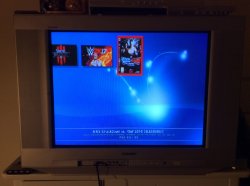
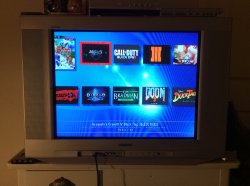
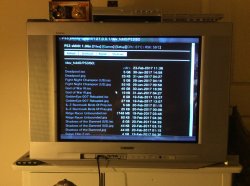
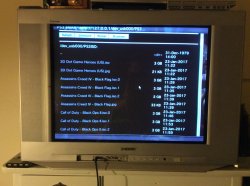
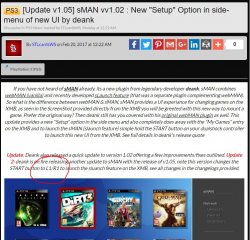
If you have not heard of sMAN already. its a new plugin from legendary developer deank. sMAN combines webMAN (vanilla) and recently developed sLaunch feature (that was a separate plugin complementing webMAN). So what is the difference between webMAN & sMAN, sMAN provides a UI experiance for changing games on the XMB, as seen in the ScreenShot provided directly from the XMB you will be greeted with this new way to mount a game. Prefer the original way? Then deank still has you covered with his original webMAN plugin as well. This update provides a new "Setup" option in the side menu and also completely does away with the "My Games" entry on the XMB and to launch the sMAN (slaunch feature) simple hold the START button on your dualshock controller to launch this new UI from the XMB. See full details in deank's release quote


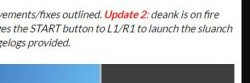
Update: Deank also released a quick update to version 1.02 offering a few improvements/fixes outlined. Update 2: deank is on fire releasing another update to sMAN with the release of v1.05, note this version changes the START button to L1/R1 to launch the sluanch feature on the XMB, see all changes in the changelogs provided.

sman.jpg

  • sMAN (webMAN + sLaunch)

    sMAN 1.01 (2/192017)
    • Added "Setup" option in side-menu
    • Removed xml generation - no need for custom category_game.xml anymore
    • Removed xai_plugin/idle_plugin usage
    • Added x2 upscale for small images/covers (w/h < 336)
    • Added indication of current group mode (PS3 1 / xxx) under title name/path
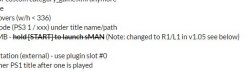
    • Removed "My Games" entry from XMB - hold [START] to launch sMAN (Note: changed to R2/L2 in v1.05 see below)
    Update(1) - sMAN v1.02 (2/19/2017)
    • Changed netiso/rawseciso implementation (external) - use plugin slot #0
    • Fixed crash when trying to load another PS1 title after one is played
    Update(2) - sMAN v1.05 (2/19/2017)
    • Use [L2+R2] to start sMAN
    • The sprx is bigger (but actually uses less memory) because it contains some glued resources
    • It will use standard PS1/PS2/PSP/PS3/Blu-ray/DVD icons when there is no proper cover/image available
    • This version of the plugin must be named sman.sprx and loaded from (in this exact order):
      • /dev_hdd0/sman.sprx or
      • /dev_hdd0/plugins/sman.sprx or
      • /dev_flash/vsh/module/sman.sprx
      • otherwise it won't work. The first match of these three will be loaded.
    sMAN resource files are located in /dev_hdd0/tmp/wmtmp/res folder. There are six icons, background and ntfs/net external plugins. You can play with them until the next reboot when they will be restored to defaults.​
    NB: Renaming it to webftp_server.sprx and other stupid things are not supported. :)
    Thanks to @bguerville for his help about loading xmb plugins: http://www.psx-place.com/......

    Dean

Download:

 
Why so many people call PS1 - PSX ? On the first photo is PSX (PS2 based digital video recorder), on second photo PS1. So, the question is why you call PS1 - PSX and why folders is named PSXGAMES or PSXISO ? I think it's not right...
View attachment 8459 View attachment 8460

PS1 was refereed to the PSX is development and some early promos well before the very limited PS2-DVR (PSX) that was only in Japan.
A larger sticking point, however, was PlayStation branding. SCEA hated the name and wanted to change it to PSX, a contraction of the project's codename. "This was actually a huge internal battle, to the point where there was research done among consumer groups," says Harrison, who, having seen various youth groups reacting badly to the name PlayStation, had his own fears about it. "I remember thinking, 'Oh my God, the name is bombing and everyone is going to hate it'. I shared the information with Tokunaka-san, and he said, 'Oh, that's nothing, you should have heard what people said about Walkman'. And that pretty much ended the debate." In Europe, at least: the US nevertheless went ahead with early trade promotion, calling it PSX, and had even come up with its own mascot, Polygon Man

-via: link
.
 
Can somebody confirm that?

It is not possible to download "http://deanbg.com/sman.sprx" with Microsoft Edge (V38.14393.0.0).

MS Edge sukks. It only opens the ".sprx" like a text-document in a new tab. LOL.

EDGESUKKZ.JPG


I have nothing done with the file extension ".sprx" in my Windows-Registry or otherwise.

BTW, no probs with other browsers.
 
Last edited:
You can right-click on the link and "Save link/target as...".

Yes Deank, logically, but Edge can't do that. You can only save the target as "sman.htm".

Edit: Ok, you can rename "sman.htm" to "sman.sprx" (both have exactly the same size), but it isn't optimal.

MS Edge sukkz more & more. LÖL.
 
Last edited:
So I upgraded to smam 1.06n after the scan to update my games my ps3 hangs, this did not happen with sman 1.05n
 
Why so many people call PS1 - PSX ? On the first photo is PSX (PS2 based digital video recorder), on second photo PS1. So, the question is why you call PS1 - PSX and why folders is named PSXGAMES or PSXISO ? I think it's not right...
View attachment 8459 View attachment 8460
Agreed, and i think sony agrees too, im gonna give 2 more arguments:

Internally inside PS3 firmware some files related with the original PS emulator are named "ps1", at code level this is the official codename

In the PSN store the games are named "PSOne classic"... this is because sony had to deal with this same problem too, if you want to place together games from different sony consoles you cant simply say "PS" (because is confusing), neither "PSX" (because is another machine)... so the only option they had was to say "PSOne" (because there was a console named like that)
 
Can you try to click the link again? I changed the mime type for sprx on my apache2 server.

WOW. It works now. Also "save the target as..." works now --> "sman.sprx".

It is very interesting to know this: --> "mime type for sprx on my apache2 server"

One more time: Thx
 
Last edited:
Is there any reason why I shouldn't hide "/app_home/ps3_game/" and if it's okay do I just need to edit the category_game.xml?
This is completely OT, next time create your own thread or use one on the same topic!

If you never use it, you can remove app_home from XMB, just edit some xml file(s) in /dev_flash/vsh/resource/explore/xmb
In all Cobra CFW including Rebug you must edit category_game.xml & in Rebug CFW you must also edit category_game_tools2.xml.
Look for all the seg_gamedebug mentions in the files, there is more than one entry you must remove the whole tags Query & View from category_game.xml & in Rebug category_game_tools2.xml too.

Remember that messing with /dev_flash files can lead to problems especially with NAND based consoles! Make sure you understand what you are doing when making changes to /dev_flash.
 
First post needs editing... As I just found out, the shortcut to start sman is L2+R2, not L1+R1 as in first post. (and definitely not start!!! hahah) :)

1.JPG 2.JPG

So far so good on the sman front anyway, dynamic fan control seems to disable ok when unloading to go on PSN, And if you use smans option to shutdown the system instead of the normal ps3 menu the fan doesn't go to 100% on the next cold boot. (or if you've already unloaded sman then turn off the ps3 using the normal xmb menu).

So at least I know how to work around the crazy jet engine noise at night now. :)

Things seem a lot quicker now too... no horrible long chunky fade out when selecting a game anymore which is great!

edit: PS3 Covers with same name as ISO files are still being over ridden by auto extracted icon0.png though. All other covers show fine.
 
Last edited:
@self_slaughter It is important what is in /dev_hdd0/tmp/wmtmp folder. In previous builds it prioritized the "PNG" files and you probably have them there. Just delete the images from wmtmp folder and try it again after you "refresh".
 
@self_slaughter It is important what is in /dev_hdd0/tmp/wmtmp folder. In previous builds it prioritized the "PNG" files and you probably have them there. Just delete the images from wmtmp folder and try it again after you "refresh".

Still the same. tried deleting pngs and leaving sfos etc.
1st and last ps3 game had a cover, rest were blank.
Refreshed and icons were back.

Even redownloaded sprx to check I have latest version and deleting all tmp files related to sman/webman.

Only the first and last ps3 game gets priority and a cover.
everything inbetween gets icon0 used instead.

No funky filenames or anything that could be messing with the array.

ps1/ps2 games all show fine.
 
Last edited:

Featured content

Trending content

Back
Top