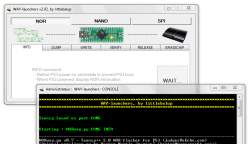
Developer littlebalup has added Linux and Mac Support to the "WAY-launchers" utility. This release now makes it easier for not only Windows user's but now these expanded platforms to perform Downgrades on thier PS3 Consoles. Additional details about [break]d[/break]this release and it's progress over the last week can be seen in the details provided below from the developer:
04-16-2015
04-17-2015
04-16-2015
littlebalup said:
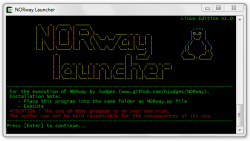
A "Linux Edition" of the "NORway Launcher" console version is now available. Available soon for "NANDway Launcher" as well.
All the features of the Windows batch version are there (teensy port auto-detection, multi-dumps, binary comparisons...)
Developped and tested on debian based system (rpi / raspbian).
Download: https://github.com/littlebalup/WAY-...Releases/Linux Mac Edition/NORway_launcher.sh
Edit: for NANDway: https://github.com/littlebalup/WAY-...eleases/Linux Mac Edition/NANDway_launcher.sh
Quick guide to run judges scripts with linux:
- Ensure "python" and "python-serial" packages are installed:
Code:sudo apt-get update sudo apt-get install python sudo apt-get install python-serial
- Get the latest Judges' files from his GitHub repo : https://github.com/hjudges/NORway, then unzip files.
- Program your Teensy with the NORway.hex file using the PRJC loader and instructions available there : https://www.pjrc.com/teensy/loader_linux.html
- Plug or unplug/re-plug your programmed Teensy, then, just after, run:
So, you should obtain something like that at the end:Code:dmesg
Where " ttyACM* " is your serial port, fully named " /dev/ttyACM* ". Note this port name.Code:[15546.805869] usb 1-1.5.3: new full-speed USB device number 18 using dwc_otg [15546.918634] usb 1-1.5.3: New USB device found, idVendor=16c0, idProduct=047a [15546.918673] usb 1-1.5.3: New USB device strings: Mfr=1, Product=2, SerialNumber=3 [15546.918693] usb 1-1.5.3: Product: NORway PS3 Flasher USB Serial [15546.918711] usb 1-1.5.3: Manufacturer: judges [15546.918727] usb 1-1.5.3: SerialNumber: 12345 [15546.926721] cdc_acm 1-1.5.3:1.0: This device cannot do calls on its own. It is not a modem. [15546.926864] cdc_acm 1-1.5.3:1.0: ttyACM0: USB ACM device
- Go to your NORway unziped folder then make the NORway.py executable:
Code:chmod 755 NORway.py
- Now you can start to run Judges's script with:
Code:./NORway.py
exemple of dump commande:
Code:./NORway.py /dev/ttyACM0 dump MyDump.bin
To use with my script:
- Past the "NORway_launcher.sh" file to the same folder as the "NORway.py" file.
- Make it executable:
Code:chmod 755 NORway_launcher.sh
- Run:
Code:./NORway_launcher.sh
enjoy
04-17-2015
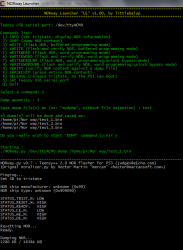
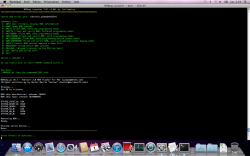
littlebalup said:Just tested on Mac OS-X as well. It works (partially).
Screen:
but you have to manually set serial port wich is something like /dev/tty.usbmodem*
To find it : ls /dev/tty.usbmodem* once connected.
Maybe some bugs. I'll work for a full Mac support as well (so, will be "Linux & Mac edition)
04-18-2015,
littlebalup said:Script revised to v1.01 and renamed "Linux & Mac Edition":
Now support Mac as well as Linux and certainly some other Unix based OS.
NANDway script also available:
NORway_launcher script : https://github.com/littlebalup/WAY-l...ay_launcher.sh
NANDway_launcher script : https://github.com/littlebalup/WAY-l...ay_launcher.sh