PS3 webMAN MOD v1.41.41 - Latest updates from developer Aldostools

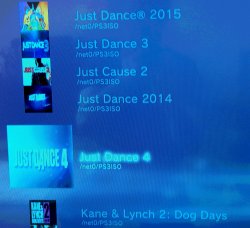
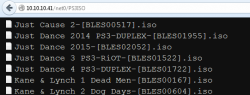
Developer Aldostools continues to push out some amazing features for the popular webMAN MOD a fork from deank's original creation of webMAN. Containing all the features found in the latest official webMAN release of deank (v1.41.00) and then a bunch of new features and functionality has been added by Aldostools & M@tsumot0. The latest updates have been provided by Aldostools and some of these new additions include new PS3M_API [break]ss[/break]Sever Update v1.2.0 that brings all the latest PS3 Manager API features integrated into webMAN MOD. Small improvements were made to ps3netsrv (aka netISO feature). Now from within the cpursx.ps3 page you can view files being currently copied on the console. Plus, many other improvements and additions from Aldo Vargas (aka aldostools) that can be seen in these recent changelogs below. Also checkout more of aldostools work in our forums and of course at his personal website www.ps3tools.aldostools.org



webMAN MOD.png


Changelog 1.41.41: (2015-04-05)

  • PS3M_API Server Update 1.2.0:
    • Add remote load of vsh plugin
    • Support now all features of PS3M_API v1.2.x (Set and get IDPS/PSID anytime, VSH plugins manager)
    • Bugfix: Memory can be now get and set on address upper 0x7FFFFFFF
    • Added auto-complete for plugins paths on ps3mapi editions
  • Updated chinese language (Thank to 小悠)
  • Fixed regression displaying special characters on File Manager for /net files
  • read_remote_dir now allocates memory based on free memory. This increases the limit of 866 entries to 1230-1599.
  • Added display of current file being copied/fixed to cpursx.ps3/START+SELECT
  • Added beep to /restart.ps3

Changelog 1.41.40: (
2015-04-02)
  • Fixed display of ICON0 when "Disable multiMAN covers" is selected. (For ISOs without cached icons the multiMAN cover will be used if the image is available.)
  • Added support for scanning single letter subfolders on ps3netsvr.

Changelog 1.41.39: (2015-04-01)
  • Added support to toggle Cobra on 4.70 Habib
  • Added selection of PS1 emulator (ps1_netemu or ps1_emu) Hold R2 or L2 while mounting a PSX ISO to choose ps1_netemu or ps1_emu respectively.

Changelog 1.41.38: (
2015-03-31)
  • Change: ISOs stored in subfolders do not include the folder name as part of the ISO
  • Changed redirection of PUP stored on root of /dev_bdvd to /dev_bdvd/PS3/UPDATE
 
Added selection of PS1 emulator (ps1_netemu or ps1_emu) Hold R2 or L2 while mounting a PSX ISO to choose ps1_netemu or ps1_emu respectively


Thank you Aldo!
 
I feel like this gets updated every other day or so. I'm starting to lose track by not keeping up with current releases :D.
 
Hello Aldo, thank you for your great work with the ps3, scene, I am currently using webmam mod 1.41.41 and when I load for the first time games ps1 everything is ok, but when I go back to XMB and choose another game for ps1 in webman gives error 80028F17 or gives black screen Only off by holding the power button. When I turn back the ps3 appears that message the console was off incorrectly. This problem seems to be that began in edition 01.41.26 I'm not sure.Use cfw 4.70 darknet cobra 7.3 and the games are in HD ntfs everything in iso, by multiman and irisman this does not happen, could you give me a guidance and sorry for my bad english. .AND once again thank you to all the developers and the site by you're giving the opportunity to communicate and thank, in time my ps3 is very evolved and playing online the seven months without banimento.N will live without webman mod, indispensable tool.
 
Last edited:
Thank you for another update Aldo :-)
Have you noticed that sorting order is not good in XMB:

ps3net0_xmb.jpg

The same file list in webman-mod looks OK:

ps3net0_webmanmod.png

I'm using Rebug 4.70.1 + webMAN 1.41.38 MOD REBUG EDITION (Cobra disabled, webMAN-MOD loaded using mamba prx loader 2.1.2).
 
Thank you for another update Aldo :-)
Have you noticed that sorting order is not good in XMB:

View attachment 2595

The same file list in webman-mod looks OK:

View attachment 2596

I'm using Rebug 4.70.1 + webMAN 1.41.38 MOD REBUG EDITION (Cobra disabled, webMAN-MOD loaded using mamba prx loader 2.1.2).

Yes, the sort is not 100% accurate... Only the first 4 letters of the name are used to sort the games, to preserve memory and speedup the sort. deank designed it that way.
Occasionally the sort gets the names ordered right starting from the 5th letter, but that's just a coincidence. "Oh, even a broken clock is right twice a day." (Alan Turing, Imitation Game)
 
tell me how you can disable webman to display images of games?
I have a lot of games and pictures are displayed for those which I ran
and how to disable the automatic renaming games?
I always number the game determined what is the first what is the second one for example:
Assassin's Creed: Brotherhood [BLES00911]
Assassin's Creed: Revelations [BLES01466]
sorry for my English it's all the translator
 
how to complet unistall webman and reinstall
because i have problem
i heve rebug cobra rex 4.70 +webman 1.41.40
when i install webman mod (rebug) in xmb mod manger (the last )=> it install webman 1.33 !!!
the fan noise is very high ,when i reintall webman 1.41.41 the some problem
 
Issue with Webman

I just wanted to report that Final Fantasy XIII doesn't seem to work for me when Webman is enabled using Rebug 4.70 and Habib 4.70 non Cobra with Mamba loading at boot with Webman MOD 1.41.41. I get to the white Square Enix logo and then it just freezes at a black screen. I tried loading while in Cobra mode with Webman, Multiman v4.66, GameSonic Manager v3.65, and they do the same thing. Once Webman is disabled via the Rebug Toolbox and rebooted, it then loads fine via Multiman and GameSonic Manager in Cobra mode. It also boots fine while in non Cobra mode via GameSonic Manager. Habib 4.70 non Cobra with Mamba loading at boot with Webman removed from the mamba_plugins.txt loads with no issue as well. I have tried other games and FFXIII is the only game that behaves this way. Basically if Webman is not loaded the game will boot fine.
 
Sorry once more I'm still having trouble with ps1 games with webman 1.41.38 and 1.41.41 on my ps3 cfw darknet 4.70 cobra 7.3 and in my friend's ps3 cfw rebug rex cobra activated. 80028F17 error, all games are in iso HD NTFS. The first time you're an enforcer for the ps1 game all ok when I left the game and back to xmb and loads another game gives error and insisting the ps3 hangs on black screen and just turn off by holding the power button. Sorry for my bad English. Webman mod is an indispensable tool for cfw ps3 users.[video]https://youtu.be/j_XaY8VuYvI[/video]
 
Anyone else having trouble when mounting net0/pkg with netserver? Ever since I updated the plugin to 1.41.41 it says loaded then gives me an error, tried rebuilding database and using the integrity check of the improper shutdown message and still not working. I'm on Rogero/Cobra 4.46 by the way.
 
Anyone else having trouble when mounting net0/pkg with netserver? Ever since I updated the plugin to 1.41.41 it says loaded then gives me an error, tried rebuilding database and using the integrity check of the improper shutdown message and still not working. I'm on Rogero/Cobra 4.46 by the way.

Please, verify that ps3netsvr is running on the PC and the port is open in the firewall.

On the PS3, go to /setup.ps3 and verify that the IP is ok and that the option is check marked.

Also check that you're using a edition with /net support.

I'm also on 4.46 Rogero/Cobra and I don't have the issue that you are experiencing.
 
Thanks for the quick reply Aldo, and I apologize. My sister had lost her smartphone's wi-fi signal and reseted my router... both my PC and PS3 IP addresses were reassigned. Damn smartphone age meddling with my network! haha
 
Hey aldo or anyone else who would be knowledgable about this.

Im trying to install gamedata to my external harddrive but i keep getting a error when i click on "Toggle External gameDATA" Saying there's no usb drive.

So a few questions. Im using a 2tb NTFS drive. All the games on my external are in iso format. Is ntfs not compatible with gameDATA??

If it is then am i doing anything wrong?? I can load the games off my external fine through webman. But it always says no usb drive when i click "Toggle External gameDATA"
 
why i have error when i mount game : no usb gamedata ( in god of war 4)
and game mount fine !!!
info:
game in in internal HDD
webman mod 1.41.41
rebug rex 4.70
 
!!! is not needed we can hear you without this :)

Maybe you have enabled External gameDATA? Try click on "Toggle External gameDATA"
 
why i have error when i mount game : no usb gamedata ( in god of war 4)
and game mount fine !!!
info:
game in in internal HDD
webman mod 1.41.41
rebug rex 4.70

Check if you enabled the option for external game data in multiMAN or Iris manager.

You can also delete the file PS3_GAME/PS3GAME.INI from the game's folder or connect a usb drive or pendrive to avoid the error message.
 
Back
Top