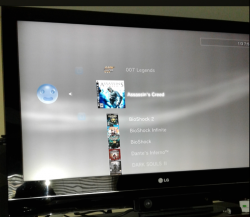
PS3 webMAN v1.46n - New XMB Game Mounting Improvements (using wm_proxy/xai_plugin) by deank

Following the recent updates from legendary developer deank that improved NTFS support a great deal in the webMAN plugin, and the recent Cobra Update (stage2.bin) that allows you to play Games & Media from burnt optical disc. The developer has been busy with yet another trick up his sleeves, as we showed yesterday deank has been working on a new test feature for webMAN , now the test feature has been introduced officially in webMAN v1.46n. this new feature utilizes the source code release for the custom xai_plugin (by mysis) and mounting games is much faster and cleaner from the XMB as the web-browser trick is no longer needed as deank adapts the custom xai_plugin in a great way. Checkout all the details and a video demo of the new game loading in the details/changelog provided by deank..


webMAN_deank.jpg


  • webMAN 1.46n
    Changes
    1) Mounting games is now faster
    2) After game/video is mounted the focus will move to the respective XMB column
    3) Reduced memory consumption
    4) Includes NTFS and NETSRV support


    Dean


Download: webMAN_1.46.zip

Source: psx-place.com
 
Last edited by a moderator:
It can be a frontend to webMAN or webMAN MOD as long it finds "/dev_hdd0/tmp/wmtmp/slaunch.bin" which is a simple file with "NAME", "ICON", "PATH". Once you load a game it sends the request to webMAN/webMAN MOD. :)

:)
Dean

Awesome frontend! Should the file be already sorted or does sLaunch sort the games?

It would be funny it you could me it resemble the PS4 interface :p
 
It sorts the file after load. :)

This is the structure for 1 entry. In webMAN MOD you can open the file, add one entry at a time while generating the xml and close the file at the end.

Code:
typedef struct
{
   char path[128];
   char icon[128];
   char name[128];
} __attribute__((packed)) _slaunch;
 
Are you sure is "first game" problem? Or maybe that one game is failing to display cover? Try to make other game to be first, if you didn't do it already.

I have multiple USB Flash drives and no matter which one I load the first cover will instead be the game icon instead of the multiman cover. Only affects USB flash drive connected to right most USB port. Weird issue that is why I posted here to see if it is just my setup as I have tried with multiple USB flash drives or maybe it is a bug.
 

Attachments

  • Capture.PNG
    Capture.PNG
    701.7 KB · Views: 392
Last edited:
Hi aldo i download it and i install it on dev_hdd0/plugins/ my ps3 is on Rebug Rex 4.81.2. But when i try to push start not work sLaunch. Where is the problem? I change string on boot_plugins.txt too.

1-Download wMM from the link above and upload it to /dev_hdd0/plugins/webftp_server_full.sprx

2-Also download slaunch.sprx from http://deanbg.com/slaunch_preview.zip

3-Extract the zip and upload slaunch.sprx to /dev_hdd0/plugins/slaunch.sprx

4-Download /dev_hdd0/boot_plugins.txt, edit the file and add the line: /dev_hdd0/plugins/slaunch.sprx

The file should look like this:
/dev_hdd0/plugins/webftp_server_full.sprx
/dev_hdd0/plugins/wm_vsh_menu.sprx
/dev_hdd0/plugins/slaunch.sprx

5-Upload boot_plugins.txt and restart.

6-Refresh XML and hold down the :but start: button for near 3 seconds.

NOTE: If you prefer, you can put the files in the root of /dev_hdd0 instead of /dev_hdd0/plugins
But you will need to use the proper path in boot_plugins.txt
 
Last edited:
I'm stupid i don't put slaunch.sprx in dev_hddo/plugins but look now when i hold down :but start: look me sLaunch's GUI but not games. I'm using ps3netserver with external HDD collegate on pc. Maybe the problem is that?
 
I'm stupid i don't put slaunch.sprx in dev_hddo/plugins but look now when i hold down :but start: look me sLaunch's GUI but not games. I'm using ps3netserver with external HDD collegate on pc. Maybe the problem is that?
You use 1920 x 1080 resolution
or you have a conflict with webman mod rebug edition?
 
Last edited:
I'm stupid i don't put slaunch.sprx in dev_hddo/plugins but look now when i hold down :but start: look me sLaunch's GUI but not games. I'm using ps3netserver with external HDD collegate on pc. Maybe the problem is that?

Make sure that you're using 1.46.02. Also Refresh XML.

After the message "Refresh XML: OK" appear on screen the games should show in sLaunch.
Note: Only the first 10 games can be selected in the preview edition.

After refresh XML there should exist the file /dev_hdd0/tmp/wmtmp/slaunch.bin
 
Make sure that you're using 1.46.02. Also Refresh XML.

After the message "Refresh XML: OK" appear on screen the games should show in sLaunch.
Note: Only the first 10 games can be selected in the preview edition.

After refresh XML there should exist the file /dev_hdd0/tmp/wmtmp/slaunch.bin

Yes i'm using 1.46.02. Also Refresh XML. And there is in dev_hdd0/tmp/wmtmp/slaunch.bin[


Inviato dal mio iPhone utilizzando Tapatalk Pro
 
Also since it doesn't care what type is each entry, it can be used for menus with Settings or other functions - with nice icons, descriptions and "path" to webMAN to execute.

So we can make "replacement" for XMB? Or you mean only webman Settings here. If this can use xmb menus entries, then this can be used like a CXMB on PSP. And here is nice idea for PS3 theming tool. :)

And more important :p What mean that "s" in sLaunch? :p
 

Featured content

Trending content

Back
Top