PS2 wLaunchELF Release Thread

June 9th? There was always a problem with LaunchELF, whereby it doesn't call padEnd() before it launches an ELF, which causes random boot problems as the IOP PADMAN module can inadvertently destroy data on the EE through its routine DMA transfers.
The newest version (as of June 19th), should not have this issue.

If you have not tried this version yet, it can be downloaded from here.

I think you misunderstood my post above (I should have written 'on my PC's harddisk' ;)). I was using the latest wLE (the one in your post) when I reported the problem.

The version from 9 june is the version I used today to test if it has the same problem but in fact that one does launch those ELFs.

Anyways I did some more testing and tried more ELFs today and actually most ELFs do start with the latest wLE. Examples that don't start are uLE442evil, uLE442d, padtest, geotron (hangs on boot screen).

Edit:
Just to be sure I downloaded wLE from the link above (which is actually the same one which came with FMCB v1.962 as clearly stated in my first post in this thread) and it goes to a black screen with the above ELFs, except for Geotron that hangs on the boot screen.
 
Last edited:
Changelog for build 2018/06/28:
  • Revert "Replaced the use of the board-specific SIO2 modules."
  • Added IOP reboot to ELF loader, for when a HDD-based target is booted. While keeping backward-compatibility with old software (which do not support the HDD unit) by keeping the necessary modules in RAM, it will keep the IOP in a clean and initialized state for newer software that support the HDD unit.
  • Changed FTP server to allow rename() for all supported devices (FSEXT).
Downloads/Links
LaunchELF build 2018/06/28: https://www.sendspace.com/file/kk95fl

The version from 9 june is the version I used today to test if it has the same problem but in fact that one does launch those ELFs.

Anyways I did some more testing and tried more ELFs today and actually most ELFs do start with the latest wLE. Examples that don't start are uLE442evil, uLE442d, padtest, geotron (hangs on boot screen).

Edit:
Just to be sure I downloaded wLE from the link above (which is actually the same one which came with FMCB v1.962 as clearly stated in my first post in this thread) and it goes to a black screen with the above ELFs, except for Geotron that hangs on the boot screen.
I realize that you're booting some old ELFs. Those ELFs likely do not do an IOP reboot on their own, and so they end up attempting to (and failing) to interface with LaunchELF's new SIO2 modules. I saw that Geotron failed to do that, and I know that old versions of LaunchELF had the IOP reboot as an option.

I have reverted commit f468a70. The question of who reboots the IOP was always a mess and it is way too late to create a standard here. I just forgot that we had this problem to deal with...
Thanks for bringing this up.
 
Changelog for build 2018/06/28:
  • Revert "Replaced the use of the board-specific SIO2 modules."
  • Added IOP reboot to ELF loader, for when a HDD-based target is booted. While keeping backward-compatibility with old software (which do not support the HDD unit) by keeping the necessary modules in RAM, it will keep the IOP in a clean and initialized state for newer software that support the HDD unit.
  • Changed FTP server to allow rename() for all supported devices (FSEXT).
Downloads/Links
LaunchELF build 2018/06/28: https://www.sendspace.com/file/kk95fl


I realize that you're booting some old ELFs. Those ELFs likely do not do an IOP reboot on their own, and so they end up attempting to (and failing) to interface with LaunchELF's new SIO2 modules. I saw that Geotron failed to do that, and I know that old versions of LaunchELF had the IOP reboot as an option.

I have reverted commit f468a70. The question of who reboots the IOP was always a mess and it is way too late to create a standard here. I just forgot that we had this problem to deal with...
Thanks for bringing this up.

You're welcome.

I noticed it by accident when I was testing to see if a config file saved by wLE443a would work with uLE442d (I noticed some differences in the CFGs) in case I would want to revert back to uLE442d.

Anyways many thanks for the quick fix (haven't tested it yet, soon :)).
 
Last edited:
Soon couldn't be soon enough. Just tried the latest wLE and the older uLEs do launch now, which is great.

Unfortunately PadTest and Geotron still hang. Geotron on the green boot screen and PadTest now hangs on the white screen with the two joypads instead of a black screen.

I do know this is old software nobody uses anymore (me included), I'm just sharing my observations.
 
Last edited:
Soon couldn't be soon enough. Just tried the latest wLE and the older uLEs do launch now, which is great.

Unfortunately PadTest and Geotron still hang. Geotron on the green boot screen and PadTest now hangs on the white screen with the two joypads instead of a black screen.

I haven't seen what's up with PadTest, but the issue with Geotron deserves a mention on the Internet. It does not reboot the IOP, but that is not the point.
So what seems to be happening now, is that the new call to padEnd() in LaunchELF is causing the old PADMAN module to be unable to be reinitialized. Since LaunchELF loads a copy of the SIO2 modules and these modules can only be loaded once (unless they're all erased in an IOP reboot), the pads cannot be initialized and the software gets stuck in an infinite loop.

EDIT: I'm still trying to figure out what should be done. Just maybe, the "padEnd" equivalent in the old libpad library is not supposed to be used.
In the OSDSYS v1.0x program, it is known as scePadClose() and is not used. There is also another initialization RPC, known as scePadPortInit(), but is also not used. The structure of the original PADMAN is also different when it comes to when DMA transfers are made, so maybe it is okay to not call "padEnd".
If it is not the same function as the one from the newer libpad version, should we rename them? Decisions, decisions...
 
Last edited:
Changelog for build 2018/06/30:
  • Retracted addition of padEnd() to CleanUp(). It does not work as intended with the old libpad library. May not be required with the old libpad library either. This may fix pad support in software that do not reboot the IOP.
  • Replaced timer code with time code from ps2sdk. Also takes care of missing ExitHandler() call within interrupt handler.
  • Fixed race condition around heap-allocation functions, for hdl_info, vmc_fs & libcdvd-iop.
  • Text and JPEG files can now be directly opened from the file browser.
  • Replaced hardcoded color numbers with the COLOR enum. TXT, JPG and JPEG files have black icons (color 8).
Downloads/Links
LaunchELF build 2018/06/30 (v4): https://www.sendspace.com/file/41jdjl

Update was ninja'ed into the FMCB installer.
Newer update was ninja'ed again into the FMCB installer.
On 1st July, a newer update was ninja'ed again into the FMCB installer.

Unfortunately PadTest and Geotron still hang. Geotron on the green boot screen and PadTest now hangs on the white screen with the two joypads instead of a black screen.

This may be now resolved.
 
Last edited:
Update was ninja'ed into the FMCB installer.

ninja'ed.
8d2ad9671de3.jpg

Thanks.

I'm having a problem with *.jpg files.
After I open picture, none of DS2 buttons works,
so I can't quit.

When I open *.txt, everything is fine.

Can the supported files (jpg, txt) have different icon,
like for ELF's:
snapshot20140715024432.jpg


I mean, green for *.elf,
yellow for *.jpg,
blue for *.txt
 
Last edited:
Keep up the good work, exciting to see these Releases & updates.

Thank you for your support.
ninja'ed.
8d2ad9671de3.jpg

It happened again. ssshhh.
8d2ad9671de3.jpg


I'm having a problem with *.jpg files.
After I open picture, none of DS2 buttons works,
so I can't quit.

I cannot replicate this, although there was a mistake that prevented the jpgviewer from working if it is launched from MISC.
The controls for jpgviewer are different from the rest of LaunchELF (it was already like that...). Are you pressing the right buttons?

Can the supported files (jpg, txt) have different icon,

Done. Although it's black instead of something nicer... because I have no idea why they picked black as colour 8! This colour is not used much. For at least now, you should be able to change the colour through the options.
They're graphics colours 1-4 (colours 5-8, which are used for icons), following the name in one of the files.

If I add anything, then I have to change the options menu... which I do not really want to do.

Current colours:
Yellow: Directories
Green: Executables
Black: Miscellaneous types (currently text & JPEG)
White: Other file types
 
Last edited:
I cannot replicate this, although there was a mistake that prevented the jpgviewer from working if it is launched from MISC.
The controls for jpgviewer are different from the rest of LaunchELF (it was already like that...). Are you pressing the right buttons?

Even with new LaunchELF build 2018/06/30 (v2), when I open JPG file normally (like ELF),
SlideShow timer begins to count automatically.
After 5 sec next image should appear, but instead of that wLe crash (none of the buttons on DS2 works).
When I press left/right on d-pad to change picture manually the same thing happens.

When I open image through Jpg Viewer, everything is fine. SlideShow timer in not counting.
I can change picture by pressing left/right on d-pad to open next\prev picture.
When I press Start SlideShow timer begins to count and next picture opens without a problem.

Done. Although it's black instead of something nicer... because I have no idea why they picked black as colour 8! This colour is not used much. For at least now, you should be able to change the colour through the options.
They're graphics colours 1-4 (colours 5-8, which are used for icons), following the name in one of the files.

If I add anything, then I have to change the options menu... which I do not really want to do.

Current colours:
Yellow: Directories
Green: Executables
Black: Miscellaneous types (currently text & JPEG)
White: Other file types

I've changed in Screen Settings
from:
  • Color8
  • Graph4
  • R: 00
  • G: 00
  • B: 00
to:
  • Color8
  • Graph4
  • R: 00
  • G: 00
  • B: 80

Now, I've blue icon instead of black for jpg\txt files.
Thanks

You know that this could open an idea to add more files for support.
PNG, BMP, etc.
MP3, FLAC, WAV, etc.
AVI, MP4, MPG, etc.

Even to create little media center for PS2. Something like MyPS2.
 
Even with new LaunchELF build 2018/06/30 (v2), when I open JPG file normally (like ELF),
SlideShow timer begins to count automatically.
After 5 sec next image should appear, but instead of that wLe crash (none of the buttons on DS2 works).
When I press left/right on d-pad to change picture manually the same thing happens.

When I open image through Jpg Viewer, everything is fine. SlideShow timer in not counting.
I can change picture by pressing left/right on d-pad to open next\prev picture.
When I press Start SlideShow timer begins to count and next picture opens without a problem.

I don't really know what is the right way to start the JPEG display. It seems that I should not toggle SlideShowBegin and SlideShowStart.
I forgot to push my commits earlier, so I have attempted this fix in the process. If it does not work, then I don't know what to do...

You know that this could open an idea to add more files for support.
PNG, BMP, etc.
MP3, FLAC, WAV, etc.
AVI, MP4, MPG, etc.

Even to create little media center for PS2. Something like MyPS2.
This piece of software does have a lot of potential. It was also used in various other projects, from the FMCB configurator, to launching other software like POPStarter.
But its code is quite challenging to work with.
 
Hi sp193,

Sorry for the late reply but i've been busy with other stuff, anyways many thanks for your work (for all of your projects)!

Geotron and Padtest do start now which is great, I won't launch any other ELFs now because I'm afraid to give you more work ;)
 
You know that this could open an idea to add more files for support.
PNG, BMP, etc.
MP3, FLAC, WAV, etc.
AVI, MP4, MPG, etc.

Even to create little media center for PS2. Something like MyPS2.

I'm sorry, but please NO!

I personally use uLE as a file manager/launcher. There's other options for what you want.

Please let's keep w/uLE for what is was intended for (and it's good at it) instead of bloating it with IMHO unnecessary features.
 
Last edited:
I don't really know what is the right way to start the JPEG display. It seems that I should not toggle SlideShowBegin and SlideShowStart.
I forgot to push my commits earlier, so I have attempted this fix in the process. If it does not work, then I don't know what to do...

I've tried LaunchELF build 2018/06/30 (v3), but the results are almost the same.
The only difference is that now the SlideShow timer in not counting when I'm launching JPG directly through file browser.
Unfortunately when I try to change picture or when I launch SlideShow (after 5 sec) it'll hang.

When I launch JPG through Jpg Viewer everything is fine.
 
@Joldk , I could've sworn that the colors could be manipulated with a config file. it's been ages since I've tried anything with launch.elf though...aside from making a backup of my ps2 memory card on to another memory card. ;) my folders are pink actually. I can't remember if the files are the same color but possibly. if you try a launch.elf in a different location, the colors will be normal. I think I vaguely remember changing the colors, but I can't remember exactly how I did it. it might've been from a config file which is why I mention it. I think this is ulaunch.elf btw, but I get all the different versions of launch.elf confused. I guess I just don't play my ps2 enough outside of testing things since I have a working laser and a modchip. :).
 
I've tried LaunchELF build 2018/06/30 (v3), but the results are almost the same.
The only difference is that now the SlideShow timer in not counting when I'm launching JPG directly through file browser.
Unfortunately when I try to change picture or when I launch SlideShow (after 5 sec) it'll hang.

When I launch JPG through Jpg Viewer everything is fine.

I think I should have fixed it. I needed to fill in the path and filename, and then flip the order of actions so that it will load a list of files in the directory before drawing the JPG.

@Joldk , I could've sworn that the colors could be manipulated with a config file.

The colours can be edited through the options screen. No need to mess with the configuration file on your own.

my folders are pink actually. I can't remember if the files are the same color but possibly. if you try a launch.elf in a different location, the colors will be normal.

Well, it's not supposed to be pink. If the location mattered, you might have changed the colour before and saved your settings.
But by moving LaunchELF to another device, the expected location for the configuration file would change.

I think this is ulaunch.elf btw, but I get all the different versions of launch.elf confused.

The software is actually LaunchELF.

Its name stayed that way until v3.41, when the original developer retired and it became unofficially maintained (uLaunchELF) from v3.50.
Then the developers of uLaunchELF have not returned to psx-scene for years (since 2011), so some of us have taken over development and maintenance in the meanwhile. Hence it became doubly unofficial (double-u), hence wLaunchELF.
 

Now I've different problem.

I've few pictures (jpg), lets call them 1, 2, 3, 4.

When I open 3 in jpg viewer and press next, it show me picture 4.
When prev it shows me 2.
So for now everything is fine.

When I enter 3 in normal browser and press next, it kicks me to 1.
When prev it shows me 4.
The same thing is with Slideshow, It shows 3 and after 5 sec it kicks me to 1.
So now no matter which picture i choose, app will start viewing from 1st or last
when I press next\prev button.
 
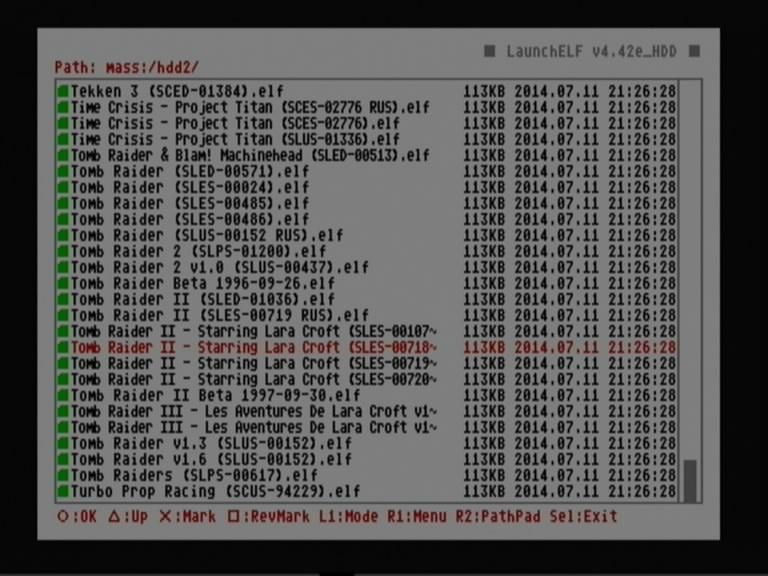
It's probably nothing, but it's a little bit strange for me that I can copy almost identical files onto
PS2HDD.
08072018466-small.png


Only extension for SLES_540.30_COV.png(PNG) is different (it's in lowercase or uppercase).
In Windows when I'll copy one of these files into the same directory it will be overwritten.
 

Similar threads

Back
Top