@JediKnight007 From yours description it seems like new kind of issue. When you have time, can you try set r_drawworld "0" to double check it's not related to world drawing, please.

- Forums
- PlayStation 3 (PS3)
- PS3 Homebrew
- PS3 Homebrew Apps / Plugins / Emulators
- Homebrew Games & Ports
- PS3 Homebrew Games & Ports
You are using an out of date browser. It may not display this or other websites correctly.
You should upgrade or use an alternative browser.
You should upgrade or use an alternative browser.

PS3 Yamagi's Quake II port 0.03
- Thread starter Sugaridze
- Start date

JediKnight007
Member
@JediKnight007 From yours description it seems like new kind of issue. When you have time, can you try set r_drawworld "0" to double check it's not related to world drawing, please.
I did that, there doesn't seem to be any slowdown with the world not drawing. There are also no "SB_Update: overflow" messages.
Here are 2 log files , one I think from a clean quit (not from a crash) with world drawing, the other without world drawing. Not sure if they're going to be useful, though.
Attachments
Thank you. So it is related to world, interesting how drastically it differs on yours system. SB_Update: overflow is the message that appears when sound playback complete full round on cycled buffer before it gets filled with new sounds - i.e. really slow frame rate. From log file I can assume how slow it is. Now working on world drawing optimization seen results on my end. Hope then I done, it will also improve on yours system too.I did that, there doesn't seem to be any slowdown with the world not drawing. There are also no "SB_Update: overflow" messages.
Here are 2 log files , one I think from a clean quit (not from a crash) with world drawing, the other without world drawing. Not sure if they're going to be useful, though.
JediKnight007
Member
So it is related to world, interesting how drastically it differs on yours system.
My system is Rebug 4.86.1 Lite with Cobra 8.2. I can use Mamba 8.4, but I'm playing Doom 3 right now and for some reason it won't play with Mamba. Not sure if that means anything, I know you're using RPCS3.
Most of development on RPCS3. I do testing on Super Slim with 4.86 HEN.My system is Rebug 4.86.1 Lite with Cobra 8.2. I can use Mamba 8.4, but I'm playing Doom 3 right now and for some reason it won't play with Mamba. Not sure if that means anything, I know you're using RPCS3.

cha0shacker
Member
When it comes to GPU optimisation, you may be able to look up NVidias documentation for the G70 series of GPUs which is the RSX is part of.New version here!
I have completed the work on hardware refresher to the point of playable experience but there are still some issues with performance and scrolling (see Known problems much of programmer talk).
Important:
Game folder now is /dev_hdd0/game/QUAKE2_00 ( _00 added to the end of old one). Aside from that installation and launch instructions and notes from previous release applied to this one as well.
yquake2-ps3_v0_02_pre.self.zip
This is still highly early in development version, bugs, crashes (system freezes with looping sound) still might and will occur. If you find such problems let me know here or on GitHub. By the way, Yes! I finally created own open repository to this port.
https://github.com/TooManySugar/yquake2-ps3
Notes on build:
- Game folder now is /dev_hdd0/game/QUAKE2_00
- First version of hardware refresher running on PS3, based on OpenGL3 refresher of Yamagi Quake 2;
- "developer" cvar set to 1, game prints a lot of information in console and log;
- Built with HUNK_TRACK, all hunk memory allocations is tracked and printed to console and log;
- Fixed sounds shutdown on long rendering frames (bug fix);
- No annoying sound looping on game loading (bug fix).
Known problems:
- Performance - on some scenes framerate could drop below 10 fps. It fully related to how Quake 2's engine draws world - it splits world model into separate faces and draws them separately, which leads to up to 20k draw calls for simple triangles. PS3 can draw with ease objects with hundreds of thousands triangles I've tested it. If someone more experienced with RSX programming knows how to overcome this, help will be much appreciated;
- Scroll surfaces not scrolling - on surfaces with scrolling textures scroll not applied, I believe it's conveyor belts and something else. Quite complicated bug of corruption of Model Matrix in some shaders by setting scroll and overbrightbits uniform consts in others. Choosing between the correct geometry of important objects and texture animation on rare objects, I chose the first one. Also, help much appreciated.
I've planned to introduce pkg building release, allowing to create .pkg with all required contents ('.pak's, music) on user's PCs (linux/windows). This aims to remove reliance on mmCM (or such tool) to install and launch game without distributing copyrighted files with pkg. But just before writing this release notes I found out that built that way pkg's EBOOT.bin can't start game or load save on real hardware (but game with demoscene works). For now my primary focus to fix it for proper v0.02 release with "prepkg" archive.
G70 chips can be really stingy with multitexturing as the shader stalls during texturing because it's using the same pipeline.
Funfact: Id made a port of Quake II to the Xbox 360, which is 1080p60 with 4X MSAA
JediKnight007
Member
@Sugaridze, or any one else...
Some years ago @jamesbond ported Unreal Engine 3 to PS3, I'm sure there are many great homebrew games using that engine that could be ported.
Some years ago @jamesbond ported Unreal Engine 3 to PS3, I'm sure there are many great homebrew games using that engine that could be ported.

Lambada
Member
PAK files need to be in lowercase. Maybe external files/folders too?
Video playback is supported. Place them in a folder named video. Standard Quake 2 videos go in baseq2. Other mods/add-ons go in their respective folders.
Zaero was a planned commercial addon that got canceled but was later released for free. According to one list it's the best Quake 2 mod. Unfortunately, it needs a little editing to get it to run on PS3...
1. Download it here and extract it.
2. You need a PAK editor, I recommend Pakscape.
3. Open the PAK and extract the video folder, then delete it from the PAK.
4. (optional) Extract default.cfg, then delete it from the PAK. (can't edit configs if they're inside a PAK)
5. (optional) Delete the saves and scrnshot folders from the PAK. (saves ~18 MB)
6. Save the PAK.
7. Move the extracted videos to the external video folder.
8. zlogo.cin is corrupt, either delete it or rename it so it doesn't play.
EDIT - it turns out that leaving the video folder in the PAK is the right thing to do, zlogo.cin plays when left inside the PAK.
However, this mod does not work right. There are certain enemies and items (including a required keycard) that do not spawn. This is evident by the log file, and by watching the demo and playthroughs on YouTube.
Quake 2 mods, unlike its predecessor and sequel, are written for specific platforms (Windows, Linux, Mac). If you see a mod with a DLL file it almost certainly won't work correctly on the Linux-like PS3. (see here) Even Linux mods don't work on PS3 (SO files are the Linux equivalent of a DLL). Ground Zero, The Reckoning, and mods without a DLL/SO should be fine.
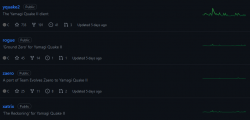
Some main mission packs / mods were ported to Yamagi Q2 Client already.
yquake2 is the main one including the default baseq2 campaign.
xatrix and rogue are the two official mission packs.
zaero as @JediKnight007 is the third and almost official mission pack.
3zb2 is the mod that you can practice deathmatch against the bots.
ctf is an awesome multiplayer mod, Threewave Capture The Flag. This one was an official mod as well, it came with the latest 3.20 Quake 2 Official client update.
Every mod has an "executable", in PC they are DLLs. The DLLs contains how the mod works, determines how the objects interact, how the new weapons work, variables, entities, etc. Its like an engine. They must be ported so when you load their paks, the mod will load correctly without errors.
If the baseq2 was ported successfully to PS3, @Sugaridze , just do using the same method with the other mods and it will work. It should be cool to say hello to the official yamagi team if you need some help.
TIP: For those that don't own Quake 2 Full version, download the demo and then download the Quake 2 3.20 + CTF Update.
Extract the Quake 2 3.20 update, copy the paks to their respective folders of the full version. Delete the DLLs. Then copy the content to the PS3 Port, and you will have all the deathmatch and ctf maps and some more skins for your player.
TIP2: Quake 2 is very cheap in Steam and GOG. They come with all mission packs.
I haven't tested this homebrew yet. I just discovered, and I was surprised. I am a veteran Q2 player from 2000. I had a great time playing online with my former clan. Do you guys know if this PS3 port works online?
Keep up the good work!
Attachments
JediKnight007
Member
Do you guys know if this PS3 port works online?
Nope. Also, v2 is pretty much unplayable now, stick with v1.
@Lambada Thank you for huge reply.
As I know JediKnight007 tried to launch some mission packs and had luck with them.
Sadly, I don't know how to make PS3 shared libraries, which are .DLLs is for Windows and .SO for unix-like systems. So game binary is "monolithic" - single renderer and single game mode (even without CTF) in one package. So process of porting listed mods is changing their source code to be not libraries but part of game (which rather simple) and compiling game with them.
Network code currently disabled. I haven't been working on the port lately, but when I get back to it, I'll be working on that part.
As I know JediKnight007 tried to launch some mission packs and had luck with them.
Every mod has an "executable", in PC they are DLLs. The DLLs contains how the mod works, determines how the objects interact, how the new weapons work, variables, entities, etc. Its like an engine.
Sadly, I don't know how to make PS3 shared libraries, which are .DLLs is for Windows and .SO for unix-like systems. So game binary is "monolithic" - single renderer and single game mode (even without CTF) in one package. So process of porting listed mods is changing their source code to be not libraries but part of game (which rather simple) and compiling game with them.
Network code currently disabled. I haven't been working on the port lately, but when I get back to it, I'll be working on that part.
Release 0.03
yquake2-ps3_v0_03_prepkg.zip
Because I haven't been working on a port lately, I think it's good idea to combine my latest work from April into a release.
@JediKnight007 Please, give some feedback. Does performance improved on your side? Also, videos should play now. The changes are not big, you can just take EBOOT.BIN from archive and replace old one with it
yquake2-ps3_v0_03_prepkg.zip
Because I haven't been working on a port lately, I think it's good idea to combine my latest work from April into a release.
@JediKnight007 Please, give some feedback. Does performance improved on your side? Also, videos should play now. The changes are not big, you can just take EBOOT.BIN from archive and replace old one with it
JediKnight007
Member
@JediKnight007 Please, give some feedback. Does performance improved on your side? Also, videos should play now. The changes are not big, you can just take EBOOT.BIN from archive and replace old one with it
Videos play, frame rate is MUCH improved. There is still some graphical stuttering/ jerkiness, but the game is certainly playable now.
Last edited:
JediKnight007
Member
I just want to mention that mods dont work now. I get a black screen when selecting new game and then go to mods, and if i press something on controller sound outputs but there is just black picture. The game itself works but mods don't display.
I actually ended up deleting most of the mods I had lying around (needed the space), but the one I tried worked. Don't remember which one, but I know it was one of the official mission packs.
EDIT - it was The Reckoning. Even this "official" mod doesn't work right, there are enemies that are supposed to spawn in the first level, but they don't.
Last edited:

Rock77
Member
I actually ended up deleting most of the mods I had lying around (needed the space), but the one I tried worked. Don't remember which one, but I know it was one of the official mission packs.
EDIT - it was The Reckoning. Even this "official" mod doesn't work right, there are enemies that are supposed to spawn in the first level, but they don't.
Thank you for confirming this. I used your guide to setup zaero with first edition of this port and it worked.
Last edited:

quake
Member
AWESOME WORK!!!
im running PS3 slim CFW 4.90 evilnat
I tried changing resolutions in yquake2-ps3_v0_03, but it doesn't seem to be working, and
v0_03 just crashes. (It would be great if we someone build the software renderer as well, I don't have experience compiling ps3 homebrew, just give me the pkg I'll manually add pak files)
I was only able to manipulate the game resolution though the playstation system display settings (to 480p 4:3 or 1080p+480p)
usb Keyboard+mouse doesn't seem to work at all?
I've been sending commands by editing an autoexec.cfg file through ftp instead
demo1.dm2:
v0_02
480p:
689f, 26.7s: 25.7fps
1080p:
689f, 92.5s: 7.4fps
overclocked CFW (RSX overlocked to 600/750)
689f, 77.2s: 8.9fps
v0_03
480p:
689f, 9.3s: 74.5fps
1080p:
689f, 13.0s: 53.0fps
overclocked CFW (RSX overlocked to 600/750)
689f, 11.7s: 59.0fps
Here are what old results looked like:
https://thandor.net/benchmark/40
autoexec.cfg
usage:
after setting up quake2 as normal, run the game once, quit through select>quit
place autoexec.cfg into
/dev_hdd0/game/QUAKE2_00/USRDIR/baseq2/autoexec.cfg
launch game
start game: start>game>easy>(X)
dpad up
dpad right
wait for benchmark to finish, write down results
press dpad right again to run it again to make sure results are consistent (+/- 0.3)
make sure you have webman fps overlay off, it messes with the console display of the game
im running PS3 slim CFW 4.90 evilnat
I tried changing resolutions in yquake2-ps3_v0_03, but it doesn't seem to be working, and
v0_03 just crashes. (It would be great if we someone build the software renderer as well, I don't have experience compiling ps3 homebrew, just give me the pkg I'll manually add pak files)
I was only able to manipulate the game resolution though the playstation system display settings (to 480p 4:3 or 1080p+480p)
usb Keyboard+mouse doesn't seem to work at all?
I've been sending commands by editing an autoexec.cfg file through ftp instead
demo1.dm2:
v0_02
480p:
689f, 26.7s: 25.7fps
1080p:
689f, 92.5s: 7.4fps
overclocked CFW (RSX overlocked to 600/750)
689f, 77.2s: 8.9fps
v0_03
480p:
689f, 9.3s: 74.5fps
1080p:
689f, 13.0s: 53.0fps
overclocked CFW (RSX overlocked to 600/750)
689f, 11.7s: 59.0fps
Here are what old results looked like:
https://thandor.net/benchmark/40
autoexec.cfg
Code:
set s_initsound 0

set r_vsync "0"
set fov "90"

set cl_showfps "1"

bind DP_UP "timedemo 1; echo !!! timedemo on"
bind DP_DOWN "timedemo 0; echo !!! timedemo off"

bind DP_RIGHT "map demo1.dm2"
bind DP_LEFT "echo !!! test"

bind SHOULDR_LEFT "echo !!! running autoexec again...; exec autoexec.cfg"
bind SHOULDR_RIGHT "map base1"

unbind TRIG_LEFT
unbind TRIG_RIGHT
usage:
after setting up quake2 as normal, run the game once, quit through select>quit
place autoexec.cfg into
/dev_hdd0/game/QUAKE2_00/USRDIR/baseq2/autoexec.cfg
launch game
start game: start>game>easy>(X)
dpad up
dpad right
wait for benchmark to finish, write down results
press dpad right again to run it again to make sure results are consistent (+/- 0.3)
make sure you have webman fps overlay off, it messes with the console display of the game
Last edited:
Rock77
Member
I must apologize for my last post on this sub, i was very wrong... The mods actually work! I tried zaero last night and can tell that it plays very good. First i deleted config.cfg and all optional files... and moved autoexec.cfg from zaero to baseq2. Relaunch and let the game create new config.cfg. Viola, it works. Mods show up, and the game plays fine. Think i got somewhere around 45~50fps, with some minor drops.
Last edited:

Anthonyy817
Member
So have there been any updates to this project?

Hello everyone!
Once again after long break I returned to this project. Last time I left it I've done working on network code. It was working on its own, but On Screen Keyboard considered much needed thing to do with it. Sadly it doesn't work.
If some viewed source repository they might seen commits where I added it and right after reverted changes adding OSK. The thing is it DOES work on RPCS3 but refuses on real PS3.
More technical info: call to oskLoadAsync returns 0x8002b504 which is CELL_OSKDIALOG_ERROR_PARAM according to https://www.psdevwiki.com/ps3/Error_Codes#OSKDIALOG_errors. PSL1GHT's sys/osk sample works without a problem so wrong offset in libsysutil/exports.h not an option. I've tried to place example code prior any of Quake 2's launch routines in port and the same error occurred. With that I narrowed down error cause to compilation process or options, also considering it might be caused using C instead of C++ as example does.
Once again after long break I returned to this project. Last time I left it I've done working on network code. It was working on its own, but On Screen Keyboard considered much needed thing to do with it. Sadly it doesn't work.
If some viewed source repository they might seen commits where I added it and right after reverted changes adding OSK. The thing is it DOES work on RPCS3 but refuses on real PS3.
More technical info: call to oskLoadAsync returns 0x8002b504 which is CELL_OSKDIALOG_ERROR_PARAM according to https://www.psdevwiki.com/ps3/Error_Codes#OSKDIALOG_errors. PSL1GHT's sys/osk sample works without a problem so wrong offset in libsysutil/exports.h not an option. I've tried to place example code prior any of Quake 2's launch routines in port and the same error occurred. With that I narrowed down error cause to compilation process or options, also considering it might be caused using C instead of C++ as example does.
