

OceanPop
-
Summary
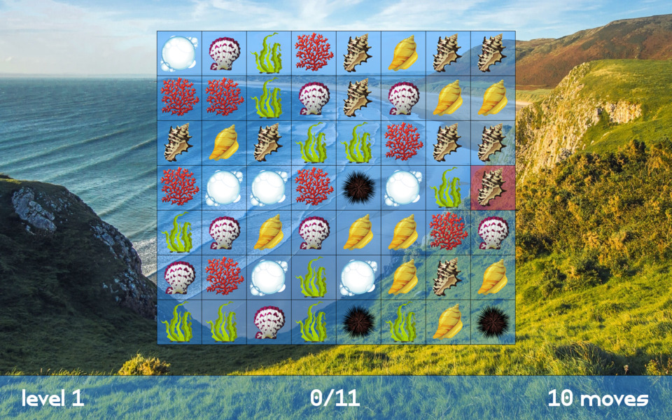
Dive into the relaxing world of OceanPop and experience waves of match-3 gameplay with the three modes available!
Don't get crushed by the tides before completing the 35 levels in regular mode, feel the rush of the currents in challenge mode or just go with the flow of the ocean breeze in relaxed mode! -
How to Play
In OceanPop the goal is to reach the target score before running out of moves. Earn points by lining up 3 or more shells of the same type. This is done by moving one shell as far horizontally or vertically as the user would like, but it can only be placed if it creates a match. Each time this is done, a move is used.
Shells

There are a couple of different shells to match. From the left, the first 5 all give points. The more matches in one turn the more points. The other 2 have a different effect, though:
- Don't match the sea urchin, it will cost points.
- Match the bubble to earn extra moves.
-
Controls
OceanPop can be played with a keyboard, mouse or gamepad. Here each will be listed.
Gamepad
- Left analog stick or digital pad: Move the cursor.
- A: Pick or drop a shell or confirm in menus.
- Start: Open the menu.
- B: Cancel.
This assumes an Xbox controller, but other controllers will work too.
- Arrow keys or WASD: Move the cursor.
- Space, Return or E: Pick or drop a shell or confirm in menus.
- Escape: Open the menu.
- Backspace or Q: Cancel.
- Left click: Pick or drop a shell or confirm in menus.
- Middle click: Open the menu.
- Right click: Cancel.
Source:
https://sharkwouter.github.io/oceanpop/.


