
PS3 4.76 FERROX CFW (CEX) - by Alexander

Following that recent surprise Official Firmware Update of v4.76 that brought nothing new. Developer Alexander began working on his latest CFW and the developer has released 4.76 FERROX CFW (CEX). If you are familiar with FERROX 's "Standard CFW" then you will see the same feature set you have viewed in previous versions such as In-Game Screenshot support, Remote Play Patch, PS2/PSP/PS1 Support among the usual patches found [break]ss[/break] in most Standard CFW's [break]ss[/break] View full developer details in the official release quote found below:
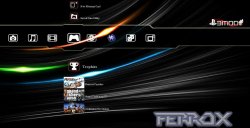

FERROX.JPG
Based on FW:
FW Type:CFW Type:Developer:

  • 4.76

  • CEX

  • Standard

  • Alexander

Alexander said:
4.76 FERROX (Standard CEX)


FEATURES:

  • Built-based OFW 4.76
  • Disabled the CoreOS and control ECDSA
  • LV1: patched to remove the protection LV2
  • LV1: patched CoreOS Hash Check (prevents brick consoles downgradate not dehashed)
  • LV1: Peek & Poke
  • LV2: Peek & Poke
  • Compatibility Games PS2
  • Compatibility Games PSP Remastered
  • Compatibility Games PSP Minis
  • Key 4.76 (start games with keys 4.75 EBOOT / sprx)
  • PSN / SEN Enabled.
  • Disable the message of epilepsy
  • New Coldboot
  • RSOD Screen Bypass for consoles He is suffering from RSOD
  • PS3 BT Remote patch
  • PS3 BluRay DISC patches
  • Compatibility with the latest version of REACTPSN
  • app_home / PS3_GAME *
  • Install Package Files *
  • Ability to Downgrade from OFW 3:55 QA activated.
  • Upgradable from any CFW's
  • Support XMB In-Game ScreenShot Feature
  • Support Remote Play Feature
  • Stability as nell'OFW 4.76
  • Ability to downgrade from any custom firmware with QA activated.

Models Tested and performed by:

  • CECH 2004A - Tested and Working. (Thanks SNK)
  • CECH 2004b - Tested and Working. (Thanks Mizio)
  • CECH 2104A - Tested and Working. (Thanks LIZZO)
  • CECHG04 - Tested and Working. (Thanks LIZZO)
  • CECH 2504B - Tested and Working. (Thanks TSUTEJ1)
  • CECHL04 - Tested and Working. (Thanks TSUTEJ1)
  • CECH 2105A - Tested and Working. (Thanks TSUTEJ1)
  • CECH-2501 - Tested and Working. (Thanks R3IZ4)
  • CECH 2504A - Tested and Working. (Thanks ModderFantasy)
  • CECHC-04 - Tested and Working. (Thanks Red Dead)

Games Tested with IRISMAN 3:48 Unofficial & multiMAN 4.75.55:

  • kingdom heart 2.5 HD remix, WipEout Hd fury, GTA 5, Ride, Wolfenstein The new order, Dragon Ball Xenoverse, Dragon Quest Heroes, FAR CRY 4, Dead OR ALIVE 5 , BattleField 4 , Hardline -BattleField , FIFA 15, Metal Gear the Phantom pain, J-Star Victory, The Evil Within

Attention -- It is recommended that, after a successful installation of custom firmware, run:
  • Restore File System (Recovery)
  • Rebuild Database (Recovery)
-- So, you will have a clean installation and you'll be fine. (Thanks to franci97 & SonyForever)

Download:MD5 Checksum:


  • MD5: AFD5FA21292A387771997F8EEC154486
Source: CFW 4.76 FERROX

USE ANY CFW AT YOUR OWN RISK

(See link for important details about CFW installation)

Additional 4.76 CFW / Apps / Tools and more 4.76 CFW Related releases --- > LINK

 
Last edited by a moderator:
Installation using recvoery? How? Can u help me? Please write the steps.. I'll understand.. And yeah, I live in India.. So adf.ly is banned here.. And mega doesn't work. So, can u send me any other link for downloading? Thanks in advance for the help. Your help will be helpful for me. :)

-----------------------------------merged---------------------------------------

Anyone? Please?

----------------------------------merged----------------------------------------
You don't loose anything by installing via recovery !
Only if you select the initialisation options which are not needed to install firmware !!!!
But you should be able to install from the XMB


Sent from nowhere Using Tapatalk
Brother?

Sent from my A0001 using Tapatalk
 
Last edited by a moderator:
And all this, of course, if you are already in CFW and want to update to another CFW version ;)

To be completely clear:
IT DOES NOT WORK IF YOU ARE USING OFFICIAL PS3 FIRMWARE !
 
How to access Playstation 3 SAFE MODE - PlayStation® Forums

Here is how to get in to recovery, and there just select 6th option (System Update). And follow on screen instruction. Remember to remove BD and disconnect internet before update.

Edit: PS3UPDAT.PUP need to be in usb/PS3/UPDATE/ folder, and of course use CFW not OFW.
Thanks [MENTION=118]kozarovv[/MENTION] and [MENTION=124]kokotonix[/MENTION]. I'm already on 4.75 Habib (CEX). Now, all I want to know is, after installing from recovery menu, do I have to do any other things like rebuilding the database or anything else like that? And I'll not lose any data na?
Thanks for your help. It means a lot to me. And thanks to the developers also.

Sent from my A0001 using Tapatalk
 
Thanks [MENTION=118]kozarovv[/MENTION] and [MENTION=124]kokotonix[/MENTION]. I'm already on 4.75 Habib (CEX). Now, all I want to know is, after installing from recovery menu, do I have to do any other things like rebuilding the database or anything else like that? And I'll not lose any data na?
Thanks for your help. It means a lot to me. And thanks to the developers also. [emoji4]

Sent from my A0001 using Tapatalk

Nothing else needed. You're ready to go [emoji3]

And note that usually you don't need to use the recovery menu.
XMB is enough to install FW.


Sent from nowhere Using Tapatalk
 
Nothing else needed. You're ready to go [emoji3]

And note that usually you don't need to use the recovery menu.
XMB is enough to install FW.


Sent from nowhere Using Tapatalk
Ohk. Thanks mate. But currently I'll need to install it with recovery na? Thanks for your help mate. It truly means a lot to me. :)

Sent from my A0001 using Tapatalk
 
Ohk. Thanks mate. But currently I'll need to install it with recovery na? Thanks for your help mate. It truly means a lot to me. :) [emoji4]

Sent from my A0001 using Tapatalk

No.
The recovery issue was raised by yourself in one of your first posts.
[emoji6]
Please read the release notes at the first post of this Thread.


Sent from nowhere Using Tapatalk
 
No.
The recovery issue was raised by yourself in one of your first posts.
[emoji6]
Please read the release notes at the first post of this Thread.


Sent from nowhere Using Tapatalk
Yeah, I've read those. It was stated that after installation we should restore file system and rebuild data base in order to have a clean installation. So, I was asking that only.. So, now I just have to install using recovery. Nothing else.

Sent from my A0001 using Tapatalk
 
Hi Can i install 4.76 ferrox cfw on my ps3 model CECH-4206C running version 4.76 OFW??
Thanks
Of course not.
Any console with official firmware > 3.55 is not CFW compatible without hardware flasher.
In your case even a flasher would not help as the last downgradeable consoles are slim CECH-2504x.
 
ok.. but is there no way for me to jailbreak my ps3?
The only way is to use an ODE.
It's a card you need to install inside the console. However the future for ODE is uncertain & the features limited. It's not the same a CFW!
I would suggest selling your console to buy a slim instead. Depending where you live, a console already in CFW might be very affordable.
 
The only way is to use an ODE.
It's a card you need to install inside the console. However the future for ODE is uncertain & the features limited. It's not the same a CFW!
I would suggest selling your console to buy a slim instead. Depending where you live, a console already in CFW might be very affordable.

FYI [MENTION=17180]karan.j[/MENTION] Ode working to 4.66, newer firmwares are unsupported (source: Cobra Optical Drive Emulator For PS3)
 
will it work on ps3 super slim 500gb cech-4206c v.4.76
As far as I know yes.
You will need the Cobra ODE [+ a Cobra DMC if the ODE is not the latest version] & some soldering will be required. The ODE is the only way to jailbreak your super slim console.
However, access to PSN & further PS3 upgrade might be problematic in the future. Cobra does not seem to release much information on their ODE longer term plans so who knows what the future holds.

Edit:

The new Cobra ODE includes the DMC feature so if you get the latest version you will not need to buy & install the additional card.

However think about how much you could sell your super slim for & the price of the ODE... Would it not make better sense to get rid of your PS3 & buy a CFW console instead? I know price tags vary quite a bit according to where you live but to be considered... I suppose it all depends on your needs & expectations.

Sent with Tapatalk
 
Last edited:
Hi ferrox, i just want to ask if it's possible to do the ps2 classic here on your cfw just like on rebug and habib cfw? if its possible, can you tell me how? thanks
 
Hi, can someone tell me the diference between this and rebug versions? Which is better for online gaming?
 
Hi, can someone tell me the diference between this and rebug versions? Which is better for online gaming?
Rebug is the 'reference' in terms of CFW.
Also all releases you find on the net are not legit. Some are clones of other people's work, some are fake, some are MFW... Only use a reputable CFW & a trusted site to download from. You should use MD5 to check the integrity of your PUP file after downloading to ensure there is no corruption.

To suit your current needs, the 2 best candidates IMO are (no offence to other CFW makers, some do a great job too☺)

1. The 4.76 Rebug lite release is a good choice to play online. It has Cobra 7.1 & webMAN-MOD integrated. It works very well online.

2. Habib Cobra CFW 476 v1.0 is also a good choice. It's already updated to the latest Cobra 7.2.

Don't forget to use PSNPatch no matter what CFW you choose.
Some like to spoof the idps/psid with the ids from a dead console to protect their own PS3 from a ban. It seems effective, I do it sometimes. You can use PSNPatch or SEN Enabler 5.9.1.


If you need more from your CFW, like DEX features for debugging... then you need a full Rebug 4.75.3 version but that's another story...

Sent with Tapatalk
 

Featured content

Trending content

Back
Top


