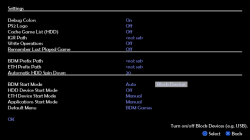
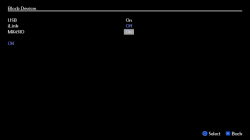
Im trying to run a PS2 iso game (Knight Rider) stored on an MX4SIO SD card, My FMCB Card has OPL v0.9.3 installed as originally supplied by the Manufacturer (Kaico).
From what I can read on the net, I need OPNPS2LD-v1.1.0-Beta-1629-e20f2ee-bdm3.ELF, as My PS2 is an unmodded Slim 75002 version.
I have a verison of that ELF file but for some reason it wont COPY/PASTE onto my Kaico FMCB card, stating "PASTE FAILED". I Have another FMCB card that allows the ELF to be pasted and renamed, but when the console is booted and the new OPL v1.1.0 is selected the OPL Splash screen shows but then freezes.
The SD Mem card I am using is a PNY elite-X SDXC 128gb formatted Fat32.
Cany anyone offer any advice on (1) why the OPL elf wont paste onto my Kaiko FMCB card and (2) why OPL when I can run it, freezes.
From what I can read on the net, I need OPNPS2LD-v1.1.0-Beta-1629-e20f2ee-bdm3.ELF, as My PS2 is an unmodded Slim 75002 version.
I have a verison of that ELF file but for some reason it wont COPY/PASTE onto my Kaico FMCB card, stating "PASTE FAILED". I Have another FMCB card that allows the ELF to be pasted and renamed, but when the console is booted and the new OPL v1.1.0 is selected the OPL Splash screen shows but then freezes.
The SD Mem card I am using is a PNY elite-X SDXC 128gb formatted Fat32.
Cany anyone offer any advice on (1) why the OPL elf wont paste onto my Kaiko FMCB card and (2) why OPL when I can run it, freezes.