PS3 Auto Power off keeps getting reset to Off

yukimi Kazari

Forum Noob
I have tried setting the auto off settings in power save so that it does not stay on all night long when I'm watching YouTube in bed. I have unchecked the no auto off in webman settings.

 
I have tried setting the auto off settings in power save so that it does not stay on all night long when I'm watching YouTube in bed. I have unchecked the no auto off in webman settings.
the webman setting is for the ftp server. :) i would leave it off.

goto the settings column on XMB. go down to power save settings and press X. there will one for the system and one for the controller.
 
Iirc using the XMB system setting to set the auto power off should only change the value of a xregistry.sys setting key, probably this registry key:
/setting/system/autoPowerOff
or
/setting/system/autoPowerOffEx

You could use a homebrew PC app by stoker25 called xRegistry.sys Editor 0.75 to check that registry key value before & after changing it with the XMB setting feature to see if it changes the key appropriately.
If it doesn't, you could just use the editor to modify the value manually & replace the xRegistry.sys file with your modified copy.
Very soon, editing the PS3 Registry will be possible directly through a friendly GUI interface in the ps3 browser using the PS3 Toolset, for the moment however you need to use the PC app I just mentioned or alternatively webMAN-MOD Web commands should also be able to get/set xRegistry.sys key values via any browser on devices connected to your LAN.
Additionally iirc (to be confirmed because it is only a vague memory at this point) aldostools also released a PC app (based on stoker25's app) called PS3 Registry Editor 1.0 in his PS3 Tools Collection, that should do the trick as well.

The ps3 registry file is located in /dev_flash2/etc/xRegistry.sys, remember to always keep a backup of that file (untouched), just in case.

xRegistry.sys editor 0.75
https://ps3.brewology.com/downloads/download.php?id=10308&mcid=4

FYI
When editing system files in general, it is recommended (if it's not already done) to dump the console eid_root_key & keep it safe as well.
 
Last edited:
webMAN MOD automatically disable automatic power off setting when FTP is accessed and restore the original setting when the FTP is disconnected.

That behavior can be disabled in /setup.ps3 unchecking the option "No Auto Power Off" in webMAN MOD Setup section.

EDIT: The setting is enabled by default. It must be unchecked.
 
Last edited:
Good point Aldo, thanks for that, as always ;-)

It's true that a lot of people use webMAN-MOD without fully understanding the entire scope of its features.
webman/sman are not like other backup managers, other managers only run when launched manually from the XMB, wMM & sMan on the other hand run in the background, automatically from boot, therefore they may impact the system (at any time & in many ways) according to their configuration settings, despite not being used directly by the user. It can lead to situations that might be confusing for the uninitiated, especially in the case of wMM because of its features galore..
 
Last edited:
webMAN MOD automatically disable automatic power off setting when FTP is accessed and restore the original setting when the FTP is disconnected.

That behavior can be disabled in /setup.ps3 unchecking the option "No Auto Power Off" in webMAN MOD Setup section.

EDIT: The setting is enabled by default. It must be unchecked.

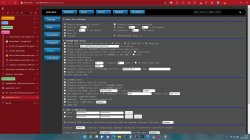
Ya i have had that unchecked during the times it seems to happen even if im not accessing via FTP
 

Attachments

  • Screenshot 2022-01-13 225359.jpg
    Screenshot 2022-01-13 225359.jpg
    798.8 KB · Views: 33
Ya i have had that unchecked during the times it seems to happen even if im not accessing via FTP
In order to confirm that wMM is responsible for your issue, you could disable it temporarily (rename /dev_hdd0/boot_plugins.txt to say dev_hdd0/boot_plugins.txt.bak, or edit the text file to remove the path to webftp_server.sprx, then reboot) & test the toggling of the auto power off feature.
If ever the problem persists even while wMM is disabled, the culprit might be a corrupted registry so that's probably what you would need to investigate next using the "xRegistry.sys file backup, delete, reboot" trick that atreyu187 already mentioned so you can test toggling the auto power off feature with a clean registry.
 
Last edited:
So late update, I found that if I access the web interface and reboot from the web interface the settings are changed but if i don't connect to the web interface at all or make sure its not open in any browser it retains its settings.
 
Back
Top