Can't connect OPL to network

NoSoul81

Member
I tried following this guide https://gbatemp.net/threads/guide-to-streaming-to-ps2-free-mcboot-windows-10.545022/#post-9051198

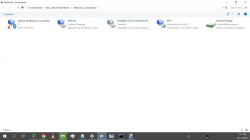
I bridged connections in my PC Network adapter settings but it says 301 cannot log into smb server. Here are my settings in Network config

Advance options : Off
Ethernet Link mode: Auto

PS2
IP address type Static
IP address: 192:168.0.56
Mask: 255.255.255.0
Gateway: 192.168.0.1
DNS Server: 208.180.42.100

SMB Server
Address Type IP
Address 192.168.0.6
Port 445

Share PS2SMB
User Guest
Password

I have also tried changing my User to my Windows login id, but same error. I'm at a dead end.

I am having trouble even staying connected to the internet on the PC with the static IP it disconnects me every minute or two. I have never been good at setting static IPs so I'm not surprised I'm having trouble.
 
That didn't help unfortunately.I did accomplish a small task in making my internet work well with a static IP by adding the port 445 through my firewall in my router, but still cannot connect to SMB server on PS2.

I can't rule out the possibility there's a problem with my PS2 ethernet port I have no way of knowing if there is, but it shows up on my PC so I doubt it. Same thing for the ethernet cable.
 
Does this require a crossover cable? I only have ethernet.

This is possible. But most motherboards these days have lan ports that auto switch.

Are there any other network connections? Such as WiFi. Or a VPN. Disable either of these and try again. My VPN messes with FTP and SMB sometimes and is always the first thing I check in these situations.

I haven't personally tried connecting ps2+PC direct. I'm lucky enough to have a wired connections all through my house. But I know it can be troublesome. Double, triple check setting and IPs. It only takes 1 mistyped digit
 
Just did it! It was all about my router blocking me from using it. Just had to open port 445 with the IP address that I put in my PS2 in my router.

But I get a green screen loading Time Crisis 3 not sure if it's a game problem or not.

Edit: after the game froze I rebooted and it's back to cannot connec to smb server wtf :(
 
Just did it! It was all about my router blocking me from using it. Just had to open port 445 with the IP address that I put in my PS2 in my router.

But I get a green screen loading Time Crisis 3 not sure if it's a game problem or not.

Edit: after the game froze I rebooted and it's back to cannot connec to smb server wtf :(

So... Your directly connecting ps2 to pc, and bridging what connection?

Little confused here... If you direct connecting to pc, then your router shouldn't be involved at all...
 
So... Your directly connecting ps2 to pc, and bridging what connection?

Little confused here... If you direct connecting to pc, then your router shouldn't be involved at all...
 

Attachments

  • Untitled.png
    Untitled.png
    127.2 KB · Views: 327
Somethings still wrong though I've tried 3 games they all freeze at green screen. I followed this compatibility list example for Valkyrie Profile

https://www.ps2-home.com/forum/page/opl-game-compatibility-list-V

Valkyrie Profile 2 - SilmeriaSLUS_214.52DVD5r799HDD / USB / SMB3, 6YESHDD=50 YESYou may want to turn on mode 3 and 6 to make sure the anti cheat will not corrupt your save for Valkyrie Profile 2 Silmeria [NTSC] just a warning been reported before that it can do that but especially mode 6 some have reported with mode 3 off getting a past the problem
SMB: Freezing in Chapter 4

I enabled 3 and 6, but still freeze.
 
ive only bridged like that on windows one time and i had to open the properties for the lan and uncheck everything (ip4, ip6, microsoft networks, ALL). i had to do this to "pass-through" the traffic without windows looking at it. if you try this then write down what you are gonna uncheck so you can undo the changes if it doesnt help.

is it not possible to connect the ps2 to the router with a cable instead of using bridge?
 
It may be a bit late, but you could have perhaps use DHCP (and your PC's name) in OPL. Then you would not have to mess around with static IP addresses.

That didn't help unfortunately.I did accomplish a small task in making my internet work well with a static IP by adding the port 445 through my firewall in my router, but still cannot connect to SMB server on PS2.

If this firewall is for filtering traffic from the Internet, then you probably wouldn't have needed to do that.

ive only bridged like that on windows one time and i had to open the properties for the lan and uncheck everything (ip4, ip6, microsoft networks, ALL). i had to do this to "pass-through" the traffic without windows looking at it. if you try this then write down what you are gonna uncheck so you can undo the changes if it doesnt help.

There should be no need to disable anything. Those are just protocols that Windows may support.
What we need for this, is SMB 1.0 support. And since IP is using the Guest account, that needs to be enabled.
 
Valkyrie Profile 2 freezes now in game.

Also, only ISOs supposed not bin/cue?

Nm, it's easy to rip bin to iso.
 
Last edited:
Also, only ISOs supposed not bin/cue?
I suppose you're asking about whether we can put BIN+CUE in the CD and DVD folders? No, only ISO images in ISO9660 are supported.

Even though BIN+CUE is favoured for CD-ROM games due to CDs possibly having multiple tracks, but OPL does not support multi-track games. It does not support any sector sizes other than 2048 either, so there is no support for anything other than a single, standard CD-ROM data track.
 
No problem I'm pretty dang satisfied I finally don't need burned discs for all my lightgun games because my EMS Top Gun 3 takes up 2 usb ports and they seem to be working good. Bummer about Valkyrie Profile 2 freezing but I could burn a disc of it or just use a usb hard drive.
 

Similar threads

Back
Top