
PS3 Can't install cfw after teensy nor patch.

TheSunnyMachine

Forum Noob
I have a 2001a system with a mis matched disc drive. I can't even install ofw, as I get the error code for bad drive.

I installed a teensy and used Norway to patch down to 3.55 but when I boot it's asking me for a 4.90 firmware for some reason.

I've tried 4.90 noBD evilnat but it says the file is corrupt. Any advice? Should it be asking me for 4.90 after I write a patched nor?

Is there any way I can boot cfw without the drive, so I can remarry the drive I do have?
 
I have a 2001a system with a mis matched disc drive. I can't even install ofw, as I get the error code for bad drive.

I installed a teensy and used Norway to patch down to 3.55 but when I boot it's asking me for a 4.90 firmware for some reason.

I've tried 4.90 noBD evilnat but it says the file is corrupt. Any advice? Should it be asking me for 4.90 after I write a patched nor?

Is there any way I can boot cfw without the drive, so I can remarry the drive I do have?
if old 3.55 noFSM patch was used, you'd probably need Rebug 3.55.3 999 downgrader or Rogero 999 downgrader with noBD patch. after installing that then you could go to 3.55 noBD CFW..
 
if old 3.55 noFSM patch was used, you'd probably need Rebug 3.55.3 999 downgrader or Rogero 999 downgrader with noBD patch. after installing that then you could go to 3.55 noBD CFW..


Okay thank you. I'm trying that now. I have the both the ps3 dump checker patched nor and I also have norpatch.

I'm not sure which is noFSM or what that even is. This is all new to me.

What's the recommend way to patch? I do know that PS3 dump checker shows the current nor dumping as 3.55 pre-patch applied. I also have a patched file that reads as 4.90 but no matter which one I use, the installer asks me for 4.90 update.

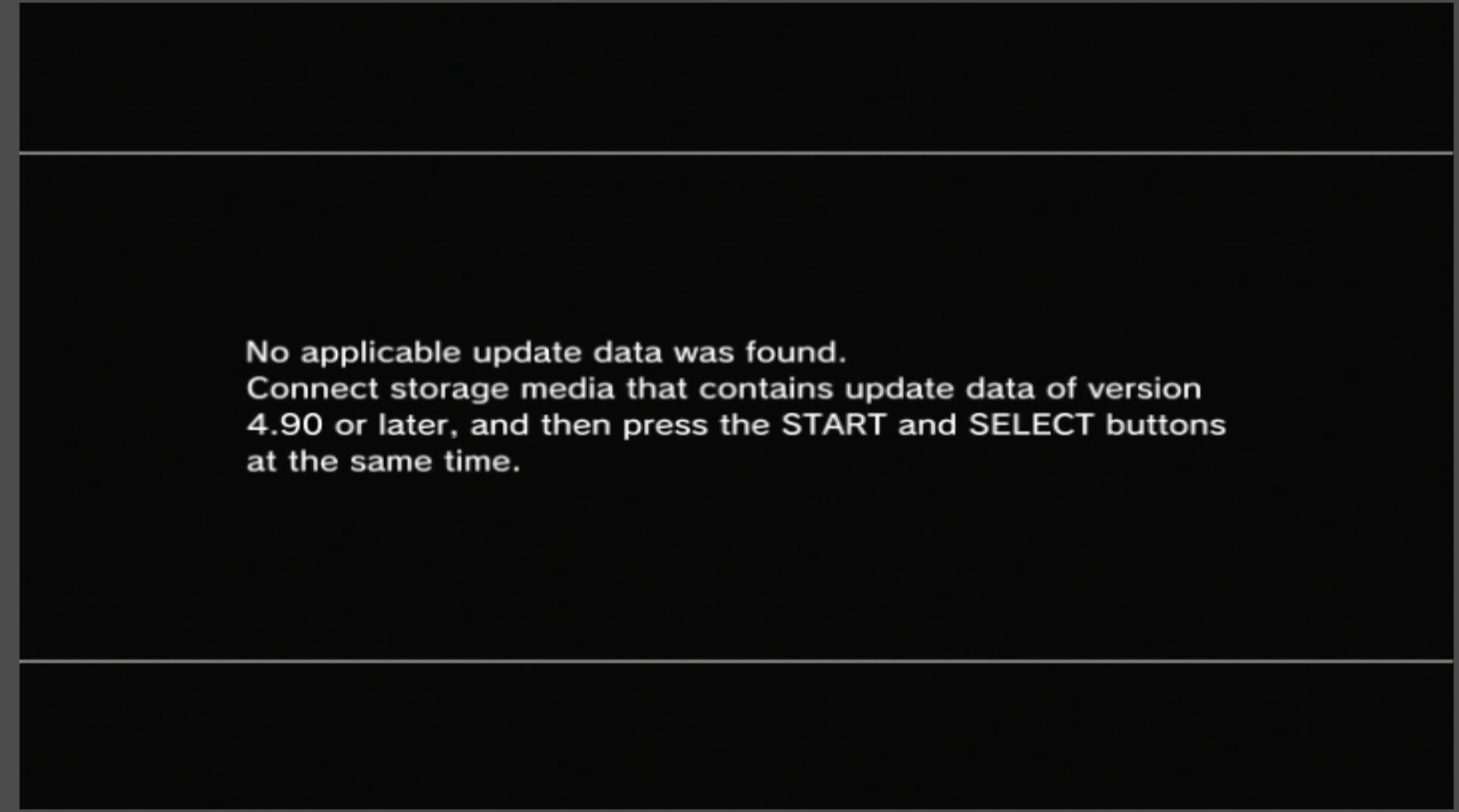
This is what I got with Rebug 3.55.3 999 downgrader. Trying Rogero next, but I assume the same thing will happen.

f025ab15266b449df5683a4fc307feca.png
 
Last edited by a moderator:
just after pressing start+select, unplug your controller and leave it unplugged until the search stops. sometimes this works, sometimes it does not work.
 
Rebug gives me the same error. It still asking for 4.90. is there some way to revert the versions it's looking for? Shouldn't the 3.55 patched nor make it look for a lower firmware?

just after pressing start+select, unplug your controller and leave it unplugged until the search stops. sometimes this works, sometimes it does not work.

Which cfw should I try this with? I'd really like to use evilnat noBD.

Ok good news!

I switched back to the file that was reading 4.91 patched and did the controller unplug trick and Evilnat installed. Now I am having a weird issue where my Disc Drive is constantly ejecting and I get a blinking blue light above the eject button. Is this drive busted or is there something I can do to reset it?
 
Last edited by a moderator:
Rebug gives me the same error. It still asking for 4.90. is there some way to revert the versions it's looking for? Shouldn't the 3.55 patched nor make it look for a lower firmware?


Which cfw should I try this with? I'd really like to use evilnat noBD.
Use Rebug 9.99 downgrader version. It's basically a version of Rebug hacked to report itself as version 9.99, which means it can be installed no matter what the old version is. Then you can QA flag it and "downgrade" back to any CFW.
 
Use Rebug 9.99 downgrader version. It's basically a version of Rebug hacked to report itself as version 9.99, which means it can be installed no matter what the old version is. Then you can QA flag it and "downgrade" back to any CFW.

Already got evilnat installed thanks though. Gotta work out this bluray drive issue now.
 
Okay thank you. I'm trying that now. I have the both the ps3 dump checker patched nor and I also have norpatch.

I'm not sure which is noFSM or what that even is. This is all new to me.

What's the recommend way to patch? I do know that PS3 dump checker shows the current nor dumping as 3.55 pre-patch applied. I also have a patched file that reads as 4.90 but no matter which one I use, the installer asks me for 4.90 update.

Make sure your USB is FAT32 formatted with MBR (not GPT) and you have your PUP file in correct path with name.
You could've just used BGToolset instead of teensy
 
Make sure your USB is FAT32 formatted with MBR (not GPT) and you have your PUP file in correct path with name.
You could've just used BGToolset instead of teensy
How?

I thought this was only available in the web browser once you are in XMB?

This system was a junked system with no disc drive, no hard drive, and a missing disc drive connector + torn off clock battery. Ok surprised it turned on at all.

I had no way to install firmware to a new hard drive without cfw because I was getting the bluray drive error code when trying to install OFW.

Is there a way to use BGToolset outside of XMB?
 
How?

I thought this was only available in the web browser once you are in XMB?

Yes it is. I didn't know yours wouldn't boot to XMB.

This system was a junked system with no disc drive, no hard drive, and a missing disc drive connector + torn off clock battery. Ok surprised it turned on at all.

I had no way to install firmware to a new hard drive without cfw because I was getting the bluray drive error code when trying to install OFW.

Is there a way to use BGToolset outside of XMB?

if no XMB then no BGToolset, if your system is not finding any PUP at all then you have a problem with USB either your port or the thumbdrive. make sure to check the file path and format. brokenBD can still find the PUP but fails to install so your problem is rather USB than your BD or 3.55 Patch
 
Yes it is. I didn't know yours wouldn't boot to XMB.


if no XMB then no BGToolset, if your system is not finding any PUP at all then you have a problem with USB either your port or the thumbdrive. make sure to check the file path and format. brokenBD can still find the PUP but fails to install so your problem is rather USB than your BD or 3.55 Patch
I guess you missed this already but I posted that I finally got it to patch, I had to use the norpatch version + remove the controller trick to get the patch to go through.

At this point now I just need to get the bluray drive working properly. I think the daughter board is busted, but I have another one, I just need to move the ribbon cable connector back over to the other board as I took it off to replace the broken one on the motherboard.
 

Similar threads

Back
Top