
Castlevania SotN Save Editor

PS1 Castlevania SotN Save Editor v1.3

Here in attachment are the assets. Unfortunately, I don't have anything which I used 15 years ago for Tenchu SA. Plugins for TIM aren't work with current 64bit Photoshop, and OPTPIX ImageStudio today not only stayed paid but disappear from market. So... I have put all files in 8bit PNG, with pre colour reduction (16c for 4bit, 256c for 8bit), ready to convert to TIM without need of messing with palette.

I remember that for transparent images, I creating TIMs with black background and checking two checkboxes in settings related to translucent. This was i.e needed for proper title screen displaying.

"8bit, 16c" files should be easily converted to 4bit TIM without any loss.

- - -

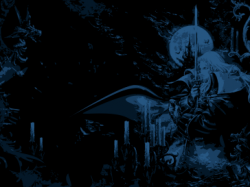
I made new background from wallpaper You mentioned. This one covering whole screen (in Yours there is empty space on right side of edge), using whole wallpaper and moon is circle not egg - all thanks to content aware scale. I'm not a fan of difftering, so I use different method to simulate more colours than in reality.

"mc*_detected" is a card displayed which PSX detected as inserted. If card is not put into slot, then it should be used "mc*_undetected". "mc_highlight" is for show user which card he choosing (if he have both slots detected, this will show him which are will be used) and should be put on top of mc*_detected (not under it).

I hope this is wisely designed and that I didn't break anything. ^^ I didn't create any gfx for PSX for ages. :D I know that instead of mc1 and mc2 I could use one bitmap and another with only numbers but I trying not makes Your life harder with figuring out the xy positions; and all anyway should still fit into VRAM without any swapping (2MiB?).
 

Attachments

You worked on Tenchu Stealth Assassins? That's awesome.

I should be able to put these image assets to use. I appreciate it. The BG I had just scaled down to fit the framebuffer with 20/20 using bicubic and keep aspect, but I guess it made the moon into an egg. =)

I'm sure at 4bit all the assets will fit into the EXE and VRAM. I'll post an update when I get these implemented.

Update: When I was using TimTool it seemed like it was going to do some funky stuff with the memory card images so I'll probably just import them as 16-bit to avoid that. Overall it's only going to be adding around 14kb of data compared to the original BG.TIM, the newer one is slightly smaller.

I'll see if I can implement everything today. Should look nice.

Update: I just noticed when you scaled the wallpaper you made it for 320 pixels wide. The program is actually running in 364 pixels wide, the same as the menu screen in SotN. Could you rescale the background properly for this wider width?

Update: I think I got it figured out. I'll have to see how the moon looks.

Update: So we're back to, if you can adjust the background for a proper 4:3 aspect ratio but a horizontal resolution of 364 that would be great. Then the moon won't be an egg. =) I managed to make something that should be the right aspect but it's cropped some of the image out.

Update: I think I'll just go with your 320 pixel wide BG and switch to 320 horizontal resolution. I'll have to adjust a few things as I was making use of that extra width.
 

Attachments

  • castlevsotnWlpr5-364-4by3.png
    castlevsotnWlpr5-364-4by3.png
    79.9 KB · Views: 102
Last edited:
Yeah, translation for Tenchu:SA but with some gfx tweaks like i.e new lava and HUD from Tenchu 3.

So the target resolution is 364x273 and the bg bitmap is also in this size? That's strange. :) Well, if You will tell me what is displayed resolution and and in what resolutions file is, then I can update bg to be optimized as much as possible.
 
Yeah, translation for Tenchu:SA but with some gfx tweaks like i.e new lava and HUD from Tenchu 3.

That's pretty cool.

So the target resolution is 364x273 and the bg bitmap is also in this size? That's strange. :) Well, if You will tell me what is displayed resolution and and in what resolutions file is, then I can update bg to be optimized as much as possible.

I changed the resolution to what you provided that was intended for 320x240. It was not too much trouble to adjust things. Let me know if you notice any issues with version 1.2. The only other feature I could think to add would be something to see your current map progress or see the map when selecting a save point. Not sure if I'll do that soon or at all. With all the working on the program I've not really had the chance to actually enjoy just using it for some playthroughs.

Update: There was a bug in version 1.2, addressed in v1.2a that was preventing saving other than using the New Game+ option.

Update: Version 1.2b fixes the item list in Inventory editor which got desynced after a certain point. Everything should be solid now, I hope. =)
 
Last edited:
Version 1.3 adds a map view option. It will read your save data and display what rooms have been discovered. It also touches up some item name text.
 
No feedback yet but I running newest editor: no inverted castle map or there is a way to switch between them?

Also I see that TIMs doesn't have set translucent flag and are after dithering filter (or maybe it is ePSXe which falsify results :/). What software are You using to export them? Is there any open converters to avoid proprietary from SDK?

I would suggest, move up few pixels up (5?) the cards. ^^ And one pixel more free space between font symbols in bottom descriptions. I know how it sounds but IMHO it would looks better.
 
Last edited:
I think Square and Circle switch between castle maps. I didn't put text on the screen cause I thought it was annoying conflicting with the map. Maybe eventually I'll get button icons to make it cleaner and take up less space.

I used TIMTool, I think I had the right boxes checked for black to be totally transparent. Not sure about dithering filter, but when the images were converted by the tool, it did give a strange pattern even though you had reduced the number of colors used. Perhaps the pattern is related to the 5-bit per color channel limitation?

I'm sure there probably are 3rd party tools to generate TIM files. I could make one myself if I was so inclined.

So the card icons you think should move up 5 pixels and the text below move down 1 pixel? I can do that, and I do appreciate the feedback.

I might use the map drawing routine in the Save Point Editor for a visual cue in a future version as well.
 
Bottom text start high is ok, I have in mind 1px more free space between first line and second line in bottom text block.

Maybe ePSXe gfx plugin making false screen (I remember there is a way to emulate more colours by filtering textures/bitmaps with dithering). I tell You more when I run game on PSC (I must borrow it from brother) as I do not playing on PC and I don't even have card with OGL 3.x support so no DuckStation for me; while on PS3 emulated PSX games are forced bilinear filtering which make screen looks like blurry shit, I have also PSTV but I'm not a fan of PBP conversion pain way. ;p

In Adobe TIM plugins for Photoshop, I remember there are two additional settings, one which marking black (000000h) as transparent, and one which marking some colour spectrum range as translucent (I don't really know how it works and how it libs interpret it but it works).

I was used this feature for title screen manipulation (this yellow pulsing orb/light is translucent):
https://www.romhacking.net/translations/1298/

Tried all buttons but nothing was changed for me (only triangle exiting).
 
The same two options exist in TIMTool. One is related to making true black transparent (not drawn/masked) and the other related to drawing things with semi-transparency or translucent.

I see what you mean by giving an extra pixel between the text lines. It does make it look less cluttered.

I did double check and Square and Circle select Castle 1 or Castle 2 maps. If your save file has not reached Castle 2 it'll be blank.
 
This is pretty awesome. I tried to run the cdrom.bin/.cue on a PS3 using the built-in emulator but it hangs at the PS1 logo screen.
Getting it to work on PS3, is that something you would like to fix? (I do not blame you if you don't, but it would be awesome if you did. I want to convert it into a PS-Classics package so that it shows up in the XMB with a nice icon and some nice SOTN music playing)

I mostly play my PS1 games on PS3 nowadays. I like the basic but serviceable hdmi upscaling you get.
 
Unfortunately I do not know why it would not work on the PS3. It works on the real hardware as well as the No$PSX and DuckStation emulators. If I could fix it easily I would. But I don't currently have a PS3 to test it on and I can't imagine there are any debugging type features to help figure out what is wrong. Certainly something is wrong with their emulator.
 
Adjusting the time doesn't work for some reason. It shows the adjusted time on the memcard screen, but it reverts back after loading. A copy of the file shows the unedited time.

Stats work just fine.
 
Last edited:
just to be clear but is this save editor not support jp version? i have jp undub rom , i have save but when i use this save editor nothing happen . it reading my memory card then go back go menu ! i'm using duck station !
 
The save editor looks for a certain file name on the memory card. The Japanese version uses a different file name. You could possibly change the name to match the North American version, edit the save, then change the name back.

But yeah by default it's intended for the North American version only. Never tried either the PAL, Asian, or Japanese versions.
 
Hmm, it seems i need many extra step for that, thanks you , i can use cwcheats, or pec from epsxe to get cheats for us version, it's not that hard to find . I'm still trying to get cheats for jp version cause this game have undub, English patch rom.
 
What sort of cheats are you looking for?
mmmm. not much actually , 200% map , all item , have all familliar , max level familliar , all ability ! i'm playing undub rom on psp , duck station , i'm trying to find cheats through auto search cheast feature on duckstation but no help !
 
Back
Top