
You are using an out of date browser. It may not display this or other websites correctly.
You should upgrade or use an alternative browser.
You should upgrade or use an alternative browser.
PS3 Checkout deank's new sLaunch feature in webMAN (& webMAN MOD)
- Thread starter STLcardsWS
- Start date


deank
Developer
everything working, how can I appear for the NTFS covers as shown in the example image
I made some changes to webMAN - it will get the images and param.sfo from ISO games on ntfs drives during boot time. It means that you'll have names/covers/icon0 images for all titles once XMB appears. Copying covers for bdiso/psxiso/dvdiso is also performed if images are found named after the iso on the ntfs drive. This will make things look better for sLaunch.
I didn't like having all the stuff in the root folder of the ntfs drive so webMAN will also check x:\PS3\ folder for PS3ISO/BDISO/etc on ntfs drives.
Also .ntfs[PS3ISO] files are created with the necessary size of few bytes and not 64KB (providing faster access (read/write)).
There was a bug in prepNTFS-implementation in webMAN (for .ntfs[PSXISO] files) which caused PSX BIN+CUE games on NTFS drives with audio tracks to be detected as 1 data and 0 audio tracks. It is fixed now.
Last edited:
Thank you for this awesome plugin, it's almost perfect.
some minor thing I detected:
While selecting a game along the collection, the red bold frame of the selected game's cover cuts out part of the underneath and/or adjacent game covers leaving blank tiles. Most of my covers use this default resolution: 350x400.
Is it possible to prevent this from happening besides lowering the cover resolution so that the frame doesn't affect the covers leaving its mark over them?
Just a couple suggestions:
I might be wrong, but as far as I've noticed, Irisman utilizes an auto-resize feature when the covers exceed certain dimensions so that all covers remain with the same display dimensions. Could this be implemented in the plugin?
Would it be possible to filter games by platform?
Grateful for all your work.
some minor thing I detected:
While selecting a game along the collection, the red bold frame of the selected game's cover cuts out part of the underneath and/or adjacent game covers leaving blank tiles. Most of my covers use this default resolution: 350x400.
Is it possible to prevent this from happening besides lowering the cover resolution so that the frame doesn't affect the covers leaving its mark over them?
Just a couple suggestions:
I might be wrong, but as far as I've noticed, Irisman utilizes an auto-resize feature when the covers exceed certain dimensions so that all covers remain with the same display dimensions. Could this be implemented in the plugin?
Would it be possible to filter games by platform?
Grateful for all your work.

Drag
Member
working very fine now, Thank youI made some changes to webMAN - it will get the images and param.sfo from ISO games on ntfs drives during boot time. It means that you'll have names/covers/icon0 images for all titles once XMB appears. Copying covers for bdiso/psxiso/dvdiso is also performed if images are found named after the iso on the ntfs drive. This will make things look better for sLaunch.
I didn't like having all the stuff in the root folder of the ntfs drive so webMAN will also check x:\PS3\ folder for PS3ISO/BDISO/etc on ntfs drives.
Also .ntfs[PS3ISO] files are created with the necessary size of few bytes and not 64KB (providing faster access (read/write)).
There was a bug in prepNTFS-implementation in webMAN (for .ntfs[PSXISO] files) which caused PSX BIN+CUE games on NTFS drives with audio tracks to be detected as 1 data and 0 audio tracks. It is fixed now.
Drag
Member
Thanks for trying to help, friend !Try putting your covers in the standard location (afaik, its in dev_hdd0\game\BLES80608\USRDIR\covers)
also, rename them using their region code (ex: BLESxxxx / BLUSxxxx) all my covers are named like this.
deank
Developer
@ex05: It is designed to work with multiMAN covers or ICON0.PNG (260x300 or 320x176). There is no way at the moment to rescale the images the way it is done in regular apps (not plugins). Image resolutions should be multiple of 4 (348 or 352, but not 350).
webMAN is updated to extract ICON0.PNG along with the SFO from ntfs ISO games when no external image is present.
webMAN is updated to extract ICON0.PNG along with the SFO from ntfs ISO games when no external image is present.
Last edited:

self_slaughter
Member
Finally got around to testing this on my 576i TV. Definitely notice the upscale downscale chunkyness in covers / text, but still usable / readable. Excellent work. Bloody fast at loading / changing pages even with almost 300 games. 
deank
Developer
@ex05: It is designed to work with multiMAN covers or ICON0.PNG (260x300 or 320x176). There is no way at the moment to rescale the images the way it is done in regular apps (not plugins). Image resolutions should be multiple of 4 (348 or 352, but not 350).
sLaunch is updated to handle JPG covers up to 660x660 pixels. Any jpeg image exceeding width of 330 or height of 330 will be downscaled automatically by a factor of 2.
Anyway, the sLaunch interface doesn't look good if images are over 330 pixels wide (they start to overlap), so the downscale will fix the issue. PNG downscaling is not supported.
webMAN is also updated (about 40kb less memory used when handling http requests/mounting games).
http://deanbg.com/slaunch_preview.zip
Last edited:
sLaunch is updated to handle JPG covers up to 660x660 pixels. Any jpeg image exceeding width of 330 or height of 330 will be downscaled automatically by a factor of 2.
Anyway, the sLaunch interface doesn't look good if images are over 330 pixels wide (they start to overlap), so the downscale will fix the issue. PNG downscaling is not supported.
webMAN is also updated (about 40kb less memory used when handling http requests/mounting games).
http://deanbg.com/slaunch_preview.zip
What a bliss! Thank you so much!
One question: is it possible to implement the game sorting in this slaunch plugin, just like the one integrated in the last wMM? (when pressing triangle all the games are sorted by system - Ps2/Ps3/etc).
Even if it isn't, I can't thank you enough already.
UPDATE:
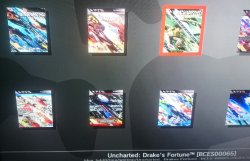
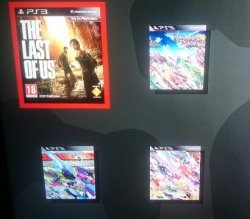
- The downscale isn't working for me, at least, unfortunately. All the *.JPG over 260x300 size get some sort of "diagonal fuzziness".
- I've converted all my covers to match the 260x300 size and everything works just perfect. I only notice the slight quality decrease if I display them in Irisman.
- I've noticed the downscaled covers actually get smaller when compared to a 260x300 cover (please check attachments).
Thank you once again!
Attachments
Last edited:
I'm gonna give it a try. 99% of my covers are in .PNG format lolsLaunch is updated to handle JPG covers up to 660x660 pixels. Any jpeg image exceeding width of 330 or height of 330 will be downscaled automatically by a factor of 2.
Anyway, the sLaunch interface doesn't look good if images are over 330 pixels wide (they start to overlap), so the downscale will fix the issue. PNG downscaling is not supported.
webMAN is also updated (about 40kb less memory used when handling http requests/mounting games).
http://deanbg.com/slaunch_preview.zip
deank
Developer
- The downscale isn't working for me, at least, unfortunately. All the *.JPG over 260x300 size get some sort of "diagonal fuzziness".
The downscale is x2, hence the downscaled images are smaller, unless your original cover has a resolution of ~580x600. About the distorted images - it must be the width of the image - I'll check it later.
deank
Developer
Now, let's move forward to the next step...
Later today I'll release the "sMAN" - which is webMAN + sLaunch in one plugin. The reason - this is what webMAN was supposed to be - the way I wanted to be since day one:
* Use only one plugin slot
* Use about 128KB less vsh memory (about 384KB total vsh memory)
* Support for /dev_usb000 to /dev_usb128
* No need for boot delays for scanning usb drives
* No need for XML generation, "refresh xml" or other complicated tasks
* No need for the "My Games" entry in XMB (no need for custom category_game.xml)
* Simplified setup page, eject/unmount/rescan/grouping options available within sMAN's front-end (sLaunch)
* Support for over 1000 games
* FTP/WEB/NTFS/NETISO support by the sMAN's back-end (webMAN)
* Simple use in any cobra compatible CFW by adding sman.sprx to boot_plugins.txt without modifying other files
* The front-end (menu) is not using resources when not active (opposed to slaunch.sprx)
sMAN: http://deanbg.com/sman.sprx
Dean
p.s. The features in bold will be gradually introduced for easier transition for the users who decide to switch to sMAN.
Later today I'll release the "sMAN" - which is webMAN + sLaunch in one plugin. The reason - this is what webMAN was supposed to be - the way I wanted to be since day one:
* Use only one plugin slot
* Use about 128KB less vsh memory (about 384KB total vsh memory)
* Support for /dev_usb000 to /dev_usb128
* No need for boot delays for scanning usb drives
* No need for XML generation, "refresh xml" or other complicated tasks
* No need for the "My Games" entry in XMB (no need for custom category_game.xml)
* Simplified setup page, eject/unmount/rescan/grouping options available within sMAN's front-end (sLaunch)
* Support for over 1000 games
* FTP/WEB/NTFS/NETISO support by the sMAN's back-end (webMAN)
* Simple use in any cobra compatible CFW by adding sman.sprx to boot_plugins.txt without modifying other files
* The front-end (menu) is not using resources when not active (opposed to slaunch.sprx)
sMAN: http://deanbg.com/sman.sprx
Dean
p.s. The features in bold will be gradually introduced for easier transition for the users who decide to switch to sMAN.
Last edited:
The downscale is x2, hence the downscaled images are smaller, unless your original cover has a resolution of ~580x600. About the distorted images - it must be the width of the image - I'll check it later.
Downloaded most covers from this site, medium size: http://www.gametdb.com/PS3/BCES01585
I guess they all have the same dimensions: 350x408 with a few exceptions, maybe.
Looking forward to the sMAN project.
self_slaughter
Member
Will the new sman still support the old (current) way of loading games, or is it basically going to be a new fork and rework ?
slaunch may be pretty on a fancy tv, but the current way is much easier to deal with large collections of games and the integration with stock xmb is beautiful. (basically just hoping normal webman still recieves updates, lol)
Looking forward to see what happens regardless and great to see you so actively on the scene again.
slaunch may be pretty on a fancy tv, but the current way is much easier to deal with large collections of games and the integration with stock xmb is beautiful. (basically just hoping normal webman still recieves updates, lol)
Looking forward to see what happens regardless and great to see you so actively on the scene again.
Last edited:
deank
Developer
@ex05: sLaunch is fixed now and won't show such distorted images when downscaling.
@self_slaughter: No, it won't support the old method because it defeats its purpose. You can always use just webMAN.
The good thing about sMAN is that it doesn't require large amounts of memory no matter how many games you have. It can handle 2000, 3000, 5000 games even.
sMAN is working a bit faster than sLaunch (at least it looks that way).
From now on it will be availabe at:
http://deanbg.com/sman.sprx
In few mins I'll add grouping of content in it, so it will be more useful.
Note: If you decide to use sman.sprx - remove webftp_server.sprx and slaunch.sprx from your boot_plugins.txt. It is not possible to use them at the same time.
@self_slaughter: No, it won't support the old method because it defeats its purpose. You can always use just webMAN.
The good thing about sMAN is that it doesn't require large amounts of memory no matter how many games you have. It can handle 2000, 3000, 5000 games even.
sMAN is working a bit faster than sLaunch (at least it looks that way).
From now on it will be availabe at:
http://deanbg.com/sman.sprx
In few mins I'll add grouping of content in it, so it will be more useful.
Note: If you decide to use sman.sprx - remove webftp_server.sprx and slaunch.sprx from your boot_plugins.txt. It is not possible to use them at the same time.

maniek6666
Member

deank
Developer
Yes, fan-control is still there, because it is "webMAN" in the background. For languages - there is nothing different to webMAN - you'll have to compile it yourself with proper gui.h.
sman.sprx is updated - it now supports switching groups/content-type (ALL/PS1/PS2/PS3/PSP/VIDEO) - press the [SQUARE] button.
Tomorrow or later this week I'll add some fancy stuff (to display the current group, setup page and other things).
sman.sprx is updated - it now supports switching groups/content-type (ALL/PS1/PS2/PS3/PSP/VIDEO) - press the [SQUARE] button.
Tomorrow or later this week I'll add some fancy stuff (to display the current group, setup page and other things).
Last edited:

Similar threads
-
PS3 Webman mod crashed the system when exit or reload the xmb on 4.93 and hen 3.5.0 official
- Started by fakenews
- Replies: 11
-
 PS3 qCFW - Arrives to Slim (2500-3000) & SuperSlim (4000-NOR) PlayStation 3 Models
- Started by STLcardsWS
- Replies: 265
-
 PS3 {CFW Release} 4.92.2 Evilnat Custom Firmware (w/ Cobra v8.5) - Includes: CEX/PEX/D-PEX) + noBD/BT
- Started by Evilnat
- Replies: 1
-
 PS3 PS3 Firmware 4.93 - Update is Live! (CFW and HFW Released)
- Started by LuanTeles
- Replies: 38