PS3 Compatibility List - PS2 on PS3

By the way, im run that game on ps4 and its work very good there))

Emulator on PS4 sync always between VU, and EE. So games with mbit issues on ps3 should work fine on PS4. Like Gift, Hot Shot Golf 4, etc.

Here's the last time posting:
Silent Hill 2 (SLUS-20228GH)
Code:
3D 00 00 00 34 12 00 00 0E 00 00 00 B4 53 17 00 0F 00 00 00 18 5D 17 00 18 5D 17 00 00 00 00 00
This fixes all frame rate hiccups the previous config gave. Now there should be no extra slowdown. :sem blush:
Nice work :) Really impressive :)
 
Emulator on PS4 sync always between VU, and EE. So games with mbit issues on ps3 should work fine on PS4. Like Gift, Hot Shot Golf 4, etc.


Sadly another games like ghosthunter (still ladder bug in church), mafia (black screen after intro) not work
 
Nice work :) Really impressive :)
Thanks. After more testing, this new config only fixes the legs on characters. Other bugs (like James' head disappearing when crouching to grab an item) still exist in this new one. I would say to use the second config I posted for now, and I will update the wiki with a revised one after more testing.
how to change the code to .config file?
and the code on https://www.psdevwiki.com/ps3/PS2_Emulation#Game_CONFIG ???
Make a new .txt file, rename it to your .iso file name (i.e. Silent Hill 2.iso.CONFIG), and open the file in a hex editor and copy and paste the values in.
 
Last edited:
Ibara, Police 24/7 JP(Keisatsukan), Psyvariar KO Doesn't Boot at All. Just Pop out XMB Like Raiden 3 JP.
Fist of the North Star(SLPM-66660), R-Type Final, Amagami Ebkore, Kimikiss Ebkore, Gundam vs ZGundam, Psyvariar 2 All Work.
 
Dog of Bay (SLPS-20057) has flashing/disappearing/missing UI elements and character geometry on the "charactor select", but ingame runs fine. PCSX2 uses VU xgkick delay to fix textures but this game has a different problem all together (I think?). I tried using 0x07 with different values to no avail.
 
Dog of Bay (SLPS-20057) has flashing/disappearing/missing UI elements and character geometry on the "charactor select", but ingame runs fine. PCSX2 uses VU xgkick delay to fix textures but this game has a different problem all together (I think?). I tried using 0x07 with different values to no avail.
Yeah pcsx2 have different issue with this game. I remember i looked into that one, and VSYNC DELAY custom settings have some impact on it, but i didn't found fix anyway.
 
Yeah pcsx2 have different issue with this game. I remember i looked into that one, and VSYNC DELAY custom settings have some impact on it, but i didn't found fix anyway.
I tried most of the config commands today, and I found that setting 0x21 to 0 renders *most* of the text on the opening memory card screen and *more* of the character on the character select screen (still no UI). That's the only command I noticed changed anything for the better. I also noticed the text on the opening screen renders differently depending on if the controller is connected or not...weird case for this one.
 
Configs in "iso.bin.enc" format are required only for ps2 classics. For cobra ISO just use "name of iso with extension.CONFIG"

anyway to transfer the official psn config file to rebug config file?
@kozarovv

i have a game,psn version can run very well, but iso very slow.

here is the psn config file, can i analyse it?
 

Attachments

  • Like
Reactions: Zar
Configs in "iso.bin.enc" format are required only for ps2 classics. For cobra ISO just use "name of iso with extension.CONFIG"

anyway to transfer the official psn config file to rebug config file?
@kozarovv

i have a game,psn version can run very well, but iso very slow.

here is the psn config file, can i analyse it?
Nice caught, initially it seems the config applyes to NPJD-00079, SLPS-25851, and SLPS-25606 (japanese versions of the game)
But also to SLES-54587 and SLUS-21501 (either directly or by porting the config)
https://www.giantbomb.com/raw-danger/3030-18977/releases/

The config is listed here, but without info about it https://www.psdevwiki.com/ps3/PS2_Emulation
NPJD00079 - Raw Danger! - fps problem

And the game is listed as "major issues" here, most probably because whoever that tryed it was not using the config file https://www.psdevwiki.com/ps3/PS2_Classics_Emulator_Compatibility_List#R
Raw Danger - Major Issues - Major frame rate issues.
 
Nice caught, initially it seems the config applyes to NPJD-00079, SLPS-25851, and SLPS-25606 (japanese versions of the game)
But also to SLES-54587 and SLUS-21501 (either directly or by porting the config)
https://www.giantbomb.com/raw-danger/3030-18977/releases/

The config is listed here, but without info about it https://www.psdevwiki.com/ps3/PS2_Emulation
NPJD00079 - Raw Danger! - fps problem

And the game is listed as "major issues" here, most probably because whoever that tryed it was not using the config file https://www.psdevwiki.com/ps3/PS2_Classics_Emulator_Compatibility_List#R
Raw Danger - Major Issues - Major frame rate issues.

I tried both config on en and jap game,seems doesn't work very well,just close the "smooth" option,but the game still 15~20fps,hard to play.

The strange thing is if the ps2 classic has psn version,u can play iso directly, but expect this game.
The psn version can run very smooth, but iso too slow to play.
psn just has jap version, no en version.

I rip the Config file above from psn version.dont know how to transfer to iso's config......

can u analysis it?
 
  • Like
Reactions: Zar
@nictse the only thing needed to do is to decrypt it.. but i dont know how to do it, if i remember right the PC tool named "PS2 classics GUI" should be able to do it

After decrypted it can be used in CFW with SLPS-25851, and SLPS-25606

And additionally to that, is needed to take a look at the comands used inside the config, to see if it can be used in the USA & EURO versions of the game directly (without further modifications)
Or in the worst scenario is going to be needed to "port" some of that commands to the USA & EURO versions of the game
 
@sandungas

https://wiki.pcsx2.net/index.php/Raw_Danger!
i found this, it said" hook Cheat Engine to PCSX2, and set the 4-byte value of address 2048D824 to 0"
I don't know how to transfer to config file, can u explain it?
For PCSX2 patches is needed to use 2 values:
-patch address
-new value at patch address

And for the PS2 emu in PS3 firmware are needed 3 things:
-patch address
-original value at patch address
-new value at patch address

The original value at patch address (that is going to be overwritten by our patch) is a safety check they does, just to be sure what you are patching is exactly what you want to patch
The problem is to get that original value is needed to study/dissassemble the game ELF in PS2DIS

Anyway... the best we can do at this point is to decrypt the official config because incase they used that patch we are going to find all that values inside the config

But... that patch suggested in the PCSX2 wiki disables the post processing video filters, this seems to solve the problem, but also is going to downgrade the visual quality... and i doubt sony did that
My bet is his config does something better
 
@nictse
hi,

to decrypt your config file you need ps2classicgui , the CONFIG and RAP files of your game.

-open ps2classicgui
-go to decrypt tab
-drag and drop you config
-drag and drop your rap
-click on decrypt button
-choose the path to save you decrypted config

and then upload you decrypted config.

Without the rap file it's hard to decrypt, and obviously hard to analyse it ;)
 
Looks like decryption failed

i found the problem.
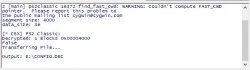
u can drop one file one time,u drop config,cant drop rap on ps2 classic gui

here's the rap number file and psn CONFIG file,who can tranfer and analyse it.
my computer knowledge can't handle this.
@Zar @sandungas
 

Attachments

  • 2020-03-03 231001.jpg
    2020-03-03 231001.jpg
    26.2 KB · Views: 103
Last edited:

Similar threads

Back
Top