PS2 Corrupted (?) FMCB after using Mechapwn

vyjmecin

Forum Noob
After installing Retail-DEX through Mechapwn and enabling Force Unlock my PS2 outputs an NTSC 60Hz signal instead of PAL 50Hz and refuses to boot into FMCB. The console boots up fine without the Memory card inserted and if it is inserted after boot, it can be opened in the browser and looks fine there. The Force Unlock option in Mechapwn is said to break DVD video support, which it does - the PS2 cannot play movies. My first idea was to reinstall FMCB but without a second card my only option was to use FreeDVDBoot like the first time, but the disc I used doesn't work anymore (the red screen comes up). I'm baffled at my own stupidity in this matter and absolutely confused by the NTSC signal since the console still states that it's a European model in the System info menu.
Any help would be appreciated.
 
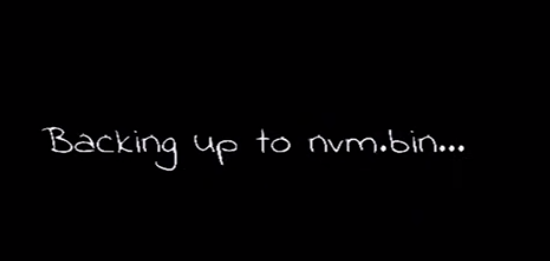
From what I remember when you launch MechaPwn for the first time the app allows you to backup your (nvm.bin):
nvm.png


You should have this file on the root of your USB device:
file.png


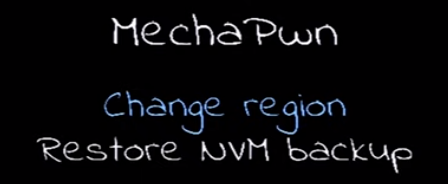
If something goes wrong you can restore it (Restore NVM backup):
restore.png
 
If You have used Force Unlock option, then to boot copied disc, You can boot only PS2 CD or DVD. So You cannot use ESR disc or FDVDB (as those are "fake DVD-Video"), but normal PS2 compilation disc. If You don't know how to do it, just burn (without any kind of patching) AIO Project to DVD-R. It should boot fine, and bootable application is uLE. Which means, You can go to USB ("mass:/") and run FMCB v1.966 Installer from there.

Because You have change console region, Your installation no longer work. Choose multi-installation which will covering up all models. However, before You will do that, export all saves to *.psu on USB and in addition, make memory card image via Memory Card Annihilator, just in case.
 
Last edited:
From what I remember when you launch MechaPwn for the first time the app allows you to backup your (nvm.bin):
nvm.png


You should have this file on the root of your USB device:
file.png


If something goes wrong you can restore it (Restore NVM backup):
restore.png
That's the problem - I have the backup but no way of accessing uLE to launch Mechapwn again.

If You have used Force Unlock option, then to boot copied disc, You can boot only PS2 CD or DVD. So You cannot use ESR disc or FDVDB (as those are "fake DVD-Video"), but normal PS2 compilation disc. If You don't know how to do it, just burn (without any kind of patching) AIO Project to DVD-R. It should boot fine, and bootable application is uLE. Which means, You can go to USB ("mass:/") and run FMCB v1.966 Installer from there.

Because You have change console region, Your installation no longer work. Choose multi-installation which will covering up all models. However, before You will do that, export all saves to *.psu on USB and in addition, make memory card image via Memory Card Annihilator, just in case.
That makes sense, I'll try AIO Project and see where that takes me. Thank you very much
 
Last edited by a moderator:
If You have used Force Unlock option, then to boot copied disc, You can boot only PS2 CD or DVD. So You cannot use ESR disc or FDVDB (as those are "fake DVD-Video"), but normal PS2 compilation disc. If You don't know how to do it, just burn (without any kind of patching) AIO Project to DVD-R. It should boot fine, and bootable application is uLE. Which means, You can go to USB ("mass:/") and run FMCB v1.966 Installer from there.

Because You have change console region, Your installation no longer work. Choose multi-installation which will covering up all models. However, before You will do that, export all saves to *.psu on USB and in addition, make memory card image via Memory Card Annihilator, just in case.
If You have used Force Unlock option, then to boot copied disc, You can boot only PS2 CD or DVD. So You cannot use ESR disc or FDVDB (as those are "fake DVD-Video"), but normal PS2 compilation disc. If You don't know how to do it, just burn (without any kind of patching) AIO Project to DVD-R. It should boot fine, and bootable application is uLE. Which means, You can go to USB ("mass:/") and run FMCB v1.966 Installer from there.

Because You have change console region, Your installation no longer work. Choose multi-installation which will covering up all models. However, before You will do that, export all saves to *.psu on USB and in addition, make memory card image via Memory Card Annihilator, just in case.

I've ran into a slight problem - the console won't boot up the AIO Project disc. It goes straight to the red screen. What now? I'm afraid I have no way of accessing uLE and installing the backed up BIOS.
 
If You've burned exactly this image from WA (earlier versions was "fake DVD-Video", v2.0.1 is first "clean" one) and on discs which You used before for game copies, using the same burner, on DVD-R (or DVD+R if Your ODD read it) - then it should boots fine. If all those conditions are met, then it means You don't have working Force Unlock feature (for some reason; are You sure You "turned it on"? If it is not "active", then all PS2 and PSX discs You must patched with "debug patch" ("master disc patch") or else RSOD appears).

If for any reason, You cannot use discs, then You can run apps/exploiting in below solutions:
  • find/buy Memory Card with FMCB with multi version installed (because single are only for console region on which was installed, while multi is for all, except DESR models (but this can be write later so literally all models are covered up, including DTL-Hxxxx if we talking about FMCB 1.9xx line))
  • find/buy Memory Card with OpenTuna/FunTuna/Fortuna which is save data exploit targeting OSDSYS
  • find/buy Chat Device (like Swap Magic v3.6 or 3.8, Code Breaker, Action Replay Max etc.) which allows run apps from USB or import save files from USB (while save files can be made to be *tuna exploits if their containers preserving timestamps)
  • find/buy PS3 Memory Card Adaptor (must be original) so You can connect PS2 MC to PC and do with card whatever You want on PC
  • find/buy Network Adaptor and connect HDD to the console (SCPH-3xxxx, up to and include 5xxxx only, 7xxxx/75xxxx models instead of NA, needs serious soldering) and create bootable environment on PC (MBR Boot or FHDB or whatever You want)
 
Last edited:
  • find/buy Chat Device (like Swap Magic v3.6 or 3.8, Code Breaker, Action Replay Max etc.) which allows run apps from USB or import save files from USB (while save files can be made to be *tuna exploits if their containers preserving timestamps)
I tried that with my one and it wouldn't load anything. I'm not new to FMCB and Swapmagic.elf files.
 
Just for clarification, do not install the old "multi-install" fmcb, but the "cross-region" option (it is in the normal installation menu). It is considered safer (differently from the multi-install, it doesn't corrupt the MC file system).

About the NTSC OSDSYS, perhaps you installed the Akuhak fork? It sets the osdsys to NTSC also with PAL region in order for Ps1 games to work, regardless of their region (with PAL OSDSYS, only PAL games would boot. So you'd have to patch ps1 isos to europe or patch the Ps2 with USA dev-kit).
 
I tried that with my one and it wouldn't load anything. I'm not new to FMCB and Swapmagic.elf files.

I don't know exactly your problem. But if you want to boot Ule and your optical drive works, you can always use the old 2 discs (with cogswap and old ule) method.
 
Last edited:
I don't know exactly your problem. But if you want to tun Ule and your optical drive works, you can always use the old 2 discs (with cogswap and old ule) method.
I'm going to try AIO first.

It's been a few months of trying different things.
I give up and try again.
 
I'm going to try AIO first.

It's been a few months of trying different things.
I give up and try again.

Ok. Let me know if you need help. You only need one original game and 2 CDs/DVDs (depending on the support your original game is on). It works 100%.
Even one disc may be enough if you have a Demo disc (with multiple elfs) or some other multi-elf game.
 
Ok. Let me know if you need help. You only need one original game and 2 CDs/DVDs (depending on the support your original game is on). It works 100%.
Even one disc may be enough if you have a Demo disc (with multiple elfs) or some other multi-elf game.
I've broken DVD player support (by using force-unlock), so that's been part of my issue.

I've been able to get myself out of most situations I've gotten myself in, but this one has had me stumped.

I'll have to do some research on the swap trick.
 
I've broken DVD player support (by using force-unlock), so that's been part of my issue.

I've been able to get myself out of most situations I've gotten myself in, but this one has had me stumped.

I'll have to do some research on the swap trick.

As long as the optical drive works and the console can read Ps2 games you can recover.

You only need to block the sensors (if you have a slim) or unmount the disk drive (if you have a FAT). Very simple, just look for any guide on YT.
I attached Apache 1.0 and the 2 files for replacing the game's ID.
 

Attachments

As long as the optical drive works and the console can read Ps2 games you can recover.

You only need to block the sensors (if you have a slim) or unmount the disk drive (if you have a FAT). Very simple, just look for any guide on YT.
I attached Apache 1.0 and the 2 files for replacing the game's ID.

Appreciate that.
 
I tried that with my one and it wouldn't load anything. I'm not new to FMCB and Swapmagic.elf files.
Of course i.e Swap Magic must be original and region matched to target change in MechaPwn.

differently from the multi-install, it doesn't corrupt the MC file system
None of the FMCB corrupting filesystem. MCFS is FAT like and can use symlinks (if those are what You thinking). They are safe as long You don't trying remove or rename files by official software (uLE follows properly the fs table). If You try use OSDSYS on symlink folder/files it can corrupt fs; the same if You try to delete folder with at least one recurrence level (folder inside folder).
 
Not sure what Akuhak does but I'm pretty sure I didn't use it :D
As for AIO Project, I burned 4 different DVDs patched with different patchers to be master discs but to no avail - I'm still getting the red screen. I'll try and get a second PS2 and do a clean FMCB installation on it and use that MC to access uLE and finally try to restore my BIOS. If anyone comes up with a better solution feel free to message me.
 
None of the FMCB corrupting filesystem. MCFS is FAT like and can use symlinks (if those are what You thinking). They are safe as long You don't trying remove or rename files by official software (uLE follows properly the fs table). If You try use OSDSYS on symlink folder/files it can corrupt fs; the same if You try to delete folder with at least one recurrence level (folder inside folder).

Thank you for the explanation. I'm not expert in this matter, I only reported what I heard from some developers (I think some warnings about it also appears on FMCB Installer, when selecting that option), that the multi-install is a "controlled corruption" and for safety reasons has been made the new method.

Here a quote from sp193 site:

  • Multi-Install - Performs a traditional "multi" installation of FMCB. A multi-installation can boot on all consoles of any region, and not only on the console it was installed with. However, this method is not recommended because it involves corrupting the memory card.
Source: Woon Yung's Website - FMCB/FHDB (google.com)
 
@Peppe90 FMCB Installer warning user that if he delete "mc0:/SYS-CONF/uninstall.dat" it will make unable to uninstall FMCB because in this file are details about what files are linked and where. But You can just delete files from uLE level and still all should be ok (at least on uLE v4.42d).

I see. But well, it is not literally corruption, just abuse of files allocation in fs table. Or maybe @sp193 have something different in mind?

@vyjmecin What exactly model do You have and for what You have changed it in MechaPwn?
 

Similar threads

Back
Top