STLcardsWS
Administrator
Custom Gameboot Tool
by: brunolee
Download: Custom Gameboots Tool
Source of Tutorial (psx-scene)
DOWNLOAD / MIRROR
- Creates gameboots for various CFWs (3.55, 4.21, 4.30, 4.41, 4.46, 4.50, 4.53, 4.55, 4.65)
- Creates installation forms (ZIP, PKG) or manual
- Etc. ...
Brunolee's Tutorial How to create a gameboot using "Custom GameBoots" tool
Using Custom GameBoots tool for first time:
1 double click on "Custom GameBoots.bat"
2 will open a litlle Image software
- edit the image (do not change the name "gameboot", extension ".png", dimensions "512x54")
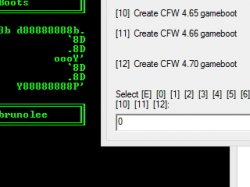
- choose to which CFW the gameboot shall be (3.55, 4.21, 4.30, 4.41, 4.46, 4.50, 4.53, 4.55)
- The option "[0] Create gameboot package" redirect to "Install Gameboot MENU"
- choose the way you want to install the gameboot
- ZIP: will create a .zip to install with multiMAN double click on multiMAN/MMOS
- PKG: will create a .pkg to install the tool "Custom GameBoots" ("XMB Manager Plus (XMBM+) Installer" litlle mod) if select this way, will open a pop-up "Gameboot NAME", type a name and click OK have the option to create or not PKG, in this way it is possible to create a collection of gameboots without creating always PKGs choose the gameboot you want with "Custom GameBoots"
- Manually: "Custom GameBoots.bat" leave the "custom_render_plugin.rco" in his directory until next use Just copy "custom_render_plugin.rco" to [dev_flash/vsh/resource/] with any fileManager
Not being the First time:
1 edit or pré/edit "gameboot.png" with your favorite Image software, and put your "gameboot.png" "512x54" in "Custom GameBoots.bat" directory
2 double click on "Custom GameBoots.bat"
3 (same as above)
4 (same as above)
2 double click on "Custom GameBoots.bat"
3 (same as above)
4 (same as above)