
The release of v1.3 Dead Space (Vita) has been released by developer @gl33ntwine, in this update the developer has made several improvements and enchanments with analog contols, FPS limiter option, to fix the audio cut off issue's the developer hopes increasing the audio buffer to 1MB will do the trick, See Complete changelog provided in the details below.
In order to play this game you will need as quoted from the readme "Legally obtain your copy of Dead Space Mobile for Xperia Play in a form of an .apk file. The version for regular Android devices, also known as the latest/Google Play version, will not work! Make sure that your game is v1.1.33 (this is the last one supported on Xperia Play and provided via EA Store back in 2012)." so be sure to grab the right game if you do not already own it.
In order to play this game you will need as quoted from the readme "Legally obtain your copy of Dead Space Mobile for Xperia Play in a form of an .apk file. The version for regular Android devices, also known as the latest/Google Play version, will not work! Make sure that your game is v1.1.33 (this is the last one supported on Xperia Play and provided via EA Store back in 2012)." so be sure to grab the right game if you do not already own it.
-
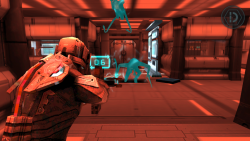
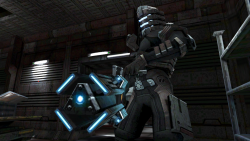
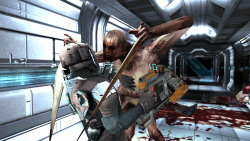
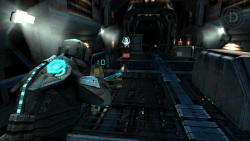
Dead Space · PSVita PortDead Space is a 2011 survival horror mobile game for iOS and Android devices. A spin-off within the Dead Space series, the game is set after the events of original Dead Space and prior to the events of Dead Space 2 and shows how the Necromorph outbreak began and spread through the Titan Sprawl.
This repository contains a loader of the Xperia Play release of Dead Space, based on the Android SO Loader by TheFloW. The loader provides a tailored, minimalistic Android-like environment to run the official ARMv6 game executable on the PS Vita.
Disclaimer
DEAD SPACE is a registered trademark of Electronic Arts Inc. The work presented in this repository is not "official" or produced or sanctioned by the owner(s) of the aforementioned trademark or any other registered trademark mentioned in this repository.
This software does not contain the original code, executables, assets, or other non-redistributable parts of the original game product. The authors of this work do not promote or condone piracy in any way. To launch and play the game on their PS Vita device, users must possess their own legally obtained copy of the game in form of an .apk file.
-
Setup Instructions (For Players)
In order to properly install the game, you'll have to follow these steps precisely:
- (Recommended) Make sure that you are either on 3.60 enso or 3.65 enso firmware version. Other versions may work too, but no support are provided for them! If you experience any issues apart from described in the Known Issues section, please upgrade or downgrade your firmware before asking for support.
- Install or update kubridge and FdFix by copying kubridge.skprx and fd_fix.skprx to your taiHEN plugins folder (usually ur0:tai) and adding two entries to your config.txt under *KERNEL:
ur0:tai/kubridge.skprx
ur0:tai/fd_fix.skprx
! Don't install `fd_fix.skprx` if you're using the rePatch plugin!
- Even if you had `kubridge.skprx` installed before, most likely you still
- need to update it, since a new version of the plugin was released at the same
- time as this port. kubridge v0.3 or newer is required to run the game!
- Make sure you have libshacccg.suprx in the ur0:/data/ folder on your console. If you don't, use ShaRKBR33D to get it quickly and easily.
- Legally obtain your copy of Dead Space Mobile for Xperia Play in a form of an .apk file. The version for regular Android devices, also known as the latest/Google Play version, will not work! Make sure that your game is v1.1.33 (this is the last one supported on Xperia Play and provided via EA Store back in 2012).
- If you have it installed on your phone, you can get all the required files directly from it or by using any APK extractor you can find on Google Play.
!!! Verify that your build is the correct one using sha1sum (can also be found as an online tool). sha1sum for lib/armeabi/libEAMGameDeadSpace.so must be 0ed42b611415015807f759ec9b5457857143ce39- Open the .apk with any zip explorer (like 7-Zip) and extract all folders from the .apk into ux0:data/deadspace on your Vita. Example of correct resulting path: ux0:data/deadspace/lib/armeabi/libEAMGameDeadSpace.so
- If your .apk was less than 100MB of size, you also need assets ("cache"). You need to run the game at least once on your Xperia so that it downloads the required files, and then you can find them at /sdcard/ea/deadspace/published. Copy the published folder to ux0:data/deadspace/assets/ on your Vita. Example of correct resulting path: ux0:data/deadspace/assets/published/data/achievements.sb
- Install DeadSpace.vpk (from Releases).
- (Optional) Tap Settings in the bottom left corner of the port's LiveArea to adjust some settings. Namely, you can change analog sticks dead zones, rebind accelerometer actions to D-Pad Up, and enable FPS Limiter.
-
Controls
Button Action  /
/ 
Move / Control camera  /
/ 
Aim / Fire 
Previous / Next Weapon 
Plasma Saw Attack / Locator 
Interact with doors, items 
Activate Kinesis 
Reload weapon 
Quick Turn / Stasis (when aiming) 
Show HUD 
Open Menu Accelerometer Tilt Switch weapon fire mode Accelerometer Shake Jump in Zero-G -
FAQ
As soon as I run the app, I get "An error has occured in the following application. (C2-12828-1)" message. What to do?
- Most likely, it means that after updating/installing the kubridge plugin, you didn't reboot your console. Reboot is required after any modifications in kernel plugins.
- Another possibility is that you are using some conflicting or too heavy plugins and kubridge can not run correctly. Try disabling everything but the most necessary kernel plugins, reboot, and try again.
- If the problem persists after reboot, please post a new issue.
How do I change the language of the game?
- You can change the language in Settings but only if you open them from Main Menu. So if you start a fresh playthrough that begins with the cinematic, wait till its end, quit to the main menu, and change the language in settings. You can then start a new game again to experience the cinematic in your language.
I reached the Zero-G zone and can not jump, no matter how hard I shake the Vita. How to pass it?
- First, make sure that you are actually looking at a platform you can jump on. If you are, your crosshair must turn green. Then, instead of shaking, tilt the top part of the console towards you in a fast motion. Make sure you are not actually aiming using ; you need to only look at the target, not aim with a weapon.
How to defeat the boss in Chapter 6? He runs towars me and kills in one or two hits, making it impossible to damage him.
- Use Stasis (aim with and press ) to incapacitate the boss. Then walk behind him (this is crucial since he takes little to no damage from the front) and aim and shoot at his limb joints to cut them. Line Gun is recommended as it deals more damage than Plasma Cutter.
Is PlayStation TV supported?
- Yes, but you'd have to install DS4Touch to be able to navigate the menus (they don't support gamepad controls). Also, to use accelerometer actions like rotating the weapons or Zero-G jump, you can either install DSMotion and use the gamepad's built-int gyroscope, or rebind these actions to D-Pad Up in the configurator app.
Any other question?
- Check the following "Known Issues" section. If nothing there looks like the problem you're having, please post a new issue, and I'll try my best to help you.
-
Known Issues
- While the game has a subtitles option, it's recommended not to use them because in some scenes they skip immediately. Most likely, can not be fixed.
- Rarely (about once an hour or sometimes during new levels/saves loading), the game can randomly crash or freeze. You'll have to restart it. Game creates checkpoint saves pretty often, so you shouldn't lose any substantial progress.
- Sometimes (most oftenly reported when entering the tram at the end of Chapters 5/9/10), audio may stop working. If it happens, play until the next checkpoint if you wish and restart the game (as in quit and open the app again).
-
Credits
- Andy "The FloW" Nguyen for the original .so loader.
- Rinnegatamante for VitaGL and lots of help with understanding and debugging the loader.
- Bythos for the new kubridge with exceptions handling support and short vector VFP emulation and code generation.
- CatoTheYounger for tremendous amount of testing. Not the hero we deserved, but the one we need.
- Once13One for his beautiful LiveArea assets.
- Andiweli, AvatarIII, BignThicc, dangtruong23, DieterB, Havocking92, ivanproff, keeponjammin, Long-nose, Maplesyrup6661, maxbarno, mmtechnodrone, NeoTechni, ReAnimation9, Shaitan, stayntruebreal, thenoble1, Tibmyyy: backers of the bounty that gave me motivation and made this port possible.
- Dieter B., CatoTheYounger, Arka Mukherjee, Edgar Morales, Sergey Galdin: my dearest Patrons.
Download & Information @: https://github.com/v-atamanenko/deadspace-vita/releases
Mirror @: https://vitadb.rinnegatamante.it/#/info/999
Last edited:







