PS3 Difficulties in Connecting from Laptop to PS3 using Ethernet Cable

reyzafany

Forum Noob
Hello everyone, I'm having trouble in accessing my PS3 directly from my Laptop using Ethernet Cable even after setting up the IP configuration. This is the steps that I took in setting up the network configuration both in the Laptop and PS3:
  1. I connected both my Laptop and PS3 using the ethernet cable.
  2. I set my laptops Ethernet IP, Subnet mask, Default Gateway and DNS respectively to: 10.1.1.10 ; 255.255.255.0 ; 10.1.1.0 ; 10.1.1.0
  3. I entered all the same numbers on my PS3 wired connection setup like in my laptop, except for the IP in which I entered 10.1.1.20
  4. I tested the connection, managed to obtain IP address but failed to connect to internet
After doing those steps I proceeded to open Multiman in order to start my FTP server. The Multiman IP shows 10.1.1.20 but when I tried to connect to it using FIlezilla on my laptop it alwas show connection timeout error. I have no problem accessing my PS3 when I connected it to my Wifi but then the transfer speed is gonna be so slow.
 
If you're expecting the FTP to be any faster with a direct connection to your PC over ethernet I'm sorry to disappoint you but it wont be. The FTP transfer speeds on the PS3 are notoriously bad.
 
Are you sharing internet to the PS3 with that ethernet connection through Windows Share, i.e. Laptop Wifi Connection? It happens to me that the default gateway has to be my laptop IP whenever I am sharing the internet connection trought the Ethernet port.
 
Here are settings that work. Your settings look good too, but maybe you made a mistake entering them, idk. I get over 1GB per minute when connecting directly and copying large files from pc to ps3.

I just put the same fake gateway into both so they see each other.

Skip testing the connection, not sure why but i think if it fails it doesnt help, so just skip it.

ips-jpg.12752


If you want internet working on the ps3 too, that's a separate issue. You need to set up either internet connection sharing, google that, or you need to bridge your connections. For example if your pc/laptop has internet coming in over wifi, bridge that with the ethernet connection that is linked to the PS3.
 
Last edited:
Since it's not in your post I'm gonna asume you are using windows, when I connect manually something I only set the ip, and the subnet mask on my PC and leave the other directions in blank, in the PS3 I put my PC's ip as the default getaway and dns, to get internet on the console you just need to activate the shared network on network devices, to avoid problems I just make a bridge connection (google it cuz I can't post links) and set my PS3 on auto.
 
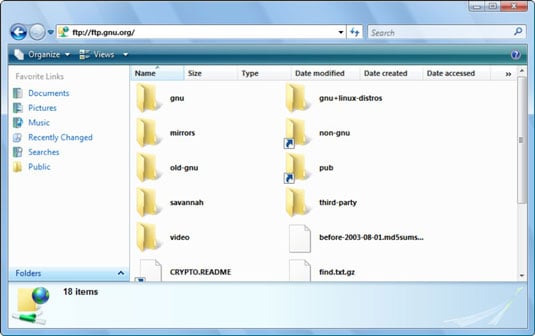
Also you can just type ftp://192.168.8.2 (your ps3s ip) into windows explorer. No need for filezilla really. One advantage of that is you can copy and paste to/from PS3.

294245.image0.jpg


Try another Ethernet cable if you can just in case, for testing try transfer a big file rather than loads of small files. Also rebug toolbox has a good stable FTP server for the ps3 end for testing. Multimans ftp server might be fine, i have very little experience with it.
 
Back
Top