
PS3 Fault finding YLOD with the SYSCON - First steps and Error reporting

Hi! I need a little help with my PS3 Slim 2100. I got it for cheap, jailbroke it and I saw that temperatures were a little bit high on a cpu(77C). I decided to delid it. I've done that, replaced the termal paste, reassambled the console and turn it on. it started up, and it requested for the time to be set. When I tried, I noticed that it froze. I turned it off, and now when I turn it on, it stays with a green light for 2-3 minutes and then pulsing red light. I attached the syscon error log. It's my nor corrupted?
Code:
===================================
ERR 00: 00000000 A0805FFF FFFFFFFF
ERR 01: 00000000 A0805FFF FFFFFFFF
ERR 02: 00000000 A0805FFF FFFFFFFF
ERR 03: 00000000 A0805FFF 0B49D933
ERR 04: 00000000 A0801601 0B49D818
ERR 05: 00000000 A0801701 0B49D817
ERR 06: 00000000 A0802022 18264C9B
ERR 07: 00000000 A0802022 18264C68
ERR 08: 00000000 A0802022 18263C54
ERR 09: 00000000 A0802022 18263B80
ERR 10: 00000000 FFFFFFFF FFFFFFFF
ERR 11: 00000000 FFFFFFFF FFFFFFFF
ERR 12: 00000000 FFFFFFFF FFFFFFFF
ERR 13: 00000000 FFFFFFFF FFFFFFFF
ERR 14: 00000000 FFFFFFFF FFFFFFFF
ERR 15: 00000000 FFFFFFFF FFFFFFFF
ERR 16: 00000000 FFFFFFFF FFFFFFFF
ERR 17: 00000000 FFFFFFFF FFFFFFFF
ERR 18: 00000000 FFFFFFFF FFFFFFFF
ERR 19: 00000000 FFFFFFFF FFFFFFFF
===================================
 
Hi! I need a little help with my PS3 Slim 2100. I got it for cheap, jailbroke it and I saw that temperatures were a little bit high on a cpu(77C). I decided to delid it. I've done that, replaced the termal paste, reassambled the console and turn it on. it started up, and it requested for the time to be set. When I tried, I noticed that it froze. I turned it off, and now when I turn it on, it stays with a green light for 2-3 minutes and then pulsing red light. I attached the syscon error log. It's my nor corrupted?
Code:
===================================
ERR 00: 00000000 A0805FFF FFFFFFFF
ERR 01: 00000000 A0805FFF FFFFFFFF
ERR 02: 00000000 A0805FFF FFFFFFFF
ERR 03: 00000000 A0805FFF 0B49D933
ERR 04: 00000000 A0801601 0B49D818
ERR 05: 00000000 A0801701 0B49D817
ERR 06: 00000000 A0802022 18264C9B
ERR 07: 00000000 A0802022 18264C68
ERR 08: 00000000 A0802022 18263C54
ERR 09: 00000000 A0802022 18263B80
ERR 10: 00000000 FFFFFFFF FFFFFFFF
ERR 11: 00000000 FFFFFFFF FFFFFFFF
ERR 12: 00000000 FFFFFFFF FFFFFFFF
ERR 13: 00000000 FFFFFFFF FFFFFFFF
ERR 14: 00000000 FFFFFFFF FFFFFFFF
ERR 15: 00000000 FFFFFFFF FFFFFFFF
ERR 16: 00000000 FFFFFFFF FFFFFFFF
ERR 17: 00000000 FFFFFFFF FFFFFFFF
ERR 18: 00000000 FFFFFFFF FFFFFFFF
ERR 19: 00000000 FFFFFFFF FFFFFFFF
===================================
Looks like a screwed-up delid job try putting pressure on cell if that doesn't work then get ready to poke around
 
If I didn't make it clear, these log are obtained from the SB UART pins, not SYSCON UART pins. It should also be obvious these are SB logs not SYSCON logs, they looks entirely different.
Exactly what I said if syscon had not completed power southbridge wound'nt had talked what part of it you didn't get
 
Haven't posted in here in a long while but I'm having issue with an L01 ps3 with error code a0802022.

The console boots and I can navigate the xmb just fine but there is absolutely no sound at all. Nothing during boot up, no key click tone, and when loading a game it sits frozen on a black screen.

I've tried all audio options, both av and hdmi, full reset and format and new hdd.

I know the code is pointing me to the DVE chip (cxm4024r) but is that chip actually bad? I've been checking what I can with a multimeter and voltages to the chip look ok.

The only syscon code present is the 2022 code

Sent from my SM-G998U using Tapatalk
 
Hello guys!
I'm seeking for help, got a reballed ps3 COK-001, did a resistor mod and voltage mod. Console did turn on before, but I was not getting any image and joysticks don't connect, so I assume it's south bridge. But now I'm getting a 2120 and 3013 combo and YLOD. Fuses and C6320 are ok.
errlog
ofst[ 72]:err_code:0xffffffff, clock:0xffffffff
ofst[ 76]:err_code:0xa0202120, clock:0xffffffff
ofst[ 80]:err_code:0xa0202120, clock:0xffffffff
ofst[ 84]:err_code:0xa0202120, clock:0xffffffff
ofst[ 88]:err_code:0xa0202120, clock:0xffffffff
ofst[ 92]:err_code:0xa0202120, clock:0xffffffff
ofst[ 96]:err_code:0xa0202120, clock:0xffffffff
ofst[100]:err_code:0xa0202120, clock:0xffffffff
ofst[104]:err_code:0xa0202120, clock:0xffffffff
ofst[108]:err_code:0xa0213013, clock:0xffffffff
ofst[112]:err_code:0xa0202120, clock:0xffffffff
ofst[116]:err_code:0xa0202120, clock:0xffffffff
ofst[120]:err_code:0xa0202120, clock:0xffffffff
ofst[124]:err_code:0xa0202120, clock:0xffffffff
ofst[ 0]:err_code:0xa0202120, clock:0xffffffff
ofst[ 4]:err_code:0xa0202120, clock:0xffffffff
ofst[ 8]:err_code:0xa0202120, clock:0xffffffff
ofst[ 12]:err_code:0xa0202120, clock:0xffffffff
ofst[ 16]:err_code:0xa0202120, clock:0xffffffff
ofst[ 20]:err_code:0xa0202120, clock:0xffffffff
ofst[ 24]:err_code:0xa0213013, clock:0xffffffff
ofst[ 28]:err_code:0xa0202120, clock:0xffffffff
ofst[ 32]:err_code:0xa0202120, clock:0xffffffff
ofst[ 36]:err_code:0xa0202120, clock:0xffffffff
ofst[ 40]:err_code:0xa0202120, clock:0xffffffff
ofst[ 44]:err_code:0xa0202120, clock:0xffffffff
ofst[ 48]:err_code:0xa0202120, clock:0xffffffff
ofst[ 52]:err_code:0xa0202120, clock:0xffffffff
ofst[ 56]:err_code:0xa0202120, clock:0xffffffff
ofst[ 60]:err_code:0xa0202120, clock:0xffffffff
ofst[ 64]:err_code:0xa0202120, clock:0xffffffff
ofst[ 68]:err_code:0xa0213013, clock:0xffffffff
[mullion]$
becount
Bringup : 6767 times
Shutdown: 5673 times
Power-on: 483day 18hour 27min 23sec
[mullion]$
 
Checked resistance on my board and I got a this results
RSX_VDDIO = short to gnd
FBVDDQ = 232Ohm
RSX_PLL = 105.4kOhm
RSX_VDDC = 2.1Ohm
VDDR = 485Ohm
YC_RC_VDDIO = 12.5Ohm
BE_VDDC = 2.5Ohm
VDD_MEM = 15.3Ohm
BE_PLL = 3.75mOhm
MC2_VDDIO = 28kOhm
VDDA = short to gnd
So there is shorts and much higher resistance on some points
My new rsx is CXD5300GGB
 
Last edited:
@RIP-Felix Regarding the silicone JB Weld Ultimate grey to glue the CELL IHS I have some questions. Here in Germany JB Weld products are harder to get or expensive.

The only JB silicone high temp product I can get is the high temp red one (31314): https://www.amazon.de/dp/B00ID8IUJY/
But the temp rating is different to your recommended ultimate grey(500°F). The red one is rated for 550°F to 600°F. Is this a problem?

But I also found cheaper European alternatives by the brand K2: https://www.k2-global.com/en/products/silicones

My picks are:

clear 204°C: https://www.amazon.de/dp/B01FBTD6LE/
blue 315°C: https://www.amazon.de/dp/B00GFACRO6/
red 350°C: https://www.amazon.de/gp/product/B00GFACX1I/

All 3 has an application time of 1 hour according to the brand page "The sealant starts drying after 5 minutes, after 1 hour it is resistant to touch. It dries completely after 24 hours.".

I would prefer to buy the K2 red one, since it is the only one sold by amazon.de. Is the higher temperature rating a problem?

EDIT: Found a different brand, a German company named Weicon. Here are the silicone products of them: https://www.weicon.de/en/products/?order=topseller&p=1&properties=44f749af4c41f8d453458f73048a850b
 
Last edited:
The temperature resistamce is not as important as the stiffness of it after curing. The permatex one is stiffer than the JB weld. I've tried the red one and while it works fine, it's not as stiff.
 
I don't think it's a critical concern. The JB weld will work fine if that's all you can get. @squeept had been using it for years without issue. He recently found that the permatex stuff was a bit stiffer like the OEM stuff SONY uses, so that's what I reccomend now.

I haven't quantified it's elasticity.
 
Hello, sorry if this has been asked already bu i decided to check the syscon error logs again i found mine has 8 occurrences of the 5FFF error along with mostly 2022 errors (hdmi port was physically broken with or by one or its previous owner(s)) and a single 2131 error.

what am curious about is whats this 5FFF error ? its not on the dev wiki and the only references to it are on this forum about a console in a not so good state

console is in fully working state everything works, wifi-bt, reads all discs usb ports are fine no temp issues at all, oh and for some reason the dates of the errors are from 2010 to 2007, console being a 3.65 minver 300x

only issue might be that it sometimes black-screens while booting up games but i belive thats purely a software issue due to it having hen installed

but yeah what is that 5FFF error anyway ?
 
It's not an error with a clear cause. Has been seen when CPU dies. Been reported when bricked also. Maybe the console was dropped (cpu bga damage) and then serviced? Or bricked and recvered. Or it still has a CPU BGA defect and is being held together thermomechanically.

I haven't entered 5fff yet because it's failrly ambiguois and I wanted more reports 1st. Few people report codes and trouble shooting steps on sherwood.

What model was it BTW?
 
@RIP-Felix Regarding your Permatex recommendation, I assume you are talking about the "Permatex Ultra Grey Gasket
Maker" with an elongation break point of 120%: https://www.permatex.com/wp-content/uploads/tds/22074.pdf

I want to know in detail since I want to find an European equivalent with matching properties on paper.

EDIT: I also found a seller in Germany for the Permatex Ultra Grey.

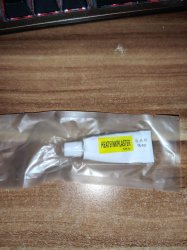
EDIT2: I ordered STARS-922 but got a TR-922 instead:
tr-922.jpg

Can I use that?
 
Last edited:
Hi All,
Need help diagnosing my ps3 slim CECH 3008B. Do let me know if you want me to post any images of the board.

Many thanks to RIP Filex for video tutorials.

Symptoms -

  1. Issue started in around year 2014 with it randomly shutting down to non-responsive state (No light).
  2. I tried resetting it to factory setting, no improvement.
  3. Tried restoring/updating the firmware (4.88) via USB but it kept powering off in middle of the update.
  4. Fast forward to year 2023.
  5. Tried restoring the firmware again. Now firmware restore/update is getting completed but after reaching 100% it does not restart. Just blank screen and console stays on (Green light).
  6. Tried restart option from safe mode but same thing, just blank screen and console stays on (Green light).
  7. If I force shutdown, it powers up fine and shows up with Date and time setup menu.
  8. Once Date and time setup is complete, it shows this error -
    ps3 setting information is corrupted. press the X button to repair and restore default settings.
    help-i-just-bought-a-ps3-i-was-trying-to-set-it-up-and-this-v0-nl7n8nrdpew81.jpg
  9. On this screen it freezes and does not respond to X button. Power button also does not respond.
  10. Pulled syscon logs today.

My Observations and Troubleshooting -
  1. It never freezes in Safe mode. I left it in safe mode for 1hr and it did not freeze.
  2. Does not respond to restart option in safe mode or when firmware update restarts the console.
  3. Tried changing the HDD, no improvements.
  4. Tried installing firmware using different USB.
  5. Does not have NEC Tokins.
  6. Tried OFW and CFW 4.88, no improvements.
  7. By looking at the syscon logs, I am suspecting issue with the caps but not sure why the error and clock value in syscon log is not changing, even though I have power cycle the console many times.
  8. becount command does not work or show up in "help" in command prompt.

Initial Syscon log via syscon reader -
Code:
===================================
ERR 00: 00000000 A0093003 0FE5ECC0
ERR 01: 00000000 A0071004 0FE5ECBF
ERR 02: 00000000 A0801701 0DB1FDC1
ERR 03: 00000000 A08014FF 0DB1FDC1
ERR 04: 00000000 A0801802 0DB1FDC0
ERR 05: 00000000 A0801701 0DB1FC67
ERR 06: 00000000 A08014FF 0DB1FC66
ERR 07: 00000000 A0093003 0DB1FA10
ERR 08: 00000000 A0081004 0DB1FA0F
ERR 09: 00000000 A0801601 0B49E488
ERR 10: 00000000 A0802130 148FBB6D
ERR 11: 00000000 A0801601 148C961D
ERR 12: 00000000 A0801701 148C961D
ERR 13: 00000000 A0801802 148C92A6
ERR 14: 00000000 A08014FF 148C92A5
ERR 15: 00000000 A0801701 148C92A5
ERR 16: 00000000 A0801601 148B61C0
ERR 17: 00000000 A0801701 148B61C0
ERR 18: 00000000 A0801601 148B4BC9
ERR 19: 00000000 A0801701 148B4BC9
===================================

Syscon log via command prompt -
Code:
>$ ERRLOG
00000000
# CODE     CLOCK
# A0093003 0FE5ECC0
# A0071004 0FE5ECBF
# A0801701 0DB1FDC1
# A08014FF 0DB1FDC1
# A0801802 0DB1FDC0
# A0801701 0DB1FC67
# A08014FF 0DB1FC66
# A0093003 0DB1FA10
# A0081004 0DB1FA0F
# A0801601 0B49E488
# A0801701 0B49E488
# A0801701 0B49E3C0
# A0801601 0B49D818
# A0801701 0B49D817
# A0801601 148FBB80
# A0801701 148FBB80
# A0802130 148FBB6D
# A0801601 148C961D
# A0801701 148C961D
# A0801802 148C92A6
# A08014FF 148C92A5
# A0801701 148C92A5
# A0801601 148B61C0
# A0801701 148B61C0
# A0801601 148B4BC9
# A0801701 148B4BC9
# A0801701 148B3DF1
# A08014FF 148B3DF1
# A0801601 148B0AEA
# A0801701 148B0AE9
# A0801601 148A756A

Syscon logs after powering it up and shutting it down via command prompt-
Code:
Press Ctrl+C to exit
>$ bringup
00000000
# [SSM] Bringup Start.

Press Ctrl+C to exit
>$ shutdown
00000000
# [SSM] PS0 ok.
# [SSM] PS1 ok.
# [SSM] PS2 ok.
# [SSM] PS3 ok.
# [SSM] PS4 ok.
# (PowerOn State)
OK 00000000
#!
#!Boot Loader SE Version 3.6.6
#!(Build ID: 4534,47610,
#!Build Date: 2011-06-15_21:37:44)
#!
#!Copyright(C) 2011 Sony Computer Entertainment Inc.All Rights Reserved.
#!
#![INFO]: Connecting to Debug Device (SB UART)
# [SSM] Shutdown Start.

Press Ctrl+C to exit
>$ powersw
00000000
# [SSM] Shutdown ok.
# (PowerOff State)
OK 00000000
# [SSM] Bringup Start.

Press Ctrl+C to exit
>$ errlog
00000000
# [SSM] PS0 ok.
# [SSM] PS1 ok.
# [SSM] PS2 ok.
# [SSM] PS3 ok.
# [SSM] PS4 ok.
# (PowerOn State)
#!
#!Boot Loader SE Version 3.6.6
#!(Build ID: 4534,47610,
#!Build Date: 2011-06-15_21:37:44)
#!
#!Copyright(C) 2011 Sony Computer Entertainment Inc.All Rights Reserved.
#!
#![INFO]: Connecting to Debug Device (SB UART)
# CODE     CLOCK
# A0093003 0FE5ECC0
# A0071004 0FE5ECBF
# A0801701 0DB1FDC1
# A08014FF 0DB1FDC1
# A0801802 0DB1FDC0
# A0801701 0DB1FC67
# A08014FF 0DB1FC66
# A0093003 0DB1FA10
# A0081004 0DB1FA0F
# A0801601 0B49E488
# A0801701 0B49E488
# A0801701 0B49E3C0
# A0801601 0B49D818
# A0801701 0B49D817
# A0801601 148FBB80
# A0801701 148FBB80
# A0802130 148FBB6D
# A0801601 148C961D
# A0801701 148C961D
# A0801802 148C92A6
# A08014FF 148C92A5
# A0801701 148C92A5
# A0801601 148B61C0
# A0801701 148B61C0
# A0801601 148B4BC9
# A0801701 148B4BC9
# A0801701 148B3DF1
# A08014FF 148B3DF1
# A0801601 148B0AEA
# A0801701 148B0AE9
# A0801601 148A756A

Press Ctrl+C to exit
>$ shutdown
00000000
# [SSM] Shutdown Start.
 
Last edited:
@RIP-Felix Regarding your Permatex recommendation, I assume you are talking about the "Permatex Ultra Grey Gasket
Maker" with an elongation break point of 120%: https://www.permatex.com/wp-content/uploads/tds/22074.pdf

I want to know in detail since I want to find an European equivalent with matching properties on paper.

EDIT: I also found a seller in Germany for the Permatex Ultra Grey.

EDIT2: I ordered STARS-922 but got a TR-922 instead:
View attachment 41720

Can I use that?
Looks like the stars tube. But @squeept would be the one to know for sure. He's been using it for many years and probably knows all the knock offs and if it's all basically the same or not.
 
Hi All,
Need help diagnosing my ps3 slim CECH 3008B. Do let me know if you want me to post any images of the board.

Many thanks to RIP Filex for video tutorials.

Symptoms -

  1. Issue started in around year 2014 with it randomly shutting down to non-responsive state (No light).
  2. I tried resetting it to factory setting, no improvement.
  3. Tried restoring/updating the firmware (4.88) via USB but it kept powering off in middle of the update.
  4. Fast forward to year 2023.
  5. Tried restoring the firmware again. Now firmware restore/update is getting completed but after reaching 100% it does not restart. Just blank screen and console stays on (Green light).
  6. Tried restart option from safe mode but same thing, just blank screen and console stays on (Green light).
  7. If I force shutdown, it powers up fine and shows up with Date and time setup menu.
  8. Once Date and time setup is complete, it shows this error -
    ps3 setting information is corrupted. press the X button to repair and restore default settings.
    help-i-just-bought-a-ps3-i-was-trying-to-set-it-up-and-this-v0-nl7n8nrdpew81.jpg
  9. On this screen it freezes and does not respond to X button. Power button also does not respond.
  10. Pulled syscon logs today.

My Observations and Troubleshooting -
  1. It never freezes in Safe mode. I left it in safe mode for 1hr and it did not freeze.
  2. Does not respond to restart option in safe mode or when firmware update restarts the console.
  3. Tried changing the HDD, no improvements.
  4. Tried installing firmware using different USB.
  5. Does not have NEC Tokins.
  6. Tried OFW and CFW 4.88, no improvements.
  7. By looking at the syscon logs, I am suspecting issue with the caps but not sure why the error and clock value in syscon log is not changing, even though I have power cycle the console many times.
  8. becount command does not work or show up in "help" in command prompt.

Initial Syscon log via syscon reader -
Code:
===================================
ERR 00: 00000000 A0093003 0FE5ECC0
ERR 01: 00000000 A0071004 0FE5ECBF
ERR 02: 00000000 A0801701 0DB1FDC1
ERR 03: 00000000 A08014FF 0DB1FDC1
ERR 04: 00000000 A0801802 0DB1FDC0
ERR 05: 00000000 A0801701 0DB1FC67
ERR 06: 00000000 A08014FF 0DB1FC66
ERR 07: 00000000 A0093003 0DB1FA10
ERR 08: 00000000 A0081004 0DB1FA0F
ERR 09: 00000000 A0801601 0B49E488
ERR 10: 00000000 A0802130 148FBB6D
ERR 11: 00000000 A0801601 148C961D
ERR 12: 00000000 A0801701 148C961D
ERR 13: 00000000 A0801802 148C92A6
ERR 14: 00000000 A08014FF 148C92A5
ERR 15: 00000000 A0801701 148C92A5
ERR 16: 00000000 A0801601 148B61C0
ERR 17: 00000000 A0801701 148B61C0
ERR 18: 00000000 A0801601 148B4BC9
ERR 19: 00000000 A0801701 148B4BC9
===================================

Syscon log via command prompt -
Code:
>$ ERRLOG
00000000
# CODE     CLOCK
# A0093003 0FE5ECC0
# A0071004 0FE5ECBF
# A0801701 0DB1FDC1
# A08014FF 0DB1FDC1
# A0801802 0DB1FDC0
# A0801701 0DB1FC67
# A08014FF 0DB1FC66
# A0093003 0DB1FA10
# A0081004 0DB1FA0F
# A0801601 0B49E488
# A0801701 0B49E488
# A0801701 0B49E3C0
# A0801601 0B49D818
# A0801701 0B49D817
# A0801601 148FBB80
# A0801701 148FBB80
# A0802130 148FBB6D
# A0801601 148C961D
# A0801701 148C961D
# A0801802 148C92A6
# A08014FF 148C92A5
# A0801701 148C92A5
# A0801601 148B61C0
# A0801701 148B61C0
# A0801601 148B4BC9
# A0801701 148B4BC9
# A0801701 148B3DF1
# A08014FF 148B3DF1
# A0801601 148B0AEA
# A0801701 148B0AE9
# A0801601 148A756A

Syscon logs after powering it up and shutting it down via command prompt-
Code:
Press Ctrl+C to exit
>$ bringup
00000000
# [SSM] Bringup Start.

Press Ctrl+C to exit
>$ shutdown
00000000
# [SSM] PS0 ok.
# [SSM] PS1 ok.
# [SSM] PS2 ok.
# [SSM] PS3 ok.
# [SSM] PS4 ok.
# (PowerOn State)
OK 00000000
#!
#!Boot Loader SE Version 3.6.6
#!(Build ID: 4534,47610,
#!Build Date: 2011-06-15_21:37:44)
#!
#!Copyright(C) 2011 Sony Computer Entertainment Inc.All Rights Reserved.
#!
#![INFO]: Connecting to Debug Device (SB UART)
# [SSM] Shutdown Start.

Press Ctrl+C to exit
>$ powersw
00000000
# [SSM] Shutdown ok.
# (PowerOff State)
OK 00000000
# [SSM] Bringup Start.

Press Ctrl+C to exit
>$ errlog
00000000
# [SSM] PS0 ok.
# [SSM] PS1 ok.
# [SSM] PS2 ok.
# [SSM] PS3 ok.
# [SSM] PS4 ok.
# (PowerOn State)
#!
#!Boot Loader SE Version 3.6.6
#!(Build ID: 4534,47610,
#!Build Date: 2011-06-15_21:37:44)
#!
#!Copyright(C) 2011 Sony Computer Entertainment Inc.All Rights Reserved.
#!
#![INFO]: Connecting to Debug Device (SB UART)
# CODE     CLOCK
# A0093003 0FE5ECC0
# A0071004 0FE5ECBF
# A0801701 0DB1FDC1
# A08014FF 0DB1FDC1
# A0801802 0DB1FDC0
# A0801701 0DB1FC67
# A08014FF 0DB1FC66
# A0093003 0DB1FA10
# A0081004 0DB1FA0F
# A0801601 0B49E488
# A0801701 0B49E488
# A0801701 0B49E3C0
# A0801601 0B49D818
# A0801701 0B49D817
# A0801601 148FBB80
# A0801701 148FBB80
# A0802130 148FBB6D
# A0801601 148C961D
# A0801701 148C961D
# A0801802 148C92A6
# A08014FF 148C92A5
# A0801701 148C92A5
# A0801601 148B61C0
# A0801701 148B61C0
# A0801601 148B4BC9
# A0801701 148B4BC9
# A0801701 148B3DF1
# A08014FF 148B3DF1
# A0801601 148B0AEA
# A0801701 148B0AE9
# A0801601 148A756A

Press Ctrl+C to exit
>$ shutdown
00000000
# [SSM] Shutdown Start.

The symptoms are consistant with a dead RSX. Seeemingly confirmed by the 1802 syscon errorcode and the other codes associated with RSX issues (1701/1601/14FF). I'd reccomend ohm testing RSX_FBVDDQ (VRAM voltage) to see if it's dead.

The Blue Screen of Death you can learn about here. Scroll down to BSOD. I'm sure others are more knowlegable than I am about NOR corruption errors, so I'll let them chime in. But what I suspect happend is you had a normal GLOD caused by a failed GPU and misdiagnosied it as a failed update. And in your attempts to update while the RSX was in that bad state, you caused a BSOD from corruption.

EDIT: Worth mentioning it could be due to a bad HDD too. But the error codes don't fit with that IMO.
 
Last edited:
It's not an error with a clear cause. Has been seen when CPU dies. Been reported when bricked also. Maybe the console was dropped (cpu bga damage) and then serviced? Or bricked and recvered. Or it still has a CPU BGA defect and is being held together thermomechanically.

I haven't entered 5fff yet because it's failrly ambiguois and I wanted more reports 1st. Few people report codes and trouble shooting steps on sherwood.

What model was it BTW?
warning long post:

its a 3001, KTE-001 minver 3.65 made in june 2011. i got it second hand in 2014, still had warranty seal intact so any possible brick or recovery is out of the question, sometime in 2014 after i got it whilst i wasnt present the console got knocked over and fell to the floor, all that happened to it was a very tiny crack on the corner where the power button is on the lower half of the case and the top half of the case becoming miss-aligned, thats when i broke the warranty seal i re-aligned it, console turn right up no problem at all.

the only scare i had with it was that sometime in 2016 after i had replaced the thermal paste i went ahead and without totally assembling it (not putting the top cover back on) i went to turn it on to see if it still worked or if i had connected the bd-drive lens ribbon correctly, and i got nothing. red stand by light-press bower button no led- press again red stand by led again. thats when i noticed i hadnt screwed in the screws that go on both sides of the psu that made conctact with some thin metal plates, screwed those two in and it turned on no problem.

but the only other weird thing is that in 2021or late 2020 i cant remember when i had the hdmi port replaced (cause it was physically broken) i warned the guy before he tried to turn the console on that that issue had happened to me and that he might wanna put those screws in, and surprise surprise it turned on no problem even without those screws it even switched automatically to hdmi out. only issue was that when i came home it wouldnt read discs and the xmb whilst booting up had heavy stuttering. (but if i remember correctly i rebooted it or i didnt and i could play games that were installed to the hdd no problem) took it back in to the same guy, re connected the bd lens ribbon and it has been working ever since.

oh and that other time in 2016 that i cleaned the lens with rubbing alcochol and it wouldnt read discs for a couple of days but it fixed itself automatically after two days

only that the ocassional black screen when booting up games or quitting, or the extremely rare shutdown to no-led (honestly these 2 issues only ever started happening when i installed hen on it)

tho tbf this console might be one of the ones with the most use (atleast from the ones reported to that forum post on here), its in the region of high 800 low 900 days of use and around 5000 turn on/shutdown cycles

but wouldnt it make sense more if those syscon errors had dates post 2011 and not pre 2011 when this console might've not even been raw plastic/sillicon

EDIT:
oh almost forgot, pretty irrelevant but the internal clock runs ever so slightly faster, in a year or 2 (possibly more) since i last synced it it has drifted 12 minutes ahead
 
Forgive me if this has been asked but I genuinely could not figure out how to search for this on the forums, but can you check the System firmware saved to the system nand using syscon commands. I need to check to see if the firmware revision is above 3.15, or 3.55 preferably. I just want to see if there's a way to check system firmware version so on a YLOD system.
 
Not with syscon. If it gets to the bootloader, like in some GLOD cases, you can use the SB UART to see what the current SDK is. But if you already have a 3034, then no. It wont get far enough into the boot sequence.
 
Well I suppose this as good of a place and time to puts my cards on the table.

To start PS3 model CECHA-01 (COK-001 motherboard)

Error code recovered while in external mode
Code:
>$ ERRLOG GET 00 00000000 A0003001 FFFFFFFF
>$ ERRLOG GET 01 00000000 A0003001 FFFFFFFF
>$ ERRLOG GET 02 00000000 A0003001 FFFFFFFF
>$ ERRLOG GET 03 00000000 A0003001 FFFFFFFF
>$ ERRLOG GET 04 00000000 A0003001 FFFFFFFF
>$ ERRLOG GET 05 00000000 A0003001 FFFFFFFF
>$ ERRLOG GET 06 00000000 A0003001 FFFFFFFF
>$ ERRLOG GET 07 00000000 A0003001 FFFFFFFF
>$ ERRLOG GET 08 00000000 A0003001 FFFFFFFF
>$ ERRLOG GET 09 00000000 A0003001 FFFFFFFF
>$ ERRLOG GET 0A 00000000 A0003001 FFFFFFFF
>$ ERRLOG GET 0B 00000000 A0003001 FFFFFFFF
>$ ERRLOG GET 0C 00000000 A0003001 FFFFFFFF
>$ ERRLOG GET 0D 00000000 A0003001 FFFFFFFF
>$ ERRLOG GET 0E 00000000 A0403034 2C865C85
>$ ERRLOG GET 0F 00000000 A0403034 2C865C6F
>$ ERRLOG GET 10 00000000 A0403034 2C865B5F
>$ ERRLOG GET 11 00000000 A0902120 2C865AAE
>$ ERRLOG GET 12 00000000 A0403034 2C865AAD
>$ ERRLOG GET 13 00000000 A0403034 2C829A69
>$ ERRLOG GET 14 00000000 A0403034 2C829A5A
>$ ERRLOG GET 15 00000000 A0403034 2C8299A2
>$ ERRLOG GET 16 00000000 A0403034 2C82998F
>$ ERRLOG GET 17 00000000 A0403034 2C829977
>$ ERRLOG GET 18 00000000 A0403034 2C829966
>$ ERRLOG GET 19 00000000 A0403034 2C829924
>$ ERRLOG GET 1A 00000000 A0403034 2C8298A8
>$ ERRLOG GET 1B 00000000 A0403034 2C8298A0
>$ ERRLOG GET 1C 00000000 A0403034 2C829850
>$ ERRLOG GET 1D 00000000 A0403034 2C82983E
>$ ERRLOG GET 1E 00000000 A0403034 2C829827

Errorlog and becount recovered after booting into internal mode
Code:
errlog
ofst[ 12]:err_code:0xffffffff, clock:0x2c82983e  2023/08/31 00:15:58
ofst[ 16]:err_code:0xa0403034, clock:0x2c829850  2023/08/31 00:16:16
ofst[ 20]:err_code:0xa0403034, clock:0x2c8298a0  2023/08/31 00:17:36
ofst[ 24]:err_code:0xa0403034, clock:0x2c8298a8  2023/08/31 00:17:44
ofst[ 28]:err_code:0xa0403034, clock:0x2c829924  2023/08/31 00:19:48
ofst[ 32]:err_code:0xa0403034, clock:0x2c829966  2023/08/31 00:20:54
ofst[ 36]:err_code:0xa0403034, clock:0x2c829977  2023/08/31 00:21:11
ofst[ 40]:err_code:0xa0403034, clock:0x2c82998f  2023/08/31 00:21:35
ofst[ 44]:err_code:0xa0403034, clock:0x2c8299a2  2023/08/31 00:21:54
ofst[ 48]:err_code:0xa0403034, clock:0x2c829a5a  2023/08/31 00:24:58
ofst[ 52]:err_code:0xa0403034, clock:0x2c829a69  2023/08/31 00:25:13
ofst[ 56]:err_code:0xa0403034, clock:0x2c865aad  2023/09/02 20:42:21
ofst[ 60]:err_code:0xa0902120, clock:0x2c865aae  2023/09/02 20:42:22
ofst[ 64]:err_code:0xa0403034, clock:0x2c865b5f  2023/09/02 20:45:19
ofst[ 68]:err_code:0xa0403034, clock:0x2c865c6f  2023/09/02 20:49:51
ofst[ 72]:err_code:0xa0403034, clock:0x2c865c85  2023/09/02 20:50:13
ofst[ 76]:err_code:0xa0003001, clock:0xffffffff
ofst[ 80]:err_code:0xa0003001, clock:0xffffffff
ofst[ 84]:err_code:0xa0003001, clock:0xffffffff
ofst[ 88]:err_code:0xa0003001, clock:0xffffffff
ofst[ 92]:err_code:0xa0003001, clock:0xffffffff
ofst[ 96]:err_code:0xa0003001, clock:0xffffffff
ofst[100]:err_code:0xa0003001, clock:0xffffffff
ofst[104]:err_code:0xa0003001, clock:0xffffffff
ofst[108]:err_code:0xa0003001, clock:0xffffffff
ofst[112]:err_code:0xa0003001, clock:0xffffffff
ofst[116]:err_code:0xa0003001, clock:0xffffffff
ofst[120]:err_code:0xa0003001, clock:0xffffffff
ofst[124]:err_code:0xa0003001, clock:0xffffffff
ofst[  0]:err_code:0xa0003001, clock:0xffffffff
ofst[  4]:err_code:0xa0003001, clock:0xffffffff
ofst[  8]:err_code:0xa0003001, clock:0xffffffff

becount
Bringup : 1765 times
Shutdown: 1697 times
Power-on: 125day 05hour 23min 02sec

Context
I figured I'd lead with the most pertinent information first then backdown the story (hopefully briefly). I initially Learned about the YLOD from RIP-felix's (thx for responding btw) video on the YLOD issue that also broke down the frankenphat mod, and like a psychotic person playing with forces he doesn't understand I said to myself that sounds [expletive] cool, I want one. So I started jumping onto Ebay looking for broken PS3, knowing full well I do not possess the skills to reball for the mod, but crazy person. I managed to find an Ebay listing that had a phat on auction and buy it now and saw that the auction ended on a day that I could get up early to snipe a winning bid. Success, I now owned a broken YLOD PS3.
The Ebay listing
The seller describe the item as being backwards "Sold as is" and that it was working when received but has since gotten a ylod. they also said that it seemed to be opened a few times previously. As well including the hard drive, but they couldn't confirm the size. Images looked promising and the Console appeared to be a A01 model so it should be hardware backwards compatible so I waited for it to arrive.
Packaged Received
As of yesterday (Saturday November 4, 2023) I had the console within my procession and can confrim that it is indeed a CECHA-01. Within minutes I and a friend, who offered to let me use his place for teardown and testing, had the console plugged in and saw the red standby light. hey at least the power supply works (maybe). then we attempted to turn it on... YLOD, sure that's what was expected after all, but... it failed really fast. I tried, only one more time, to start it. Instant YLOD, from there I stopped and prepared the console for teardown but in the back of my mind I was frantic because I had heard Bad RSXs should be in the 2-10 second range. An instant was a sign that possibly motherboard components had failed which I wouldn't know how to deal with.
Teardown went as smoothly enough for someone who had never even opened a PS3 before but I went slow and patiently knowing these kinds of console have a monstrous amount of ribbon cables and I got a magnetic tray that had quadrant separation so I could try and keep track of what screws were removed during what step. The console had clearly been opened before as the warrantee sticker was super mangled and the security screw was missing which meant the top of the case would side off very easy. I manage to get it all the way done to fan and heat sinks where I was a little stumped cause I couldn't see anymore screws holding it in place but I couldn't get the heatsink off I consulted a video of someone doing a teardown to see that it was the thermal paste on the processors effectively acting as glue. I slowly pried at the heatsink to remove it and HOLY THERMAL PASTE there must have been at least a solid millimeter layer of paste on both CELL and RSX it was spilling out everywhere and I spent almost an hour trying and failing to clean it off of everything it got onto.

To the Syscon we go
I then decided it was time to move onto syscon access which meant soldering (which I haven't done since higschool). 30 sniped ends and one oxidized tip later (rip), success! the wires were attached I had decided to solder a ground wire believing it would make later internal access easier. We managed to get External access (error log above) and were able to confirm a couple of thing after going onto the syscon wiki.
  1. the most recent errors were 3001 which we believed was simply a bad power supply
  2. there was a series of 3034 errors which I believe to be a sign of a RSX failure likely do to bump failures (purely based off of my understanding of statistical likelihood)
  3. there was a 2120 error that I erroneously interpreted as a HDMI signal not found because I skimmed the description
Time for internal access which confirmed much of the same though none of the errors after the 3034 had timecodes even in internal. My guess it that the little watch battery in the PS3 that keeps track of time died. also the console has a rather low amount of runtime and the 3034 error are logged as happening in 2023 of both October and September which seems a little odd to me but either way.

Here's the current dilemma
I want to confirm those 3034 errors before moving forward with anything with the GPU. I currently can't get the 3001 errors to clear, so far what I've done is swap the power supply and the power board (on loan from a friend) and that didn't work so I took an ohm meter to the 2 power prongs like the wiki suggests to check for a possible short. it said you should read around the kilo-ohm range. Readings returned a 4-5KΩ... WELP, I'm stuck so hence why I'm here. does anyone idea where to go next.

I wish I had done my due diligence, took more photos, and wrote down more test results. instead I only have a few teardown photos and what little I wrote down from the errorlogs the first time I accessed them. So, sorry about that.
 

Similar threads

Back
Top