
You are using an out of date browser. It may not display this or other websites correctly.
You should upgrade or use an alternative browser.
You should upgrade or use an alternative browser.
PS3 Firmware 0.93
- Thread starter LuanTeles
- Start date


GuilloteTesla
Moderator
Can you extract that file from the EBOOT used in DECR consoles?.
https://mega.nz/#!gAARAQhR!A1UwM54-Qvj-OsR9YaY3WLatRTqoAhmmh_QN3BGw7m0
https://mega.nz/#!gAARAQhR!A1UwM54-Qvj-OsR9YaY3WLatRTqoAhmmh_QN3BGw7m0

Can you extract that file from the EBOOT used in DECR consoles?.
https://mega.nz/#!gAARAQhR!A1UwM54-Qvj-OsR9YaY3WLatRTqoAhmmh_QN3BGw7m0
The file is not available anymore :/
Charles_n_town
Senior Member
See if it's on here: https://archive.org/details/@darthsternie
I don't know if this is it: https://www.mediafire.com/file/q7xb2ycboblikfe/ebootrom.093.zip/file
I think this video from @zecoxao explains how to extract the ebootrom:
edit: I was able to build the files in linux, but I don't have the keys. I don't know where to put them/probably have to ask zecoxao:
I don't know if this is it: https://www.mediafire.com/file/q7xb2ycboblikfe/ebootrom.093.zip/file
I think this video from @zecoxao explains how to extract the ebootrom:
edit: I was able to build the files in linux, but I don't have the keys. I don't know where to put them/probably have to ask zecoxao:
Attachments
Last edited:
See if it's on here: https://archive.org/details/@darthsternie
I don't know if this is it: https://www.mediafire.com/file/q7xb2ycboblikfe/ebootrom.093.zip/file
I think this video from @zecoxao explains how to extract the ebootrom:
edit: I was able to build the files in linux, but I don't have the keys. I don't know where to put them/probably have to ask zecoxao:
I'm getting errors when creating the makefile due to my GCC version
BTW, the keys are linked in Zeco's video. Check his response to @djvaler8.
Charles_n_town
Senior Member
https://www.mediafire.com/file/ovns39mhfnr5ecz/out.zip/file
it didn't seem to put the files in a workable format. I put the keys folder in ~/data. I don't know if it's due to not having the keys for 0.93 or what is going on, but here's my ps3tools folder https://www.mediafire.com/file/wjh11bai4g9spwk/ps3tools.tar.gz/file , so you can try installing them to your distro. you may have to do sudo -E make install even though zeco just does sudo make install. it adds elevated privileges to the usr folder. good luck. let me know if you figure it out.
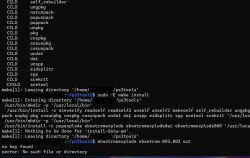
@LuanTeles , I figured it out (somewhat). I don't think we can get it to work the way we want it, because that ebootrom isn't decrypted. I used the same file as zecoxao this time, and it worked fine:

it didn't seem to put the files in a workable format. I put the keys folder in ~/data. I don't know if it's due to not having the keys for 0.93 or what is going on, but here's my ps3tools folder https://www.mediafire.com/file/wjh11bai4g9spwk/ps3tools.tar.gz/file , so you can try installing them to your distro. you may have to do sudo -E make install even though zeco just does sudo make install. it adds elevated privileges to the usr folder. good luck. let me know if you figure it out.
@LuanTeles , I figured it out (somewhat). I don't think we can get it to work the way we want it, because that ebootrom isn't decrypted. I used the same file as zecoxao this time, and it worked fine:
Last edited by a moderator:
@LuanTeles , I figured it out (somewhat). I don't think we can get it to work the way we want it, because that ebootrom isn't decrypted. I used the same file as zecoxao this time, and it worked fine:
View attachment 45288
@zecoxao how to decrypt the ebootrom?
Charles_n_town
Senior Member
There's something weird that happens if you try processing a non decrypted ebootrom. It tries decrypting every self in the home directory, including PS4 stuff (possibly others). Obviously, it can't find the keys with PS4 stuff though. I'm not sure if they're just placeholders for scetool or what. Processing a decrypted ebootrom works with just that ebootrom, nothing more.@zecoxao how to decrypt the ebootrom?
@LuanTeles , I figured it out further, but dev_blind isn't in a format that makes sense.
Last edited by a moderator:

Joonie
Developer
@LuanTeles , I figured it out further, but dev_blind isn't in a format that makes sense.
View attachment 45292
View attachment 45290
View attachment 45291
content is just a tar file, unpack it then you will get files.
Charles_n_town
Senior Member
content is just a tar file, unpack it then you will get files.
if I try to extract it as a basic tar, I get this:
I even tried adding the tar extension. also, is there anyway to extract them all at once? there's like 27 of them.
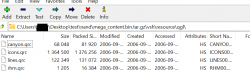
nm, I figured it out by changing the extension of the mega_content.bin to a tar. slight problem, @LuanTeles :
there is no icontex.qrc
okay, I spoke too soon. it won't let me extract anything from it. if I add the .tar extension, it opens in .7zip, but extracting stuff seems to work as the files appear to exist, but nothing appears on the screen, if that makes sense. I don't understand what I'm doing wrong.
Attachments
Last edited by a moderator:
Joonie
Developer
if I try to extract it as a basic tar, I get this:
View attachment 45293
I even tried adding the tar extension. also, is there anyway to extract them all at once? there's like 27 of them.
nm, I figured it out by changing the extension of the mega_content.bin to a tar. slight problem, @LuanTeles :
there is no icontex.qrc
okay, I spoke too soon. it won't let me extract anything from it. if I add the .tar extension, it opens in .7zip, but extracting stuff seems to work as the files appear to exist, but nothing appears on the screen, if that makes sense. I don't understand what I'm doing wrong.
Hmm I think I used to use tar command on linux..
Charles_n_town
Senior Member
I think using the mega_content.bin is wrong. how do I merge all the content files together? they have no extension, so I don't know if I can use copy /b somehow. also, it would have to be recursively. I was going to try merging all the content files together into one .tar file. trying to extract them one-by-one doesn't seem to work as it's not recognized as a .tar file.Hmm I think I used to use tar command on linux..
Joonie
Developer
@LuanTeles , I figured it out further, but dev_blind isn't in a format that makes sense.
View attachment 45292
View attachment 45290
View attachment 45291
By the way, did you get any segmentation fault when tried running the script? And what version of ubuntu are you using? I had two issues. One of them is segmentation fault and the other one is key not found
Charles_n_town
Senior Member
I'm using ubuntu 20.04. no segmentation fault. I fixed the key not found issues by using that post by @zecoxao on youtube. I no longer get that. you have to use ebootromexplode if it's not decrypted. I'm trying to get the files out in the open, but that's causing me problems, not that that matters, because it doesn't show an icontex.qrc, perhaps being even older than the first firmware that was on the system. the decrypted firmwares themselves are so old that they're really only the coreos.By the way, did you get any segmentation fault when tried running the script? And what version of ubuntu are you using? I had two issues. One of them is segmentation fault and the other one is key not found
I'm using ubuntu 20.04. no segmentation fault. I fixed the key not found issues by using that post by @zecoxao on youtube. I no longer get that. you have to use ebootromexplode if it's not decrypted. I'm trying to get the files out in the open, but that's causing me problems, not that that matters, because it doesn't show an icontex.qrc, perhaps being even older than the first firmware that was on the system. the decrypted firmwares themselves are so old that they're really only the coreos.
On some firmwares the icons are located in icon.qrc instead of icontex.qrc
Charles_n_town
Senior Member
btw, segmentation fault is such a broad issue. it's like "an error has occurred" with no information surrounding it. I've encountered it before, not very often, but it has happened, just not with this.
I'll try to extract them if I can figure out why the files don't appear. it looks to be about the right size.
@LuanTeles , I don't know how, but I got it:
On some firmwares the icons are located in icon.qrc instead of icontex.qrc
I'll try to extract them if I can figure out why the files don't appear. it looks to be about the right size.
@LuanTeles , I don't know how, but I got it:
Attachments
Last edited by a moderator:

Charles_n_town
Senior Member
well, let me know if you need another icontex.qrc. I think the new user is 42n iirc.
@Charles_n_town when you have time, can you extract some dev_flash files from these i wonder how it looked before 0.90
Charles_n_town
Senior Member
the earliest one doesn't work due to no nandupdate.pkg, I think, but I just did 0.85. this looks interesting:

it doesn't even have a qgl folder nor coldboot/gameboot:

okay, it did extract 0.60, but there's no dev_blind whatsoever. here's what it is:

it doesn't even have a qgl folder nor coldboot/gameboot:
okay, it did extract 0.60, but there's no dev_blind whatsoever. here's what it is:
Last edited by a moderator:
Similar threads
-

-
-
 PS3 Returning Long-Time Member & Evilnat Tester: Software/Flasher Support (No Soldering)
- Started by SHAD0WBULLET707
- Replies: 0
-
