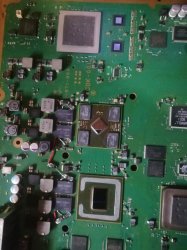
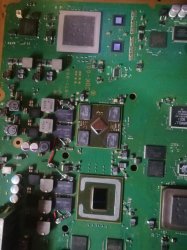
PS3 Frankenstein PHAT PS3: CECHA with 40nm RSX

Hello, RIP-Felix
Did you find a way to fix PS2 games with Frankie mod? I modded mine CECHA00 model, after this PS2 games stopped working: I have blackscreen, but I can open menu and close the game.

Appears to be the RSX in most cases. Either poor reflow or the I/O on that side has an internal issue. I also have one, another RSX os the next step.

There are 2 categories of no ps2...

noPS2_Menu - black screen. Pressing PS brings up menu and you can reset ot exit back to XMB. sometimes resetting several times can cause the ps2 to boot or a YLOD (1701). Has been solved with new RSX in several instances.

noPS2_noMenu - just black screen. This has been EEGS, PS2 bridge chip, ram, etc. A HW issue in PS2 side.

I still suspect southbridge involvment and quite a few other possabilities, but easiest to try those bigger issues first.
 
cecha has some bug with some games if upscaling is on resulting in blackscreen 1st try ps2 game with upscaling off. if that didnt fix it. a swap on ps2 bridge chip is a potencial fix. although i dont know if this chip can be harvest from ps2. like ee/gs and rambus ram
 
i did uart usb on my CECHA00 and shows this log with putty


# Initialize memory (rev:4.00, ctm:393Mhz, cpuclk:295Mhz detected)
# Total accessable memory size: 32 MB (B:2:8:0) (400:4:a500)
# TLB spad=0 kernel=1:12 default=13:30 extended=31:38
# Initialize Start.
# Initialize GS ...
# Initialize INTC ...
# Initialize TIMER ...
# Initialize DMAC ...
# Initialize VU1 ...
# Initialize VIF1 ...
# Initialize GIF ...
# Initialize VU0 ...
# Initialize VIF0 ...
# Initialize IPU ...
# Initialize FPU ...
# Initialize User Memory ...
# Initialize Scratch Pad ...
# Initialize Done.
EE DECI2 Manager version 0.06 Dec 11 2006 17:23:31
CPUID=2e42, BoardID=3594, ROMGEN=2012-1227, 32M
can someone tell if EE+GS are ok or is other piece of hardware is faulty like CXD9208 IC because this ps3 don't show ps2 logo when i boot ps2 games and only show menu for restart or quit etc no video or audio and this as 90nm rsx
 
Sounds like a noPS2_Menu. They occur with 90nm also, which is how we know it's not related specifically to the frankie process. My guess would be the RSX is crapping out.
 
Sounds like a noPS2_Menu. They occur with 90nm also, which is how we know it's not related specifically to the frankie process. My guess would be the RSX is crapping out.
yeah and has 2120 error a lot also in logs 1002 rsx and shuts off when i try play gt6 i putted some tantalum in parallel with tokins I didn't removed them and this console wasn't reballed yet but i will send for professional to see i don't have resources for reballing
 
Appears to be the RSX in most cases. Either poor reflow or the I/O on that side has an internal issue. I also have one, another RSX os the next step.

There are 2 categories of no ps2...

noPS2_Menu - black screen. Pressing PS brings up menu and you can reset ot exit back to XMB. sometimes resetting several times can cause the ps2 to boot or a YLOD (1701). Has been solved with new RSX in several instances.

noPS2_noMenu - just black screen. This has been EEGS, PS2 bridge chip, ram, etc. A HW issue in PS2 side.

I still suspect southbridge involvment and quite a few other possabilities, but easiest to try those bigger issues first.


This is the issue I am dealing with on my B00 model (no Frankie job yet). Console works fine and used to boot into PS2 mode when I first got it, now it just goes to black screen but can select the menu and exit (the noPS2_Menu case here). PS1 and 3 games no problem.

I just sent my A00 model out today to get the Frankie done as I am hoping to use that full time and keep my CFW Slim as backup.

I wonder though how the RSX chip connects with the PS2 mode?
 
EEGS and RSX are direcly connected over I/O. I'm not entirely sure what the RSXs role is, besides upscaling.

Perhaps, that's all it's really doing. So if an I/O connection is broken, PS2 still launches, eegs UART looks normal, RSX otherwise functions fine, but no AV in PS2.

Basically, the way I'm thinking of it RN is as the GLOD for PS2. Which wouldn't suprise me.
 
Sorry im not a math genius but Vout 65nm RSX = 0.65 ( [2100+1800] / 2100) = 1.00v_VDDR is incorrect. This equals 1.20 and is confirmed by using 1% resistors. It outputs exactly 1.20V

If my math is correct 3900+2100 is correct for 1V
 
I have this CECHA01 that I just put a 40nm on and did the syscon changes. It works but the fans kick up to 100% after a few seconds. I used a 5302A1GB without the IHS, I used a 90nm IHS. Its getting good contact. The console seems to run without tripping a thermal error. Ive only ran it a few mins.

Temps
TZone No:01
RSX Primary Temperature:33.50(0x2180)
[mullion]$
tmp 00
TZone No:00
1st BE Primary Temperature:47.45(0x2f77)

This is what I put into the syscon
[mullion]$
w 3242 03 61 82 80 01 91
w complete!
[mullion]$
w 3254 21 EC
w complete!
[mullion]$
w 348B 8B
w complete!
[mullion]$
w 34AF 8B
w complete!

EDIT: Reflowed RSX and checked board for any stray solder balls. No change.
EDIT2: Are these fan settings correct? I only made the changes listed in the frankenphat tutorial.
fantbl getini 0
fancon No:00
P0: TempD:0.0(0x0000) - TempU:74.0(0x4a00) duty:100%(0xff)
P1: TempD:60.0(0x3c00) - TempU:75.0(0x4b00) duty:100%(0xff)
P2: TempD:61.0(0x3d00) - TempU:76.0(0x4c00) duty:28%(0x48)
P3: TempD:67.0(0x4300) - TempU:77.0(0x4d00) duty:30%(0x4d)
P4: TempD:68.0(0x4400) - TempU:78.0(0x4e00) duty:35%(0x5a)
P5: TempD:71.0(0x4700) - TempU:79.0(0x4f00) duty:40%(0x66)
P6: TempD:71.50(0x4780) - TempU:80.0(0x5000) duty:45%(0x73)
P7: TempD:72.0(0x4800) - TempU:81.0(0x5100) duty:50%(0x80)
P8: TempD:72.50(0x4880) - TempU:82.0(0x5200) duty:60%(0x99)
P9: TempD:73.0(0x4900) - TempU:85.0(0x5500) duty:100%(0xff)
[mullion]$
fantbl getini 1
fancon No:01
P0: TempD:0.0(0x0000) - TempU:83.0(0x5300) duty:20%(0x33)
P1: TempD:48.0(0x3000) - TempU:84.0(0x5400) duty:25%(0x40)
P2: TempD:71.0(0x4700) - TempU:85.0(0x5500) duty:28%(0x48)
P3: TempD:77.0(0x4d00) - TempU:86.0(0x5600) duty:30%(0x4d)
P4: TempD:78.0(0x4e00) - TempU:87.0(0x5700) duty:35%(0x5a)
P5: TempD:80.0(0x5000) - TempU:88.0(0x5800) duty:40%(0x66)
P6: TempD:80.50(0x5080) - TempU:89.0(0x5900) duty:45%(0x73)
P7: TempD:81.0(0x5100) - TempU:90.0(0x5a00) duty:50%(0x80)
P8: TempD:81.50(0x5180) - TempU:91.0(0x5b00) duty:60%(0x99)
P9: TempD:82.0(0x5200) - TempU:95.0(0x5f00) duty:100%(0xff)
[mullion]$
 
Last edited:
Hello, RIP-Felix
Did you find a way to fix PS2 games with Frankie mod? I modded mine CECHA00 model, after this PS2 games stopped working: I have blackscreen, but I can open menu and close the game.
You could try resetting the game from that menu. Otherwise this has been an issue with the new RSX in some cases. Replacing the RSX again may be required to fix your issue.
 
This is how you can decode the lv1 av_driver RSX version string:
Code:
boot0_rev nvcore_clock/memory_clock vpe:vpe shd:shd [lot:revision:foundary:wafer_0:wafer_1:wafer_2:ds_0:ds_1:ds_2] [vid:vidbin:process:mstrap:mclkterm:?:?][?:?:?]

Example: b03 1f4/28a vpe:ff shd:3f [G8B644200:1:2:13:8:a:3:f:1][39:2:0:0:1:3:1][0:0:0]
Code:
boot0_rev: b03
nvcore_clock: 0x1F4
memory_clock: 0x28A
vpe: 0xFF
shd: 0x3F

lot: G8B644200
revision: 1
foundary: 2
wafer_0: 0x13
wafer_1: 8
wafer_2: 0xA
ds_0: 3
ds_1: 0xF
ds_2: 1

vid: 0x39
vidbin: 2
process: 0
mstrap: 0
mclkterm: 1

The vidbin is the binning of the chip. It's only really used on 90nm. 2 means good, 3 is regular. 0 means no binning and 1 is invalid.
Digging up the past for sure, but do we know how many foundarys there were? I'm curious what the wafer value means. I assume wafer_0 is CPU die, 1 is rsx, and 2 SB. But does the value equate the which foundary made each die? And what does "ds stand for? Would it be a stretch to think it means "die substrate" as in the interposer/packaging?

If so this is a very intriguing set of values for my research.
 
I just want to say high to all and say Tanxs! im going to repiar all the ps3 bc i have bought, about 20 so far and rsx errors is 95% of the error codes. Some nic/tokins lol. Man what a ride reading all of 136 pages. my rework station will be coming in about 30 days almost got all the supply's. big shout out to RIP-Felix ,your vids and research is awesome shhhh.
 
I just want to say high to all and say Tanxs! im going to repiar all the ps3 bc i have bought, about 20 so far and rsx errors is 95% of the error codes. Some nic/tokins lol. Man what a ride reading all of 136 pages. my rework station will be coming in about 30 days almost got all the supply's. big shout out to RIP-Felix ,your vids and research is awesome shhhh.
Haha...THX! That's cool man. I'm glad I could help inspire you. I just hope you know what you're in for!

PS3 is headache!

OTOH, it's a hell of a learning opp.
 
I findout my PS3 CECHA00 i got from japan is an 40nm by sony that's why ps2 don't work maybe is need some type an frimware
for CXD9208GP forget the tantalum in this way i will replace all for tantalum but yeah is quite suprise 40nm by Sony
IMG_20240302_144954 (1).jpg
 

Attachments

  • IMG_20240302_144954 (1).jpg
    IMG_20240302_144954 (1).jpg
    1,003 KB · Views: 65
if it boots. then there in no any special firmware-hack in need. if its older than 4.91 jailbreak it. also did you try to boot ps2 games with upscaling off?
 
if it boots. then there in no any special firmware-hack in need. if its older than 4.91 jailbreak it. also did you try to boot ps2 games with upscaling off?
yes only work in emulation mode ps2_netemu by pressing R1 with webman when the iso is loading and with DVD ps2 goes only an black screen and on menu is traditional menu for chose restart game quit memory card this ps3 I already put evilnat 4.90 cfw i tried also rebug 4.84 and black screen maybe some checha don't like 40nm rsx
 
I findout my PS3 CECHA00 i got from japan is an 40nm by sony that's why ps2 don't work maybe is need some type an frimware
for CXD9208GP forget the tantalum in this way i will replace all for tantalum but yeah is quite suprise 40nm by Sony
View attachment 42507
Which category?
  • noPS2_menu - where menu comes up when you press the PS BTN up after starting a ps2 game. You can reset or quit back to XMB. Currently I'm thinking it's BGA related. The I/O between ps2 and GPU. Which can include the RSX or EEGS.
  • noPS2_noMenu - it doesnt come up, which can be ps2 bridge chip).
Since we've seen it occur in unmodified consoles, our frankies and now in sony frankies, it's not specifically due to the mod. Like an incompatibility or somthing we're missing. It's a HW failure.

Out of curiosity, would you please post the uptime on that console? I am curious how long this frankie has been in service.
 
yes only work in emulation mode ps2_netemu by pressing R1 with webman when the iso is loading and with DVD ps2 goes only an black screen and on menu is traditional menu for chose restart game quit memory card this ps3 I already put evilnat 4.90 cfw i tried also rebug 4.84 and black screen maybe some checha don't like 40nm rsx
Do regular DVDs play?

if it were a laser issue the PS2 game wouldnt recognize and load. The HW related noPS2 scenarios I'm referring to will load to a black screen, so it cant be the laser. Just wanted to clearify.

Also, make sure that you are using defaut video settings and upscaling. Performing a video reset will put it into a state that should always work.
 
Back
Top