What ini settings did you try changing in Fallout New Vegas?
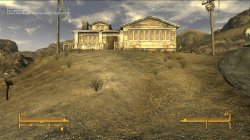
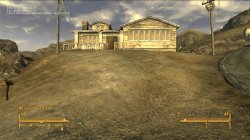
There are some that don't work, like Resolution and FOV for example, but there are plenty that do. Quick example below with some visually obvious changes for demonstrative purposes.
Default ini settings
iMaxAnistropy = 8 and FGrassStartFadeDistance = 3500
View attachment 43052
Modified ini settings
iMaxAnistropy = 0 and FGrassStartFadeDistance = 0
View attachment 43053
---------------------------
Also, I've been doing further testing with the autoexec.cfg files in games made by Monolith Productions using the LithTech Jupiter EX engine after discovering that the FPS cap could be changed.
In addition to changing the MaxFPS cap line to a specific figure, the line can just be deleted entirely. Setting the MaxFPS cap at 60 seems to limit the game to ~58 FPS, but deleting it entirely allows the game to hit 59.94 FPS. Setting the MaxFPS cap at 30 seems to limit the game to ~29.6 FPS but setting it at 30.33 allows it to reach 29.98 - 30.03 FPS. I haven't been able to achieve an exact 29.96 FPS cap on this title.
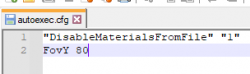
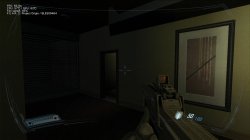
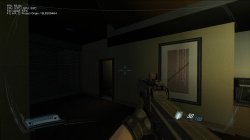
I've found that you can also change the FOV in both F.E.A.R. 2 and Condemned 2 by introducing the FovY line to the autoexec.cfg file though. For F.E.A.R. 2, I would reccomend keeping it to 80 or lower as numbers above 80 result in clipping from some weapons (primarily the SMG). For Condemned 2, I didn't notice any visible clipping, but haven't tested beyond 90 as I'm content with that.
View attachment 43054
Default F.E.A.R. 2 FOV
View attachment 43055
F.E.A.R. 2 80 FOV
View attachment 43056