PS2 HDLGameInstaller

It's only a suggestion, but last thing that comes to my mind
is to ask SP193 for a permission to upload his source code into e.g. github, etc.
Source code for PS2 and PC client can be found here:
https://sites.google.com/view/ysai187/home/projects/hdlgameinstaller#h.p_4oz_hit1el1L.

More developers, maybe more help...
The app is great overall and the OST Title 1 bug is very small. I think sp193 could fix it in less than an hour, so maybe it's better to wait for him to have some free time? It's not like this would take any great deal of work. It's more like an oversight.
 
I didn't realise sp193 had retired. I've searched the psx-place but can't find a source for this. Can you link me?
He wrote it to me in a e-mail about a month ago. He said he can't put any time into this anymore and that he has "moved on".
 
I got a full-time job. It is why I cannot put full days into PS2 development anymore and some of these projects might not even be viewed as totally free from legal problems either. Then of course, I never got to enjoy any of these, so I ceased further investment. I too, am waiting for free time to happen for myself.

I wish, that it is actually so easy to work on the soft keyboard. If you added all the time I have spent on the keyboard (since 2011), it might be in several whole days, if not weeks. Why? Simply because I have no clear idea of how to make one, FreeType is challenging to use and it is nearly impossible to debug anything on the PS2.

This whole project was my second-worst designed project. The bugs in it, the time sunk in and so on, are so great that not even the full extent of those were described publicly because it was developed privately until late 2013. I gave up on it once and really wanted to bury the project, due to not being able to make its most prominent feature work well: network support.

The greatest irony was that it originally had more features planned out. Like Japanese input.

Anybody is welcome to do anything to the source code, including uploading it anywhere.

 
I wish, that it is actually so easy to work on the soft keyboard. If you added all the time I have spent on the keyboard (since 2011), it might be in several whole days, if not weeks. Why? Simply because I have no clear idea of how to make one, FreeType is challenging to use and it is nearly impossible to debug anything on the PS2.
I understand all of that, but it worked in the previous version, so in the worst case scenario you can just revert the keyboard to that state, so that at least it doesn't mess up the game's config.

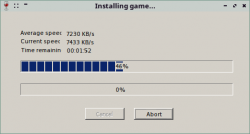
I have no idea why you're being so harsh on yourself here. This app is the best Game Installer for PS2, despite what you said. The network support is great for such an old device. The current speed for game transfer is fast considering that this is PS2, and it's very stable after your last fixes.
 
I have no idea why you're being so harsh on yourself here. This app is the best Game Installer for PS2, despite what you said. The network support is great for such an old device. The current speed for game transfer is fast considering that this is PS2, and it's very stable after your last fixes.

I also agree that it the best game installer app for PS2.
I've almost filled my 500 GB HDD with it.
None of installed games is giving me any additional problems.
Also copy game from PS2 to PC works flawless.

I understand all of that, but it worked in the previous version, so in the worst case scenario you can just revert the keyboard to that state, so that at least it doesn't mess up the game's config.

I can try to look and upload previous version,
but from what I remember it has got a problem with adding additional ! when you edited something:
https://www.psx-place.com/threads/hdlgameinstaller.3709/page-5#post-147306.
 
  • Like
Reactions: TnA
I also agree that it the best game installer app for PS2.I can try to look and upload previous version, but from what I remember it has got a problem with adding additional ! when you edited something.
v0.820 has worse network support. v0.821 is superb overall, but it has that bug with OSDTitle1. What I meant was reverting the virtual keyboard code in v0.821 to the state before the bug if sp193 truly has no time at all to fix the current OSDTitle1 bug.

The additional ! could at least be edited out. Now you will always end up with just the first character for OSDTitle1, no matter what you enter.
 
Yes it is. I increased it to 160 (100 would probably work, too - judging from the HDD activity) and now it works.
I am on Windows 10. I use the official Sony adapter with the chinese SATA conversion kit from eBay. It's a big 3,5" HDD (1,5TB).

@schmatzler can you upload HDLGameinstaller with increased connection timeout (E.g.
160)?
 
Now that I think about it, the problem with OSD Title1 in v0.821 is NOT a virtual keyboard issue. What happens is that there's some kind of a minor bug during saving of the edit. I hope somebody can fix this, so that we don't have to launch the PC client each time we want to edit a given game installation.

BTW, I'm happy to say V0.821 works perfectly in Wine. I'm getting super speeds and stability.
 

Attachments

  • Przechwycenie obrazu ekranu_2020-01-21_11-41-46.png
    Przechwycenie obrazu ekranu_2020-01-21_11-41-46.png
    10.1 KB · Views: 185
What version of Wine you're using?
Currently stable 4.0.3 or for test 5.0-rc6...
You've set to "emulate" win 7, xp...
 
What version of Wine you're using?
Currently stable 4.0.3 or for test 5.0-rc6...
You've set to "emulate" win 7, xp...
Wine-4.0 (Debian 4.0-2~bpo9+1). I didn't set anything. Works perfectly after installing Wine (in other words, with Wine's default settings).
 
Try entering in terminal:
Code:
winecfg

Application tab -> Windows version.

From what I remember currently by default "Windows 7" is set, but I might be wrong.
 
It may depends, what OS you have.
In Linux Mint 19.3 Cinnamon\XFCE after installing I've Windows 7 (Stable Wine 4.0.3).
 
Linux Mint is custom-made, so they might provide their own config files.

If you install Wine 4.0.X on a standard Linux distribution like Debian, the default Windows version is 10. However, this doesn't matter in this case because HDLGameInstaller works with the Windows 7 option as well.
 
From what I remember Linux Mint is based on Debian and Ubuntu...
Packages (.deb) are the same as for Ubuntu.

When I enter "winecfg" (for the 1st time) config files were created (/home/user/.wine)...

It is Linux, some things can be done differently on different distribution.
I remember that with default Samba settings in Linux Mint 18.3 I have problems with OPL,
while other user in other OS (I can't remember what it was) plays OPL without a problem.

When he sent me "smb.conf", everything was also fine at my system...

If you're giving any info why not do it differently?
Latest version, default settings... sometimes may be confusing.

Anyway, stable 5.0 version is out:
https://www.winehq.org/announce/5.0.
 
Linux Mint is a custom-made distribution. It uses its own software repositories and Launchpad PPAs.

There's nothing confusing in what I said. HDLGameInstaller works perfectly with the stable builds of Wine. It doesn't need any special configs on a clean Linux installation. It should work out-of-the-box.

If it doesn't work for somebody, it's because they're doing something out of the ordinary, not the other way around.
 
From where I see, Wine packages are for Ubuntu (as long with Linux Mint), Debian, Fedora... at least at Wine download section.

If for you everything should be as it is in your clean system with default configs, than I don't know what can I add...
 
If for you everything should be as it is in your clean system with default configs, than I don't know what can I add...
Yes, a Linux system should be kept clean. You can run into problems otherwise. That's why it's important to care for the software repositories and PPAs.

And by default config, I mean that it works on Wine by default. You would have to purposefully screw up Wine's config to break this. Most people will use the default config. Even if they have some apps with special needs, they usually just make a profile for that specific app.
 
Back
Top